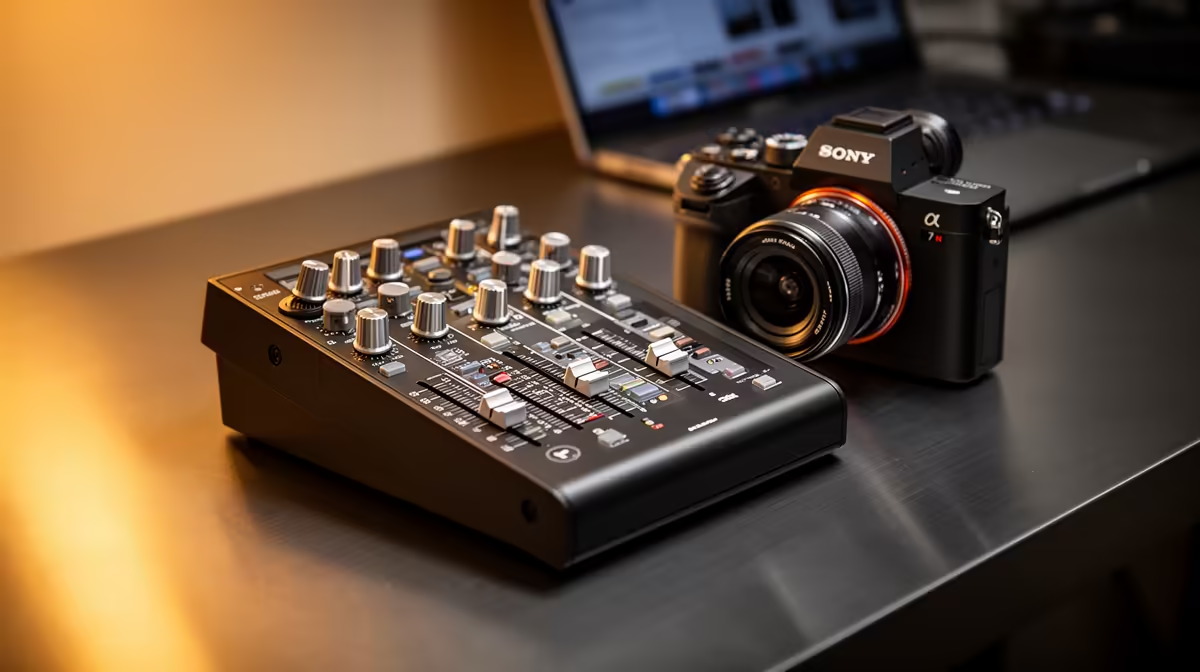
The standard laptop microphone was built for voice recognition and the occasional video call, not for the kind of audio that makes remote colleagues actually listen. A professional USB audio mixer changes the equation at your home desk by giving every meeting the same front-of-house clarity that audio engineers spend careers chasing, all routed through a real microphone and out over USB.
Quick Answer
A USB audio mixer connects an XLR microphone to your computer and routes broadcast-quality audio to Teams, Zoom, or Meet. You gain clean preamp gain, a hardware mute button, and direct monitoring. Budget around R3,500 for a capable unit and R2,000 for a solid dynamic mic to pair with it.
🔧 What a Mixer Adds That a Plug-In USB Mic Cannot
A USB microphone is a fixed package. The gain is set at manufacture, the preamp is embedded in the capsule housing, and if the output is too hot or too quiet for your room, your only real option is system software. A mixer separates every one of those fixed functions into a component you control.
The preamp is the most important difference. A dedicated XLR preamp on a mixer is a full-size circuit designed to run at professional gain levels. You can dial it in precisely with a physical knob, which means you adjust for a loud Joburg apartment or a soft-spoken presenter without touching a single software setting.
The mute button matters more than it sounds. On-screen mute buttons in Teams and Zoom are buried in toolbars that shift depending on the meeting type. A hardware mute on the mixer is always in the same position, and pressing it takes under a second. You will use it every time a dog barks or someone arrives at the front door.
Monitoring is the third piece. A mixer lets you plug headphones in and hear your own voice directly off the hardware. That feedback loop quickly tells you if the gain is set too high or if background noise is creeping in, so you fix it before the call rather than discovering it in a recording afterwards.
⚡ Setting Up in a South African Home Office
South African home offices vary enormously. A detached room in a Cape Town suburb is a very different acoustic environment from a flat with hard tiled floors in central Joburg. The good news is that a mixer plus a cardioid dynamic microphone handles both without acoustic treatment.
A cardioid dynamic captures sound from directly in front of the capsule and is relatively indifferent to traffic outside, a running air conditioner, or a family member passing by. Set the mic about 15 to 20cm from your mouth, point it at your lips, and let the pattern do the work. The mixer's gain control then handles the final level.
The mixer appears as a standard USB audio class device. There are no drivers to install. Plug the USB cable in, open your conferencing app, and select the mixer as the input. It works on any machine that supports a standard USB audio input.
🔌 Choosing the Right Mixer for a WFH Desk
Not every mixer at the R3,500 to R5,000 mark is equally suited to a home office. Two XLR channels are enough for a solo presenter, or two hosts sharing a desk. Any more and you are paying for live-event capacity you will never use at a desk.
Dedicated USB output with a stereo mix bus is essential. Some budget units only offer a mono USB feed or require manual routing configuration. A clean stereo USB bus means both channels mix automatically and reach the computer without additional setup.
One-touch mute, a headphone monitoring jack, and clear channel gain knobs round out the list. Extra effects and additional buses add price without adding call quality.
Pro Tip ⚡
Before your first important meeting, record 30 seconds of your own voice through the new setup at normal speaking distance and play it back through headphones. Listen for hiss at the gain level you have set. If you hear it, pull the gain back slightly and move 2 to 3cm closer to the mic. Fixing it before the call costs nothing; apologising for crackling audio costs the impression.
Frequently Asked Questions
Will a USB mixer work with Microsoft Teams and Zoom without installing drivers?
Yes. A USB audio mixer registers as a standard audio device. Teams, Zoom, and Google Meet detect it automatically under audio settings. Select it as the input device and it works immediately on Windows or macOS, without any additional software.
Does the XLR microphone type matter when paired with a mixer?
It does. A dynamic XLR mic suits most home offices because it requires no power from the mixer and handles background noise well. A condenser delivers more detail but picks up more of the room. For most WFH setups, a cardioid dynamic is the practical starting point.
What gain setting works for a voice call?
Target peaks hitting around -12 dBFS on the mixer's meter during normal speech. That leaves headroom for louder moments while keeping the voice above the noise floor. Speaking test sentences at your normal meeting volume and adjusting the gain knob until peaks sit in that range takes under a minute.
Is the hardware mute button useful if conferencing apps have their own mute?
More useful than it seems. App mute is buried in a toolbar that moves depending on the window layout. The physical button is always in the same place, reachable with one press, and activates faster than a mouse click. On a long call, it becomes second nature.
Can I use the same mixer for meetings and podcast recording?
Yes. The USB output routes audio to any app that accepts a standard device, including DAWs, recording software, and streaming tools. Many WFH users find the mixer doubles as a recording interface for short podcast segments recorded between meetings.
Ready to upgrade your home office audio?
Browse the USB audio mixer and XLR microphone range at Evetech and build the professional calling setup your remote meetings deserve.