Setting actuation on most magnetic keyboards means typing a number into a box and hoping it feels right. The AULA HERO 75 HE takes the guesswork out: its driver shows real-time key travel, so you press a key and watch exactly how deep it goes, then place the actuation point where your finger naturally lands. It turns tuning from trial and error into something closer to measurement.
Quick Answer
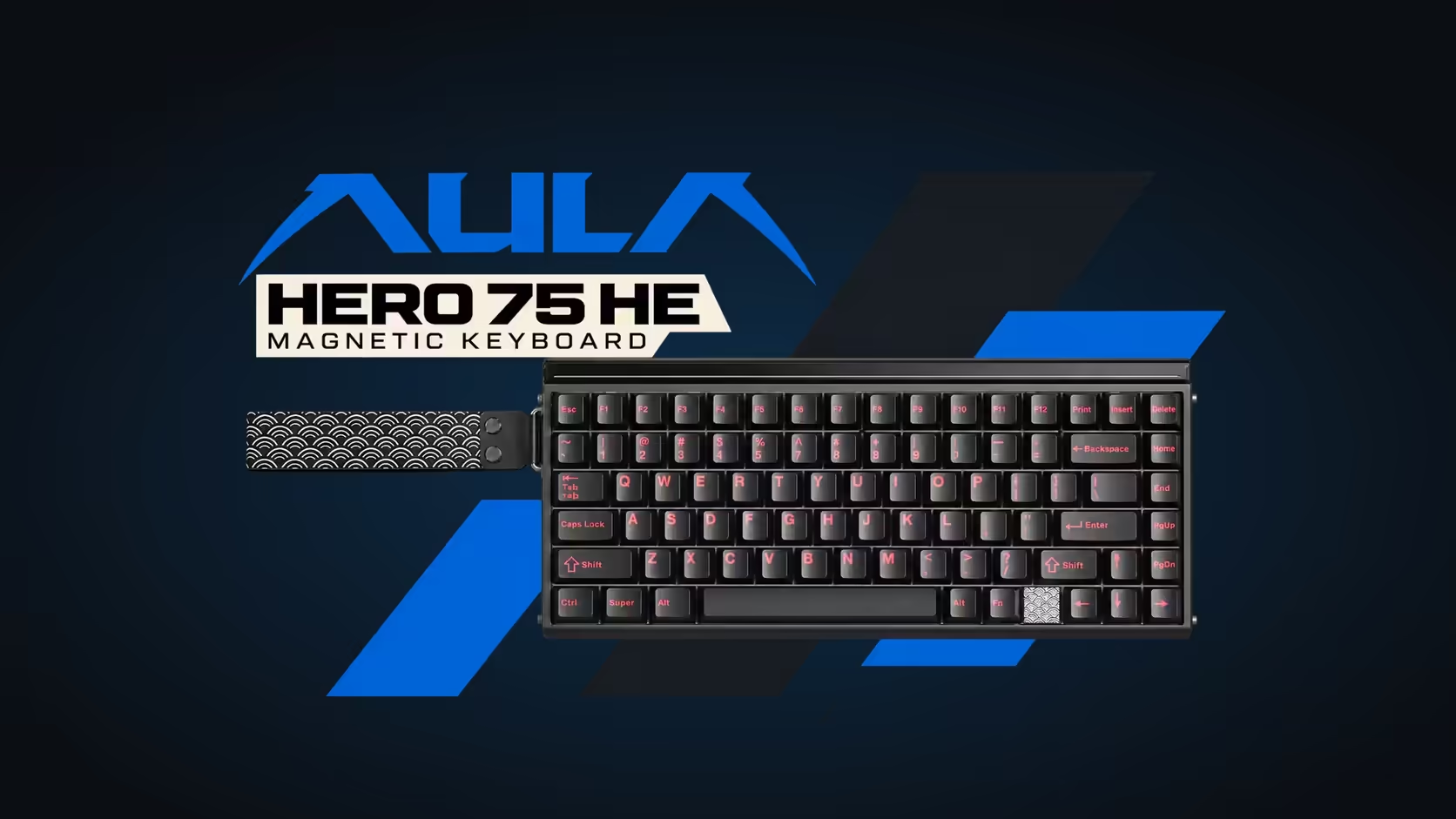
The AULA HERO 75 HE's driver shows key travel live, so you can press a key, watch its depth and set actuation to match. Any point between 0.1mm and 3.4mm is available, in 0.005mm steps, and magnetic switch calibration sits in the same tool. Calibrate before you start, then use the live view to tune movement keys and typing keys separately. The HERO 75 HE goes for R899 at Evetech.
👀 Why watching beats guessing
A number like "1.2mm" means little to your fingers. You cannot feel the difference between 1.1mm and 1.3mm by reading it. What you can do is press a key the way you naturally play and see where it goes.
The live view answers questions that numbers alone cannot:
- How far down does your finger rest on a key without meaning to press it?
- How deep does a deliberate, quick tap actually go?
- Do you bottom out every press, or stop halfway?
Once you see those depths, choosing an actuation point becomes obvious: above your resting depth, below your deliberate-press depth.
🛠️ Tuning with the live view, step by step
The HERO is set up in the AULA HUB web driver, run from a browser; AULA's store lists it as a Windows tool. The product page confirms calibration and the real-time display but not the exact screens, so these steps describe method rather than buttons.
Step 1: calibrate the switches
Run the magnetic switch calibration before anything else. It teaches the board where each key's top and bottom sit, so the travel readout is accurate. Repeat it whenever you change a switch; swapping needs no soldering here, and mixing switch types is allowed.
Step 2: measure your resting depth
Place your fingers on WASD as you would mid-game and relax. Watch the travel view. If a key shows movement while you are simply resting, note the depth.
Step 3: measure a deliberate press
Now tap each key the way you do in a fight, quick and light. Note roughly how deep the taps go.
Step 4: set actuation between the two
Put the actuation point comfortably below your resting depth and above your quick-tap depth. For many players on movement keys, this lands in the shallower part of the range, but trust your own readings rather than a number from someone else's setup.
Step 5: tune Rapid Trigger the same way
With Rapid Trigger, a key re-arms on the way up rather than at a fixed point. Watch how far your finger lifts between taps and make sure the reset point sits inside that lift, so rapid taps always register.
⌨️ Gaming keys versus typing keys
The live view also shows why one setting for the whole board is rarely ideal. When you type, fingers tend to travel deeper and land harder than on movement keys. Typing keys set very shallow will pick up stray letters from fingers brushing past.
A practical split:
- Movement and core action keys: shallow actuation, Rapid Trigger on, dead zone reduced if your fingers hover rather than rest.
- Letters used for typing and chat: deeper actuation, so only intended presses count.
- Keys with big consequences, such as a menu that pauses a match: deeper still.
Because every setting is per key, all three can live on the board at once.
🔩 The hardware behind the readout
The live view works because the HERO's switches are magnetic. A sensor tracks the magnet in each stem continuously, with AULA quoting a scan rate of 48kHz across the board and up to 128kHz on one key. The same readings drive SOCD, DKS, Mod-Tap and the HERO's other modes.
Tuning carries across every connection. The board polls at 8000Hz over its cable and 2.4GHz receiver, and runs Bluetooth at 125Hz for up to three devices. It is a 75% layout with 84 keys and an 8000mAh battery.
Evetech sells the HERO 75 HE in black, orange and green with a 2 Years Local Warranty. Find it with other magnetic boards among Evetech's gaming keyboards, or see how it sits with the current keyboard best sellers.
Frequently Asked Questions
Why use the live travel view instead of typing in numbers?
It shows how deep your fingers actually press and rest, so you can place actuation between the two with confidence.
Should I calibrate before or after tuning?
Before. Calibration makes the travel readout accurate, and you should repeat it after swapping switches.
Where should WASD actuation start?
Somewhere between your resting depth and your quick-tap depth, as measured in the live view, rather than a borrowed number.
Should typing keys match gaming keys?
Usually not. Typing presses land deeper, so give letter keys a deeper actuation point to avoid stray characters.
Does the live view help with Rapid Trigger?
Yes. Watching how far your finger lifts between taps shows where the reset point needs to sit.
Is the driver a browser tool or an installed app?
It runs from a browser. AULA's store lists it as a Windows tool.
Want to see exactly how your keys move?
Explore magnetic boards with live tuning like the HERO 75 HE in Evetech's gaming keyboard range and dial in every key.