Linux gamers no longer have to treat the native GeForce NOW Linux client as unfinished software. The app has left beta, while server-side changes target smoother Frame Generation and higher frame rates for Performance members. That removes one software barrier, but it does not remove the network between a South African player and the cloud.
Quick Answer
The native GeForce NOW Linux app is officially out of beta, with Ubuntu 24.04 LTS and later named as supported and a Flatpak route available. Before spending roughly R8,000 or more on a new laptop only to improve game access, test the service on the existing Linux machine. Connection quality, supported games and service access still decide whether streaming is useful.
🐧 What leaving beta actually changes
General availability signals that the native client has moved beyond its public test phase. The official update also describes cloud optimisations that make Frame Generation feel more responsive and server-side CPU adjustments intended to improve frame rates for Performance members. Because those changes happen on the service, users do not need a new local GPU to receive them.
The native app is important because it can offer a more integrated desktop experience than running entirely through a browser. Official support begins with Ubuntu 24.04 LTS and later, and the Flatpak repository gives users of compatible distributions another installation path. That does not mean every distribution, driver combination or desktop environment will behave identically.
Check the current requirements before installing. Keep the graphics driver, Flatpak runtime and operating system updated, then test with a game already known to be supported. A clean first test should separate app trouble from game-account trouble.
🌐 The home network remains part of the gaming PC
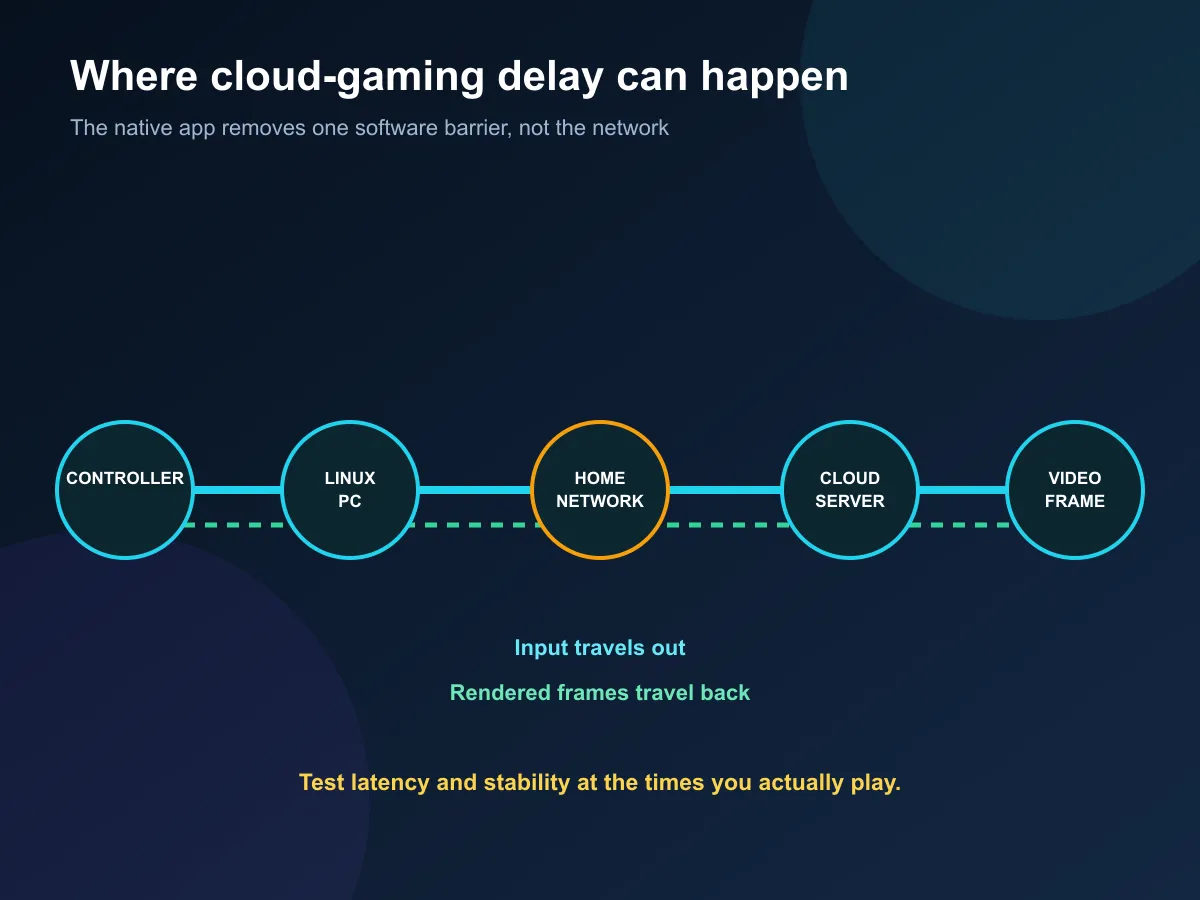
Cloud gaming sends controller or keyboard input to a remote server and returns a compressed video stream. Every delay or loss along that route can affect response and image quality. A powerful server cannot correct unstable home Wi-Fi, congestion at busy hours or a poor path to the service.
Use wired Ethernet where practical. On Wi-Fi, prefer a strong 5GHz or 6GHz connection near the router, and avoid testing from a room with weak signal. Run several sessions at the actual evening or weekend times when the service will be used. A quiet morning test can hide contention that appears later.
Data use also matters. Higher resolution and frame rate generally require a larger stream. Check the service settings and the internet plan before a long session, especially where a connection has a fixed monthly allowance. Cloud rendering removes the local download and GPU load, but it replaces some of that work with continuous network traffic.
The networking range can help solve a weak local link, but new hardware should follow a diagnosis. Moving the device, changing band or using a cable may be enough.
🎯 Choose streaming or local hardware by the library
GeForce NOW works with supported games and connected libraries; it is not a remote copy of every PC title. Confirm that the games you care about are available, that the required store account links correctly and that your preferred controller or keyboard setup works. Unsupported titles remain a reason to keep local hardware.
Streaming makes sense for a Linux laptop that is good for work but too weak for demanding games. It can also be useful for occasional play without a large local install. A dedicated machine remains better for offline sessions, mod-heavy games, predictable access and titles outside the service.
Compare current laptop options when mobility and local play matter. The gaming PC deals show the alternative when fixed desktop performance is the priority.
✅ Test before changing the setup
Use one supported game to test input response, picture quality, audio, controller behaviour and account sign-in. Repeat on wired and wireless connections if both are realistic options. If the experience is stable, the existing Linux machine may cover more gaming than expected.
If it is inconsistent, identify whether the problem sits in the home network, internet route, service region, client or game. Buying a faster laptop will not repair a poor cloud path, while changing a router will not add an unsupported title. The official client makes Linux easier; the correct solution still depends on the bottleneck.
Frequently Asked Questions
Is GeForce NOW officially available on Linux?
Yes. NVIDIA says the native Linux app is out of beta and officially released.
Which Linux version is supported?
The release report names Ubuntu 24.04 LTS and later, with a Flatpak repository also available.
Do users need to update for the server improvements?
No extra app update is required for the reported server-side CPU and responsiveness changes.
Will cloud gaming replace a gaming PC?
Not for everyone. Network quality, game support, image quality, controls and ongoing service access shape the result.
What should South African users test first?
Test latency, stability and data use on the connection and at the times when the service will actually be used.
When does local hardware make more sense?
Choose local hardware when offline play, fixed performance, unsupported games or predictable long-term access matter most.
Ready to test cloud gaming on Linux? Start on the existing machine, check the real connection path, and compare new hardware only after the limiting factor is clear.