The Windows Insider flight certificate expiry reaches its deadline on 11 August 2026, so PCs still running an affected preview build need a newer Insider build. This notice applies to test-channel installations, not ordinary retail Windows 11 systems.
Quick Answer
Open Settings, select Windows Update and install the latest build offered for your Insider channel. The supported update costs R0. Older affected preview builds can show expiry warnings and may stop receiving automatic background updates after their certificate lapses, while normal stable Windows installations are outside this specific alert.
⏰ Why the certificate matters
Preview builds are time-limited so unfinished software does not remain active indefinitely. Microsoft announced a renewed flight certificate in a newer preview build because the previous certificate expires on 11 August. An affected PC that stays behind can display warnings and lose the normal update path it needs to reach later test builds.
This is not a general Windows licence expiry. It does not mean a normal Windows 11 computer suddenly needs a new licence, and it is not a reason to buy hardware. First establish whether the PC is enrolled in the Insider Programme and which channel and build it is using.
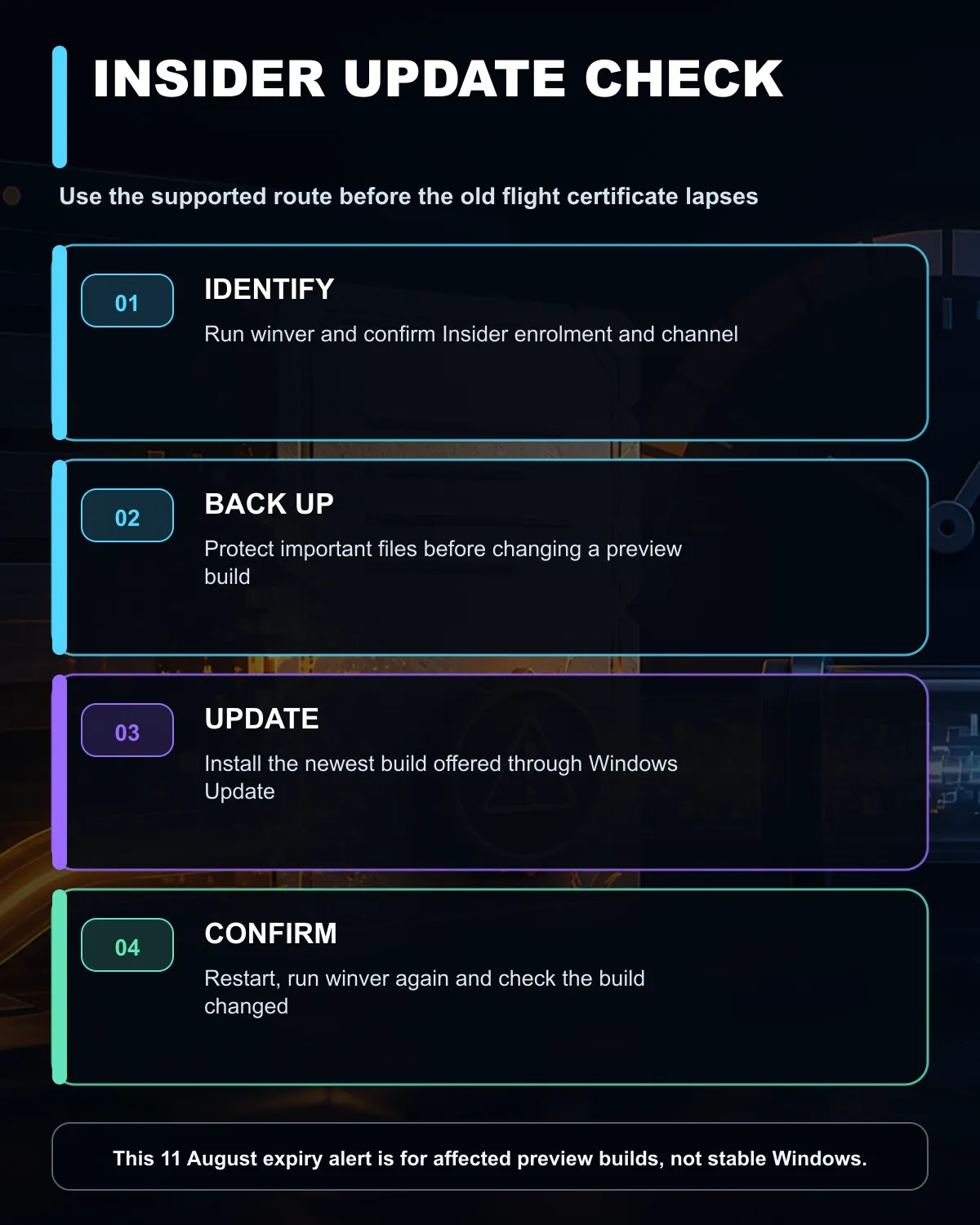
Press Windows key + R, enter winver, and note the version and build. Then open Settings > Windows Update > Windows Insider Programme. If that page shows no Insider enrolment, the flight-certificate notice is unlikely to apply to the installation.
🔄 Update through the supported route
Back up important files before changing a test build. Connect the PC to reliable power and internet, open Windows Update, select Check for updates and install the newest build offered for the enrolled channel. Restart when requested, run winver again and confirm the build changed.
Do not download an unknown image or use a registry shortcut merely to silence the warning. If Windows Update fails, record the error code and use the official Insider download or recovery guidance for the exact channel. A machine managed by an employer or school should be handled by its administrator.
The safest long-term choice for a main work or gaming PC is the stable release channel. Insider builds exist for testing and can introduce regressions. If you no longer need preview features, use the programme's supported unenrolment path rather than forcing a channel change.
🧰 When hardware is not the fix
A certificate deadline is a software-maintenance event. More memory, storage or a new laptop will not renew an outdated preview certificate. Only consider hardware when the computer has a separate performance or support problem that has been measured.
If replacement is already planned for other reasons, compare current laptop specials, gaming PCs and DDR4 memory options on their own merits. Keep the Insider update decision separate.
Frequently Asked Questions
Does this affect every Windows 11 PC?
No. It concerns affected Windows Insider preview builds, not ordinary stable installations.
What should an Insider user do today?
Open Windows Update and install the newest build offered for the enrolled channel.
Does the update require a new licence?
No. The certificate renewal comes through the newer preview build and costs R0.
How can I check my current build?
Press Windows key + R, run winver, and compare the displayed build after updating.
Need a stable Windows setup? Update affected preview builds now, keep a backup, and use stable hardware choices for everyday work and gaming.