Quick Answer
A wireless mouse cannot cause a monitor dead pixel, they are unrelated devices, so a dead pixel after a mouse upgrade is a coincidental panel defect. Confirm it with a full-screen colour test, then check the monitor warranty. A quality wireless gaming mouse at Evetech starts near R700, separate from any display issue.
The Mouse Did Not Cause It
Upgrading to a wireless mouse changes your pointing device, not your monitor, so it cannot create a dead pixel. If the defect appeared around the same time, the timing is coincidental, the cause is the panel itself. People sometimes connect unrelated events, but a mouse and a display share no path that could affect pixels. Enjoy the new mouse for its responsiveness and freedom, and treat the dead pixel as a separate monitor matter to resolve through settings and warranty.
Confirming the Panel Fault
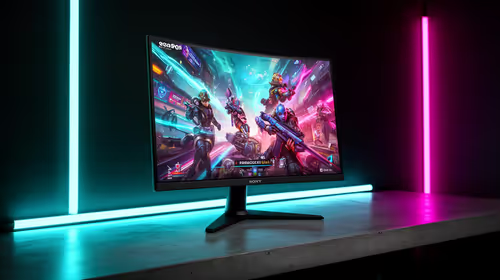
Display a full-screen dead-pixel test, cycling solid red, green, blue, white, and black. A pixel black on every colour is dead; a single fixed colour is stuck and may revive with pixel-cycling. Clean the screen first, set native resolution and refresh in Windows 11, and swap the display cable to rule out a connection fault. Photograph the defect on a solid colour. Test on a second monitor if possible to confirm the panel rather than the GPU output is at fault.
Two Independent Devices
Keep the mouse and the monitor as separate concerns. For the mouse, install its software, set your DPI and polling (1000Hz is plenty), and ensure the wireless receiver sits in a clear USB port for a stable link. For the dead pixel, pursue the monitor's warranty if it is genuinely dead. A responsive wireless mouse from around R700 and a defect-free display together make a clean setup, but each issue is handled on its own.
FAQ
Can a wireless mouse cause a dead pixel?
No. A mouse is an input device with no connection to your monitor's panel. A dead pixel appearing after a mouse upgrade is coincidental; the cause is the display, resolved through its settings and warranty.
How do I confirm the dead pixel?
Run a full-screen colour test cycling red, green, blue, white, and black. A pixel black on every colour is dead and unfixable by software; one stuck on a single colour may respond to a pixel-cycling tool.
What polling rate should I set on the new mouse?
For nearly all gaming, 1000Hz is ample and adds no CPU overhead. Higher rates like 8000Hz bring only a fractional, hard-to-feel latency change while loading your CPU more, so 1000Hz is the sensible default.
Upgrade your aim, separately Browse Evetech's wireless gaming mice for responsive, cable-free control, and handle any monitor dead pixel through its own warranty.