A huge field dataset can improve a storage decision, but it cannot choose a drive by logo. New peer-reviewed hard drive reliability research examines about 443,000 data-centre drives across roughly 1.66 million drive-years. The manufacturer differences are interesting, yet South African buyers still need the correct model, workload rating, warranty and backup plan.
Quick Answer
Use the study as evidence that failure behaviour differs across the sampled manufacturers, not as a universal brand league table. Our 15 August Evetech snapshot found 15 in-stock hard drives from R1,399 to R5,999 across portable, desktop, surveillance and NAS roles. Match the workload first, then compare model-level evidence and keep another copy of important data.
📊 What the large sample can tell us
The research uses the public Backblaze dataset and compares HGST, Seagate, Toshiba and Western Digital drives. Its scale is unusual: hundreds of thousands of units operating for a combined period measured in more than a million drive-years. That gives the statistical analysis much more weight than a handful of user reviews.
The paper asks whether manufacturer-level differences appear in short- to medium-term failure rates. The reported ranking puts HGST lowest and Toshiba highest within the analysed data, with Seagate also above Western Digital and HGST. Those results describe the population and conditions studied. They do not say that every HGST drive is safer than every Toshiba drive.
Data-centre fleets are not the same as a gaming PC, home backup shelf or small-office NAS. Manufacturers contribute different models, capacities and drive ages to the dataset. Cooling, vibration, duty cycle, firmware and replacement practices also differ. A useful reading keeps the scale of the evidence while resisting a simplistic badge-based conclusion.
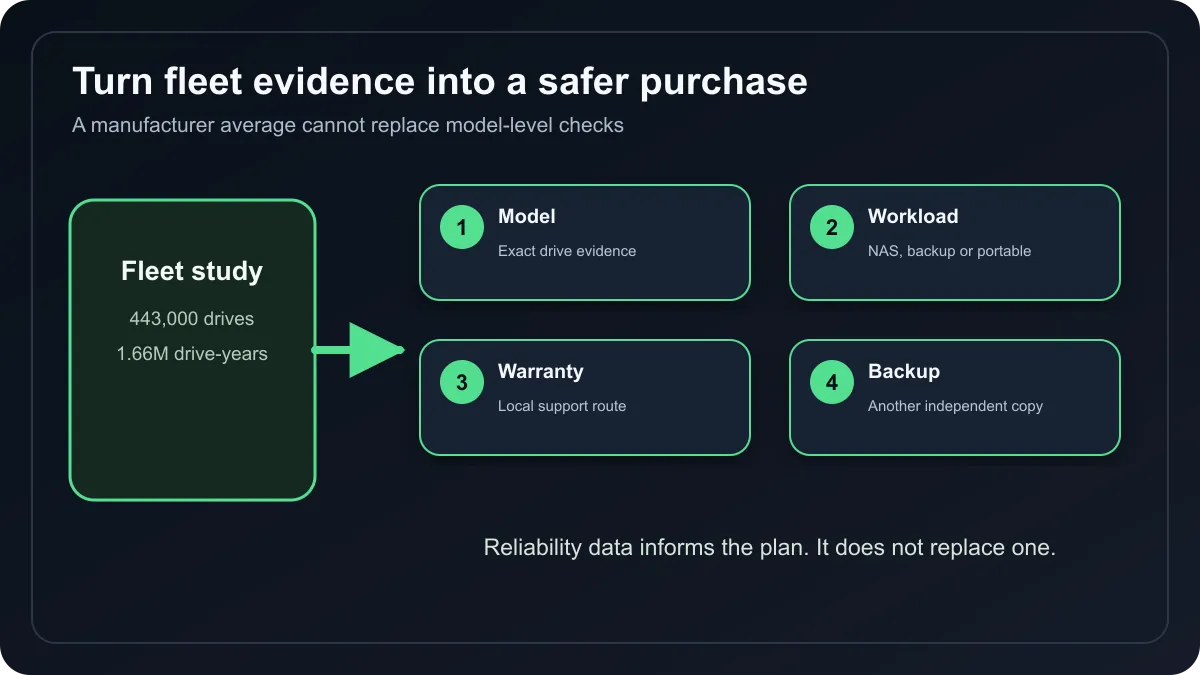
🧭 Start with the job the drive must do
Portable external drives prioritise easy USB connection and physical convenience. Desktop external models can deliver more capacity but need their own power. NAS drives are designed for multi-bay systems and sustained workloads, while surveillance drives target continuous video writing. An ordinary desktop drive may fit physically in several roles without being the best design for them.
Capacity should follow the amount of protected data, growth rate and number of copies required. A 2TB drive is not a 2TB backup plan when the only copy of the files lives on it. Important photos, work and project files need a second independent copy, ideally with one copy separated from the PC and normal daily risks.
Recording technology can affect workload behaviour. Confirm whether a specific model uses conventional magnetic recording when predictable sustained writes or RAID rebuilds matter. Cache size and rotational speed can influence performance, but neither number replaces workload rating, error-recovery behaviour or compatibility with a NAS enclosure.
💰 Local prices cover very different products
The timestamped catalogue read returned 15 in-stock drives. The lowest row was a 1TB portable external drive at R1,399. A 2TB portable model appeared at R1,729, while a 2TB internal NAS drive was R3,199. Captured 8TB options ranged from R4,689 for a desktop external unit to R5,999 for an internal NAS model.
That spread shows why a single price-per-terabyte comparison can mislead. The enclosure, connection, workload design, recovery service and intended operating environment add value beyond raw capacity. Browse all hard-drive categories, compare internal hard drives, and use the external hard-drive range when portability is the priority.
The product grid uses current storage options, while the HDD links above keep the mechanical-drive comparison explicit. An SSD may be preferable for operating systems, active games and shock resistance; an HDD can still make sense for economical bulk capacity. The correct mix often uses fast solid-state storage for active data and multiple hard drives or another service for backup.
🛡️ Reliability does not replace backup
Annualised failure rates are fleet statistics, not a countdown for an individual unit. A drive with a low group failure rate can die tomorrow, and a model with a higher rate can run for years. Monitor SMART warnings where practical, listen for new mechanical symptoms and replace a questionable drive before testing it with the only copy of valuable files.
Check warranty length and local support before buying. Record the serial number, keep proof of purchase and label backup drives clearly. Test that files can actually be restored. A backup that has never been opened is an assumption, not a recovery process.
Frequently Asked Questions
How large was the HDD reliability study?
It analysed about 443,000 drives and roughly 1.66 million drive-years from the Backblaze dataset.
Does the study identify one best brand?
It finds manufacturer-level differences in its sample, but model mix and operating conditions limit universal rankings.
What did local hard drives cost in the snapshot?
The 15 captured in-stock rows ranged from R1,399 to R5,999 across several drive roles.
Is a NAS drive necessary for a NAS?
A compatibility list and workload design should guide the choice; NAS-rated models are built for multi-bay continuous use.
Can one reliable drive protect important files?
No. Any individual drive can fail, so important data needs at least one additional independent copy.
Should buyers choose an SSD instead?
Use an SSD for speed and shock resistance, an HDD for economical capacity, or combine both according to the workload.
Building a safer storage plan? Compare drives by workload and capacity, then budget for a second copy instead of placing all trust in a manufacturer ranking.