



PCIe 5.0 vs PCIe 4.0 for Video editing in 4k in SA
PCIe 5.0 vs PCIe 4.0 for video editing in 4k is mainly about fit, features, compatibility, cost, and upgrade path, not one automatic winner. SA buyers should match the choice to the setup.
Read moreThe Delta Mega is not over R12,000; its price is R6,899, which is R5,101 below that threshold. Judge the two Full HD panels, 100Hz, folding layouts and cross-platform connections at R6,899 rather than treating the title's larger number as its price.
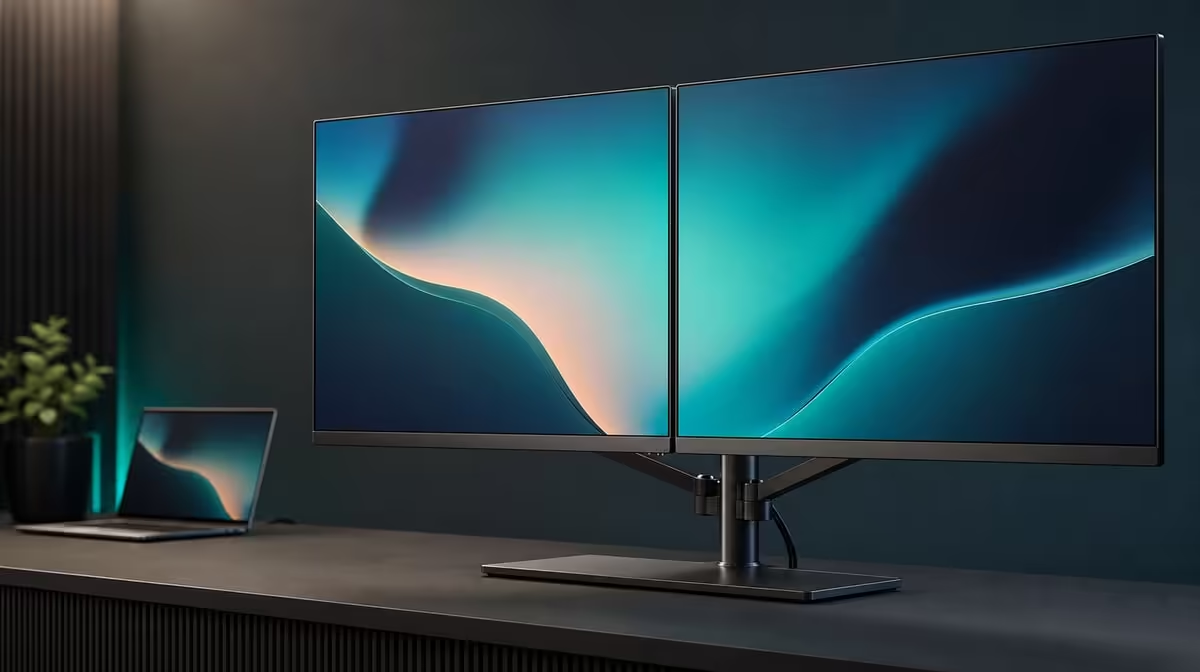
A larger price in a title does not describe the Delta Mega. A 100Hz dual monitor worth over R12,000 would need to solve needs beyond the R6,899 baseline, because this two-panel system already sits R5,101 below that threshold.
The UPERFECT Delta Mega costs R6,899, not more than R12,000. It provides two 23.8-inch Full HD IPS screens, 100Hz, Type-C and HDMI for compatible Windows or Mac laptops, 360-degree folding, speakers and low blue light. A costlier option must prove a specific additional benefit.
Write R6,899 as the product price and R5,101 as the gap to the title's threshold. Do not blend them into an implied premium price.
Begin with the problem the dual display must solve. Large task zones, smoother motion, vertical stacking, cross-platform source support or self-contained casual audio are measurable needs. Prestige is not.
Use mandatory, useful and optional columns. Desk fit, laptop compatibility and readable native resolution belong in mandatory. The other features should move according to actual work.
At R6,899, the baseline already includes two full-size screens and the folding structure. A R12,000-plus alternative should be compared against the whole package rather than one 100Hz label.
Evetech's portable monitor selection can frame current dual-display choices after the requirement list is fixed.
Write each premium benefit as a repeated action: more useful native detail in a named application, a connection the laptop requires, a demonstrably better ergonomic fit or another function used weekly.
Leave vague claims and untested extras out. The buyer should be able to explain why the task is not already covered at R6,899.
Place the laptop and Delta Mega on the intended desk. Set both 23.8-inch panels to 1920 x 1080, choose readable scaling and assign a role to each screen.
Run the main applications for a complete session. Keep sustained work near a comfortable position and use the second panel for research, communication, monitoring or previewing.
Enable 100Hz on both displays through the supported Type-C or HDMI route. Compare scrolling, cursor movement and window animation while resolution and scaling stay unchanged.
The monitor lists 14ms response. Include it in any casual-gaming or motion-sensitive comparison rather than assuming that 100Hz alone defines the complete speed experience.
Fold into the vertical stack and another useful arrangement. The 360-degree range earns value when the layout reduces desk or sharing friction, not merely because the mechanism can move.
Start colour from matched neutral IPS settings and test low blue light separately. The warmer comfort mode should not become evidence of stronger colour.
The Delta Mega supports Windows and Mac through Type-C and HDMI, while actual output modes depend on the laptop, port and cable. Test the exact source used at work.
Detect both panels, map their positions and restart. A premium alternative earns connection value only if it solves an incompatibility or workflow the R6,899 path leaves unresolved.
Select the built-in speakers from the laptop and run a familiar sample. If they replace separate desk speakers for meetings or casual media, record that real simplification.
Keep a neutral audio fallback on the laptop. A built-in feature has less value for a user who always wears a headset, and it should not receive an automatic premium score.
Create a source card with panel order, native resolution, scaling, refresh, audio and folding layout. Ask another user to restore it after changing the source.
The broader Evetech PC monitor category can compare a fixed higher-priced screen with the same laptop and application sample.
Where possible, hide prices while scoring the two setups. Use the same laptop, room, applications, text scaling and work duration.
Record task completion, visual comfort, motion, window handling, audio and recovery. A higher amount should not influence the first experience score.
Reveal R6,899 and the R5,101 threshold gap only after results are written. Decide whether the winning benefits occur often enough to justify the additional spend.
Review after a month rather than a short demonstration. Folding arrangements, smooth motion and built-in sound can receive their highest score on day one and settle into different roles later.
If the costlier display solves a frequent unmet need, its premium can be defensible. If it merely duplicates the Delta Mega's dual Full HD and 100Hz functions, the R6,899 baseline remains stronger.
Check Evetech's monitor favourites for current comparisons and availability when buying, without claiming a permanent market state.
Create a thirty-day premium log before moving above the threshold. Record every time the Delta Mega fails a required task, not every moment another specification looks attractive.
Group failures into workspace, motion, source, layout, sound and comfort. Several small preferences should not become one vague argument for spending R5,101 more.
For workspace, count active application zones and whether the Full HD grid feels limiting. For motion, compare 100Hz through the same scroll and window sample.
For source, test every intended Windows or Mac laptop with its direct known route. A premium port matters only when it supports equipment the Delta Mega cannot.
For layout, use horizontal, stacked and sharing profiles. Another screen should receive credit only for a physical position that performs better over a full session.
For sound, compare built-in playback with the user's current headset or speakers. An included audio feature has no premium value when it remains unused.
At month end, write the exact unmet requirement in one sentence. If the sentence cannot be completed with a task and repeated result, stay with the R6,899 baseline.
Preserve the log for later market comparisons. The live product list may change, but the evidence needed to justify a premium should remain stable.
Add a blind comfort test after the feature trial. Use both setups for the same work block without displaying the prices, then score sightlines, task placement and recovery.
Record which panel holds the main application, where the laptop sits and whether the user relies on vertical folding. A premium should not receive credit for another layout that remained unused.
At final review, state the decision in two lines: the capability already covered at R6,899 and the one repeated gap, if any, worth paying R5,101 to close.
No. The exact R6,899 price leaves a R5,101 gap beneath the title's figure.
It provides two 23.8-inch FHD IPS panels, 100Hz, folding layouts, two inputs, speakers and low blue light.
It lets compatible Windows and Mac laptops use Type-C or HDMI, subject to their actual outputs and cables.
They can remove the need for another casual audio device when their sound suits the user.
It offers a separate comfort mode that can warm the picture during long text sessions.
A buyer needing another resolution, response priority, connection or desk fit may choose differently.
The R6,899 package must pass the real desk, laptop and application tests before any premium is justified.
Ready to make a R5,101 premium show its daily purpose? Compare Evetech's business monitors against the Delta Mega laptop baseline and pay above R12,000 only for a tested unmet need.
No. The exact R6,899 price leaves a R5,101 gap beneath the title's figure.
It provides two 23.8-inch FHD IPS panels, 100Hz, folding layouts, two inputs, speakers and low blue light.
It lets compatible Windows and Mac laptops use Type-C or HDMI, subject to their actual outputs and cables.
They can remove the need for another casual audio device when their sound suits the user.
It offers a separate comfort mode that can warm the picture during long text sessions.
A buyer needing another resolution, response priority, connection or desk fit may choose differently.
The R6,899 package must pass the real desk, laptop and application tests before any premium is justified.
PCIe 5.0 vs PCIe 4.0 for video editing in 4k is mainly about fit, features, compatibility, cost, and upgrade path, not one automatic winner. SA buyers should match the choice to the setup.
Read more
Wi-Fi 7 vs Wi-Fi 6e for competitive esports comes down to router support, latency goals, device compatibility, and coverage. SA buyers should match the choice to the real network setup.
Read more
ATX 3.1 vs ATX 3.0 for mMO and live-service games buyers - what changes is mostly about compatibility, budget, upgrade path, and setup fit. SA buyers should check device support and real needs before expecting a clear win from either option.
Read more
LGA 1851 vs LGA 1700 can affect Twitch and YouTube streaming when gaming and encoding share CPU resources. For SA creators, the real-world difference depends on encoder choice, memory support, motherboard cost, thermals, and upgrade plans.
Read more
X870E vs X670E for aaa single-player gaming is mainly about fit, features, compatibility, cost, and upgrade path, not one automatic winner. SA buyers should match the choice to the setup.
Read more
Hall Effect switches vs Mechanical switches for mMO and live-service games is mostly about compatibility, budget, upgrade path, and setup fit. SA buyers should check device support and real needs before expecting a clear win from either option.
Read more
A fake 113GB GTA VI ISO reportedly used empty padding around a small malware payload. SA gamers should delete unofficial builds, keep Windows security active and wait for official channels.

Wi-Fi 6E vs Wi-Fi 6 matters for 4K video editing when files move across a network. The real-world difference between Wi-Fi 6E and Wi-Fi 6 for video editing in 4K depends on NAS access, cloud uploads, router range, and SA creator workflows.

The difference between PCIe 5.0 and PCIe 4.0 for SA gamers is mostly bandwidth headroom. Compare GPU slot needs, NVMe speed, motherboard support, and upgrade timing before paying extra for a newer platform.

Gaming PC stuck pixel checks in South Africa should confirm the monitor fault first. Use colour tests, screenshot comparison, cable swaps, display menu checks, and clear photos before deciding on support.

Shokz OpenFit Air 2 earbuds weigh 7.2g each and use a redesigned dual-driver open-ear layout. SA buyers should choose them for comfort and awareness, not maximum isolation.

AMD's current driver now lists a Radeon RX 9050 4GB, while product coverage details a narrowed memory system. SA buyers should weigh the low VRAM ceiling against current local Radeon options.

Samsung Display has demonstrated a 16-inch 2.5K OLED laptop panel running at 300Hz. SA buyers should wait for a named notebook, full panel specifications and a local price before planning an upgrade.

Microsoft says some Windows 11 game crashes after recent updates are linked to RGB-related drivers. Affected SA gamers should confirm the update and driver before using the published registry workaround.

RTX 5090 on a 650W PSU is a tight pairing with very limited headroom. For SA gaming PCs, focus on total system draw, PSU quality, connector support, CPU choice, and avoid OC plans unless the full build is carefully power-limited.
PCIe 5.0 vs PCIe 4.0 for video editing in 4k is mainly about fit, features, compatibility, cost, and upgrade path, not one automatic winner. SA buyers should match the choice to the setup.

850W PSU safety for RTX 5090 is plausible with a quality unit and balanced parts. In SA, confirm connector support, CPU power draw, case airflow, PSU age, and spare capacity before building around 850W.
Wi-Fi 7 vs Wi-Fi 6e for competitive esports comes down to router support, latency goals, device compatibility, and coverage. SA buyers should match the choice to the real network setup.