


Maintain Wired Headset: Tips to Extend Lifespan
Maintain wired headset — Checklist: • inspect cables • clean earpads • store properly 🔧🎧 Practical steps to preserve sound quality and avoid premature replacements.
Read more100W USB-C hub explained: learn how 20V 5A power delivery affects charging, device compatibility, and performance vs lower wattage models. ⚡🔌 Practical tips to pick the right hub and cable.
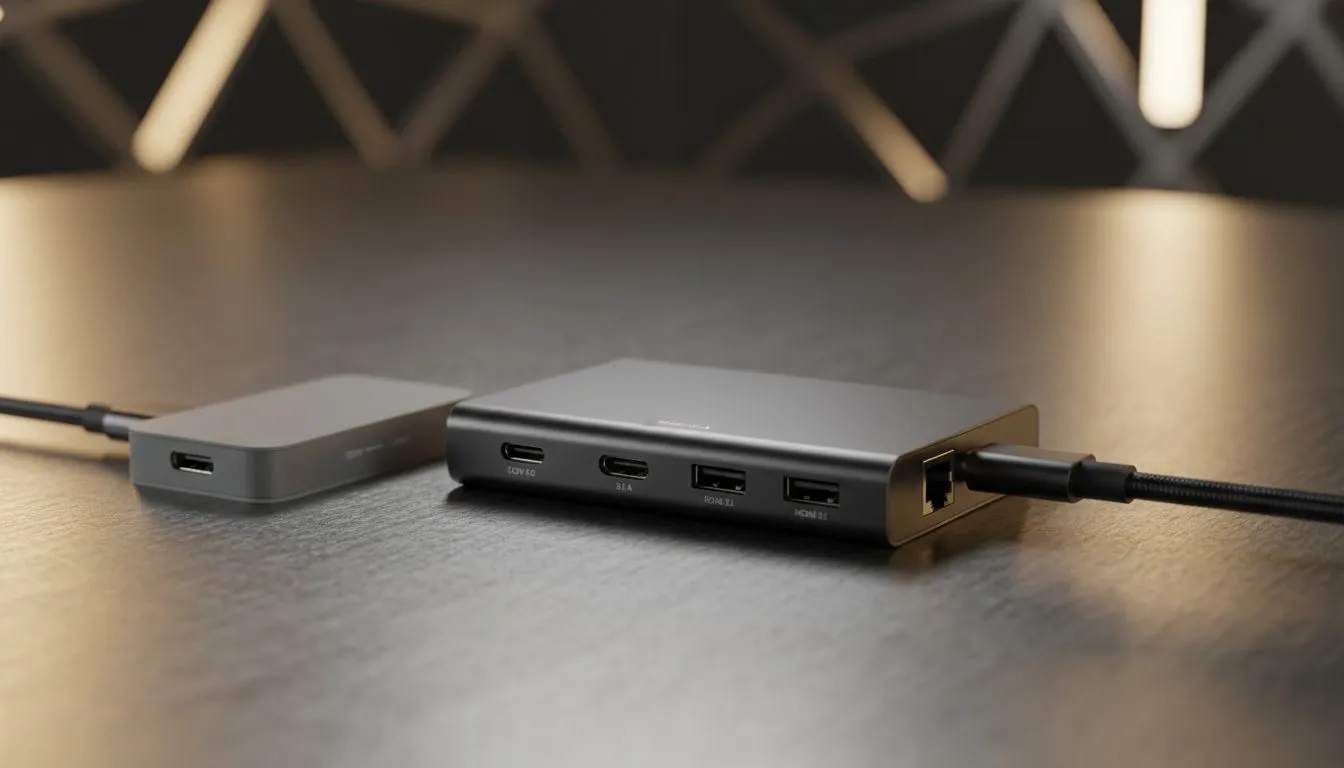
Ever plugged your beastly gaming laptop into a USB-C dock, only to see the battery icon still draining during a hectic gaming session? You're not alone. The culprit is often a weak, underpowered hub that just can't keep up. That's where a proper 100W USB-C hub comes in, and understanding the magic number—20V at 5A—is the key to unlocking true single-cable convenience for your powerful tech in South Africa.
So, what does "100W" actually mean? It's simple electronics: Power (Watts) = Voltage (Volts) × Current (Amps). For a 100W USB-C hub, this breaks down to 20 Volts (20V) and 5 Amps (5A). This specific combination is the maximum power level defined by the USB Power Delivery (PD) 3.0 standard, designed to handle the most demanding devices.
Think of it as the water pressure and pipe size for electricity. A lower wattage hub might offer 20V but only at 3A (60W), which simply isn't enough "flow" to power and charge a high-performance machine simultaneously. This 20V 5A spec is the gold standard for a reason. ⚡
Using a 60W or 65W hub with a gaming laptop that needs 90W or more is like trying to fill a bucket with a slow-dripping tap... while it has a hole in it. Your laptop will consume power faster than the hub can supply it, leading to a slow but steady battery drain, even while plugged in. This can be incredibly frustrating when you're in the middle of a project or a competitive match.
For a seamless experience, matching your power supply to your device's needs is one of the most important things to consider when looking for essential PC components. An underpowered hub simply creates a bottleneck that cripples your mobility and performance.
Remember, your hub is only half the story. To get the full 100W, you also need a USB-C cable rated for 100W (or 5A). A standard cable might cap your charging speed, bottlenecking your powerful new hub. Always check the specs before you buy!
A true 100W USB-C hub isn't just a luxury; for many modern devices, it's a necessity.
Investing in a powerful hub means you can finally leave that bulky, proprietary power brick at home. It simplifies your desk setup and your travel bag, creating a single-cable solution for power, data, and video. 🚀 It's a smart move, especially when you can find great value by keeping an eye on the latest gaming accessories deals.
While 100W power delivery is the main event, it's not the only feature to look for. A quality hub should also offer a versatile selection of ports to truly become the centre of your setup. Look for a mix of:
By choosing a hub that combines 100W power with a great port selection, you're not just buying a charger; you're investing in a complete docking solution that will serve you for years to come. You can browse our full range of gaming accessories to find one that fits your exact needs.
Ready to Power Up Your Setup? Don't let a weak hub bottleneck your high-performance gear. A proper 100W USB-C hub is a small investment for a massive convenience boost. Explore our massive range of PC components and accessories and find the perfect hub to conquer your workflow.
20V 5A equals 100W PD output; a 100W USB-C hub can supply higher power for charging larger laptops and demanding devices.
If your laptop supports 100W PD, a 100W USB-C hub can charge at full speed; lower-watt hubs may throttle charging or slow charge.
Yes. A 100W USB-C hub negotiates power via PD and can safely charge phones, tablets, and smaller laptops at their required wattage.
Use a PD-rated, 5A e-marker USB-C cable to handle 20V 5A safely; standard cables may limit power or overheat.
Lower wattage hubs (30W–60W) can’t fully power many modern laptops, may reduce performance, and limit charging when multiple devices connect.
Higher-watt hubs can produce more heat under sustained load; choose models with good thermal design and quality components.
Match hub wattage to your laptop's PD requirement, count connected devices, and use proper cable gauge to ensure safe, full-speed charging.
Maintain wired headset — Checklist: • inspect cables • clean earpads • store properly 🔧🎧 Practical steps to preserve sound quality and avoid premature replacements.
Read more
Fix crackling headset fast: step-by-step checks for cables, connectors, drivers, and settings to remove static or distorted audio on wired headsets 🎧⚙️
Read more
Stereo vs mono headsets: learn which delivers clearer calls, better spatial music, or simpler mono voice performance — pick the right headset for meetings, music, or gaming 🎧💬
Read more
- Compare gaming headset vs studio headphones; - Assess comfort, mic and sound; - Recommend best daily picks. Gaming headset vs studio headphones: learn which suits work, music and casual gaming. 🎧⚖️
Read more
- Check pressure points - Compare earcup materials - Adjust clamp and fit Best gaming headsets for glasses: quick guide to reduce temple pressure, pick breathable memory foam earcups, and optimize fit for long sessions 🕹️👓
Read more
Gaming microphone noise reduction: Use beamforming mics, AI noise suppression, and hardware filters to cut background noise and boost in-game voice clarity. 🎧⚙️ Learn setups, settings, and top mic features.
Read more
Snapdragon X2 NPU Explained: How 80 TOPS Changes. Plain-English explanation of what it means, why it matters & how it affects your buying decisions in SA.

HBM? High Bandwidth Memory Used in GPUs and AI. Plain-English explanation of what it means, why it matters & how it affects your buying decisions in SA.

How much should you spend on sim racing accessories in South Africa for a realistic setup? We break down budgets by quality tiers, so you buy smart gear and avoid overspending 🎮💸

G-Sync and FreeSync? Variable Refresh Rate. Plain-English explanation of what it means, why it matters & how it affects your buying decisions in SA.

AMD Laptop: Value. SA-focused analysis with local pricing data, real-world insights & actionable buying advice.

How MacBook Neo Handles 30+ Chrome Tabs with Only. SA-focused analysis with local pricing data, real-world insights & actionable buying advice.

Why Apple Put 8GB RAM in MacBook Neo: The A18 Pro. SA-focused analysis with local pricing data, real-world insights & actionable buying advice.

Upgrade your work laptop with a New Motherboard. Step-by-step instructions with SA-specific tips, common pitfalls to avoid & expert recommendations.
Maintain wired headset — Checklist: • inspect cables • clean earpads • store properly 🔧🎧 Practical steps to preserve sound quality and avoid premature replacements.
Fix crackling headset fast: step-by-step checks for cables, connectors, drivers, and settings to remove static or distorted audio on wired headsets 🎧⚙️
Stereo vs mono headsets: learn which delivers clearer calls, better spatial music, or simpler mono voice performance — pick the right headset for meetings, music, or gaming 🎧💬
- Compare gaming headset vs studio headphones; - Assess comfort, mic and sound; - Recommend best daily picks. Gaming headset vs studio headphones: learn which suits work, music and casual gaming. 🎧⚖️