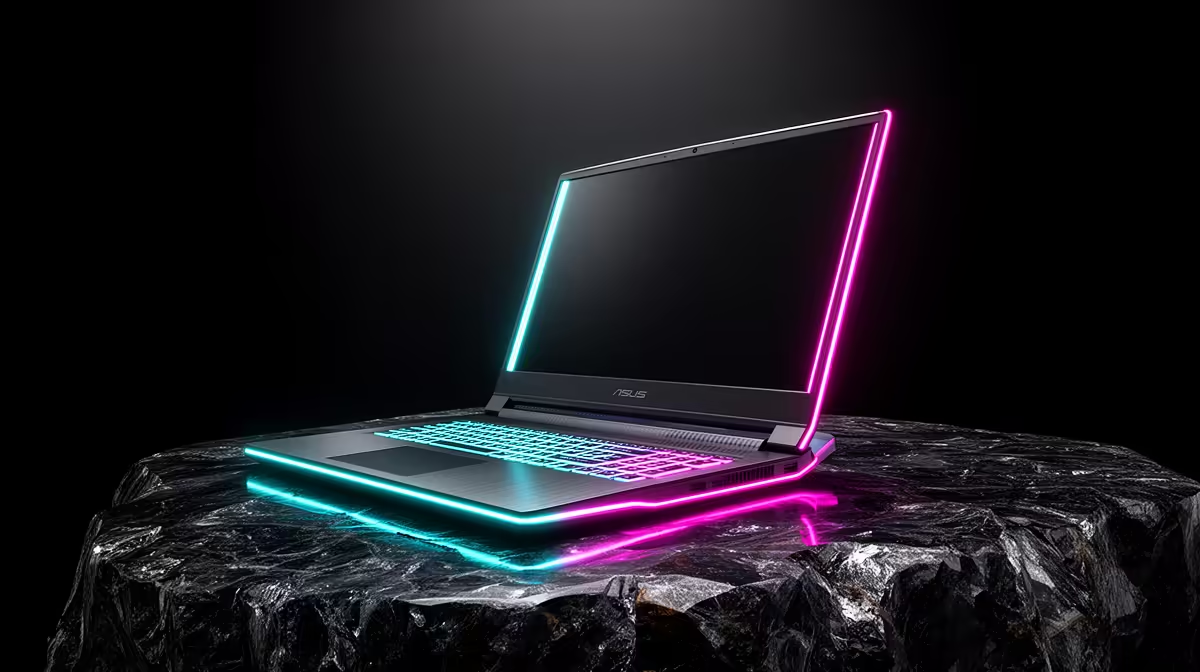
A larger laptop can make games and creative timelines easier to see while making every trip feel longer. The 17-inch vs 15-inch gaming laptop choice balances screen, cooling and battery against desk space and carrying weight.
Quick Answer
A 17 inch gaming laptop is worth it when it spends most of its life moving between desks and you value a larger screen, keyboard deck and potential cooling volume more than a light bag. It is not guaranteed to have a bigger battery or faster version of the same GPU. Chassis design, power limits and airline battery rules shape the result. A 15 or 16 inch machine is easier to carry and can match performance with good cooling. Compare exact laptops, including charger, dimensions, panel, sustained frame times, fan noise and battery. Size is the first physical trade, not a performance tier.
The screen changes how the laptop feels
A larger panel makes game interfaces, timelines and side-by-side windows easier to read at the same resolution. At 1080p, pixels are more visible on 17 inches than on 15 inches from the same distance. At 1600p or 4K, the larger area can make the added detail useful.
Viewing distance matters. A 17 inch screen pushed farther back can have a similar apparent size to a 15 inch display nearby. Test the desk depth and hinge position.
Panel quality remains separate. Check brightness, contrast, colour, refresh, response, VRR and coating. A strong 15 inch panel beats a dim slow 17 inch screen.
Chassis volume can help cooling
A larger body gives designers room for wider heatsinks, fans and vents. It can also allow the same heat to leave at lower fan speed. That potential has to be proven on the exact machine.
Some 17 inch laptops are thin designs with constrained power, while a thick 16 inch model can run a stronger cooler. Compare a thirty-minute game loop with GPU power, clocks, temperature, fan noise and frame times.
CPU and GPU share cooling on many laptops. A game-only test may look strong while a combined render load forces both to lower power. Use the workload you care about.
The same GPU name does not promise the same speed
Mobile GPUs operate across supported power ranges. Firmware, Dynamic Boost, cooling and charger capacity affect sustained result. Read the stated GPU power and measured chassis behaviour.
A 17 inch RTX model can be faster when it sustains more power, but size alone cannot establish that. A lower-power 17 inch machine may be chosen for noise or battery instead.
Compare the same resolution and image settings. A larger laptop with a higher-resolution panel may post fewer native frames despite a faster GPU.
Battery size does not equal runtime
Large chassis can fit a larger battery, but not every design uses the space that way. Panel size, brightness, resolution, CPU, GPU switching and battery capacity determine runtime.
Compare office battery tests at matched brightness. Gaming on battery runs at reduced performance and can drain a pack fast on either size. Use the approved charger for demanding work.
Check the battery's watt-hour rating and service path. A large pack can approach transport limits; consult the airline's current rules before travel rather than assuming cabin approval.
The charger belongs on the scale
Laptop listings often quote machine weight without the power brick. A high-power 17 inch system plus charger, sleeve and mouse can create a heavy daily bag. Weigh the complete kit.
Measure the footprint too. A wide chassis may not fit lecture-hall desks, trays or your current backpack. A 15 or 16 inch model can leave room for notes and a mouse.
If the laptop moves only between rooms or occasional events, the larger display can be worth that bulk. Daily walking and public transport give every extra gram more importance.
Keyboard and ports can use the extra space
A wider deck may include a numpad, full arrow keys or more key separation. Layout differs by model, and a squeezed numpad can still feel poor. Type and game on the exact keyboard.
Port selection can improve with chassis size, but there is no rule. Check Ethernet, display outputs, USB-C charging, card reader and rear versus side placement. Rear cables help a permanent desk and can be awkward during quick travel.
Speakers may have more enclosure volume, yet tuning decides sound. Use headphones or external speakers when audio quality matters.
Upgrade and service access deserve a look
Larger gaming laptops can offer two memory slots and several storage sockets, but soldered memory and single-drive designs exist at every size. Read the service guide and warranty terms.
Check whether opening the base is an authorised user process, which components are replaceable and whether spare batteries or fans are supported. A laptop you keep for five years needs more than an empty M.2 slot.
For storage expansion, confirm module length, sidedness, heatsink clearance and lane support. Do not assume a spacious case accepts desktop SSD coolers.
A desk replacement has another option
Compare a 15 or 16 inch laptop plus external monitor with a 17 inch laptop alone. The smaller machine can travel better and provide a larger desk screen at home. The external setup adds cost, cables and space.
A 17 inch machine keeps one-device simplicity and a big screen wherever it goes. It still cannot match a 27 inch desktop monitor for workspace. Choose the compromise you use most days.
Check external display routing and dock bandwidth before relying on the smaller-laptop plan. A USB-C port may not support the refresh or VRR you expect.
Test the complete routine
Pack each size with its charger and carry it for fifteen minutes. Set it on the smallest desk you use. Run a game until fans and surfaces stabilise, then type a page and unplug for an office task.
Record screen comfort, frame-time lows, fan character, keyboard heat, bag fit and runtime. A specification comparison cannot reproduce that routine.
Use laptop best sellers and gaming laptop deals to compare exact 15, 16 and 17 inch configurations.
FAQ
Is a 17 inch laptop always faster?
No. Cooling, GPU power, CPU and firmware decide sustained performance. Size only creates design room.
Does a larger laptop always have better battery life?
No. Battery capacity, panel, components and power management determine runtime.
Is 17 inches too large for travel?
It depends on the complete carried weight, bag, desks and transport you use. Test the real kit.
Compare 17 and 15 inch gaming laptops through one full carry, desk, game and battery routine.