



Marvel Rivals launch in South Africa
Marvel Rivals launch needs a balanced parts plan, not a random basket. Map the CPU, GPU, RAM, SSD, cooling, and monitor target to the budget so SA builders know where to spend first.
Read moreLearn 4-fan ARGB PC case airflow optimisation with smart fan placement, pressure flow tips, and cooling strategy steps. Get steadier temps and quieter runs without guesswork 🧊⚙️
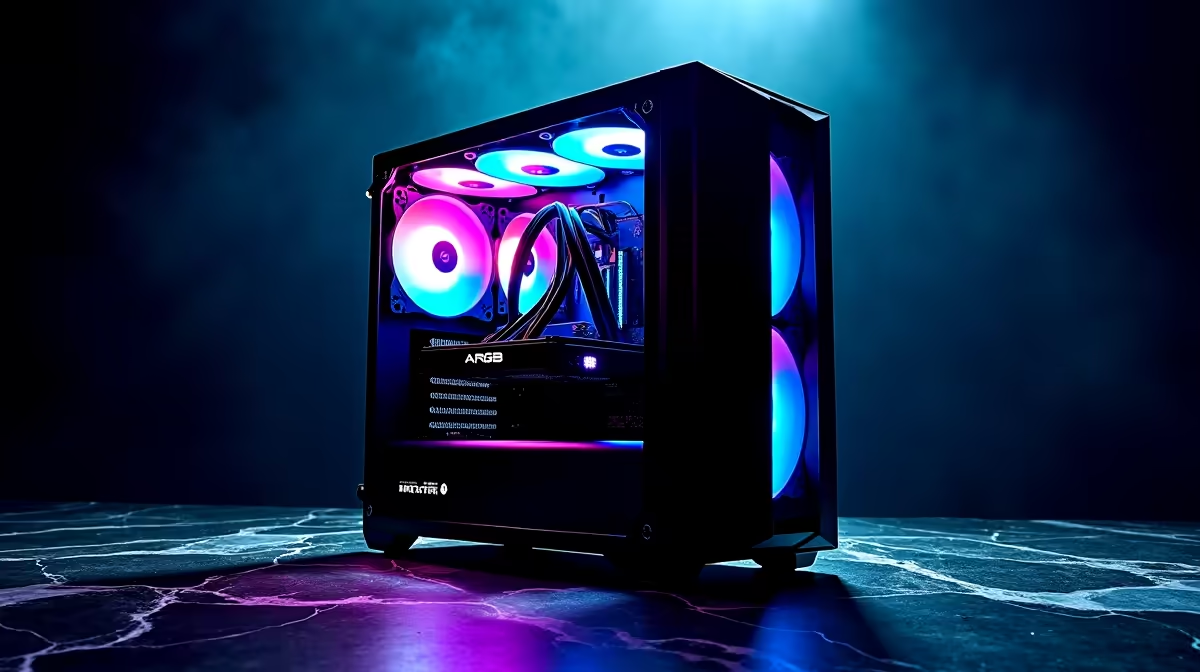
Summer in South Africa is brutal on your gaming rig... especially when load shedding kills the aircon. When the ambient temperature spikes, your expensive hardware suffers. You might have bought a flashy chassis, but without proper 4-fan ARGB PC case airflow optimisation, you are just baking your components in beautiful lighting. Let's fix that. We will show you how to drop those temps and keep your framerates high.
Getting the right airflow starts with understanding positive and negative pressure. Most modern computer cases come with a standard four-fan setup out of the box. Typically, this means three fans at the front pulling cool air in, and one at the rear pushing hot air out.
This creates positive pressure. It keeps dust out of your system while ensuring your graphics card and processor can breathe properly. When you optimise this layout, you extend the lifespan of your ZAR investment.
Not all spinners are created equal. If you are upgrading your setup, you need reliable case fans that push serious volume. High static pressure fans are best for the front intake... especially if you have a restrictive mesh or glass panel. For pure aesthetics and premium performance, top-tier options like Corsair fans deliver brilliant colours and whisper-quiet operation.
If you want your rig to light up the room, you will obviously look at RGB fans. Just remember that lighting does not cool your PC. If you prefer a stealthy blackout build to save a few Rand, high-performance non-RGB fans are incredibly effective. They push massive amounts of air without the disco effect.
Always ensure your front intake fans spin slightly faster than your rear exhaust. You can easily adjust these fan curves in your motherboard BIOS. This maintains positive pressure, drastically reducing dust buildup during dry South African winters.
Your 4-fan ARGB PC case airflow optimisation must work perfectly with your processor cooling. A massive tower cooler needs fresh air fed directly into its heatsink fins. Upgrading your stock cooler to one of the beefier aftermarket CPU coolers will drastically drop your system temperatures.
However, if you are running a power-hungry CPU, you might want to mount a Liquid Cooler (AIO) at the top of your case. This specific setup acts as an extra exhaust. It pulls heat away from your motherboard components while your front ARGB fans supply a constant stream of fresh air.
If your current box feels like a literal oven, it might be time for a complete housing upgrade. Airflow-focused designs make a massive difference to your thermal throttling. We highly recommend checking out Evetech gaming cases for excellent value and pre-installed lighting setups.
Alternatively, Gamdias gaming cases offer fantastic mesh front panels. These designs let your intake fans breathe effortlessly... ensuring maximum cooling efficiency for those long weekend gaming marathons.
Ready to Defeat the Heat? Proper airflow is the secret to unlocking your PC's true potential. Stop letting thermal throttling ruin your competitive matches. Explore our massive range of PC components and build a cooler, faster, and better gaming rig today.
Aim for balanced airflow: typically front/bottom intake and rear/top exhaust. Match your radiator location and ensure clear paths from intake to exhaust.
Prioritise the hottest components (GPU and CPU). Use intake for fresh air and exhaust for heat removal, then tune fan curves for steady temps without noise.
Positive pressure (more intake than exhaust) can reduce dust ingress, while negative pressure may help exhaust hot air. Choose based on temps and dust tolerance.
If you mount a liquid radiator, align fans with the case airflow path: typically top or front as exhaust/intake depending on your layout and clearances.
Yes. Radiators and restrictive filters often benefit from higher static pressure fans, while open areas prefer stronger airflow. Match fan type to the obstruction.
Start with a gentle ramp, then increase based on CPU/GPU temps. Keep noise low under light loads and raise fan speed during sustained gaming or renders.
Clear cable routes, avoid blocking intakes, and keep exhaust unobstructed. Small layout tweaks can improve airflow more than another fan would.
Results vary by hardware and room ambient, but you should see more stable CPU/GPU temps and fewer spikes when airflow is balanced and fan curves are tuned.
Marvel Rivals launch needs a balanced parts plan, not a random basket. Map the CPU, GPU, RAM, SSD, cooling, and monitor target to the budget so SA builders know where to spend first.
Read more
Path of Exile 2 launch needs a balanced parts plan, not a random basket. Map the CPU, GPU, RAM, SSD, cooling, and monitor target to the budget so SA builders know where to spend first.
Read more
Black Myth Wukong launch needs a balanced parts plan, not a random basket. Map the CPU, GPU, RAM, SSD, cooling, and monitor target to the budget so SA builders know where to spend first.
Read more
Hollow Knight PC requirements should be mapped to resolution, settings and upgrade budget before choosing a tier. Verify current requirements, then balance GPU, CPU, RAM and SSD around SA pricing.
Read more
Hollow Knight build planning should focus on the target resolution, settings and total system balance. Treat launch wording as time-sensitive, then verify requirements before choosing SA PC parts.
Read more
Fallout 4 PC requirements should be mapped to resolution, settings and upgrade budget before choosing a tier. Verify current requirements, then balance GPU, CPU, RAM and SSD around SA pricing.
Read more
Best Value Laptops South Africa 2026 — Find top picks, local prices and buy tips to maximise performance per rand. Compare deals for students, creators and gamers. 🔎💸

Struggling with a weak Desktop PC Wi-Fi signal? 📶 Discover expert tips on positioning your tower and external antennas to eliminate lag and maximize your internet speeds for gaming and streaming. 🚀

Tired of loadshedding router restarts killing your Wi-Fi? ⚡ Discover why power cuts disrupt your connection and learn expert tips to get back online faster after the lights return. 🌐

Master using a Nano SIM 4G router as your primary internet solution. Get stable speeds and seamless connectivity for gaming and streaming at home! 🌐🚀

Gauteng r30 000 needs practical checks before you choose. Compare fit, workload, support, setup needs, timing, and delivery expectations without relying on live availability or fixed 2026 claims.

Gauteng r40 000 needs practical checks before you choose. Compare fit, workload, support, setup needs, timing, and delivery expectations without relying on live availability or fixed 2026 claims.

Gauteng r50 000 needs practical checks before you choose. Compare fit, workload, support, setup needs, timing, and delivery expectations without relying on live availability or fixed 2026 claims.

Gauteng r60 000 needs practical checks before you choose. Compare fit, workload, support, setup needs, timing, and delivery expectations without relying on live availability or fixed 2026 claims.

Three-tier smart watch plan for commuting should be shortlisted around the job it must do. South African buyers should compare fit, performance, compatibility, and upgrade room, warranty path, and upgrade room before treating any pick as best.

AR Glasses buying order for commuting students should be shortlisted around the job it must do. South African buyers should compare fit, performance, compatibility, and upgrade room, warranty path, and upgrade room before treating any pick as best.

Smart Watch buying order for commuting should be shortlisted around the job it must do. South African buyers should compare fit, performance, compatibility, and upgrade room, warranty path, and upgrade room before treating any pick as best.

Smart Watch buying order for quiet PC builds needs a balanced parts plan, not a random basket. Map the CPU, GPU, RAM, SSD, cooling, and monitor target to the budget so SA builders know where to spend first.