


Maintain Wired Headset: Tips to Extend Lifespan
Maintain wired headset — Checklist: • inspect cables • clean earpads • store properly 🔧🎧 Practical steps to preserve sound quality and avoid premature replacements.
Read more49-Inch Ultrawide 5120x1440 vs dual 27-inch QHD: find the best gaming and productivity setup for your desk. Faster switching, bigger immersion, smarter multitasking. 🎮💻
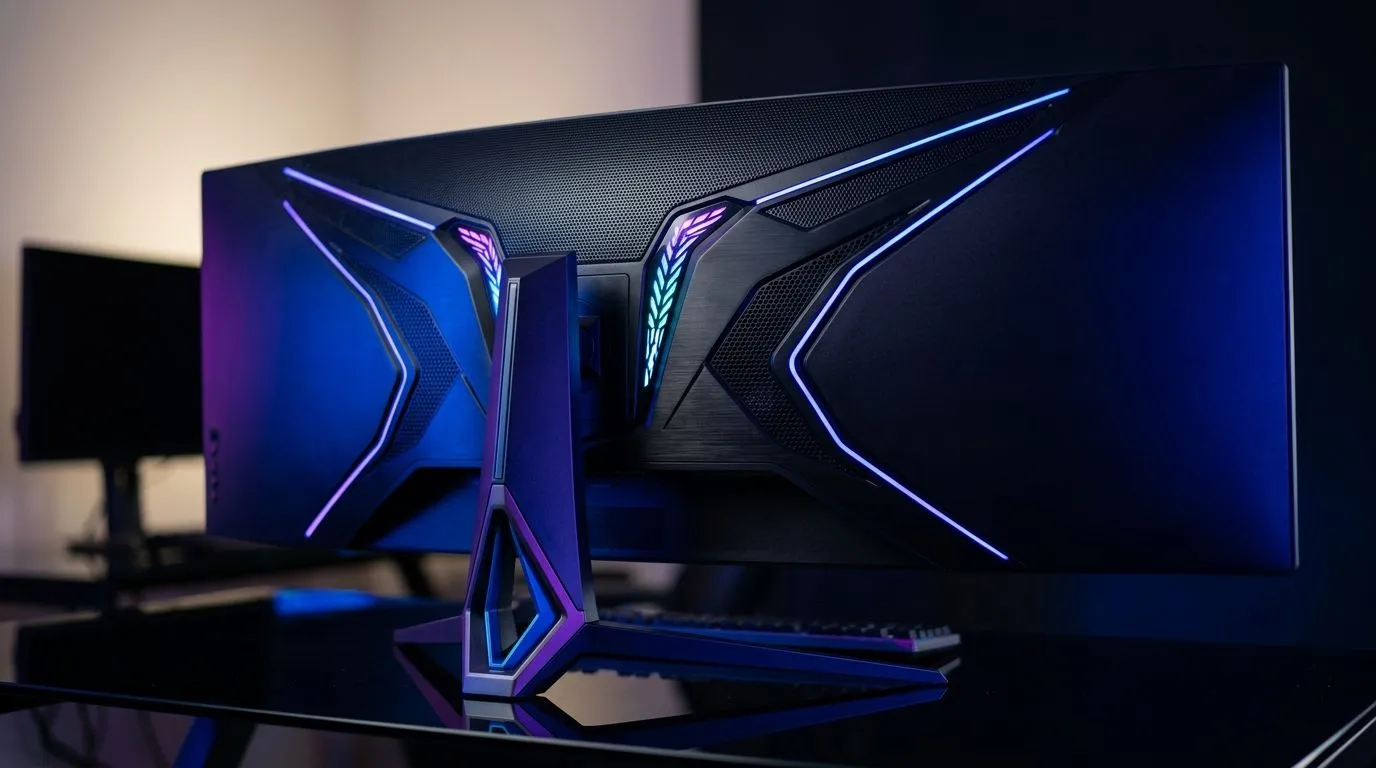
A 49-inch ultrawide 5120x1440 vs dual 27-inch QHD gaming setup sounds like a pure specs debate, but it’s really about how you play. Do you want one seamless cockpit for racing, sim rigs, and immersive RPGs... or two separate displays for multitasking, Discord, streaming, and work? For South African gamers, the answer often comes down to desk space, GPU headroom, and whether you want fewer cables or more flexibility.
On paper, both options can deliver a huge amount of screen real estate. A 49-inch super ultrawide with 5120x1440 resolution is effectively two QHD panels joined into one continuous display. That means fewer bezels in the middle and a wider, cleaner field of view. Dual 27-inch QHD monitors also give you a lot of usable space, but with a visible break between panels.
For gaming, that difference matters most in titles that support wider aspect ratios. Racing games, flight sims, strategy titles, and open-world games can look incredible on a single ultrawide. Competitive shooters are more mixed... some players prefer standard 16:9 for focus and consistency.
If your setup doubles as a work station, dual monitors still have a strong case. One screen can stay on the game, while the other handles chat, browser tabs, OBS, or even a spreadsheet when the workday hits.
A 49-inch panel is not subtle. It needs a deep, sturdy desk and enough viewing distance to avoid neck strain. If your current setup feels cramped, start with the furniture first. A proper desk helps more than most people expect, especially when a heavy curved display is involved. You can browse suitable options like a gaming desk built for bigger setups if you’re planning a full upgrade.
Comfort matters too. Long sessions on a large display can expose a weak chair faster than any FPS drop. A supportive seat is worth it if you game after work or spend weekends grinding ranked matches. Have a look at gaming chairs in South Africa before you blame back pain on the monitor.
One hidden benefit of the ultrawide route is simplicity. One stand. One power cable. One display cable. Less clutter, less fuss. Dual monitors can look brilliant, but they also need extra management to stay neat. If you care about a clean battlestation, lighting and cable routing make a huge difference. A tidy setup with NZXT case lighting and accents can tie the whole room together nicely.
If you’re building a showpiece rig, an adjustable desk setup also helps you keep the display at the right height. That’s useful whether you’re going with one big panel or two smaller ones.
Resolution affects performance. A 5120x1440 display pushes a lot of pixels, so your GPU will work hard. Dual 27-inch QHD monitors do not usually mean the same load for gaming unless you’re actually rendering across both screens. In most cases, the game runs on one panel while the second is just for background tasks.
That’s why the right choice depends on your habits. If you mostly play one game at a time, a single ultrawide can feel polished and immersive. If you multitask constantly, dual QHD screens may be the smarter buy.
Before you decide, think about:
{{TipBox title:"Display Setup Pro Tip ⚡" , If you’re unsure which layout suits you, tape out both monitor sizes on your desk first. It’s a quick, low-cost way to see how much space a 49-inch ultrawide really takes compared with two 27-inch panels. }
Choose the 49-inch ultrawide 5120x1440 if you want:
Choose dual 27-inch QHD if you want:
For many South African buyers, the best option is not the fanciest one... it’s the one that fits the room, the hardware, and the way you actually use your PC. A beautiful display on a cramped desk is still a compromise. A practical setup that feels effortless every day is the real win.
Ready to Find Your Perfect Match?
The Mac vs Windows debate is complex, but for maximum power, choice, and value in South Africa, Windows is hard to beat. Explore our massive range of laptop specials and find the perfect machine to conquer your world. }}
It often wins on immersion and seamless gameplay, while dual 27-inch QHD can excel for competitive aim and per-app control. The better choice depends on your GPU and games.
Usually, ultrawide runs more pixels than a single QHD, but dual monitors split load by window. Check your GPU and game scaling for a realistic ultrawide 5120x1440 gaming estimate.
Dual QHD typically makes side-by-side workflows simpler, like spreadsheets plus chat. A 49-inch ultrawide can still multitask well with split-screen and good window management.
Yes. 5120x1440 offers a wide workspace for timelines, reference panels, and code side-by-side. Pair it with proper scaling to reduce UI readability issues.
Curvature can improve edge readability and immersion, but a good flat ultrawide can work too. Prioritize resolution, panel quality, and motion handling for ultrawide 5120x1440 gaming.
A 49-inch ultrawide needs a wide, deep viewing area, while dual 27-inch setups need enough clearance for two displays and comfortable viewing distance. Measure before buying.
Choose a mid-to-high range GPU that can sustain high settings at your target FPS. For dual 27-inch QHD, ensure you can handle your game resolution plus any background windows.
Maintain wired headset — Checklist: • inspect cables • clean earpads • store properly 🔧🎧 Practical steps to preserve sound quality and avoid premature replacements.
Read more
Fix crackling headset fast: step-by-step checks for cables, connectors, drivers, and settings to remove static or distorted audio on wired headsets 🎧⚙️
Read more
Stereo vs mono headsets: learn which delivers clearer calls, better spatial music, or simpler mono voice performance — pick the right headset for meetings, music, or gaming 🎧💬
Read more
- Compare gaming headset vs studio headphones; - Assess comfort, mic and sound; - Recommend best daily picks. Gaming headset vs studio headphones: learn which suits work, music and casual gaming. 🎧⚖️
Read more
- Check pressure points - Compare earcup materials - Adjust clamp and fit Best gaming headsets for glasses: quick guide to reduce temple pressure, pick breathable memory foam earcups, and optimize fit for long sessions 🕹️👓
Read more
Gaming microphone noise reduction: Use beamforming mics, AI noise suppression, and hardware filters to cut background noise and boost in-game voice clarity. 🎧⚙️ Learn setups, settings, and top mic features.
Read more
Snapdragon X2 NPU Explained: How 80 TOPS Changes. Plain-English explanation of what it means, why it matters & how it affects your buying decisions in SA.

HBM? High Bandwidth Memory Used in GPUs and AI. Plain-English explanation of what it means, why it matters & how it affects your buying decisions in SA.

How much should you spend on sim racing accessories in South Africa for a realistic setup? We break down budgets by quality tiers, so you buy smart gear and avoid overspending 🎮💸

G-Sync and FreeSync? Variable Refresh Rate. Plain-English explanation of what it means, why it matters & how it affects your buying decisions in SA.

AMD Laptop: Value. SA-focused analysis with local pricing data, real-world insights & actionable buying advice.

How MacBook Neo Handles 30+ Chrome Tabs with Only. SA-focused analysis with local pricing data, real-world insights & actionable buying advice.

Why Apple Put 8GB RAM in MacBook Neo: The A18 Pro. SA-focused analysis with local pricing data, real-world insights & actionable buying advice.

Upgrade your work laptop with a New Motherboard. Step-by-step instructions with SA-specific tips, common pitfalls to avoid & expert recommendations.
Maintain wired headset — Checklist: • inspect cables • clean earpads • store properly 🔧🎧 Practical steps to preserve sound quality and avoid premature replacements.
Fix crackling headset fast: step-by-step checks for cables, connectors, drivers, and settings to remove static or distorted audio on wired headsets 🎧⚙️
Stereo vs mono headsets: learn which delivers clearer calls, better spatial music, or simpler mono voice performance — pick the right headset for meetings, music, or gaming 🎧💬
- Compare gaming headset vs studio headphones; - Assess comfort, mic and sound; - Recommend best daily picks. Gaming headset vs studio headphones: learn which suits work, music and casual gaming. 🎧⚖️