



PCIe 5.0 vs PCIe 4.0 for Video editing in 4k in SA
PCIe 5.0 vs PCIe 4.0 for video editing in 4k is mainly about fit, features, compatibility, cost, and upgrade path, not one automatic winner. SA buyers should match the choice to the setup.
Read moreFor most South African remote workers, a 4K plug-and-play webcam is overkill since meeting apps cap video near 1080p, so a R1,800 1080p model suffices. A 4K webcam earns its R3,000-plus price only if you crop, present, or record content.
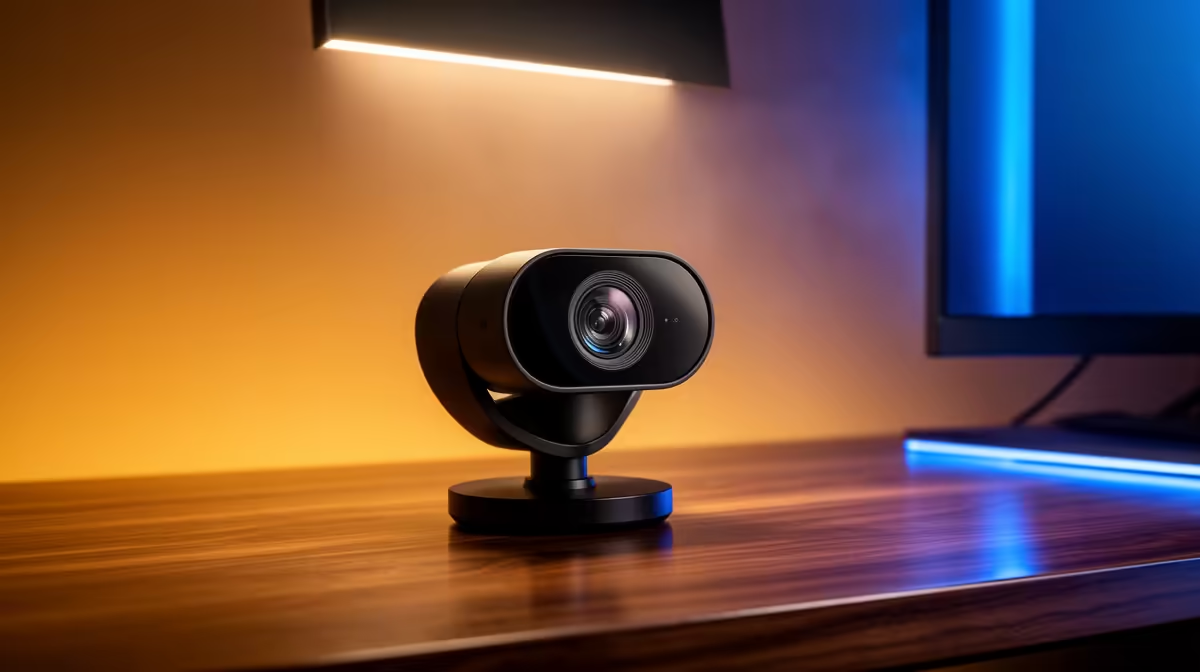
South African remote workers are spending real money on 4K plug-and-play webcams for video meetings, and for most of them the 4K specification is invisible to everyone on the call. The resolution is there, the sensor captures it, and then the conferencing platform discards most of it before it reaches another screen. Whether a 4K plug-and-play webcam is worth the Rand for SA remote work depends entirely on what you actually do beyond standard video meetings.
For video calls alone, a 4K webcam is rarely worth the price over a strong 1080p model. Meeting platforms cap video quality near 1080p, so the 4K detail is stripped before colleagues see it. A 4K webcam earns its cost only if you crop, record local content, or present where the extra resolution has room to show.
Zoom, Microsoft Teams, and Google Meet all compress and cap the video feeds they transmit to other participants. Under standard conditions these platforms deliver a maximum of 1080p to viewers, and often drop to 720p under variable network conditions. Some platforms cap certain call types below 1080p by default.
This means the 4K your webcam captures is encoded, transmitted to the platform's server, re-encoded at the platform's quality ceiling, and sent to your colleague's screen at whatever resolution the platform decides is appropriate. The 4K information your sensor collected is largely discarded in this pipeline. What your colleague sees reflects the platform's compression, not your webcam's sensor quality.
The practical implication for remote work is that a well-specified 1080p webcam, sitting around R1,800 to R2,000 with a quality sensor, can look identical or better on the other end of a call than a budget 4K model at R1,500 with a small noisy sensor. The 1080p webcam delivers its full resolution cleanly. The cheap 4K model delivers noisy 4K that gets compressed down anyway.
Plug-and-play USB webcams operate on UVC, the Universal Video Class standard, which means the operating system recognises and operates them without a driver installation. For a South African remote worker whose employer has locked down software installs on a corporate laptop, this is not a minor convenience. It is the difference between a webcam that works immediately on any work device and one that requires an IT ticket to install the driver.
A 4K plug-and-play webcam at R2,500 to R3,500 that connects to a laptop, is immediately recognised by Teams, and delivers a clean 1080p feed within that platform's quality ceiling is a straightforward value proposition for a professional who travels between home and an office, works from different machines, or regularly uses client devices. The portability and universal compatibility are real benefits independent of the 4K specification itself.
If your organisation issues specific hardware or your setup is always the same desktop machine, the plug-and-play argument matters less. A webcam that lives on one monitor does not need the zero-configuration portability that plug-and-play maximises.
Three scenarios make the 4K specification actually visible and valuable.
The first is cropping. If you record at 4K and then crop into the footage during editing, you can reframe a shot, zoom to a close-up, or remove distracting background elements without losing resolution. A 4K source gives you a 1080p result after a heavy crop. A 1080p source gives you blurred upscaling. This is the most compelling use case for a South African freelancer who produces video content alongside their remote work.
The second is local recording. If you record video directly to your machine rather than streaming live, the 4K file captures full detail that exists independently of any platform's compression. A recorded 4K interview, a product demonstration, or a tutorial video retains every pixel the sensor captured. This has genuine value for content production.
The third is presentations and demos. In a webinar or large-group presentation where the platform allows higher quality feeds to certain participants, or where you screen-record your session for later distribution, the extra resolution provides a sharper source.
If you want 4K for local recording but mostly do calls, look for a webcam that lets you set the output resolution per app. Some models expose separate resolution profiles in their firmware, so you can record locally at 4K while streaming to Teams at 1080p. This avoids asking your work laptop to process and transmit 4K during a meeting where it makes no visible difference.
4K video processing adds load. Encoding a 4K feed, even to send it at 1080p, takes more CPU cycles than encoding 1080p natively. On a thin-and-light business laptop already running a screen share, a browser with forty tabs, and a background sync service, adding 4K webcam processing to the list can produce dropped frames, audio sync drift, and fan noise that creates an unfortunate feedback loop with the open microphone.
Webcams that encode on-camera and deliver a compressed 1080p or 4K stream rather than raw sensor data reduce the load on the host machine. The practical test is to monitor CPU usage during a typical work call. If the processor is already above 70 percent before the webcam feed starts, stepping down to a 1080p native webcam or enabling a lower-resolution mode on the 4K model often produces a smoother call than chasing the resolution ceiling.
For a desktop machine with a current-generation processor, this is rarely a concern. For a company-issued laptop from two or three years ago, it is worth testing before committing to 4K as the daily call resolution.
Not automatically. Meeting platforms cap incoming quality near 1080p, so 4K detail is discarded before it reaches the other participants. What matters more is sensor size and low-light performance. A 1080p webcam on a large, clean sensor can look noticeably better on calls than a 4K webcam on a tiny sensor with visible grain, because the quality the platform receives and displays is better to begin with.
When you record local content, crop into footage during editing, or produce video for distribution beyond live calls. In those cases the 4K resolution is preserved in the final output and the investment is justified. If your work consists entirely of video calls that cap at 1080p, the 4K spec adds no visible benefit for the other participants.
Very much so. Most corporate devices block or restrict software installs for security reasons. A UVC webcam requires no driver installation and is recognised by the operating system automatically. This means it works on any device immediately, without an IT support request. For a remote worker using both a personal home machine and a company laptop, plug-and-play compatibility is practically essential.
It can, because processing a 4K feed during encoding uses more CPU and GPU cycles than a 1080p feed, and CPU load correlates with power draw. On a plugged-in desktop the difference is irrelevant. On a laptop running on battery through a long meeting, the additional CPU overhead from 4K processing reduces available runtime. Switching to 1080p output mode in the webcam's firmware during battery-critical sessions is a reasonable trade-off.
Conference platforms cap and recompress video before it reaches other participants, so the 4K detail your webcam captures is not preserved in the transmission. The practical quality ceiling for colleagues on the other end is 1080p or lower. Additionally, the majority of SA remote work involves text-heavy screen shares and voice communication where camera resolution is secondary. A reliable 1080p feed with good low-light performance suits those meetings better than a higher-resolution camera that adds complexity without visible return.
Ready to find the right webcam for your South African remote work reality? Browse the full HD and 4K streaming webcam range at Evetech and match sensor specs and connectivity to how you actually spend your working day on camera.
Not automatically. Meeting platforms cap incoming quality near 1080p, so 4K detail is discarded before it reaches the other participants. What matters more is sensor size and low-light performance. A 1080p webcam on a large, clean sensor can look noticeably better on calls than a 4K webcam on a tiny sensor with visible grain, because the quality the platform receives and displays is better to begin with.
When you record local content, crop into footage during editing, or produce video for distribution beyond live calls. In those cases the 4K resolution is preserved in the final output and the investment is justified. If your work consists entirely of video calls that cap at 1080p, the 4K spec adds no visible benefit for the other participants.
Very much so. Most corporate devices block or restrict software installs for security reasons. A UVC webcam requires no driver installation and is recognised by the operating system automatically. This means it works on any device immediately, without an IT support request. For a remote worker using both a personal home machine and a company laptop, plug-and-play compatibility is practically essential.
It can, because processing a 4K feed during encoding uses more CPU and GPU cycles than a 1080p feed, and CPU load correlates with power draw. On a plugged-in desktop the difference is irrelevant. On a laptop running on battery through a long meeting, the additional CPU overhead from 4K processing reduces available runtime. Switching to 1080p output mode in the webcam's firmware during battery-critical sessions is a reasonable trade-off.
Conference platforms cap and recompress video before it reaches other participants, so the 4K detail your webcam captures is not preserved in the transmission. The practical quality ceiling for colleagues on the other end is 1080p or lower. Additionally, the majority of SA remote work involves text-heavy screen shares and voice communication where camera resolution is secondary. A reliable 1080p feed with good low-light performance suits those meetings better than a higher-resolution camera that adds complexity without visible return.
PCIe 5.0 vs PCIe 4.0 for video editing in 4k is mainly about fit, features, compatibility, cost, and upgrade path, not one automatic winner. SA buyers should match the choice to the setup.
Read more
Wi-Fi 7 vs Wi-Fi 6e for competitive esports comes down to router support, latency goals, device compatibility, and coverage. SA buyers should match the choice to the real network setup.
Read more
ATX 3.1 vs ATX 3.0 for mMO and live-service games buyers - what changes is mostly about compatibility, budget, upgrade path, and setup fit. SA buyers should check device support and real needs before expecting a clear win from either option.
Read more
LGA 1851 vs LGA 1700 can affect Twitch and YouTube streaming when gaming and encoding share CPU resources. For SA creators, the real-world difference depends on encoder choice, memory support, motherboard cost, thermals, and upgrade plans.
Read more
X870E vs X670E for aaa single-player gaming is mainly about fit, features, compatibility, cost, and upgrade path, not one automatic winner. SA buyers should match the choice to the setup.
Read more
Hall Effect switches vs Mechanical switches for mMO and live-service games is mostly about compatibility, budget, upgrade path, and setup fit. SA buyers should check device support and real needs before expecting a clear win from either option.
Read more
A fake 113GB GTA VI ISO reportedly used empty padding around a small malware payload. SA gamers should delete unofficial builds, keep Windows security active and wait for official channels.

Wi-Fi 6E vs Wi-Fi 6 matters for 4K video editing when files move across a network. The real-world difference between Wi-Fi 6E and Wi-Fi 6 for video editing in 4K depends on NAS access, cloud uploads, router range, and SA creator workflows.

The difference between PCIe 5.0 and PCIe 4.0 for SA gamers is mostly bandwidth headroom. Compare GPU slot needs, NVMe speed, motherboard support, and upgrade timing before paying extra for a newer platform.

Gaming PC stuck pixel checks in South Africa should confirm the monitor fault first. Use colour tests, screenshot comparison, cable swaps, display menu checks, and clear photos before deciding on support.

Shokz OpenFit Air 2 earbuds weigh 7.2g each and use a redesigned dual-driver open-ear layout. SA buyers should choose them for comfort and awareness, not maximum isolation.

AMD's current driver now lists a Radeon RX 9050 4GB, while product coverage details a narrowed memory system. SA buyers should weigh the low VRAM ceiling against current local Radeon options.

Samsung Display has demonstrated a 16-inch 2.5K OLED laptop panel running at 300Hz. SA buyers should wait for a named notebook, full panel specifications and a local price before planning an upgrade.

Microsoft says some Windows 11 game crashes after recent updates are linked to RGB-related drivers. Affected SA gamers should confirm the update and driver before using the published registry workaround.

RTX 5090 on a 650W PSU is a tight pairing with very limited headroom. For SA gaming PCs, focus on total system draw, PSU quality, connector support, CPU choice, and avoid OC plans unless the full build is carefully power-limited.
PCIe 5.0 vs PCIe 4.0 for video editing in 4k is mainly about fit, features, compatibility, cost, and upgrade path, not one automatic winner. SA buyers should match the choice to the setup.

850W PSU safety for RTX 5090 is plausible with a quality unit and balanced parts. In SA, confirm connector support, CPU power draw, case airflow, PSU age, and spare capacity before building around 850W.
Wi-Fi 7 vs Wi-Fi 6e for competitive esports comes down to router support, latency goals, device compatibility, and coverage. SA buyers should match the choice to the real network setup.