


RTX 4060 Ti Throttling Under Load: SA Temperature Guide
RTX 4060 Ti Throttling Under Load: Temperature. Everything you need to know with SA pricing, step-by-step instructions & expert recommendations.
Read moreEvery spec on WiFi 7 explained in plain English. What matters for gaming and creator work in 2026, what's marketing fluff, and how each number translates to real-world performance.
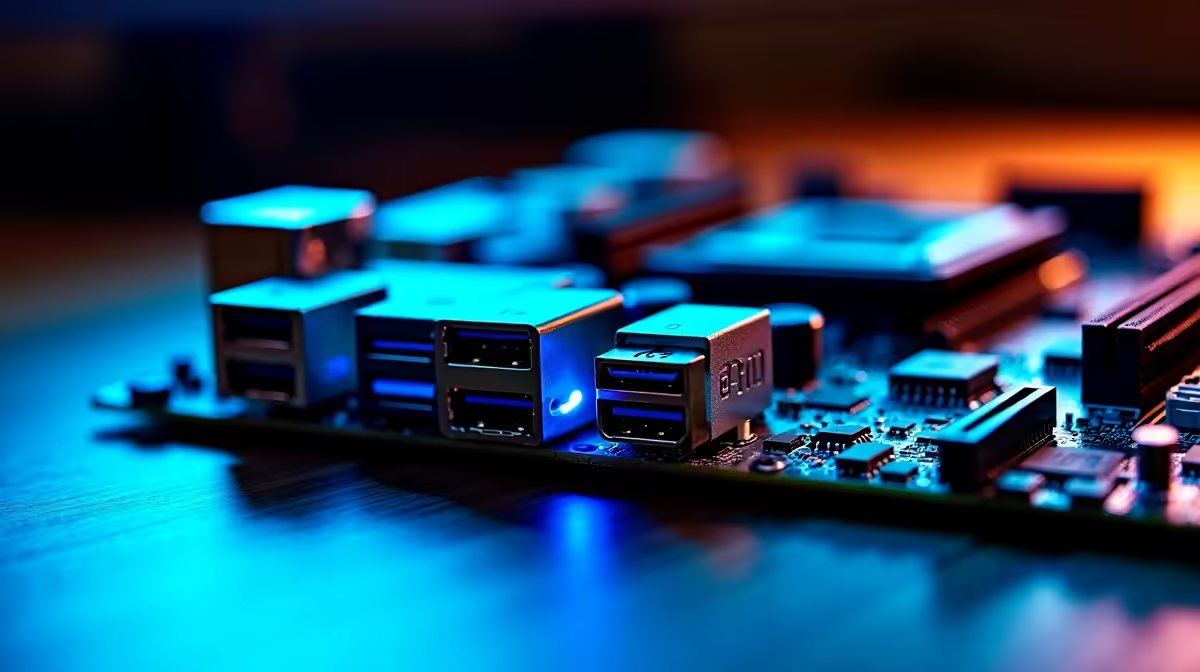
Tired of your connection dropping right when the match gets tense? For South African gamers, a stable rig is everything. If you are dropping thousands of ZAR on a new build, you need the right foundation. Read our beginner’s guide to WiFi 7, Thunderbolt 4 and USB-C on modern ATX motherboards. We will help you future-proof your setup... without needing an engineering degree.
Running an Ethernet cable across the house is not always an option. That is where WiFi 7 steps in. It is the absolute latest wireless standard. It is designed to slash latency and boost download speeds significantly.
WiFi 7 uses wider channels to push data faster than ever before. It also introduces Multi-Link Operation. This lets your PC connect to multiple bands simultaneously. It virtually eliminates lag spikes during crucial ranked matches.
If you are eyeing ASUS Intel motherboards for your next build, look for WiFi 7. Choosing a board with this tech ensures your wireless gaming feels just like a wired connection ✨.
Ports can be incredibly confusing. USB-C is just the physical oval shape of the connector. Thunderbolt 4, however, is the ultra-fast technology running inside it.
Thunderbolt 4 delivers a massive 40Gbps of bandwidth. That means you can connect multiple 4K monitors easily. You can also hook up blazing-fast external NVMe drives or heavy-duty capture cards. All of this runs perfectly through a single cable.
It also provides powerful charging capabilities. You can power up your peripherals or even your smartphone directly from your PC. It is incredibly convenient for a clean desk setup.
When you browse the latest motherboards, look for that little lightning bolt symbol ⚡. It sits right next to the port. It guarantees top-tier performance for both content creators and hardcore gamers.
To actually experience WiFi 7 speeds, you will need a compatible WiFi 7 router. Until you upgrade your home network, your new board will simply fall back to WiFi 6 or 5... but you will be fully ready for the future!
Having lightning-fast ports is only half the battle. Your processor needs to feed data to those connections quickly. You also need to optimise your system memory.
This is why pairing your board with high-speed memory kits is crucial. High-frequency DDR5 RAM works perfectly with these new connectivity standards. It helps eliminate system bottlenecks completely. You get smooth frame rates and rapid file transfers.
If you prefer the red team for your processor, you are in luck. The newest ASUS AMD motherboards also feature these incredible connectivity options. They provide the perfect backbone for a high-end system with gorgeous RGB colour integration.
Not keen on building it entirely yourself? We understand. You can always grab one of the best gaming PC deals available. Many of these pre-built rigs already include these premium features right out of the box 🚀.
Ready to Find Your Perfect Match? Building your dream PC is complex, but for maximum power, choice, and value in South Africa, Evetech is hard to beat. Explore our massive range of motherboards and find the perfect foundation to conquer your world.
WiFi 7 is available at Evetech.co.za with local SA warranty, Rand pricing and nationwide delivery. Stock and pricing is updated in real time on the product page.
The article breaks down the real-world impact on gaming FPS, creator workflows and everyday responsiveness — not just raw spec numbers.
Only a handful of specs meaningfully change your experience. The guide ranks them by real impact so you spend on what counts.
We cover upgrade headroom, platform longevity and the specific features worth paying extra for if you plan to keep this build for several years.
The article includes a clear generational uplift summary so you can judge whether upgrading from your current hardware is worthwhile.
RTX 4060 Ti Throttling Under Load: Temperature. Everything you need to know with SA pricing, step-by-step instructions & expert recommendations.
Read more
Apex Legends Max Settings on RTX 4080. Tested & verified settings for best FPS and visual quality on SA hardware budgets.
Read more
GPU Buying Guide. Everything you need to know with SA pricing, step-by-step instructions & expert recommendations.
Read more
GPU Terms Guide. Everything you need to know with SA pricing, step-by-step instructions & expert recommendations.
Read more
AMD Adrenalin Download & Setup Guide: GPU. Clear setup instructions with SA-specific considerations, troubleshooting tips & recommended components.
Read more
Back-to-School GPU Buying Guide. Everything you need to know with SA pricing, step-by-step instructions & expert recommendations.
Read more
Snapdragon X2 NPU Explained: How 80 TOPS Changes. Plain-English explanation of what it means, why it matters & how it affects your buying decisions in SA.

HBM? High Bandwidth Memory Used in GPUs and AI. Plain-English explanation of what it means, why it matters & how it affects your buying decisions in SA.

How much should you spend on sim racing accessories in South Africa for a realistic setup? We break down budgets by quality tiers, so you buy smart gear and avoid overspending 🎮💸

G-Sync and FreeSync? Variable Refresh Rate. Plain-English explanation of what it means, why it matters & how it affects your buying decisions in SA.

AMD Laptop: Value. SA-focused analysis with local pricing data, real-world insights & actionable buying advice.

How MacBook Neo Handles 30+ Chrome Tabs with Only. SA-focused analysis with local pricing data, real-world insights & actionable buying advice.

Why Apple Put 8GB RAM in MacBook Neo: The A18 Pro. SA-focused analysis with local pricing data, real-world insights & actionable buying advice.

Upgrade your work laptop with a New Motherboard. Step-by-step instructions with SA-specific tips, common pitfalls to avoid & expert recommendations.

Maintain wired headset — Checklist: • inspect cables • clean earpads • store properly 🔧🎧 Practical steps to preserve sound quality and avoid premature replacements.

Fix crackling headset fast: step-by-step checks for cables, connectors, drivers, and settings to remove static or distorted audio on wired headsets 🎧⚙️

Stereo vs mono headsets: learn which delivers clearer calls, better spatial music, or simpler mono voice performance — pick the right headset for meetings, music, or gaming 🎧💬

- Compare gaming headset vs studio headphones; - Assess comfort, mic and sound; - Recommend best daily picks. Gaming headset vs studio headphones: learn which suits work, music and casual gaming. 🎧⚖️