


Maintain Wired Headset: Tips to Extend Lifespan
Maintain wired headset — Checklist: • inspect cables • clean earpads • store properly 🔧🎧 Practical steps to preserve sound quality and avoid premature replacements.
Read moreLearn what addressable Gen 2 RGB lighting on AIO coolers is, how it works, and how to control it for smooth sync effects. 🎮✨ Perfect for builders who want better lighting control.
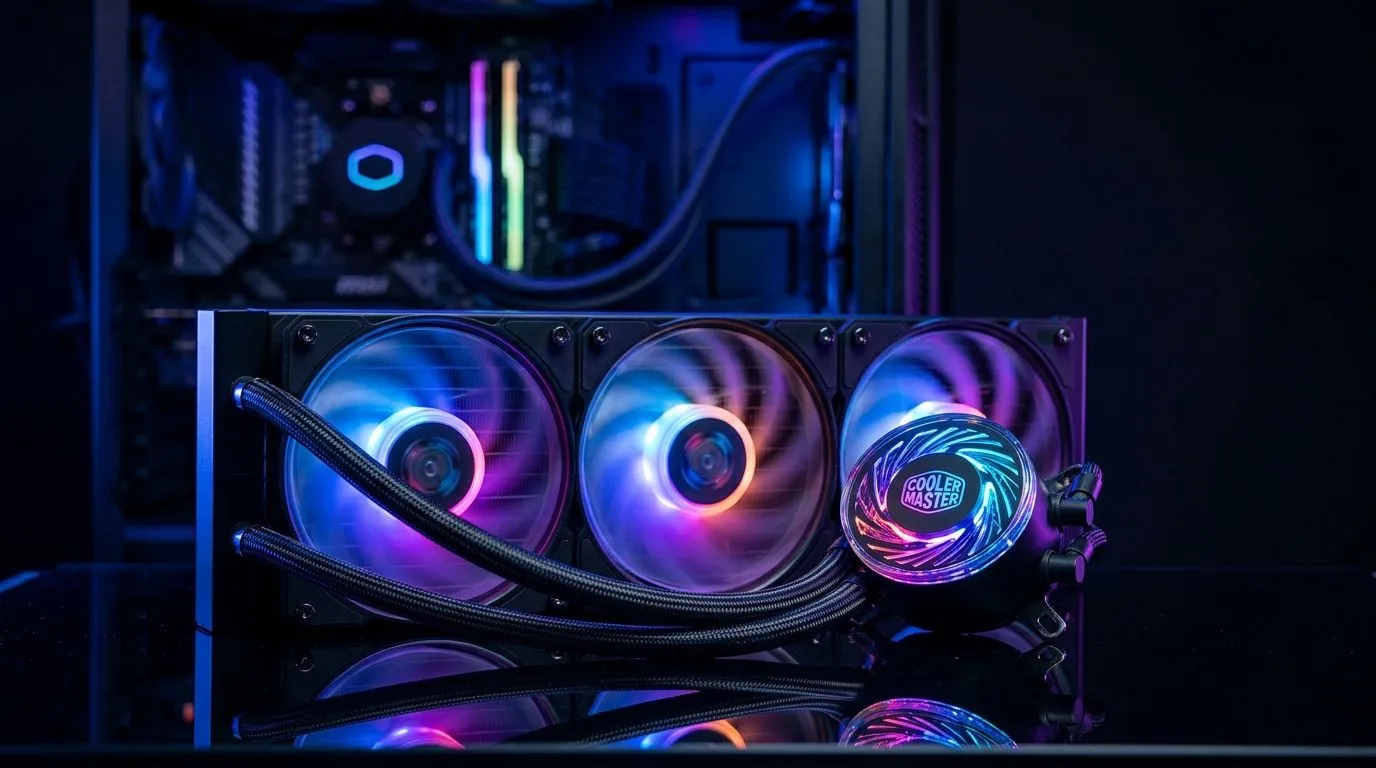
If you’ve ever stared at your PC through a tempered-glass side panel and thought, “This looks… flat,” you’re not alone. Addressable RGB is how modern AIO coolers turn your rig into a set of controllable lighting zones instead of one boring colour wash. 🔥
On top of that, Addressable Gen 2 systems are built to play nicely with popular motherboard ecosystems, so your fans and pump lighting can sync with the rest of your build. That matters for South African buyers who want it to look premium without turning the PC into a troubleshooting project.
In this Deep Dives guide, we’ll break down how Addressable Gen 2 RGB lighting on AIO coolers: how it works, what to watch for when buying, and how to set it up for smooth, no-fuss lighting.
Traditional RGB is usually “one colour across the whole strip.” Addressable RGB is different. Inside the cooler’s lighting channel, the LEDs are arranged so software can target specific segments. That means you can do effects like gradients, moving waves, or per-zone colour changes. ✨
In practice, your AIO cooler doesn’t just “emit light.” It exposes a lighting data interface that your controller or motherboard can instruct.
Addressable lighting relies on a data signal that tells the LEDs what to display. That’s the key difference versus simpler RGB that’s often controlled with fewer signals.
So when you’re shopping, the important buying question becomes: does the cooler include an addressable RGB header solution that matches your motherboard’s ecosystem? If it doesn’t, you might still get light… but effects, syncing, and customisation can be limited.
Most addressable setups work like this:
The cool part for gamers is visual consistency. Your pump lighting, AIO fans, and even other compatible peripherals can follow the same theme.
“Gen 2” typically refers to newer addressable implementations that aim for better compatibility and improved behaviour with modern controllers. However, the exact behaviour depends on the cooler model and how its RGB connector is implemented.
That’s why you’ll want to focus on:
If you’re building around a liquid AIO, start by browsing a range first, then shortlist based on connector and radiator size needs.
Even if you only care about looks, radiator size influences how you mount and how your fan lighting is physically arranged. For many builds:
If you’re comparing AIO options, you can filter by cooling type (AIO liquid) and radiator size in Evetech listings:
For Deepcool options specifically:
And for Corsair AIO models:
If you’re deciding around radiator size, use these filters too:
Addressable RGB usually needs the correct header type. Before you buy, quickly check:
If the AIO’s lighting needs an addressable header but your board only has standard RGB, you may end up with limited control.
Even with correct headers, some effects are limited by what each brand’s software supports. If you want one unified “show,” choose an ecosystem where your board and cooler are commonly expected to sync.
Lighting looks best when the pump head is oriented to face the glass panel. Also, tidy routing reduces stress on cables, which helps avoid intermittent RGB behaviour.
an AIO? Before install, do a quick bench test: connect the pump and fans (including the RGB) while the motherboard is still accessible. Confirm the colour mode loads correctly in software, then shut down and proceed with mounting. This saves you from reinstalling after you’ve already routed the tubes and cables.
When you’re looking at an AIO cooler listing, look for wording that indicates:
If you’re shopping in South Africa and want value, avoid buying “almost compatible” gear. It often leads to wasted time with controllers, splitters, or limited syncing.
Instead of scrolling endlessly, use Evetech filters by:
That way, you narrow down models that fit your case and your build’s visual goals without guessing.
Addressable Gen 2 RGB on AIO coolers gives you real per-segment control, which is why modern builds can do gradients, moving effects, and tighter sync with the rest of your RGB ecosystem. ⚡
To get the best results:
Ready to get your next build looking as good as it performs?
Ready to Find Your Perfect Match? Build confidence matters. Get the right cooling and the right lighting ecosystem, then enjoy it from the first boot. Browse our massive range of CPU coolers and AIO liquid options and choose the style and radiator size that fits your rig. Find your next CPU cooler on Evetech
Addressable Gen 2 RGB (often ARGB) uses multiple individually lit LED segments so each zone can display different colors and effects.
It sends digital color data per LED segment, letting your controller or motherboard software drive smooth gradients, waves, and sync effects.
Most addressable Gen 2 setups require a 5V ARGB (3-pin) header; check your cooler and controller labeling before connecting.
ARGB is individually addressable for per-LED effects, while standard RGB typically uses one color at a time across all LEDs.
Plug the ARGB cable into the correct 5V ARGB header or compatible controller, then connect fan power as instructed by the AIO.
Common causes include using the wrong header (voltage/pin type), incorrect order, or outdated software profiles—verify connections and settings.
Yes, if your motherboard header and cables support the ecosystem (like 5V ARGB control), you can sync effects using compatible software.
Maintain wired headset — Checklist: • inspect cables • clean earpads • store properly 🔧🎧 Practical steps to preserve sound quality and avoid premature replacements.
Read more
Fix crackling headset fast: step-by-step checks for cables, connectors, drivers, and settings to remove static or distorted audio on wired headsets 🎧⚙️
Read more
Stereo vs mono headsets: learn which delivers clearer calls, better spatial music, or simpler mono voice performance — pick the right headset for meetings, music, or gaming 🎧💬
Read more
- Compare gaming headset vs studio headphones; - Assess comfort, mic and sound; - Recommend best daily picks. Gaming headset vs studio headphones: learn which suits work, music and casual gaming. 🎧⚖️
Read more
- Check pressure points - Compare earcup materials - Adjust clamp and fit Best gaming headsets for glasses: quick guide to reduce temple pressure, pick breathable memory foam earcups, and optimize fit for long sessions 🕹️👓
Read more
Gaming microphone noise reduction: Use beamforming mics, AI noise suppression, and hardware filters to cut background noise and boost in-game voice clarity. 🎧⚙️ Learn setups, settings, and top mic features.
Read more
Snapdragon X2 NPU Explained: How 80 TOPS Changes. Plain-English explanation of what it means, why it matters & how it affects your buying decisions in SA.

HBM? High Bandwidth Memory Used in GPUs and AI. Plain-English explanation of what it means, why it matters & how it affects your buying decisions in SA.

How much should you spend on sim racing accessories in South Africa for a realistic setup? We break down budgets by quality tiers, so you buy smart gear and avoid overspending 🎮💸

G-Sync and FreeSync? Variable Refresh Rate. Plain-English explanation of what it means, why it matters & how it affects your buying decisions in SA.

AMD Laptop: Value. SA-focused analysis with local pricing data, real-world insights & actionable buying advice.

How MacBook Neo Handles 30+ Chrome Tabs with Only. SA-focused analysis with local pricing data, real-world insights & actionable buying advice.

Why Apple Put 8GB RAM in MacBook Neo: The A18 Pro. SA-focused analysis with local pricing data, real-world insights & actionable buying advice.

Upgrade your work laptop with a New Motherboard. Step-by-step instructions with SA-specific tips, common pitfalls to avoid & expert recommendations.
Maintain wired headset — Checklist: • inspect cables • clean earpads • store properly 🔧🎧 Practical steps to preserve sound quality and avoid premature replacements.
Fix crackling headset fast: step-by-step checks for cables, connectors, drivers, and settings to remove static or distorted audio on wired headsets 🎧⚙️
Stereo vs mono headsets: learn which delivers clearer calls, better spatial music, or simpler mono voice performance — pick the right headset for meetings, music, or gaming 🎧💬
- Compare gaming headset vs studio headphones; - Assess comfort, mic and sound; - Recommend best daily picks. Gaming headset vs studio headphones: learn which suits work, music and casual gaming. 🎧⚖️