Run a local language model long enough and the cooling question stops being academic. A chatbot answers in a burst and lets the CPU idle, but batch inference, document ingestion, or a model server fielding back-to-back requests pins the processor near its limit for minutes at a stretch. That sustained draw is where AIO versus air cooling for an AI workstation actually gets decided, and the honest answer is that both can work. What separates them is reliability, noise, and how forgiving they are of a poorly ventilated case.
Quick Answer
For a desktop running sustained AI loads above roughly 150W, a quality 360mm AIO runs about 8 to 15 degrees cooler than a premium dual-tower air cooler under continuous all-core work. Both hold a modern CPU below its 95 to 100 degree throttle ceiling, so air cooling is the safer long-term pick for an always-on rig, while a 360mm AIO buys thermal headroom for the heaviest, longest jobs.
What Sustained Load Does to a CPU
A gaming workload is bursty. Frames render, the CPU spikes, then it coasts. AI inference is different in character. Feeding a queue of prompts, embedding a large document set, or running a model that spills compute onto the CPU keeps every core busy with little let-up. Power draw climbs and stays there, and the cooler has to dissipate that heat at a steady state rather than in short spikes it can absorb and recover from.
The 150W mark matters because below it almost any competent cooler copes. Above it, the gap between a mid-range tower and a 360mm radiator starts to show on the temperature readout, and that gap widens the longer the job runs. A chip that touches 85 degrees for ten seconds in a game is fine; the same chip held at 90-plus for twenty minutes is a different stress entirely.
The Case for a 360mm AIO
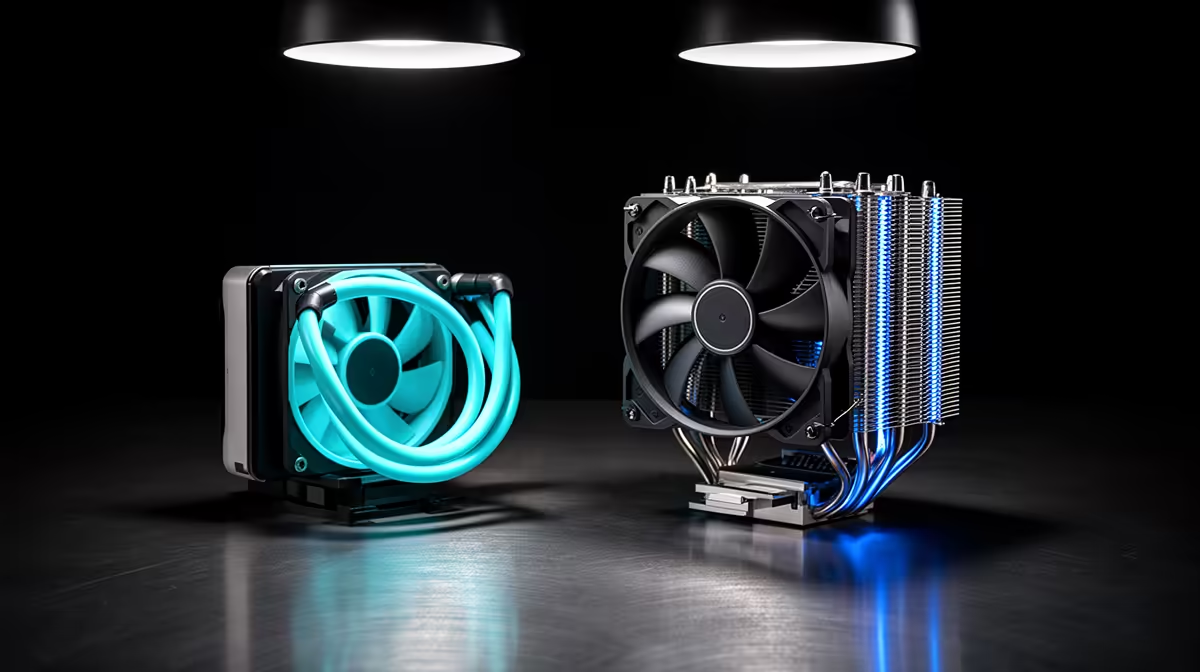
A 360mm all-in-one liquid cooler moves heat off the CPU into a large radiator with three fans, and under prolonged all-core load it consistently pulls ahead of even the best air coolers, often by 8 to 15 degrees. For a Ryzen 9 or Core Ultra 9 class chip pushing 200W or more continuously through long inference batches, that margin is real working headroom. It can be the difference between a stable clock and the processor quietly throttling back to protect itself.
The trade-off is the pump. An AIO adds a moving part with a finite service life, typically rated around five to seven years, and a constant low hum that some people notice in a quiet room. It is more cooler for more demanding work, but it is also one more component that can eventually fail.
Radiator placement still matters
An AIO is not a licence to ignore airflow. Mounting the radiator as a front intake or top exhaust, with a sensible front-to-back air path through the case, is what lets it actually shed the heat it collects. Cram it into a sealed box and the advantage shrinks fast.
The Case for Premium Air
A high-end dual-tower air cooler, the Noctua NH-D15 class of heatsink, has only fans as moving parts and is built to run for a decade with effectively no maintenance. For a workstation that lives switched on, that simplicity is a genuine feature. It runs quieter than most pumps, costs noticeably less over the life of the machine, and never leaks. Under sustained load it gives up a handful of degrees to a 360mm AIO, but it keeps the CPU comfortably inside spec for the vast majority of local AI work.
The catch is physical. A dual-tower cooler is tall and heavy, so confirm case clearance and that it does not foul tall memory modules before buying.
Where Case Airflow Decides It
Here is the part people skip: the cooler is only half the system. A dual-tower air cooler dumps its heat straight into the case, so without front intake and rear or top exhaust fans moving that hot air out, the whole interior warms and the cooler loses its edge. An AIO exports heat through the radiator but still needs that radiator fed with cool air. In a well-ventilated chassis the two solutions land closer together than the spec sheets suggest. In a starved one, both suffer. If you are speccing a build for local models, the curated AI desktop range is a useful reference for how these machines are configured around their thermals, and the top-selling complete systems show which cooling choices buyers are landing on.
Who Should Pick What
If your rig runs occasional inference and you value silence, low cost, and set-and-forget reliability, a premium dual-tower air cooler in a well-ventilated case is the sensible default. If you are pushing a high-core-count chip near its limit for long stretches every day and want every degree of margin, a 360mm AIO earns its place. Either way, plan the case airflow first, because the best cooler in a stagnant box still cooks.
Frequently Asked Questions
At what power draw does an AIO start to matter for AI work?
Around 150W of sustained CPU draw is the rough threshold. Below it most good air coolers keep pace, and above it a 360mm AIO's extra radiator capacity opens a measurable temperature gap that grows with job length.
Will a top air cooler throttle my CPU during long inference runs?
Generally no. A premium dual-tower cooler keeps a modern CPU below its throttle point under sustained load, just running warmer than a 360mm AIO. Throttling usually points to poor case airflow rather than the cooler itself.
How long does an AIO pump typically last?
Most AIO pumps are rated for roughly five to seven years of continuous use. A quality air cooler has no pump and effectively lasts the life of the build, which is why it suits an always-on workstation.
Does the AIO radiator position affect performance?
Yes, significantly. A front-intake or top-exhaust radiator mount with a clear front-to-back air path lets the AIO shed heat efficiently, while a poorly placed radiator in a cramped case throws away much of its advantage.
Is liquid cooling risky for a machine that runs constantly?
Modern sealed AIOs are reliable, but they do carry a small leak and pump-failure risk that air coolers do not. For a 24/7 rig where uptime is paramount, many builders prefer air for that peace of mind.