



PCIe 5.0 vs PCIe 4.0 for Video editing in 4k in SA
PCIe 5.0 vs PCIe 4.0 for video editing in 4k is mainly about fit, features, compatibility, cost, and upgrade path, not one automatic winner. SA buyers should match the choice to the setup.
Read moreThe ROG Crosshair X870E Extreme is an AM5 motherboard, establishing the physical processor platform but not a complete CPU list by itself. Buyers should match the exact Ryzen model to the board's current support information and required firmware before installation.
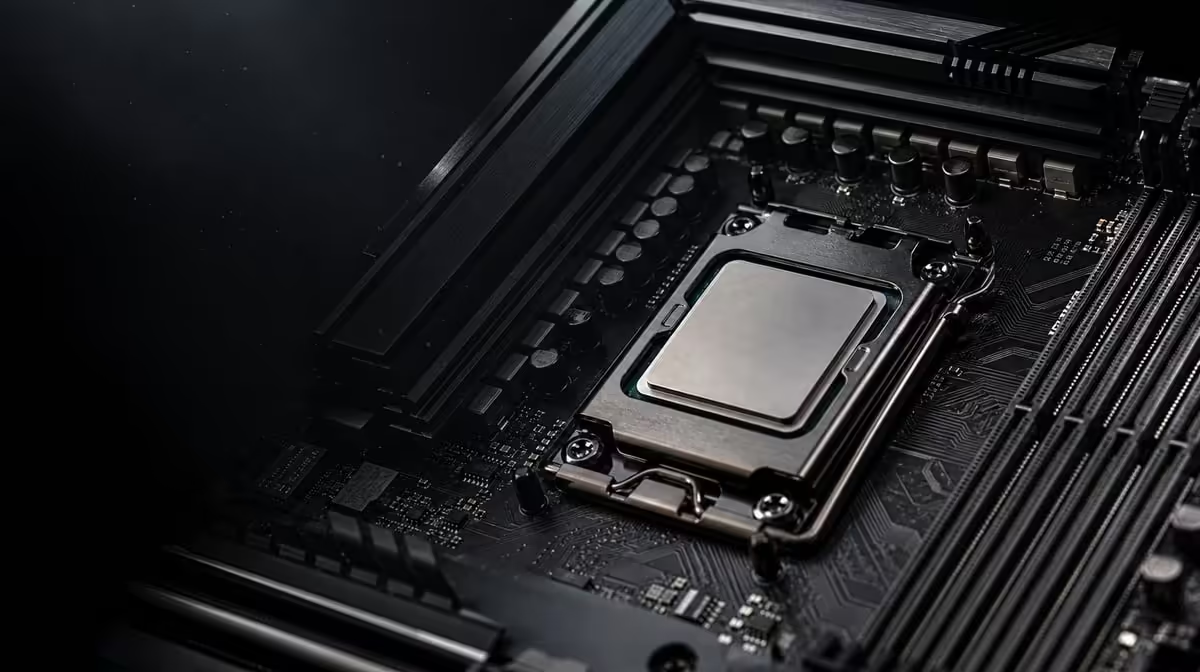
The socket name narrows a processor search, but it does not replace a model-by-model check. To learn which Ryzen CPUs work with the X870E Extreme, start with AM5, then match the exact processor to current board support and any required firmware. Broad generation assumptions create unnecessary first-boot risk.
The ROG Crosshair X870E Extreme is an AM5 DDR5 motherboard, so the candidate processor must use the correct platform and appear in the board's current support path. At R24,899, the board offers flagship expansion and networking, but buyers should not infer a complete Ryzen compatibility list from “AM5†or “X870E†alone.
Record the full model name rather than a family such as Ryzen 7 or Ryzen 9000. Similar names can represent different parts, and compatibility research must follow the exact item intended for the build.
Evetech's AMD CPU category provides the buying shortlist. Once the model is selected, compare it with the board's current support information and note any firmware requirement before assembly.
Do not purchase memory or cooling around an assumed processor. The exact CPU determines part of the wider platform plan even though this board establishes DDR5 and AM5.
A processor can belong to AM5 yet still need a board firmware path that must be understood before installation. Physical seating is not proof that the system can start in the current configuration.
Create a compatibility record containing CPU model, motherboard model, required firmware information, DDR5 kit and intended first-boot arrangement. Save it with the build notes.
The X870 motherboard selection can help compare current AM5 options, but each board must be checked separately. Do not transfer a support conclusion from a similarly named model.
If firmware preparation is required, understand the supported procedure before the processor, cooling and full device set are installed. Do not improvise during a failed first boot.
Keep another device available for reading current guidance and record files or versions accurately. Never interrupt a firmware process or remove power without following the directed procedure.
The Extreme uses DDR5. Choose a suitable kit, install the recommended minimum arrangement and allow for initial platform setup. Repeatedly interrupting a first start can create confusion.
If the system does not boot, return to a minimal configuration: correct power connections, CPU seating, directed memory position and essential display path. Record indicators and change only one factor before another attempt.
“Ryzen 7000â€, “8000†or “9000†groups many exact processors. A statement about one model should not be extended to every product carrying a related generation number.
This precision protects both new builds and later upgrades. Before replacing an installed processor, repeat the complete support check against the board's current state.
At R24,899, the Crosshair adds PCIe 5.0, five M.2 positions, Wi-Fi 7, 5G LAN, 10G LAN and USB4 Type-C. None repairs an incompatible CPU choice.
Compare Evetech's full AMD motherboard range after the exact processor is known. Another board may offer the same required support with fewer unused features.
The Extreme is E-ATX. Confirm explicit case support, cooler clearance, graphics-card space and cable access. Processor compatibility is necessary but not sufficient for a successful build.
Before changing a CPU in an existing system, record the current firmware, memory arrangement and stable behaviour. After the change, start with essential devices and restore optional hardware gradually.
Price the cooler, DDR5, chassis and other components needed around the exact processor. The motherboard decision should produce a balanced PC, not consume money needed to operate the CPU properly.
Before assembly, write the order in which power, CPU seating, the minimum DDR5 arrangement and firmware support will be checked. Keep storage and optional expansion devices out of the first diagnostic configuration. This reduces the risk of several unrelated symptoms appearing at once.
Record any board indicators and their sequence rather than responding to a brief light with random part changes. One controlled adjustment followed by the same boot attempt creates useful evidence.
A board that works with the launch processor still needs a fresh exact-model check before an upgrade. Review current support, firmware preparation and cooling suitability before removing the known-good CPU.
Save the stable pre-upgrade state. If the new system does not start, the owner can restore the former processor and configuration methodically rather than guessing which simultaneous change caused the problem.
DDR5 is established, but capacity and kit arrangement remain build decisions. Choose enough memory for gaming and productive work, then use a directed installation layout. Do not combine a CPU upgrade with an untested memory change unless there is no practical alternative.
Initial memory setup can take time. Follow the board's current guidance, avoid unnecessary interruptions and distinguish a longer first start from a system that remains stuck.
Record the full motherboard and CPU identifiers in a plain text build sheet. Marketing families, shortened names and generation numbers can hide important differences. Copying a conclusion from another Crosshair or another Ryzen model undermines the entire check.
The final purchasing basket should use the same exact names. This links research, order and assembly, reducing the chance that a nearby model is selected accidentally.
Only after the CPU and minimum DDR5 arrangement boot reliably should the five-drive plan, network paths and other devices be introduced. Add one group, verify stability and update the build record.
This staged sequence does not waste the Extreme's breadth. It makes each premium capability easier to validate and service over the ownership period.
For an upgrade, decide whether the current known-good CPU will remain available until the new configuration has passed repeated tests. That fallback can distinguish a support problem from an unrelated assembly change.
Store the removed processor safely and keep the former firmware, memory and device record. Do not sell or repurpose the fallback immediately after one successful boot. Confirm games, sustained productive work and several restarts first.
This is especially important in a complex five-drive system, where optional storage and expansion can introduce their own variables. The processor compatibility verdict should come from a controlled base platform.
It is an AM5 motherboard and uses DDR5 memory.
No. Match the full processor name to current support and any required firmware.
Use the board's current support information for that exact motherboard, keeping the model identifier precise.
Yes. The board may require an appropriate firmware path for the selected processor.
Yes. Firmware, power, DDR5 arrangement, seating and other assembly factors can prevent a successful start.
Generation labels group multiple models and do not prove identical support conditions. Exact model checking is safer.
Ready to match Ryzen and X870E precisely' Build an exact CPU shortlist from Evetech, compare current AMD motherboard support and record the firmware and DDR5 plan before assembly.
It is an AM5 motherboard and uses DDR5 memory.
No. Match the full processor name to current support and any required firmware.
Use the board's current support information for that exact motherboard, keeping the model identifier precise.
Yes. The board may require an appropriate firmware path for the selected processor.
Yes. Firmware, power, DDR5 arrangement, seating and other assembly factors can prevent a successful start.
Generation labels group multiple models and do not prove identical support conditions. Exact model checking is safer.
PCIe 5.0 vs PCIe 4.0 for video editing in 4k is mainly about fit, features, compatibility, cost, and upgrade path, not one automatic winner. SA buyers should match the choice to the setup.
Read more
Wi-Fi 7 vs Wi-Fi 6e for competitive esports comes down to router support, latency goals, device compatibility, and coverage. SA buyers should match the choice to the real network setup.
Read more
ATX 3.1 vs ATX 3.0 for mMO and live-service games buyers - what changes is mostly about compatibility, budget, upgrade path, and setup fit. SA buyers should check device support and real needs before expecting a clear win from either option.
Read more
LGA 1851 vs LGA 1700 can affect Twitch and YouTube streaming when gaming and encoding share CPU resources. For SA creators, the real-world difference depends on encoder choice, memory support, motherboard cost, thermals, and upgrade plans.
Read more
X870E vs X670E for aaa single-player gaming is mainly about fit, features, compatibility, cost, and upgrade path, not one automatic winner. SA buyers should match the choice to the setup.
Read more
Hall Effect switches vs Mechanical switches for mMO and live-service games is mostly about compatibility, budget, upgrade path, and setup fit. SA buyers should check device support and real needs before expecting a clear win from either option.
Read more
A fake 113GB GTA VI ISO reportedly used empty padding around a small malware payload. SA gamers should delete unofficial builds, keep Windows security active and wait for official channels.

Wi-Fi 6E vs Wi-Fi 6 matters for 4K video editing when files move across a network. The real-world difference between Wi-Fi 6E and Wi-Fi 6 for video editing in 4K depends on NAS access, cloud uploads, router range, and SA creator workflows.

The difference between PCIe 5.0 and PCIe 4.0 for SA gamers is mostly bandwidth headroom. Compare GPU slot needs, NVMe speed, motherboard support, and upgrade timing before paying extra for a newer platform.

Gaming PC stuck pixel checks in South Africa should confirm the monitor fault first. Use colour tests, screenshot comparison, cable swaps, display menu checks, and clear photos before deciding on support.

Shokz OpenFit Air 2 earbuds weigh 7.2g each and use a redesigned dual-driver open-ear layout. SA buyers should choose them for comfort and awareness, not maximum isolation.

AMD's current driver now lists a Radeon RX 9050 4GB, while product coverage details a narrowed memory system. SA buyers should weigh the low VRAM ceiling against current local Radeon options.

Samsung Display has demonstrated a 16-inch 2.5K OLED laptop panel running at 300Hz. SA buyers should wait for a named notebook, full panel specifications and a local price before planning an upgrade.

Microsoft says some Windows 11 game crashes after recent updates are linked to RGB-related drivers. Affected SA gamers should confirm the update and driver before using the published registry workaround.

RTX 5090 on a 650W PSU is a tight pairing with very limited headroom. For SA gaming PCs, focus on total system draw, PSU quality, connector support, CPU choice, and avoid OC plans unless the full build is carefully power-limited.
PCIe 5.0 vs PCIe 4.0 for video editing in 4k is mainly about fit, features, compatibility, cost, and upgrade path, not one automatic winner. SA buyers should match the choice to the setup.

850W PSU safety for RTX 5090 is plausible with a quality unit and balanced parts. In SA, confirm connector support, CPU power draw, case airflow, PSU age, and spare capacity before building around 850W.
Wi-Fi 7 vs Wi-Fi 6e for competitive esports comes down to router support, latency goals, device compatibility, and coverage. SA buyers should match the choice to the real network setup.