


RTX 4060 Ti Throttling Under Load: SA Temperature Guide
RTX 4060 Ti Throttling Under Load: Temperature. Everything you need to know with SA pricing, step-by-step instructions & expert recommendations.
Read more- Dual-connection checklist: guide Xbox + PC pairing - Optimize base station audio and profiles - Fast troubleshooting and tips Arctis Nova Pro Wireless setup Xbox and PC: step-by-step pairing, base station routing, audio profiles and fixes 🎧
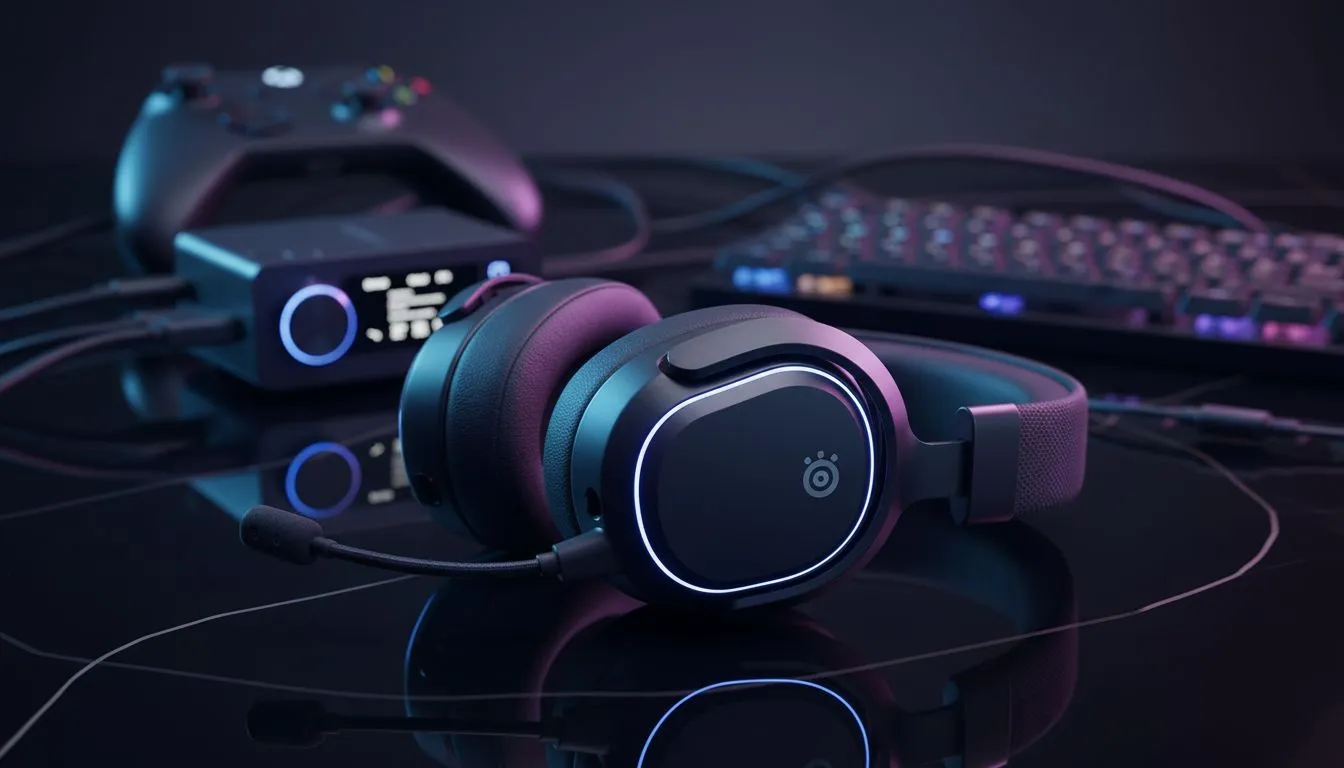
Tired of swapping cables between your Series X and your rig? The Arctis Nova Pro Wireless is the holy grail for SA gamers who want one headset to rule them all. Setting up the Arctis Nova Pro Wireless setup Xbox and PC simultaneously isn't just a luxury... it's a necessity for a clean desk setup in 2024. Let's get your audio sorted so you can jump back into the action. 🎧
The heart of this kit is the GameDAC Gen 2. This little OLED-equipped box handles your connections. For South African gamers juggling multiple platforms, finding the right high-end headphone headsets can be a mission... but the Nova Pro simplifies everything.
Look at the back of the Base Station. You will see two USB-C ports. One is specifically labelled "Xbox". This is crucial. Microsoft uses a proprietary security chip for USB audio. You must plug your Xbox into that specific port. Use the second port for your PC.
Once plugged in, the Base Station acts as a bridge. You can switch between your gaming PC and your console with a simple click of the control wheel. No more reaching behind your desk in the dark during a load shedding power cycle. ⚡
On the PC side, you have access to the SteelSeries Sonar Software. This is where the magic happens. You can tune your EQ specifically for footsteps in shooters or deep bass for cinematic RPGs. While alternatives like Razer headphones and headsets offer similar versatility, the dual-stream nature of the Nova Pro is hard to beat.
On the Xbox side, you are mostly relying on the Base Station's built-in EQ profiles. You can still get incredible spatial audio by enabling Dolby Atmos or DTS Headphone:X in the Xbox settings menu. This ensures you hear exactly where that sniper is hiding in the bushes.
The Arctis Nova Pro Wireless comes with two batteries. One stays in the headset while the other charges inside the Base Station. When you hear the low battery beep, just swap them out. You will never have to plug your headset into a cable again, keeping your wireless freedom intact for those long weekend sessions.
In South Africa, we often have to be smart with our tech budget. Buying one premium headset that works everywhere is better than buying three mediocre ones. If you are looking for a slightly more budget-friendly multi-platform option, the Razer Barracuda X Chroma Wireless is a solid shout for multi-platform fans... but it lacks the dedicated Xbox security chip found in the Nova Pro's specific Xbox variant.
Remember to update your firmware via the SteelSeries GG app on PC as soon as you unbox. This fixes common handshake issues between the Base Station and the Xbox Series X. 🚀
Ready to Upgrade Your Audio Experience? Finding the perfect balance between PC precision and console comfort is easy with the right gear. Explore our massive range of gaming headset specials and find the perfect kit to dominate the leaderboard.
Yes. Use the Nova Pro Wireless base station for a dual connection: route Xbox audio through the base and connect PC via USB-C for simultaneous use.
Place the headset on the base, press the base pairing button, then hold headset power to pair. Confirm Xbox audio is routed to the base station.
Route Xbox game audio to the base via optical/USB passthrough, connect PC over USB-C, then use ChatMix to balance game and voice.
Latency is minimal. Keep firmware updated and use the wired USB-C PC connection to reduce wireless lag for game audio and voice.
Try a different USB port, connect USB-C directly to the base, update drivers and firmware, then re-pair the Arctis Nova Pro if needed.
Yes. Use onboard audio profiles or SteelSeries Engine to create and switch presets for Xbox and PC configurations.
Check Xbox chat routing and adjust the headset ChatMix so PC voice routes to chat without muting game audio.
RTX 4060 Ti Throttling Under Load: Temperature. Everything you need to know with SA pricing, step-by-step instructions & expert recommendations.
Read more
Apex Legends Max Settings on RTX 4080. Tested & verified settings for best FPS and visual quality on SA hardware budgets.
Read more
GPU Buying Guide. Everything you need to know with SA pricing, step-by-step instructions & expert recommendations.
Read more
GPU Terms Guide. Everything you need to know with SA pricing, step-by-step instructions & expert recommendations.
Read more
AMD Adrenalin Download & Setup Guide: GPU. Clear setup instructions with SA-specific considerations, troubleshooting tips & recommended components.
Read more
Back-to-School GPU Buying Guide. Everything you need to know with SA pricing, step-by-step instructions & expert recommendations.
Read more
Snapdragon X2 NPU Explained: How 80 TOPS Changes. Plain-English explanation of what it means, why it matters & how it affects your buying decisions in SA.

HBM? High Bandwidth Memory Used in GPUs and AI. Plain-English explanation of what it means, why it matters & how it affects your buying decisions in SA.

How much should you spend on sim racing accessories in South Africa for a realistic setup? We break down budgets by quality tiers, so you buy smart gear and avoid overspending 🎮💸

G-Sync and FreeSync? Variable Refresh Rate. Plain-English explanation of what it means, why it matters & how it affects your buying decisions in SA.

AMD Laptop: Value. SA-focused analysis with local pricing data, real-world insights & actionable buying advice.

How MacBook Neo Handles 30+ Chrome Tabs with Only. SA-focused analysis with local pricing data, real-world insights & actionable buying advice.

Why Apple Put 8GB RAM in MacBook Neo: The A18 Pro. SA-focused analysis with local pricing data, real-world insights & actionable buying advice.

Upgrade your work laptop with a New Motherboard. Step-by-step instructions with SA-specific tips, common pitfalls to avoid & expert recommendations.

Maintain wired headset — Checklist: • inspect cables • clean earpads • store properly 🔧🎧 Practical steps to preserve sound quality and avoid premature replacements.

Fix crackling headset fast: step-by-step checks for cables, connectors, drivers, and settings to remove static or distorted audio on wired headsets 🎧⚙️

Stereo vs mono headsets: learn which delivers clearer calls, better spatial music, or simpler mono voice performance — pick the right headset for meetings, music, or gaming 🎧💬

- Compare gaming headset vs studio headphones; - Assess comfort, mic and sound; - Recommend best daily picks. Gaming headset vs studio headphones: learn which suits work, music and casual gaming. 🎧⚖️