


Maintain Wired Headset: Tips to Extend Lifespan
Maintain wired headset — Checklist: • inspect cables • clean earpads • store properly 🔧🎧 Practical steps to preserve sound quality and avoid premature replacements.
Read moreYes, an ATX case can fit m-ATX and ITX with the right checks. Learn the key fit factors, airflow, standoffs, and ports so you can build confidently. ✅🧩
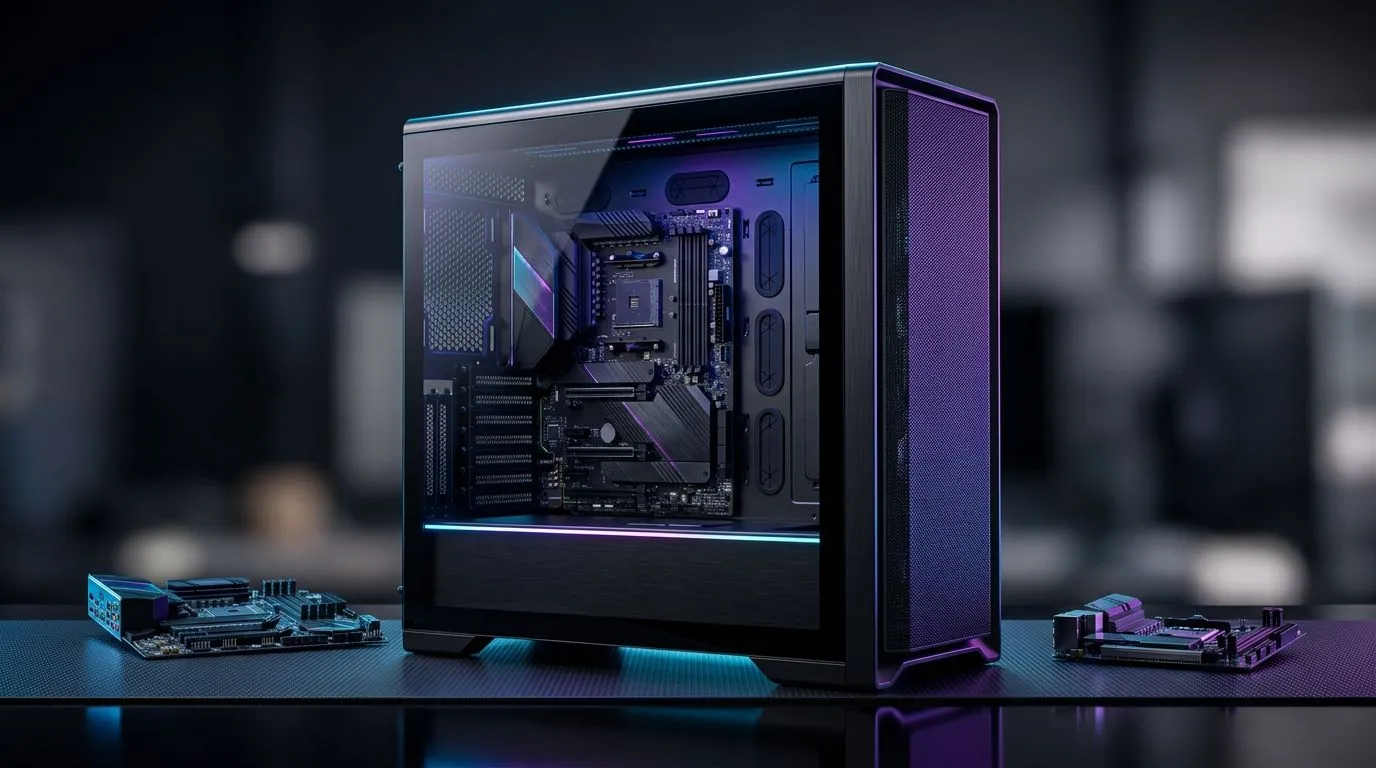
If you’re building a new gaming PC in South Africa, the case question comes up fast. Will a full ATX case fit m-ATX and ITX parts without weird gaps, awkward cable runs, or wasted airflow? Usually, yes. But “fit” is only half the story. The smarter question is whether the layout still looks clean, cools well, and makes upgrades easy later 🔧
Motherboard sizes follow a simple pattern. ATX is the largest common mainstream format. m-ATX is smaller, and ITX is smaller still. Because of that, an ATX chassis generally has the mounting points and internal space to support both m-ATX and ITX boards. That’s why many buyers browse the broader computer cases range when they want flexibility.
The catch is visual balance. An ITX board inside a big ATX tower can look a little sparse. An m-ATX board usually fills the space better, especially if you plan to add a long GPU, extra SSDs, or front-mounted cooling. That’s not a problem... just something to think about before you buy.
A case can physically fit the board and still feel compromised. The most common issues are cable management, airflow paths, and how much of the case you actually use. A smaller board in a larger case may leave fewer natural cable-routing constraints, which can be helpful. But it can also expose more empty space, so the build may need more planning for a tidy finish ✨
If aesthetics matter, look at case designs with good tray cut-outs, PSU shrouds, and enough fan positions. Evetech’s Fractal Design PC cases are worth a look if you want a cleaner, more premium internal layout. For budget-conscious builders, Gamdias gaming cases can offer solid value for a new rig.
When choosing a case for a smaller motherboard, measure GPU length, CPU cooler height, and radiator support before you order. A case can technically fit the board, but those three checks decide whether the build feels effortless or frustrating.
South African buyers should also think about resale and upgrade room. A bigger case often gives you more breathing space for future parts. That can matter if you start with m-ATX now and later move to a larger graphics card or additional storage. If you’re hunting for a cheaper entry point, the Gamdias gaming cases under R1500 are a practical place to start.
For most gamers, the answer is simple. Yes, an ATX case can fit m-ATX and ITX boards. The better question is whether the rest of the build benefits from the extra room. If you value airflow, easy cable management, and upgrade flexibility, the larger case often earns its keep.
Ready to Find Your Perfect Match? The Mac vs Windows debate is complex, but for maximum power, choice, and value in South Africa, Windows is hard to beat. Explore our massive range of laptop specials and find the perfect machine to conquer your world.
Most ATX cases support m-ATX. Confirm the motherboard tray has m-ATX standoff points and that the GPU and PSU clearance matches your parts.
Yes. An ITX motherboard will fit if the case supports ITX mounting holes, and you use the correct standoffs and spacers for a secure, stable build.
Often, yes. Use the motherboard manual and install standoffs only where the ITX mounting holes align with the ATX case tray.
It can. Check GPU length, cooler height, and fan placement in the ATX case specifications to ensure your ITX build still gets proper airflow.
The case will typically provide more slots than needed. Your m-ATX or ITX board uses fewer slots, but you still must confirm bracket positions and clearances.
It may be easier because there is more space. Still, plan routes early and ensure front-panel and power cables reach without bending stress.
Not necessarily. With correct fan setup and radiator placement, airflow can be excellent. Verify fan mounting locations and avoid blocked intake paths.
Check motherboard form factor support, standoff layout, PSU and GPU clearance, cooler height, drive bays, and fan/radiator compatibility before you buy.
Maintain wired headset — Checklist: • inspect cables • clean earpads • store properly 🔧🎧 Practical steps to preserve sound quality and avoid premature replacements.
Read more
Fix crackling headset fast: step-by-step checks for cables, connectors, drivers, and settings to remove static or distorted audio on wired headsets 🎧⚙️
Read more
Stereo vs mono headsets: learn which delivers clearer calls, better spatial music, or simpler mono voice performance — pick the right headset for meetings, music, or gaming 🎧💬
Read more
- Compare gaming headset vs studio headphones; - Assess comfort, mic and sound; - Recommend best daily picks. Gaming headset vs studio headphones: learn which suits work, music and casual gaming. 🎧⚖️
Read more
- Check pressure points - Compare earcup materials - Adjust clamp and fit Best gaming headsets for glasses: quick guide to reduce temple pressure, pick breathable memory foam earcups, and optimize fit for long sessions 🕹️👓
Read more
Gaming microphone noise reduction: Use beamforming mics, AI noise suppression, and hardware filters to cut background noise and boost in-game voice clarity. 🎧⚙️ Learn setups, settings, and top mic features.
Read more
Snapdragon X2 NPU Explained: How 80 TOPS Changes. Plain-English explanation of what it means, why it matters & how it affects your buying decisions in SA.

HBM? High Bandwidth Memory Used in GPUs and AI. Plain-English explanation of what it means, why it matters & how it affects your buying decisions in SA.

How much should you spend on sim racing accessories in South Africa for a realistic setup? We break down budgets by quality tiers, so you buy smart gear and avoid overspending 🎮💸

G-Sync and FreeSync? Variable Refresh Rate. Plain-English explanation of what it means, why it matters & how it affects your buying decisions in SA.

AMD Laptop: Value. SA-focused analysis with local pricing data, real-world insights & actionable buying advice.

How MacBook Neo Handles 30+ Chrome Tabs with Only. SA-focused analysis with local pricing data, real-world insights & actionable buying advice.

Why Apple Put 8GB RAM in MacBook Neo: The A18 Pro. SA-focused analysis with local pricing data, real-world insights & actionable buying advice.

Upgrade your work laptop with a New Motherboard. Step-by-step instructions with SA-specific tips, common pitfalls to avoid & expert recommendations.
Maintain wired headset — Checklist: • inspect cables • clean earpads • store properly 🔧🎧 Practical steps to preserve sound quality and avoid premature replacements.
Fix crackling headset fast: step-by-step checks for cables, connectors, drivers, and settings to remove static or distorted audio on wired headsets 🎧⚙️
Stereo vs mono headsets: learn which delivers clearer calls, better spatial music, or simpler mono voice performance — pick the right headset for meetings, music, or gaming 🎧💬
- Compare gaming headset vs studio headphones; - Assess comfort, mic and sound; - Recommend best daily picks. Gaming headset vs studio headphones: learn which suits work, music and casual gaming. 🎧⚖️