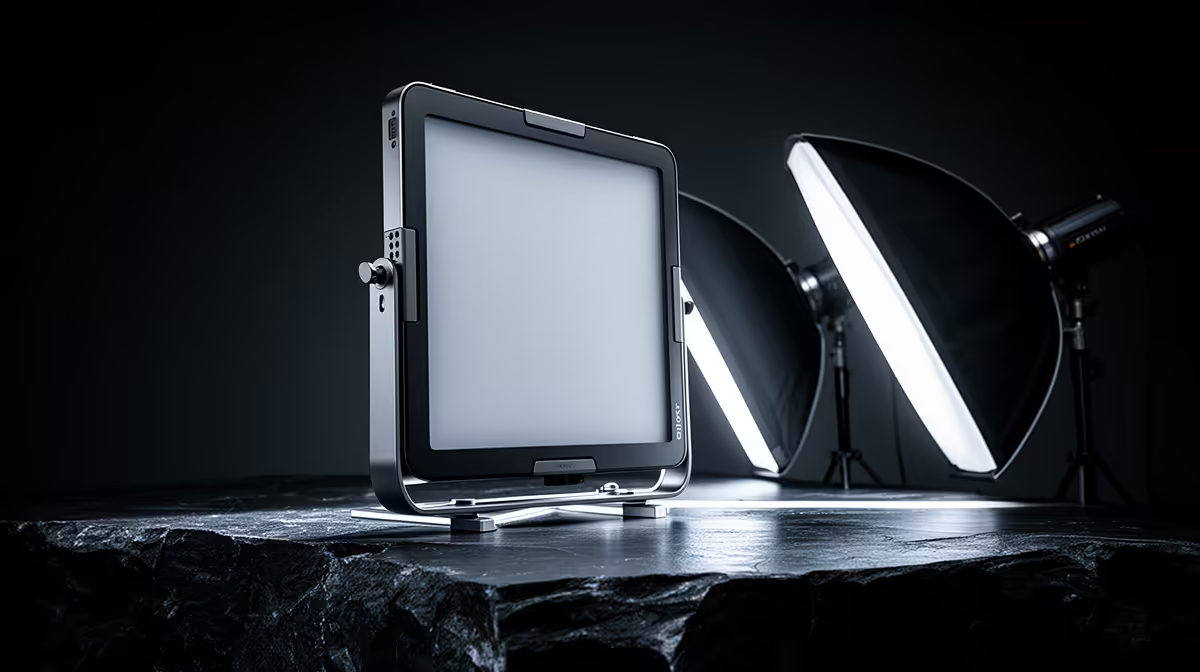
Portrait lighting is a conversation between sources. When you have a 19-inch panel light and a softbox working together, you are not just adding brightness -- you are building a shadow structure that determines how a face reads on camera. The softbox wraps the subject in a wide, forgiving spread of light. The panel, smaller and more directional, handles everything the softbox cannot do alone: reducing fill, adding a rim, or shaping the background. Getting the balance between them right is mostly about understanding what each source is physically capable of and assigning it the job it does best.
Quick Answer
Set the softbox as your key light at 45 degrees to the face and let the panel serve as a dimmable fill or rim at roughly half power. The panel's continuous dimming means you can tune the shadow depth from your position without shifting any stands. Aim for a key-to-fill ratio of around 2 to 1 for a portrait that is flattering but still three-dimensional.
🔆 What Each Source Does to a Face
A softbox produces light from a large diffused surface. The bigger the source relative to the subject, the softer the shadow edges it creates -- the light wraps around the contours of a face rather than cutting a sharp line at the cheekbone. A 60cm or larger softbox positioned close to the subject at roughly eye level is one of the most forgiving portrait light sources available, which is why it earns the key light position.
A 19-inch panel produces light from a smaller, harder surface. The shadows it casts have more defined edges, and it throws a narrower beam. As a key light it tends to carve the face more aggressively, which suits dramatic editorial looks but is less universally flattering. As a fill or accent, though, that same quality becomes an asset. A well-placed panel adds definition without competing with the softbox for dominance.
Colour temperature consistency
Both sources need to run at the same colour temperature. 5500K daylight is the standard for video portrait work. If the panel runs warm while the softbox sits at daylight, the two tint different sides of the face differently -- the correction required in post is difficult and frequently incomplete. Match both to 5500K before balancing power.
🎯 Setting the Key-to-Fill Ratio
The ratio describes how much brighter the key side of the face is compared to the fill side. A 1-to-1 ratio is flat and featureless, like an overcast sky. A very high ratio, say 8 to 1, is dramatic and leaves most of the face in shadow. For a portrait that looks professional without being stylistically extreme, a ratio between 2 to 1 and 3 to 1 is the standard working range.
With the panel on a dimmer and the softbox at fixed output, you achieve the ratio by dialling the panel down rather than by moving it. This is a practical advantage: repositioning a stand to adjust ratio also changes the angle and coverage area, which may introduce new shadows elsewhere. Dialling the panel to roughly 40 to 50 percent of key power gives you a 2 to 1 ratio without touching a single stand.
Finding the right shadow depth for the subject
Skin tone and face shape affect how much fill looks natural. Subjects with very high cheekbones can handle a slightly lower fill ratio because their bone structure already provides separation. Subjects with rounder faces benefit from keeping fill lower still to preserve some shaping shadow. Check the histogram and the unprocessed footage -- a shadow that looks dramatic on a monitor set too bright will look underexposed on a calibrated display.
✨ Using the Panel as a Rim Light
The panel's second role is behind and above the subject, aimed down across the hair and shoulders. At this position a 19-inch panel rims the top of the head with a strip of brightness that separates the subject visually from the backdrop. On a solid-colour or dark background, this separation is what prevents the subject from appearing to merge with the background.
Dial the rim down to 30 to 40 percent of key power. At full output a rim light overwhelms the key and creates an unnatural bright edge that draws the eye away from the face. You want the rim to be visible but not to be the first thing the viewer notices. Set it low, check the overall image, and only raise it if the subject's hair is still disappearing into the background at the lower setting.
Practical placement for a small home studio
In a smaller space, a 199cm stand at near-full height behind the subject at about 45 degrees off-centre gives the panel the angle it needs without appearing in frame. If the room is very tight, a wall-mount arm can hold the panel above and behind the subject without using any floor space.
Pro Tip ⚡
Record a 10-second test clip before the subject arrives and scrub through it at full brightness on your monitor. Check both sides of the face on the recorded frame, not the live preview -- they can render shadows differently. Adjusting panel power based on the file saves you from discovering a ratio problem after the session ends.
🔧 Adjusting on the Fly
The panel's biggest practical value during a session is making mid-shoot corrections without moving a stand. If a subject's shirt reflects the softbox more than expected, the fill side can look washed out. Dialling the panel slightly upward restores the ratio without touching the key's position or angle.
If hair detail is getting lost at the rim position, a quick bump from 35 to 45 percent restores the separation in seconds. With a softbox as the only source, any equivalent correction requires repositioning the stand and re-checking the entire key angle.
Frequently Asked Questions
How do I use a panel light and a softbox together without one overpowering the other?
Set the softbox as the key at your target exposure, then set the panel to approximately half that power as fill. Check the shadow side of the face in a test recording. If the shadows look too deep, raise the panel slightly. If the face looks flat, drop it. The goal is a ratio where shaping is visible but neither side of the face reads as seriously underexposed.
Why is a dimmable panel more useful for fill than a second softbox?
A second softbox would need to be repositioned every time you want to change the fill ratio, which also changes the coverage angle and introduces new shadows. A dimmable panel lets you adjust brightness by turning a dial, keeping every other variable in the frame constant while you fine-tune the look.
What key-to-fill ratio looks professional for standard portraits?
A ratio of 2 to 1 -- where the key side is twice as bright as the fill side -- is a solid baseline for most portrait work. It preserves shadow depth so the face looks three-dimensional without pushing into dramatic territory. For corporate headshots or content creator profiles, this range is consistently flattering across different skin tones and face shapes.
Can a 19-inch panel also act as a rim light?
Yes. Placed behind the subject at height, angled downward across the hair and shoulders, the panel creates a strip of brightness along the edge of the head that visually lifts the subject off the background. Set it to around 30 to 40 percent of key power so it adds separation without drawing attention to itself as a separate source.
Where should I position the softbox key light for flattering portraits?
Place the softbox just above eye level and angled in from one side so the shadow falls naturally across the far cheek. That placement is the foundation of most flattering portrait lighting because it shapes the face without pushing a hard shadow directly under the nose. Bring it slightly forward if the cheek shadow is deeper than the subject needs.
Ready to build a portrait lighting setup that actually shapes the face?
Browse the panel lights and softbox kits at Evetech to put together a two-source studio that gives you precise control over ratio and depth on every shoot.