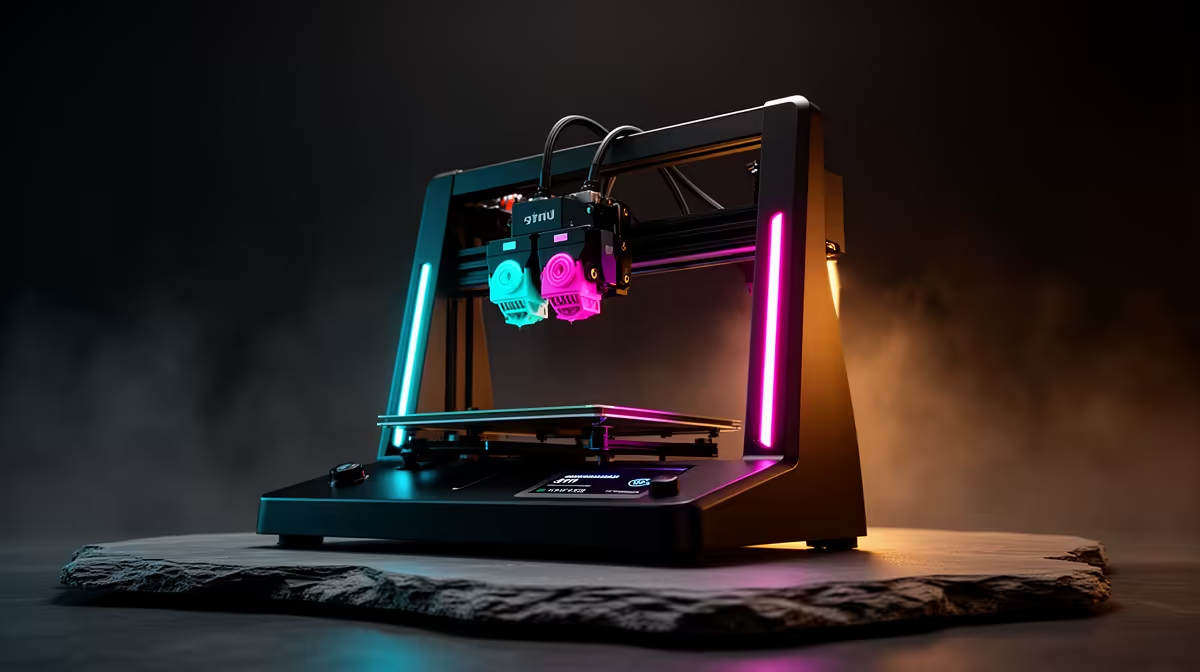
Two enclosed CoreXY machines sit a few hundred Rand apart on the shelf, and most buyers freeze right there. The Bambu P2S vs X2D decision is not about which printer is better in the abstract. It is about whether the R1,500 you save on the P2S buys back its time in messy filament changes and failed multi-colour jobs. For a hobbyist, the answer leans one way. For someone printing client work, it leans hard the other.
Quick Answer
The P2S is R14,999 and the X2D is R16,499, a R1,500 gap. Pay it only if you run frequent multi-material or multi-colour prints, because the X2D adds the sensing and automated filament handling that turn those jobs from babysitting into hands-off runs. For single-colour functional parts, the P2S is the smarter buy.
What R1,500 actually changes
Both machines share the parts that define print quality: the same enclosed CoreXY motion system, the same heated chamber that keeps ABS and ASA from warping, and broadly the same nozzle and hotend behaviour. Drop a single-colour PETG bracket on either and you would struggle to tell the output apart.
The difference is everything around reliability when the job gets complicated. The X2D leans on more advanced onboard sensing and native multi-material handling, so it can switch filaments and recover from feed problems with far less intervention. The P2S can still do multi-material work, but it asks more of you: more manual setup, more watching, more re-priming when a switch does not seat cleanly.
Put plainly, the P2S at R14,999 and the X2D at R16,499 are the same printer for simple jobs and two very different printers for complicated ones. That framing is the key to spending the R1,500 wisely, because the value of the upgrade is entirely tied to how often your jobs get complicated.
Who the P2S is right for
If your printing is functional and single-colour, the P2S is not a downgrade, it is the correct tool. Think jigs, replacement clips, enclosures, cosplay parts you paint afterward, and the long tail of "I need this one bracket" prints. The enclosed chamber means you can run engineering filaments that open-frame printers struggle with, and you pocket the R1,500.
A hobbyist who prints a few times a week, mostly in one colour, will almost never feel the ceiling the P2S imposes. Spending up to the X2D here is paying for automation you will rarely trigger.
Who the X2D earns its premium from
The X2D makes sense the moment unattended multi-material reliability has a Rand value to you. Three buyer profiles fit:
The multi-colour maker
If you sell printed models, miniatures, or branded items where two, three, or four colours appear in one part, the X2D's automated switching is the whole point. Every failed colour swap on a cheaper setup is wasted filament and a wasted print window. At volume, that waste clears R1,500 quickly.
The semi-pro running overnight jobs
Long prints that start before bed only pay off if they finish. The X2D's stronger sensing catches feed and switch faults early instead of letting a fault quietly ruin eight hours of plastic. For anyone whose machine runs while they sleep or work, that reliability is the feature.
The buyer who hates fiddling
Some people enjoy tuning a printer. Others want to press print and walk away. If you are the second kind and multi-material is on your roadmap at all, the X2D removes the exact friction that makes people abandon those jobs. Many buyers who try multi-colour on a more manual setup quietly give up on it after a few failed swaps; the X2D is what keeps that feature actually in use rather than gathering dust.
Resale and growing into the machine
There is also a forward-looking case. If you are unsure now but suspect your printing will get more ambitious, buying the X2D means you are not capped the moment you want to try colour work. Outgrowing a printer six months in and reselling to upgrade costs more than the R1,500 gap in the first place. For a buyer who can already see multi-material in their future, paying once is cheaper than paying twice.
Reliability is the real currency here
It helps to think about what a failed print actually costs, because that is where the X2D's premium gets paid back or wasted. A failed multi-colour print is not just lost filament. It is the design time you spent slicing it, the hours the bed was occupied, and the deadline you now have to chase. On a P2S running multi-material near its limits, each filament switch is a small risk, and across a four-colour print those risks stack up.
The X2D's more advanced sensing exists to catch those moments early. Instead of discovering at hour six that a switch failed at hour two, the machine flags or recovers from the fault while there is still print to save. For someone doing this casually, that protection is a nice-to-have. For someone whose output has a customer attached, it is the difference between a reliable workflow and a stressful one.
What the P2S does not give up
It is worth being clear about what you keep with the cheaper machine, because the P2S is not a stripped-down printer. You still get the enclosed chamber, the CoreXY motion, and the ability to run demanding filaments like ABS and ASA that warp on open-frame printers. For a huge slice of real-world printing, that is the entire feature set you need, and the R1,500 saved is genuine money toward filament, a spare nozzle, or a build-plate upgrade.
The honest middle ground
Plenty of buyers genuinely sit between the two, and there is a clean test. Look at your last 20 prints. If two or more were multi-colour or multi-material, or you wish they had been but the hassle stopped you, the X2D is worth it. If all 20 were single-colour functional parts, the P2S keeps R1,500 in your pocket with no real downside. Both are locally stocked, so neither involves a long wait. You can compare the current range and stock on the Evetech 3D printer listings before deciding, and the maker accessories you will need for either machine show up among the top-moving accessories this month.
Frequently Asked Questions
Is the print quality different between the P2S and X2D?
For single-colour prints, no meaningful difference. They share the same enclosed CoreXY platform, so a basic functional part comes out the same. The X2D's advantage is reliability on multi-material jobs, not better quality on simple ones.
Can the P2S do multi-colour prints at all?
Yes, but with more manual involvement and less automated reliability than the X2D. It works for occasional colour swaps; it becomes tedious if multi-colour is your main use.
Is R1,500 the only price difference I should expect?
That is the base machine gap at current SA pricing. Both still need filament, and multi-material work uses more of it. Budget for consumables either way rather than just the sticker price.
Are both available in South Africa right now?
Both are stocked locally, so you avoid import waits on either. Check the live listing for current availability before you order.
I am a complete beginner. Which should I start with?
Start with the P2S unless you already know you want multi-colour work. It teaches you the platform at a lower cost, and you will not miss automation you are not yet ready to use.