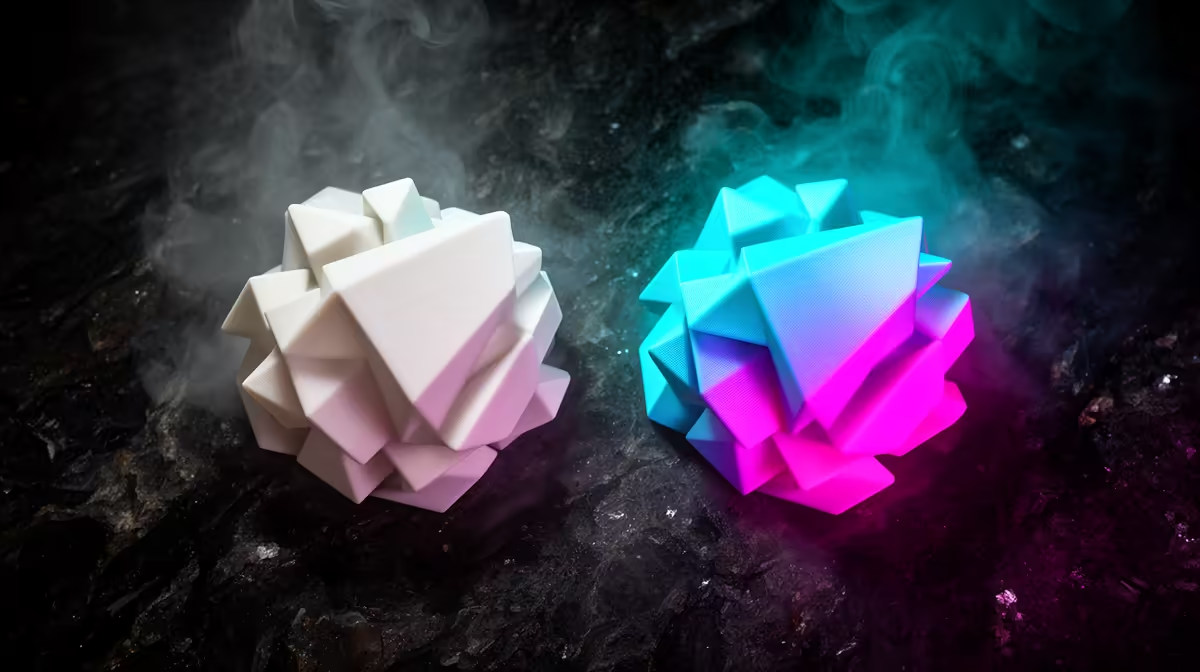
Pick up a spool of Bambu PLA Matte and a spool of PLA Gradient and you are holding two filaments that solve completely different problems. One flattens reflections so a printed bust or prop reads as a single clean surface with no shiny layer lines. The other shifts colour smoothly down the length of the spool, so a single print emerges with a built-in fade you never had to tune in the slicer. Choosing between them is less about quality and more about what you want the finished object to look like on a shelf.
Quick Answer
Choose Matte for display models, cosplay props and anything where you want to hide layer lines under a flat, fingerprint-friendly surface. Choose Gradient for decorative pieces, vases and gifts where a flowing colour change is the whole point. Both print cleanly in the A1 and X1 series at speeds up to roughly 300mm/s, and both sit in a similar price band per kilogram at Evetech.
What the matte surface actually does
Matte PLA carries a microscopic texture across the surface that scatters light instead of reflecting it. The practical result is that the small ridges between print layers stop catching highlights, so a model looks smoother to the eye than its actual layer height suggests. That is why miniatures, helmets, terrain and architectural models lean matte: the finish forgives a 0.2mm layer height that would look stepped and glossy in standard PLA.
There is a trade-off worth knowing. The same additives that kill the shine slightly reduce layer adhesion, so a matte part is a touch more brittle than basic PLA under sharp stress. For static display work that almost never matters. For a functional bracket that takes load, basic or a tougher material is the better call. If you are still assembling a printer for this kind of work, the current 3D printer range at Evetech covers the Bambu machines these spools are tuned for.
How Gradient changes colour along the spool
Gradient is not a multi-material trick and it does not need the AMS. The colour transition is dyed into the filament itself, so as the printer pulls material off the spool the shade shifts gradually from one colour to the next. A tall vase printed continuously will rise through that fade, top to bottom, from a single extruder and a single spool.
The catch is that the gradient is fixed to spool length, not to your model. A short print uses only a slice of the colour range, so the dramatic two-tone effect shows up best on tall or large pieces that consume a meaningful length of filament. Plan the print orientation around that: vertical prints showcase the fade far better than wide flat ones.
Where Gradient holds up mechanically
Unlike Matte, Gradient keeps the layer adhesion and toughness close to basic PLA, so it is the safer pick if a decorative piece will also get handled, posted as a gift or knocked about on a desk. You get the visual flourish without giving up much strength, which is a genuinely useful combination for ornaments and giftable prints.
Matching the filament to the project
Think about how the object will be seen. A tabletop miniature or a wall-mounted display piece wants the even, reflection-free read of Matte. A spiral vase, a lamp shade or a present where the colour journey is the attraction wants Gradient. Cosplay armour that needs both a flat finish and post-print sanding usually starts matte, because the texture sands and primes predictably.
Budget rarely decides this one, since the two sit close together per kilogram. Stock and colour choice matter more in practice, and the best-selling printing accessories at Evetech are a quick way to see which spools and add-ons are moving right now before you commit to a colour you cannot replace mid-project.
Print settings that keep both looking their best
Both run happily at standard PLA temperatures, roughly 190 to 220 degrees on Bambu hotends, with a heated bed around 35 to 45 degrees. Keep cooling high for crisp overhangs on Matte, since the texture can otherwise hide small artefacts you would rather avoid. For Gradient, lean toward continuous single-object prints and avoid heavy travel moves that waste the colour-shifting filament on purge.
Drying matters for both before a showpiece print. PLA pulls moisture from humid coastal air, and a slightly damp spool prints with surface fuzz that ruins a matte finish and muddies a gradient transition. A few hours in a filament dryer before an important print is cheap insurance.
Post-processing each finish
The two filaments respond very differently to finishing work, and knowing that upfront saves wasted effort. Matte is the friendlier surface to sand, prime and paint, because the flat texture takes filler primer evenly and hides the minor scratches sanding leaves behind. That is why it is the go-to base for cosplay armour and props that get a full paint job: you are using it as a foundation, not a final surface. If your plan is to paint the piece anyway, matte gives you the most predictable starting point.
Gradient is the opposite case. Its appeal is the colour transition baked into the filament, so sanding or painting over it throws away the entire reason you chose it. Treat a Gradient print as a finished object straight off the bed, and design the model so the as-printed surface is what you show. A light clear coat to protect the surface is the most you would normally apply, and even that should be tested on a scrap first to confirm it does not dull the colours.
Cost, availability and colour planning
Because the two sit close on price per kilogram, the real planning question is colour, not budget. Matte comes in a broad palette of solid, muted shades, so matching a previous print or topping up mid-project is straightforward as long as the colour stays in stock. Gradient is trickier: each spool is a specific colour journey, and if you run out partway through a tall print, a replacement spool may not pick up the fade at the same point. For large Gradient pieces, buy enough filament for the whole job in one go rather than risking a visible seam where two spools meet.
It also pays to think about how much filament a print will actually consume before you commit a colour. A short Matte print barely dents a spool, so one roll covers many small models. A tall Gradient vase can swallow a large fraction of a spool in a single print, so factor that into how many pieces you can realistically get from one roll when you plan a batch.
Frequently Asked Questions
Is Matte PLA weaker than basic PLA?
Slightly. The matting additives reduce layer adhesion a little, so matte parts are marginally more brittle under sharp stress. For display models and props the difference is irrelevant, but choose basic or a tougher filament for load-bearing parts.
Does PLA Gradient need the AMS to change colour?
No. The colour shift is built into the filament along the spool, so a single extruder and a single spool produce the fade automatically. The AMS is only needed if you want to combine Gradient with other materials.
Why does my Gradient print look like one colour?
The print was probably too short to consume enough of the spool to show the full transition. Gradient shows its effect best on tall or large prints that use a long run of filament, so reorient the model vertically where possible.
Can I sand and paint Matte PLA?
Yes, and it sands more predictably than glossy PLA because the surface is already flat. It is a common base for cosplay props that get primed and painted afterwards.
Which one is better for gifts?
Gradient, in most cases. The colour transition gives an instant visual payoff with no extra effort, and it keeps closer to basic PLA toughness so a handled gift holds up better than a brittle matte piece.
Settled on the finish for your next print? Browse the Bambu machines and spools in the 3D printer range at Evetech and get your project on the bed this week.