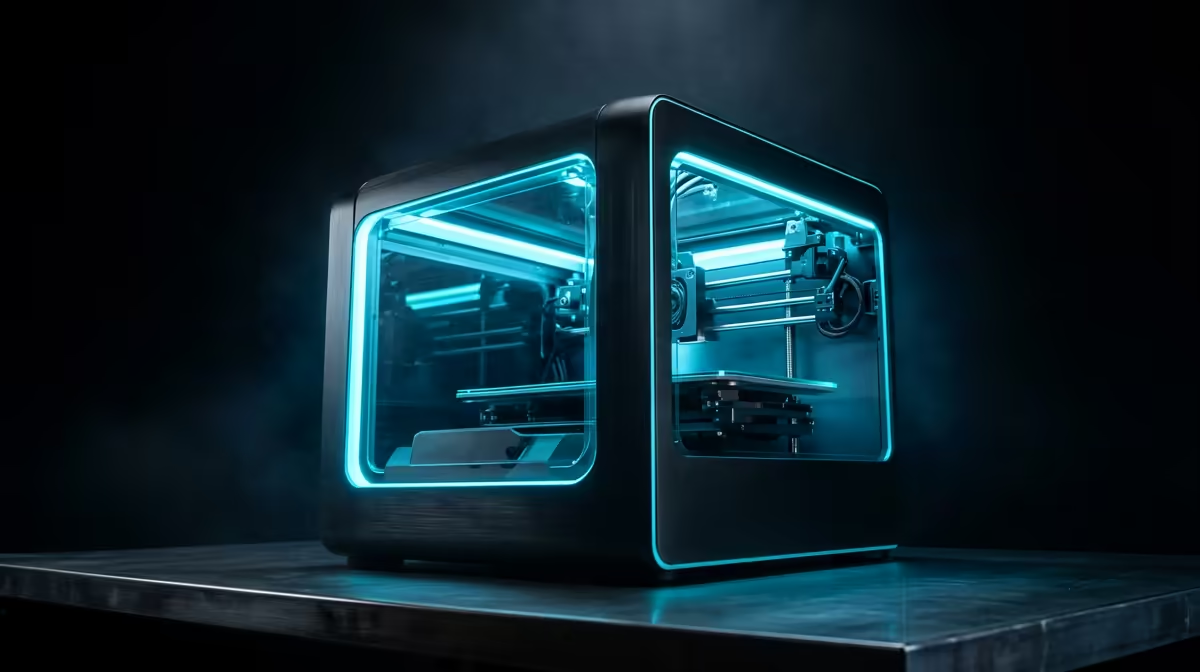
Printing your own controller charging dock, a wall-mounted headset hook or a tidy run of cable clips turns a messy gaming desk into something that looks built on purpose. The best 3D printer for controller, headset and cable-management prints in South Africa is the Bambu Lab A1 Combo, which sells for roughly R12,495, because its four-colour AMS Lite lets you print a logo, an accent stripe and the base in a single uninterrupted run. For SA makers who want clean, branded gaming accessories without babysitting the machine, this is the sweet spot.
Quick Answer
Buy the Bambu Lab A1 Combo at roughly R12,495. Its 256 x 256 x 256 mm build volume swallows a full controller stand or a dual-headset hook without slicing the model into glued pieces, and the AMS Lite adds four-colour printing so a branded charging dock comes off the bed finished, not painted afterwards.
Why a multi-colour bed-slinger wins for gaming accessories
Controller stands, headset hangers and cable trays are mostly flat-ish, medium-sized parts with visible faces. That favours a fast, well-tuned FDM machine with a generous bed over a slow resin printer that fights you on toxic fumes and post-curing. The A1 is an open-frame bed-slinger, which keeps the price down while still hitting the surface quality you want on a part that sits on your desk in plain view.
The headline feature is the AMS Lite. Single-colour printers force you to choose between a plain part or hours of masking and spray paint. With four spools loaded, you can print a matte black headset stand with a red accent ring and a white embossed logo in one go, which is exactly the kind of detail that makes a desk setup look deliberate.
Build volume that fits real gaming parts
A 256 mm cube is the number that matters here. A two-controller charging stand with a phone cradle on top routinely runs 180 to 220 mm tall, and a dual-headset wall mount can be wider than people expect. On a smaller 180 mm or 220 mm bed you end up cutting the model and bonding halves, which leaves a seam right where the part is most visible. The A1 prints most of these accessories whole.
Cable management at scale
Cable trays, under-desk clips and router shelves are repetitive prints. Once you have a clip dialled in, you batch a dozen across the bed and walk away. The A1's auto bed levelling and flow calibration mean those repeat jobs stick reliably, so you are not refloating a print at 40 percent because one corner lifted.
Materials: match the filament to the job
- PLA: cheapest and easiest, perfect for hooks, trays and decorative stands that live indoors away from heat.
- PETG: tougher and more heat-tolerant, the better pick for a charging dock that holds a controller plugged into a cable, or any part near a sunny window.
- TPU: flexible, ideal for soft cable clips and grippy feet that should not scratch the desk.
The A1 handles PLA and PETG comfortably out of the box, and a hardened nozzle upgrade later opens the door to abrasive or carbon-filled filaments if you move into more demanding parts.
Running costs and what to budget around it
A 1 kg spool of decent PLA lands in the low hundreds of Rand, and a controller stand uses only a fraction of it, so the per-print material cost is small. Budget instead for the extras that keep a printer earning its keep: spare nozzles, a few rolls in your core colours, and a glue stick or textured plate for adhesion. If you are sorting out the rest of the desk in the same shop, the stands, hubs and desk gear in the top-selling accessories pair naturally with your prints and round out a clean build.
When you are ready to compare models and check live pricing, the full 3D printer range at Evetech lets you weigh the A1 against larger enclosed machines if you later move into ABS or higher-temperature filaments.
Design and slicer tips for clean accessory prints
A few habits separate a controller stand that looks bought from one that looks home-made. Orient visible faces away from the build plate so the smooth top surface shows, and keep the textured plate side hidden underneath. For a part that clamps onto a desk edge or hooks under a shelf, add a small fillet to inside corners; sharp internal corners concentrate stress and crack first when the part flexes.
On multi-colour work, design the colour boundaries to fall on flat layer changes wherever you can. A logo embossed a millimetre or two above the surface reads far cleaner than one painted in at the same height, because the AMS Lite swaps colour between whole layers most reliably. Keep accent colours to small areas too, since every extra swap adds purge waste beside the model.
Picking infill and walls for grip parts
Cable clips, controller cradles and headset hooks all rely on a snug grip rather than brute strength. Three perimeters with 15 to 20 percent infill is plenty for most of them, and over-filling only wastes filament and time. For a clip that must flex to snap over a cable, TPU at a lower infill gives the springiness that rigid PLA cannot, while a load-bearing dock holding a plugged-in controller benefits from four walls in PETG. Match the wall count to the job and you avoid both flimsy parts and needless print hours.
Who should look at something else
If your goal is highly detailed miniatures or jewellery-grade finish rather than functional desk gear, a resin printer suits you better. And if you plan to print large enclosures or run heated ABS for automotive-grade parts, an enclosed machine like a Bambu P1S is the upgrade path. For controller, headset and cable work specifically, the open A1 Combo is the smarter spend.
Frequently Asked Questions
Is the Bambu Lab A1 Combo worth it over a single-colour printer?
For gaming accessories, yes. The AMS Lite lets you print logos and accent colours in one run, so a branded controller stand comes off the bed finished. A single-colour printer means masking and painting every part by hand.
What build volume do I need for a controller charging stand?
Aim for at least 220 mm in height. The A1's 256 x 256 x 256 mm volume prints most two-controller stands and dual-headset mounts as a single piece, which avoids visible glue seams on the front face.
Which filament should I use for a charging dock?
PETG. It tolerates heat and stress better than PLA, so a dock holding a plugged-in controller near warm electronics holds its shape over time. Use PLA for purely decorative hooks and trays.
How much does filament cost to run in South Africa?
A 1 kg roll of standard PLA sits in the low hundreds of Rand, and a single controller stand uses only a small portion of a spool, so ongoing material cost per accessory is minimal.
Can a beginner use the A1 for this?
Yes. Auto bed levelling, flow calibration and a guided slicer make it one of the more forgiving machines to start on, which is why it suits first-time makers printing desk accessories.
Ready to start printing your own gaming gear? Compare current pricing and stock on the Bambu Lab A1 Combo and other models in the 3D printer range at Evetech, then load up your first controller stand.