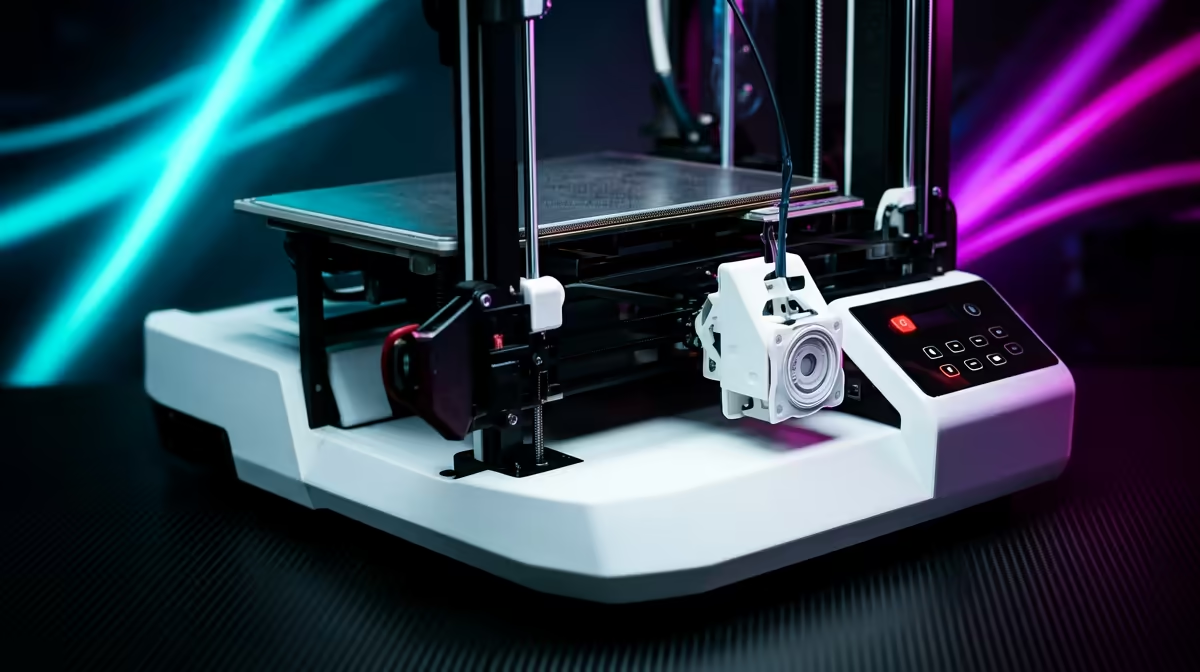
Spend between R8,000 and R15,000 and the FDM 3D printer market opens up to enclosed chambers, CoreXY motion and proper multi-colour printing, the features that turn a hobby machine into something you can actually rely on. The best FDM 3D printer between R8,000 and R15,000 for most South African makers comes down to two names, the Creality K1 SE and the Bambu Lab A1 Combo and P1S, each solving a different problem at a price that finally feels justified.
Quick Answer
The Creality K1 SE lands at around R8,999 and gives you an enclosed CoreXY printer that prints fast out of the box. The Bambu Lab A1 Combo and P1S both sit near R12,495, where the A1 adds four-colour printing on an open frame and the P1S adds a fully enclosed chamber for ABS and ASA. Buy the P1S if you want materials beyond PLA, the A1 Combo if you want colour, the K1 SE if you want speed for the least money.
What This Price Bracket Actually Buys You
The jump from entry level into this band is not about a faster headline speed. It is about the chassis. Below R8,000 you mostly get bedslinger printers with open frames, fine for PLA models on a calm desk but limited the moment you want engineering plastics or consistent results in a draughty room.
This bracket introduces three things that matter. The first is the enclosure, which holds chamber heat so ABS and ASA do not warp or split mid-print. The second is CoreXY motion, where the print head moves on a fixed-height gantry while the bed drops away, allowing higher acceleration without the wobble of a tall moving bed. The third is automated multi-material printing, where a feeder cycles through several filament spools so a single model can carry four colours without you touching it.
Creality K1 SE: Speed For The Least Money
At roughly R8,999 the K1 SE is the cheapest way into an enclosed CoreXY printer. It ships with a 220 x 220 x 250mm build volume, a direct drive extruder rated for high flow, and auto bed levelling that removes the most frustrating part of owning a printer. Print speeds reach the 300mm/s class on suitable models, and because the frame is rigid and enclosed, those speeds hold up in a real home rather than only on a spec sheet.
The SE strips back some of the sensors found on the pricier K1, but for a maker who wants fast PLA and PETG prints and the option of ABS in a sealed box, it covers the essentials. It is the value anchor of this bracket.
Bambu Lab A1 Combo: Colour Without The Hassle
Why The AMS Lite Changes Things
The A1 Combo pairs the A1 printer with the AMS Lite, a four-spool feeder that lets one print pull from four filaments. For cosplay parts, tabletop miniatures, signage and gifts, this is the difference between a flat single-colour model and something that looks finished straight off the bed. The A1 is an open-frame bedslinger, so it is happiest with PLA and PETG rather than ABS, but its calibration and surface quality are excellent.
Who Should Pick It
If your work is decorative and PLA based, and colour matters more than chamber heat, the A1 Combo near R12,495 is the smarter buy than a plain enclosed machine. You trade ABS capability for multi-colour convenience.
Bambu Lab P1S: The Materials Workhorse
The P1S sits at a similar R12,495 but takes the opposite path. It is a fully enclosed CoreXY machine with a 256mm cubed build volume, capable of running ABS, ASA and other higher-temperature filaments that need a warm, stable chamber. It prints fast, calibrates itself, and can also take an AMS unit later if you want to add colour down the line. For functional parts, brackets, enclosures and anything that lives outdoors or under stress, the P1S is the one to beat in this band.
Bedslinger Versus CoreXY: Why The Motion Type Matters
It is worth understanding the mechanical split that runs through this bracket, because it shapes which printer suits you. A bedslinger moves the print bed back and forth on one axis while the head moves on another. It is simpler and cheaper, and the A1 is an excellent example, but the moving bed limits how fast you can push before tall prints start to wobble.
A CoreXY printer, like the K1 SE and the P1S, keeps the bed moving only up and down while the head darts across a fixed gantry on two belted motors. That arrangement allows much higher acceleration with less ringing in the finished surface, which is why CoreXY machines dominate the speed conversation. For a maker who values throughput, getting more prints done in an evening, CoreXY is the reason this price band feels like a real step up rather than a marginal one.
The practical takeaway: if your priority is fast, repeatable prints and engineering materials, lean CoreXY. If your priority is multi-colour decorative work and effortless calibration, the bedslinger A1 Combo earns its place despite the slower ceiling.
Matching The Printer To What You Make
Think about the work before the spec sheet. If you mostly print PLA display models, miniatures and prototypes and want them in colour, the A1 Combo is the standout. If you print functional parts, brackets, enclosures, replacement components, that need ABS or ASA toughness and heat resistance, the enclosed P1S is the clear choice. And if you simply want the fastest, most affordable enclosed CoreXY printer to cover a bit of everything, the K1 SE is the value pick at the bottom of the bracket.
A maker who is unsure which direction their hobby will take is often best served by the K1 SE, since its enclosed CoreXY base covers PLA, PETG and a tilt at ABS without committing to a colour system or a premium price. You can always add capability later.
Filament, Spares And Running Costs In SA
A printer is only half the spend. Budget for a steady supply of filament, a few spare nozzles, and a build plate or two, since these wear with use. PLA remains the cheapest and easiest material, with PETG and ABS costing a little more per kilogram. Keeping consumables on hand stops a failed nozzle from idling your machine for a week. You can stock nozzles, plates and adhesives alongside the printers themselves through the 3D printing and components range, which keeps the whole setup under one roof.
For the smaller bits that go around a printer, tools, storage and finishing supplies, it is worth scanning what is moving quickly. A look through the accessories that are currently selling best gives a quick read on what other makers are buying alongside their machines.
Frequently Asked Questions
Is the Creality K1 SE good enough for a beginner?
Yes. Its auto levelling and enclosed CoreXY frame remove most beginner pain points, and at around R8,999 it is the gentlest priced way into fast, reliable printing in this bracket.
Can the Bambu Lab A1 print ABS?
Not comfortably. The A1 is an open-frame printer suited to PLA and PETG. For ABS and ASA you want the enclosed P1S, which holds the chamber heat those materials need.
What is the difference between the A1 Combo and the P1S at the same price?
The A1 Combo prioritises four-colour printing through the AMS Lite on an open frame. The P1S prioritises an enclosed chamber for engineering plastics. Choose by whether you value colour or material range.
Do I need a separate filament dryer?
Not at the start. Most PLA and PETG print fine straight from a sealed bag. Once you move to ABS, ASA or nylon, a dry box helps avoid surface defects from moisture.
How much should I budget beyond the printer itself?
Set aside a reasonable amount for filament, a spare nozzle, and a backup build plate. These consumables wear over time, and keeping spares on hand avoids long downtime.
Ready to move up to an enclosed printer that prints fast and handles real materials? Compare the K1 SE, A1 Combo and P1S in the 3D printing range at Evetech and pick the machine that matches your work.