


RTX 4060 Ti Throttling Under Load: SA Temperature Guide
RTX 4060 Ti Throttling Under Load: Temperature. Everything you need to know with SA pricing, step-by-step instructions & expert recommendations.
Read moreDiscover the best mechanical switches for typing and transform your workflow! ⌨️ This guide breaks down tactile, linear, and clicky options from Cherry MX, Gateron, and Kailh. We'll help you find the perfect switch for speed, comfort, and satisfaction. Say goodbye to mushy keys! ✨
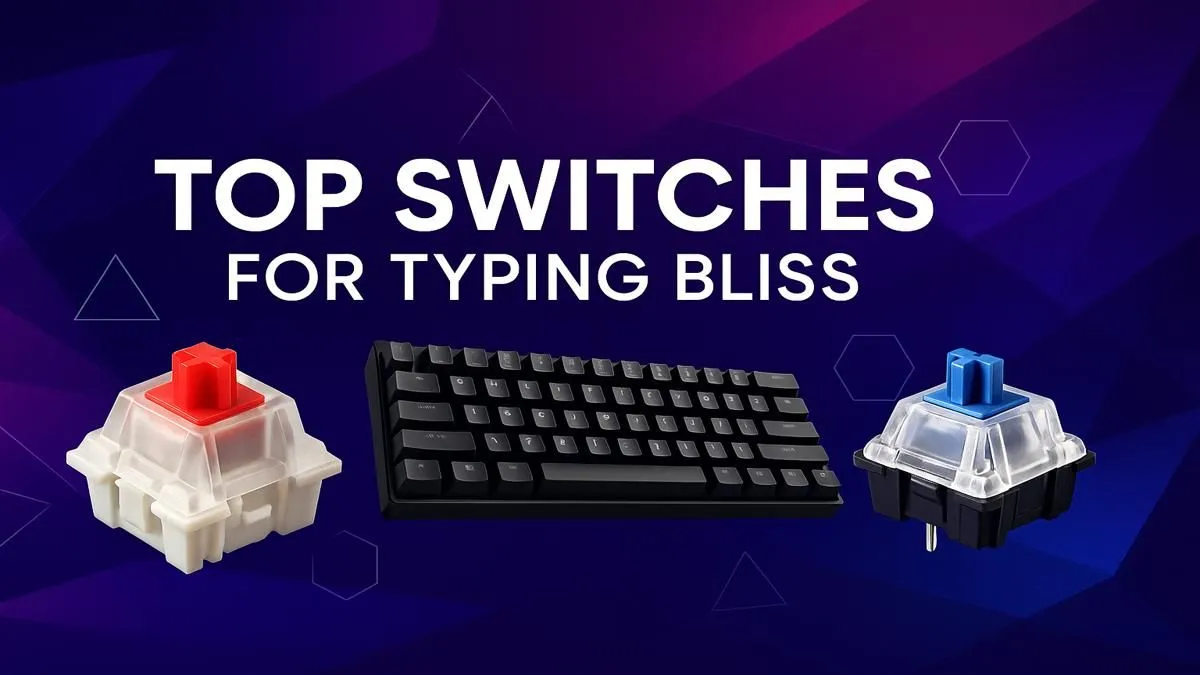
Tired of that mushy laptop keyboard? Or is your gaming keyboard's CLACK-CLACK-CLACK a bit much for office work? Finding the best mechanical switches for typing is about more than just noise. It’s about precision, comfort, and that satisfying feeling with every keystroke. Whether you're coding for hours, writing your masterpiece, or just smashing out emails, the right switch makes all the difference. Let's find the perfect match for your fingers. ✨
Before you can find the best switches for your typing needs, you need to understand the three main flavours they come in. Each offers a distinct experience.
For most people, tactile switches are the holy grail for typing. They provide a small, noticeable "bump" on the way down, confirming that your keystroke has been registered without making a loud noise. This feedback helps improve accuracy and speed, making them fantastic all-rounders for both productivity and gaming. Many of the best gaming keyboard deals feature versatile tactile switches.
Linear switches offer a smooth, consistent press from top to bottom with no bump. They're quiet and fast, which is why many gamers prefer them for rapid key presses. For typing, some find the lack of feedback can lead to more typos or "bottoming out" (pressing the key all the way down with force), but others love their effortless glide.
The unmistakable classic. Clicky switches provide that signature "click" sound along with a tactile bump. The auditory and physical feedback is incredible for typists who want maximum confirmation for every single keystroke. The downside? They are loud. Seriously loud. Your colleagues, family, or anyone on a Discord call might not appreciate them.
absolute best way to find your perfect switch is to feel it. Consider getting a small switch tester—a little board with different switch types mounted on it. This hands-on experience is invaluable and can save you from buyer's remorse. You can even find individual [keyboard switches](https: www.evetech.co.za buy-keyboard-switches x 1584.aspx) to build your own custom tester or board.
While preference is personal, a few switches consistently rise to the top for their excellent typing feel.
Cherry MX Browns are arguably the most popular tactile switches on the planet, and for good reason. They offer a gentle bump that's perfect for long typing sessions without causing fatigue. Clones like Gateron Browns offer a similar, often smoother, experience at a great price point, making them a fantastic choice if you're looking for the cheapest gaming keyboards in South Africa that still feel premium.
If you're a heavy-handed typist who finds Browns too light, Clears are your answer. They have a much more pronounced tactile bump and require more force to actuate, which can prevent accidental presses and feel incredibly deliberate and satisfying.
For those who need the tactile feel without any noise, silent tactile switches like Zilents are a premium choice. They feature rubber dampeners inside the switch housing to mute the sound on both the downstroke and upstroke, making them perfect for quiet office environments.
Finding the best mechanical switches for typing is the biggest step, but don't stop there! Your overall setup plays a huge role in comfort and productivity.
Ultimately, the journey to the perfect typing experience is a rewarding one. It transforms a mundane task into a genuinely enjoyable, tactile process.
Ready to Upgrade Your Typing Experience? Finding the best mechanical switches for typing is a personal journey, but the destination is pure satisfaction. From silent keystrokes to satisfying tactile feedback, the perfect board is waiting. Explore our huge range of mechanical keyboards and find the ideal setup to boost your productivity and comfort.
Tactile switches, like Cherry MX Browns or Gateron Browns, are often considered the best for typing. They provide a noticeable bump on actuation for feedback without being loud.
Linear switches (e.g., Cherry MX Reds) can be excellent for typing if you prefer a smooth, consistent keystroke without any bump. They are fast and quiet, reducing finger fatigue.
For many, clicky switches like Cherry MX Blues offer the most satisfying typing experience due to their audible click and tactile feedback, confirming each keystroke with a sound.
Silent linear or tactile switches, such as Cherry MX Silent Reds or Silent Browns, are ideal for office work. They are designed to dampen noise while retaining a premium feel.
Yes, the switch color typically indicates its characteristics. For example, Blues are clicky, Browns are tactile, and Reds are linear. Choosing the right color is key to your typing comfort.
This is personal preference. Lighter switches (45-50g) can reduce fatigue for long sessions, while heavier switches (60g+) can prevent accidental presses and offer more feedback.
RTX 4060 Ti Throttling Under Load: Temperature. Everything you need to know with SA pricing, step-by-step instructions & expert recommendations.
Read more
Apex Legends Max Settings on RTX 4080. Tested & verified settings for best FPS and visual quality on SA hardware budgets.
Read more
GPU Buying Guide. Everything you need to know with SA pricing, step-by-step instructions & expert recommendations.
Read more
GPU Terms Guide. Everything you need to know with SA pricing, step-by-step instructions & expert recommendations.
Read more
AMD Adrenalin Download & Setup Guide: GPU. Clear setup instructions with SA-specific considerations, troubleshooting tips & recommended components.
Read more
Back-to-School GPU Buying Guide. Everything you need to know with SA pricing, step-by-step instructions & expert recommendations.
Read more
Snapdragon X2 NPU Explained: How 80 TOPS Changes. Plain-English explanation of what it means, why it matters & how it affects your buying decisions in SA.

HBM? High Bandwidth Memory Used in GPUs and AI. Plain-English explanation of what it means, why it matters & how it affects your buying decisions in SA.

How much should you spend on sim racing accessories in South Africa for a realistic setup? We break down budgets by quality tiers, so you buy smart gear and avoid overspending 🎮💸

G-Sync and FreeSync? Variable Refresh Rate. Plain-English explanation of what it means, why it matters & how it affects your buying decisions in SA.

AMD Laptop: Value. SA-focused analysis with local pricing data, real-world insights & actionable buying advice.

How MacBook Neo Handles 30+ Chrome Tabs with Only. SA-focused analysis with local pricing data, real-world insights & actionable buying advice.

Why Apple Put 8GB RAM in MacBook Neo: The A18 Pro. SA-focused analysis with local pricing data, real-world insights & actionable buying advice.

Upgrade your work laptop with a New Motherboard. Step-by-step instructions with SA-specific tips, common pitfalls to avoid & expert recommendations.

Maintain wired headset — Checklist: • inspect cables • clean earpads • store properly 🔧🎧 Practical steps to preserve sound quality and avoid premature replacements.

Fix crackling headset fast: step-by-step checks for cables, connectors, drivers, and settings to remove static or distorted audio on wired headsets 🎧⚙️

Stereo vs mono headsets: learn which delivers clearer calls, better spatial music, or simpler mono voice performance — pick the right headset for meetings, music, or gaming 🎧💬

- Compare gaming headset vs studio headphones; - Assess comfort, mic and sound; - Recommend best daily picks. Gaming headset vs studio headphones: learn which suits work, music and casual gaming. 🎧⚖️