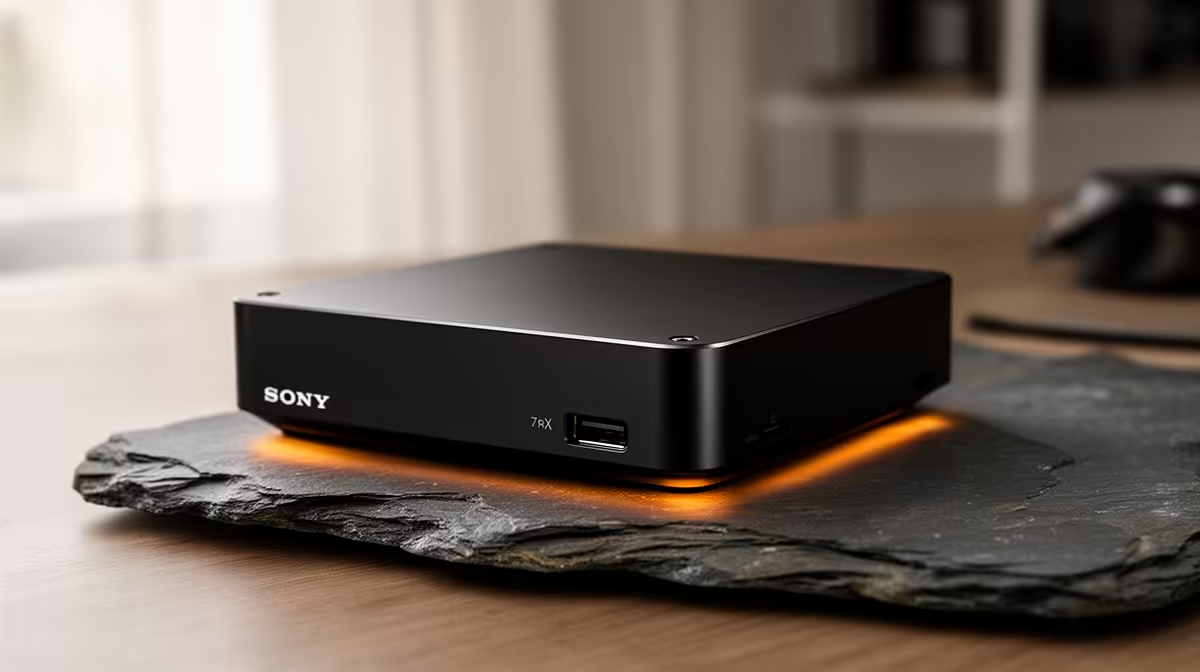
A full-size tower humming away under the desk to run a browser, a spreadsheet and a video call is a lot of machine for a small job. A mini PC for a home office does the same everyday work in a box the size of a paperback, drawing a fraction of the power and freeing up most of your desk. For South African home workers watching both space and the electricity bill, it is one of the most sensible buys going.
Quick Answer
A budget N150 mini PC handles browsing, Office apps and video calls with desktop-class smoothness while using roughly 85% less power than a traditional tower. It sits behind the monitor, runs near-silent, and costs little to keep on all day. For pure work-from-home productivity, it is plenty of computer for the money.
What a Mini PC Actually Is
A mini PC is a complete desktop computer shrunk into a compact chassis, typically small enough to hide behind a monitor or tuck under it. Inside is a low-power processor, memory, storage and all the usual ports, just packed tight and cooled efficiently rather than spread across a big tower.
The trade-off is deliberate. You give up the room to drop in a large discrete graphics card or a stack of hard drives, and in return you get a machine that is tiny, quiet and frugal with power. For office work, that trade is overwhelmingly in your favour, because productivity tasks were never going to use a big graphics card anyway.
The processor doing the heavy lifting in the budget tier is often an Intel N150 or similar low-power chip. It is built for exactly this kind of work: responsive web browsing, document editing, email, spreadsheets, and smooth video calls. It is not a gaming or video-editing engine, and it is not pretending to be. Matched to its job, it feels quick.
Why the Power Saving Matters in South Africa
The headline figure is the one that pays you back: a mini PC of this class draws roughly 85% less power than a traditional tower doing the same work. A tower with a power-hungry processor and a discrete graphics card can pull well over a hundred watts even at idle, while a low-power mini PC sips a small fraction of that.
Run the machine eight or ten hours a day, five days a week, and that gap turns into real money on the bill over a year. For a home office where the PC is on through the whole working day, the lower draw is not a rounding error; it is a steady saving that the tower simply cannot match. The mini PC's low power overhead is small enough to leave it running continuously without a second thought.
There is a comfort benefit too. Less power drawn means less heat produced and far less fan noise, so the machine stays cool and quiet on a desk where you spend hours. A near-silent office is a nicer place to take calls and concentrate than one with a tower fan spinning up every time you open a few tabs.
Matching the Spec to Your Work
The right mini PC depends on how heavy your day actually is, so be honest about your workload before you buy.
For light, single-task work, browsing, email, word processing, the occasional video call, an N150 mini PC with 8GB of RAM is comfortable. It boots quickly off its SSD and handles one thing at a time without fuss.
For a busier desk, where you keep many browser tabs open, run several apps at once, and jump between a video call and a shared document, step up to 16GB of RAM. Memory is what keeps a machine smooth when you are juggling, and the extra headroom is the single best upgrade for multitasking on this class of hardware. If your role leans on big spreadsheets or heavier line-of-business software, 16GB is the sensible starting point rather than the ceiling.
Dual-monitor and connectivity
A common worry is whether something this small can drive two screens, and the answer is yes. Most mini PCs in this class output to dual monitors over their HDMI and DisplayPort or USB-C outputs, so the compact size does not cost you screen real estate. Check the specific port layout against your monitors before buying, and confirm there are enough USB ports for your keyboard, mouse, webcam and any peripherals. To see how the current models are specified and which ones support dual displays out of the box, the mini PC range at Evetech lays the options out clearly.
Where a Mini PC Is the Wrong Choice
It is only fair to mark the limits. A mini PC in this tier is not the machine for gaming beyond very light titles, for serious photo or video editing, or for 3D and CAD work. Those tasks need a discrete graphics card and the cooling a small chassis cannot provide, which is exactly what a tower or a purpose-built workstation is for.
If your day is genuinely productivity work, though, paying for that power would be money spent on capability you never touch. To gauge where the line sits and what a heavier machine looks like by comparison, it is worth glancing at the broader PC best sellers so you can see plainly whether your workload sits in mini-PC territory or calls for more. For most home offices, it does not call for more.
Frequently Asked Questions
Is a mini PC powerful enough for working from home?
For browsing, Office apps, email and video calls, yes. A budget N150 mini PC handles those tasks smoothly, which covers the large majority of home-office work. It is only underpowered for gaming, heavy editing or 3D work.
How much RAM should a home-office mini PC have?
8GB is fine for light, single-task use, while 16GB is the better choice if you keep many tabs and apps open or run heavier software. Memory is the upgrade that most improves multitasking on this hardware.
Can a mini PC run two monitors?
Most can. They typically output to dual displays over HDMI plus DisplayPort or USB-C. Check the specific model's port layout against your monitors before buying to be sure.
Does a mini PC really use that much less power?
Yes. A low-power mini PC of this class draws roughly 85% less than a typical tower doing the same work, which adds up to a real saving over a full working year of all-day use.
What can't a mini PC do?
It is not built for serious gaming, video editing, or 3D and CAD work, which need a discrete graphics card and more cooling than a small chassis allows. For those jobs a tower or workstation is the right tool.
Reclaim your desk and cut the power bill at the same time. Browse the mini PC range at Evetech to find a quiet, frugal machine sized exactly to your home-office workload, with dual-monitor support and all-day efficiency built in.