Quick Answer
For a rand-conscious SA build, the best fan specs are: 120mm or 140mm diameter, at least 50 CFM airflow, static pressure above 1.8 mm-H2O, noise under 28 dB(A) at max RPM, FDB bearing, and 4-pin PWM. These specs cover both gaming and creative workloads without forcing a premium brand premium price.
Diameter and Fan Count: Getting Value Right 📐
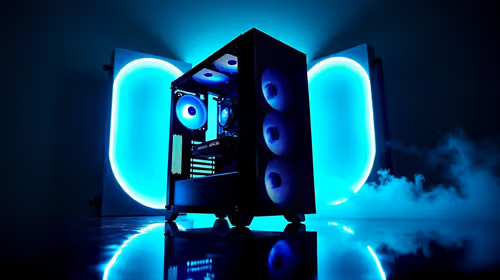
120mm fans are the most widely available in South Africa and fit the most case positions, making them the default choice for a value-focused build. 140mm fans move more air per revolution at lower RPM, reducing noise for equivalent airflow, but they cost R80 to R150 more per fan and not all cases support them in every position. For a gaming build with a mid-tower, three 120mm front fans and one 120mm rear exhaust fan covers the minimum effective configuration. Adding two 140mm top exhaust fans improves heat extraction from high-TDP components like RTX 5070 Ti or RX 9070 XT cards, but the incremental temperature improvement is typically 3C to 6C, which may not justify the cost on a tight budget.
The Three Specs That Matter Most for Gaming vs Creator Use 🎮
Gaming builds benefit most from high max-RPM fans that can spike to full cooling on demand during intense scenes. Creator builds (video editing, 3D rendering, streaming) need fans that sustain 60 to 70 percent duty cycle quietly for hours without heating up. The three specs that vary between these use cases are: noise (creators need under 25 dB(A) at sustained load); static pressure (rendering workloads push CPU TDPs high, so radiator fans need above 2.2 mm-H2O); and minimum RPM (for creators who want near-silence during lighter tasks, a 200 to 300 RPM minimum beats the typical 500 RPM floor).
Spending Smart: Where to Trim and Where Not To 💡
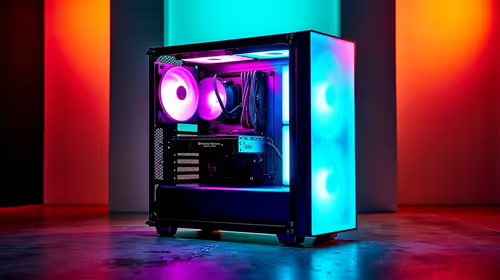
Trim cost on: aesthetics (non-ARGB fans cost R80 to R100 less per unit with identical airflow; skip RGB if the case has no glass panel), brand premium (no-name FDB fans from reputable secondary brands often match name-brand specs at 70 percent of the price), and fan count beyond what your case and TDP actually need. Do not trim on: bearing type (sleeve bearings fail faster; always spend the R80 extra for FDB), PWM control (3-pin DC-only fans give coarser speed control and higher idle noise), or minimum fan quality for a radiator position (cheap fans on a 240mm AIO undermine an expensive cooler). A three-fan ARGB pack with FDB bearings and PWM control priced at R800 to R1,100 represents the value ceiling for most SA gaming builds before diminishing returns.
Match Fan Curve to Your Heaviest Task ⚡
Set your BIOS fan curve based on the temperature your build reaches during its most demanding real-world task, not just gaming. If you run video exports that push CPU temps to 82C, set your high-fan ramp at 75C not 85C. This prevents thermal throttling during long creator sessions and keeps the build stable year-round even in South African summer temperatures.
FAQ
Do I need 140mm fans if I am on a budget?
No. Three 120mm front intake fans with FDB bearings and good airflow specs handle the majority of gaming and creator thermals at a lower per-fan cost than 140mm equivalents.
Is a 28 dB(A) fan too loud for a home studio or bedroom setup?
28 dB(A) at maximum RPM is relatively quiet. In practice, PWM curves keep fans well below max during most tasks, bringing audible noise down to near-inaudible levels during light desktop use.
Can I use a mix of gaming and workstation fans in one build?
Yes. Using high-static-pressure fans on radiator and intake positions and quieter low-RPM fans on exhaust positions is a practical hybrid approach that balances performance and acoustics.
Ready to spec your fan setup?
Evetech stocks case fans across all sizes and price points for gaming and creator builds. Check what is currently available and find the specs that fit your build and budget.