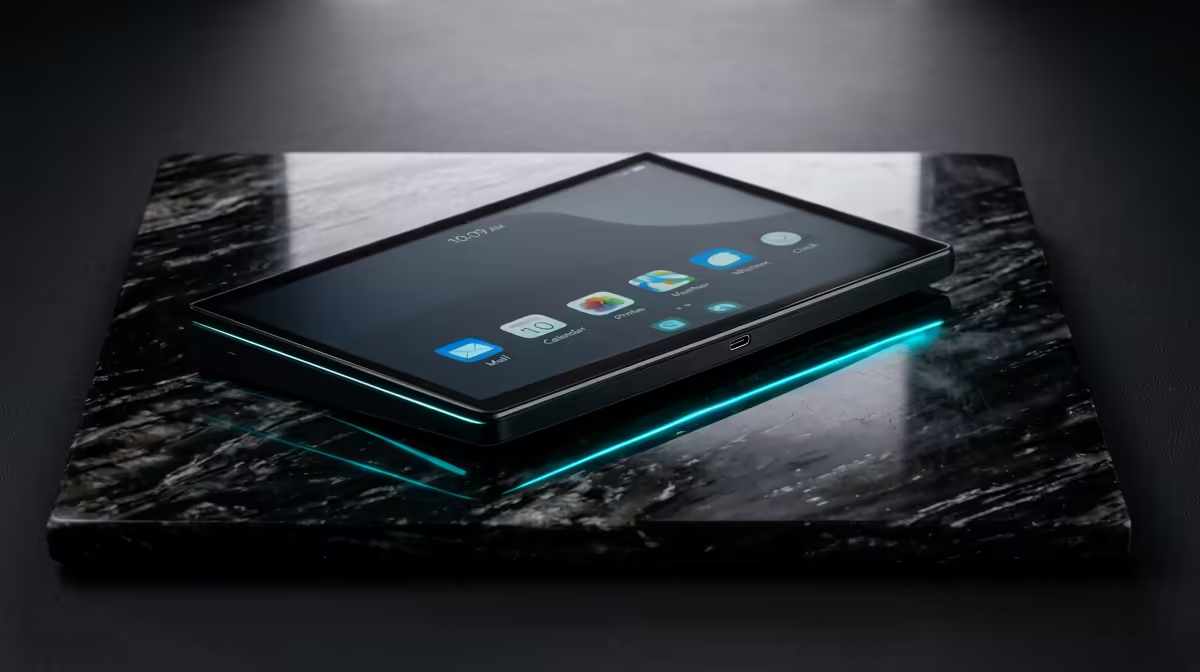
A trader's problem is rarely the chart software; it is screen space. The best portable monitor for a trader who needs extra screens is a 16-inch 1920x1200 panel weighing around 1.46 lbs, powered and fed off a single USB-C cable. That extra vertical resolution, the 1200 lines rather than the usual 1080, is the quiet star: it shows more rows of price action, more of the order book, and more of a watchlist without endless scrolling.
Quick Answer
For a trader, a 16-inch 1920x1200 USB-C portable monitor is the sweet spot. At roughly 1.46 lbs it slips into a laptop bag, runs off one cable, and the 16:10 aspect ratio shows more price rows than a standard 16:9 panel. It turns a single laptop into a two or three screen trading desk that travels with you.
Why 16:10 beats 16:9 for trading
Trading is a vertical game. Order books, depth-of-market ladders, time-and-sales feeds, and long watchlists all stack downward. A standard 1920x1080 panel gives you 1080 lines; a 1920x1200 panel gives you 1200. That extra 120 pixels of height translates directly into more visible rows, which means fewer scrolls during a fast move and more context on screen when a setup is forming.
The width is the same, so you lose nothing horizontally. You simply gain a useful band of vertical real estate that suits charts and ladders far better than the wider, shorter ratio designed for video. For traders, that is the single most practical spec on the box.
Weight and portability that actually matter
A monitor you leave at home does nothing for you. At around 1.46 lbs, a good 16-inch portable panel adds almost nothing to a daily carry, so it goes from a coffee shop to a co-working desk to a hotel room without complaint. That packability is the whole point: the second screen has to travel as easily as the laptop it serves.
The single-cable advantage
The best of these monitors take power and video over one USB-C cable. Plug into a laptop with a full-function USB-C port and the screen lights up with no separate power brick. That single cable is what makes the setup genuinely portable; it is the difference between a clean fold-and-go and a bag full of adapters.
Check your laptop's port first
One caveat worth knowing before you buy: the laptop's USB-C port must carry video, sometimes labelled DisplayPort Alt Mode, and supply enough power. Most modern thin-and-light laptops do. If yours is older or the port is data-only, you may need a model with its own power input, so confirm the specification before assuming a single cable will do everything.
Panel specs that matter for market data
Beyond the 16:10 resolution, a few other specs directly affect trading use.
Brightness is the first. If you trade from a home office near a window or a bright co-working space, a panel that reaches at least 300 nits holds readable contrast in ambient light. Panels that only push to 200 nits start to wash out when afternoon sun hits the desk.
Response time and refresh rate matter less for most trading than for gaming, since most platforms update at human-readable speeds rather than frame-by-frame action. A 60Hz IPS panel is perfectly adequate for charts and ladders. If you run a real-time market replay or a fast-moving order flow tool, 144Hz gives smoother redraws, though you will pay more for it in a portable form factor.
Colour accuracy is worth checking only if you interpret candlestick colours, heat maps, or multi-indicator charts where subtle hue differences carry meaning. A panel with a wide colour gamut and decent out-of-box calibration keeps those colours distinct without manual adjustment.
Anti-glare or matte coating is worth prioritising over glossy. Trading setups often involve long, focused sessions, and glare from overhead lights or windows introduces fatigue that compounds over hours. Most IPS portable panels use matte coatings, though touch models are frequently glossy.
Building a two or three screen trading layout
The common pattern is laptop screen for execution and the portable monitor for charts, or the reverse. Add a second portable panel and you have a three-screen mobile rig: order entry on one, charts on another, news and watchlist on the third. It mirrors a fixed multi-monitor desk, just folded into a bag.
A small adjustable stand or a back-folding kickstand keeps the panel at a comfortable angle, and matte or anti-glare coatings help in bright rooms where you cannot control the lighting. To see the range of sizes and panel types that suit this kind of setup, the portable monitors stocked at Evetech cover the practical options. If you later want a fixed second screen for a home trading desk, the most popular desktop monitors are a sensible next look.
Who this suits and who should size up
The 16-inch 1920x1200 panel is ideal for a trader who moves between locations and wants charts and ladders on the go. If you trade exclusively from a fixed desk, a larger fixed monitor will give you more total area for less money. The portable panel earns its keep specifically when mobility is the requirement, not raw screen size.
Frequently Asked Questions
Why choose 1920x1200 over 1920x1080 for trading?
The extra 120 vertical pixels show more rows of price action, order book depth, and watchlist entries at once. Since trading data stacks vertically, that height reduces scrolling during fast markets and keeps more context visible.
Will a portable monitor run off my laptop's single USB-C cable?
Usually, if the port supports video output and supplies enough power. Confirm your laptop has a full-function USB-C port, sometimes noted as DisplayPort Alt Mode, before relying on one cable; otherwise choose a model with a separate power input.
How portable is a 16-inch trading monitor?
Very. At around 1.46 lbs it adds little to a laptop bag and folds flat, so it travels as easily as the laptop. That packability is what makes it a practical mobile second screen rather than a desk-bound display.
Can I run three screens for trading on the move?
Yes. Pair your laptop display with two portable monitors and you have a three-screen mobile layout: execution, charts, and news or watchlist, each on its own panel, mirroring a fixed multi-monitor desk.
Is a portable monitor better than a large fixed monitor for trading?
Only if you need to move. A large fixed monitor gives more total area per Rand for a stationary desk. The portable panel wins specifically when mobility matters and you want extra screens wherever you work.
What brightness should I look for in a trading portable monitor?
Aim for at least 300 nits. Panels below 200 nits can wash out in bright office or home environments, making chart details harder to read over long sessions. Higher brightness also means you can dim the screen to save power when you are running off the laptop battery.