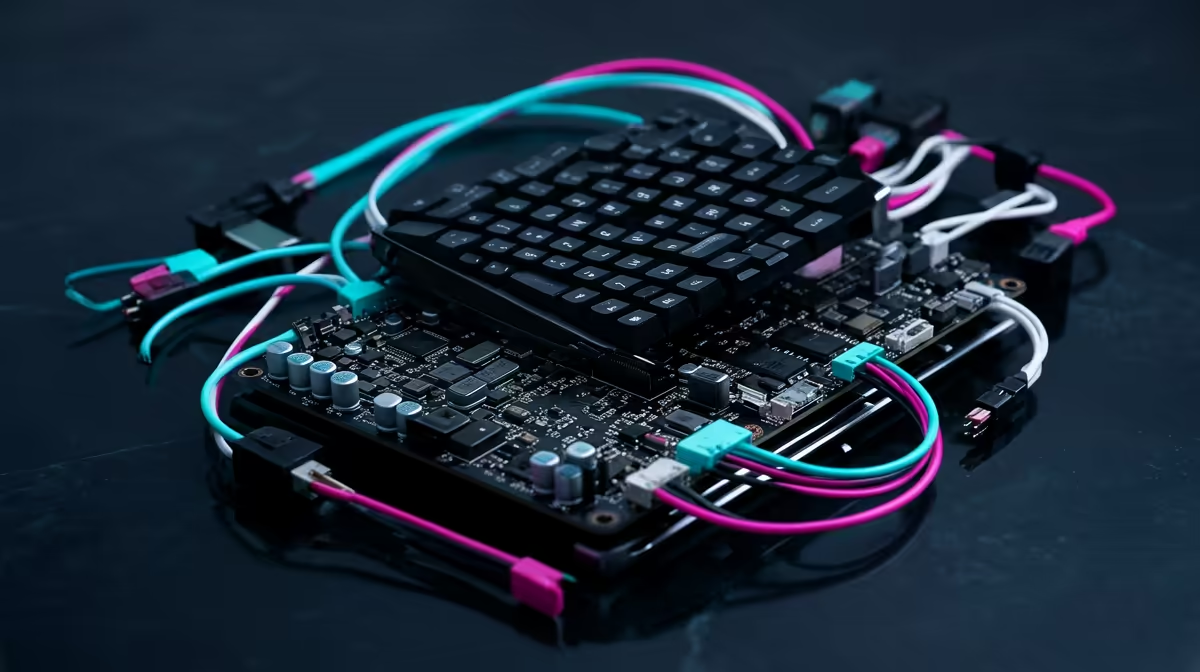
A child who wants to make a game, control a robot, or light up an LED is a child ready to code, and a Raspberry Pi kit is one of the most rewarding ways to start. The trick is choosing a kit that gets them building in minutes rather than fighting setup for an afternoon. The best Raspberry Pi kit for a kid learning to code bundles the board, a case, a pre-loaded SD card, and a project guide so the first win comes fast, while leaving room to grow into Python as confidence builds.
Quick Answer
For most children, a Raspberry Pi 5 starter kit with 4GB of RAM, a case, a power supply, a pre-imaged SD card, and a printed project guide is the sweet spot. It runs Scratch for block-based coding and Python for the next step, and a child can be writing their first program within minutes of unboxing. Budget for the board plus the accessories as a single kit rather than buying parts piecemeal.
What makes a kit genuinely kid-ready
The difference between a kit a child loves and one that gathers dust is rarely the board itself. It is everything around it. A good starter kit removes the friction that stops a young learner before they begin.
The board: which Raspberry Pi to choose
The current Raspberry Pi 5 is the strongest pick for a learner who will keep using it for a few years. It offers a meaningful performance jump over the Pi 4, which matters when a child moves from simple scripts to running a desktop, a browser, and a code editor at the same time. The 4GB model handles almost everything a learner will throw at it; the 8GB version adds headroom for heavier projects and local tinkering but is not essential for a first kit. An older Pi 4 still works perfectly well as a budget entry point if you find one bundled affordably.
The accessories that actually matter
A bare board needs several things before it does anything. A complete kit should include a case to protect the board from curious fingers and spills, an official or quality power supply rated for the Pi 5's higher draw, and a microSD card pre-loaded with Raspberry Pi OS so the child is not stuck imaging a card on day one. Cooling matters too, the Pi 5 runs warm under load, so a kit with a heatsink or a small fan keeps it stable during longer sessions.
A project guide, not just a parts list
The single feature that turns hardware into learning is a structured guide. The strongest kits ship with a printed or illustrated booklet that walks a child through real projects step by step, building a light circuit, reading a sensor, then writing a few lines of code to control it. Some kits include over a hundred guided projects spanning Scratch and Python, which keeps a child progressing long after the novelty of the first build wears off.
Matching the kit to the child's age
Coding readiness varies a lot between a seven-year-old and a teenager, and the right kit reflects that.
Ages roughly 7 to 11
Younger children do best with a kit that minimises wiring and leans on Scratch, the block-based language where programs are built by dragging colourful blocks rather than typing syntax. All-in-one kits that integrate the screen, buttons, and sensors into a single unit let a child jump straight into projects without loose breadboard wires to manage. At this age the win is seeing something happen, a light blinks, a buzzer sounds, in response to blocks they snapped together.
Ages roughly 12 and up
Older children and teenagers can handle a standard starter kit with a breadboard, jumper wires, and a components box of LEDs, sensors, and motors. This is where the transition from Scratch to Python happens naturally, since Python is the language the Raspberry Pi community builds around and the one a teenager can carry into real projects. A kit with a generous components set and a robotics path keeps an ambitious learner challenged for months.
How much to spend, and where the money goes
Treat the kit as one purchase rather than a board plus a pile of extras, because buying piecemeal usually costs more and risks a mismatched power supply or an unsupported SD card. In South African terms, a complete Raspberry Pi 5 starter kit sits comfortably in the mid hundreds to low thousands of Rand depending on the RAM, the components included, and whether a screen is part of the bundle. The board alone is the smaller part of that figure once you add a case, power, storage, and cooling, which is exactly why a bundled kit represents better value than separate parts.
It is also worth being honest about what a Pi is and is not. A Raspberry Pi is a brilliant learning computer and a flexible project board, but it is not a substitute for a fast laptop or desktop for schoolwork and gaming. If the goal is a primary computer for a child as well as a coding platform, a compact desktop or mini PC may serve double duty better, and the mini PC range at Evetech sits right alongside the Pi-style options for exactly this comparison. For families weighing a full build instead, the best-selling PCs list gives a clear read on what local buyers choose for home and study.
Setting your child up to succeed
Hardware is only half the story. A child learns fastest with a little structure: a quiet corner with a screen, keyboard, and mouse they can leave set up, a parent or older sibling to help past the first hurdle, and short sessions that end on a working result rather than a frustrating one. Scratch first, then Python, is the proven path, it builds the logic of programming before adding the friction of syntax. The kits that ship with a guided project booklet make this progression almost automatic, which is why that single feature is worth prioritising over a few extra sensors in the box.
Frequently Asked Questions
What age can a child start with a Raspberry Pi?
Children as young as seven can start with a kit built around Scratch and minimal wiring, where they drag code blocks rather than type. From about twelve, a child can move to Python and handle a standard kit with a breadboard and components.
Do I need the 8GB Raspberry Pi 5 for a kid?
No. The 4GB Raspberry Pi 5 handles Scratch, Python, and a desktop comfortably for a learner. The 8GB model adds headroom for heavier projects but is not necessary for a first coding kit.
Scratch or Python first?
Scratch first. Its block-based interface teaches the logic of programming, loops, conditions, and sequencing, without the frustration of typing exact syntax. Once a child is comfortable, Python is the natural next step and the language the Pi community is built around.
Can a Raspberry Pi replace a laptop for schoolwork?
Not really. A Pi is an excellent learning and project computer, but it is slower than a modern laptop or desktop for everyday schoolwork and browsing. If you need one device for both study and coding, a compact desktop or mini PC is the better all-rounder.
What is included in a complete starter kit?
A complete kit should include the board, a protective case, a correctly rated power supply, a microSD card pre-loaded with Raspberry Pi OS, cooling, and a project guide. The guide is the part that turns the hardware into actual learning.
Give a curious child the tools to build their first program. Compare the mini PC and starter options in the range at Evetech and pick a kit that gets them coding the same day it arrives.