


RTX 4060 Ti Throttling Under Load: SA Temperature Guide
RTX 4060 Ti Throttling Under Load: Temperature. Everything you need to know with SA pricing, step-by-step instructions & expert recommendations.
Read moreMonitor your stream audio with precision using the best studio headphones. Achieve broadcast-ready sound clarity and real-time feedback ➤
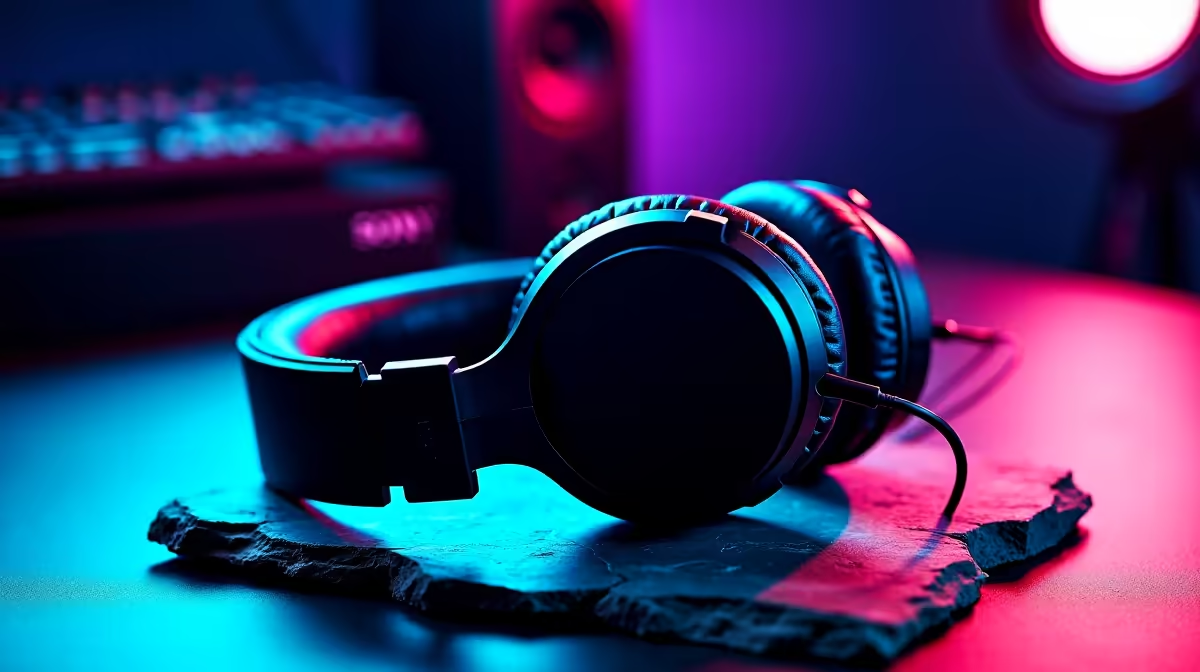
You're live. Your gameplay is popping off, the chat is buzzing, but there’s a problem you can't hear… your audio mix is a mess. Your viewers are getting blasted by game sounds while your voice is a faint whisper. The secret to pro-level sound isn't just a fancy mic; it's hearing exactly what your audience hears. That's where the best studio headphones for stream audio monitoring come in, giving you total control. 🎧
We love a good gaming headset. The booming bass for explosions, the crisp directional audio for footsteps… they’re designed for immersion. But that's exactly why they aren't the best tool for monitoring your stream's output. Gaming headsets colour the sound, often boosting bass and treble to make games more exciting.
When you're setting your stream's audio levels, you need the unvarnished truth. You need to hear if your voice is muddy, if your game audio is clipping, or if that Discord notification is ten times louder than everything else. Studio headphones provide a flat, neutral frequency response, presenting your audio exactly as it is. This allows you to create a balanced, professional-sounding mix for your audience. While you might switch to your gaming headset for the actual gameplay, using studio headphones for the setup and monitoring phase is critical.
Choosing the right pair of studio headphones for streaming involves more than just picking a brand. You need to look at the specs that directly impact your broadcast quality.
This is the biggest decision you'll make.
You'll be wearing these for hours. Look for plush earpads (velour or protein leather), a lightweight design, and a comfortable headband that distributes pressure evenly. The last thing you want is a headache derailing a marathon stream. Many gamers already know the value of comfort from their favourite gaming headsets, and there are great options from brands like CORSAIR that prioritise this, but for monitoring, a dedicated studio pair is a worthwhile investment.
If you use a dual-PC streaming setup, send your gaming PC's audio to your streaming PC via an audio interface or mixer. Plug your monitoring headphones into the streaming PC. This ensures you're monitoring the final mix that goes out to your viewers, not just the raw game audio.
Getting the gear is only half the battle. To truly leverage the best studio headphones for stream audio monitoring, you need to configure your software correctly. In OBS or Streamlabs, navigate to your Advanced Audio Properties. Here, you can set your headphones as the dedicated "Audio Monitoring" device.
This lets you listen to the final mix without hearing duplicate audio through your desktop speakers. It’s a small step that makes a massive difference. You don't need to spend a fortune to get started; there is plenty of powerful streaming gear under R6000 that can elevate your production quality significantly. 🔧
Crystal-clear audio is the foundation of a professional stream, but it's part of a bigger picture. Once your sound is sorted, think about your visual presentation. Good lighting makes even a standard webcam look ten times better. It ensures your face is clearly visible and creates a mood that matches your brand. You can enhance your background with some vibrant RGB lighting from Cololight to add a splash of colour and personality to your scene. ✨ A complete, polished setup shows your audience you take streaming seriously.
Ready to Master Your Stream Audio? Stop guessing and start mixing with confidence. Shop our curated range of streaming essentials at Evetech and give your audience the professional-quality audio they deserve.
Check for low latency, accurate sound reproduction, and comfort during long streaming sessions.
Closed-back headphones prevent sound leakage, making them ideal for live monitoring environments.
Wired headphones with 3.5mm jacks are great for no-latency monitoring, but USB models offer digital features.
Sound isolation ensures that microphone pickup remains clean by minimizing ambient noise interference.
Yes, studio-grade headphones provide the flat frequency response needed for accurate monitoring during both mixing and streaming.
Popular budget options include the Audio-Technica ATH-M30X and Samson SR850 for their balance of performance and value.
RTX 4060 Ti Throttling Under Load: Temperature. Everything you need to know with SA pricing, step-by-step instructions & expert recommendations.
Read more
Apex Legends Max Settings on RTX 4080. Tested & verified settings for best FPS and visual quality on SA hardware budgets.
Read more
GPU Buying Guide. Everything you need to know with SA pricing, step-by-step instructions & expert recommendations.
Read more
GPU Terms Guide. Everything you need to know with SA pricing, step-by-step instructions & expert recommendations.
Read more
AMD Adrenalin Download & Setup Guide: GPU. Clear setup instructions with SA-specific considerations, troubleshooting tips & recommended components.
Read more
Back-to-School GPU Buying Guide. Everything you need to know with SA pricing, step-by-step instructions & expert recommendations.
Read more
Snapdragon X2 NPU Explained: How 80 TOPS Changes. Plain-English explanation of what it means, why it matters & how it affects your buying decisions in SA.

HBM? High Bandwidth Memory Used in GPUs and AI. Plain-English explanation of what it means, why it matters & how it affects your buying decisions in SA.

How much should you spend on sim racing accessories in South Africa for a realistic setup? We break down budgets by quality tiers, so you buy smart gear and avoid overspending 🎮💸

G-Sync and FreeSync? Variable Refresh Rate. Plain-English explanation of what it means, why it matters & how it affects your buying decisions in SA.

AMD Laptop: Value. SA-focused analysis with local pricing data, real-world insights & actionable buying advice.

How MacBook Neo Handles 30+ Chrome Tabs with Only. SA-focused analysis with local pricing data, real-world insights & actionable buying advice.

Why Apple Put 8GB RAM in MacBook Neo: The A18 Pro. SA-focused analysis with local pricing data, real-world insights & actionable buying advice.

Upgrade your work laptop with a New Motherboard. Step-by-step instructions with SA-specific tips, common pitfalls to avoid & expert recommendations.

Maintain wired headset — Checklist: • inspect cables • clean earpads • store properly 🔧🎧 Practical steps to preserve sound quality and avoid premature replacements.

Fix crackling headset fast: step-by-step checks for cables, connectors, drivers, and settings to remove static or distorted audio on wired headsets 🎧⚙️

Stereo vs mono headsets: learn which delivers clearer calls, better spatial music, or simpler mono voice performance — pick the right headset for meetings, music, or gaming 🎧💬

- Compare gaming headset vs studio headphones; - Assess comfort, mic and sound; - Recommend best daily picks. Gaming headset vs studio headphones: learn which suits work, music and casual gaming. 🎧⚖️