Quick Answer
The smart way to phase a docking station upgrade for SA online gaming is to start with a wired Gigabit-Ethernet USB-C dock around R1,200 to R1,900, then add monitors and PD wattage later as your laptop changes. The dock's job for gaming is a stable wired connection to your Vumatel or Openserve line, cutting Wi-Fi jitter. Buy the Ethernet and power features first; treat extra display outputs as a phase-two add-on.
Phase One: Stable Wired Connection
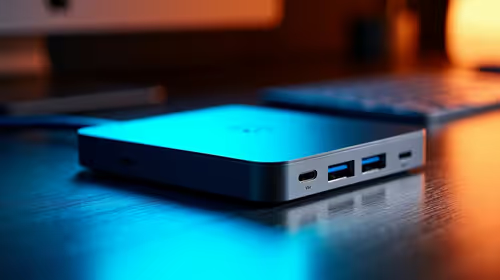
Online gaming punishes latency spikes more than raw speed, so the first dock you buy should add a Gigabit Ethernet port to a laptop that only has Wi-Fi. A wired link to your fibre router removes the variable lag that Wi-Fi adds across a busy household, keeping ping steady on a 50 to 200ms regional server. Pair it with 90W to 100W Power Delivery so the laptop charges through the same cable while you play.
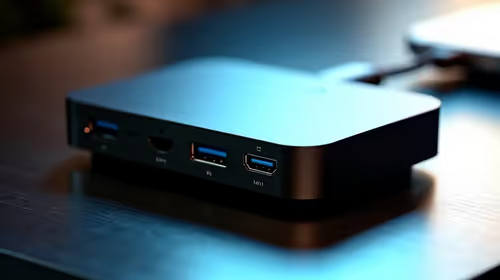
Confirm the dock passes Gigabit, not 100Mbps, on its Ethernet port, since slower ports cap your fibre and add overhead.
Phase Two And Three: Displays And Bandwidth
Once the wired link is sorted, phase two adds a single 1080p144 or 1440p monitor through the dock's HDMI or DisplayPort output for a bigger, faster picture than the laptop panel. Phase three, if you move to dual monitors or a Thunderbolt laptop, is when you step up to a Thunderbolt 4 dock around R3,500 to R6,000 for dual 4K60 and far higher bandwidth. Spreading the spend this way avoids paying for ports you cannot yet use.
FAQ
Does a dock improve online gaming ping?
Yes, when it adds a wired Gigabit Ethernet link to a Wi-Fi-only laptop. The cable removes wireless jitter, keeping latency steadier on regional servers.
What should I buy first?
Start with a dock that delivers Gigabit Ethernet plus 90W to 100W charging. Add monitors and Thunderbolt bandwidth in later phases as your needs grow.
Will any dock charge my gaming laptop?
Only if its PD wattage matches your laptop's charger. Heavy gaming laptops above 130W still need their own brick, with the dock handling data and Ethernet.
fibre gaming, buy a Gigabit-Ethernet dock first and connect it to your router by cable, then add displays once the wired link is stable.