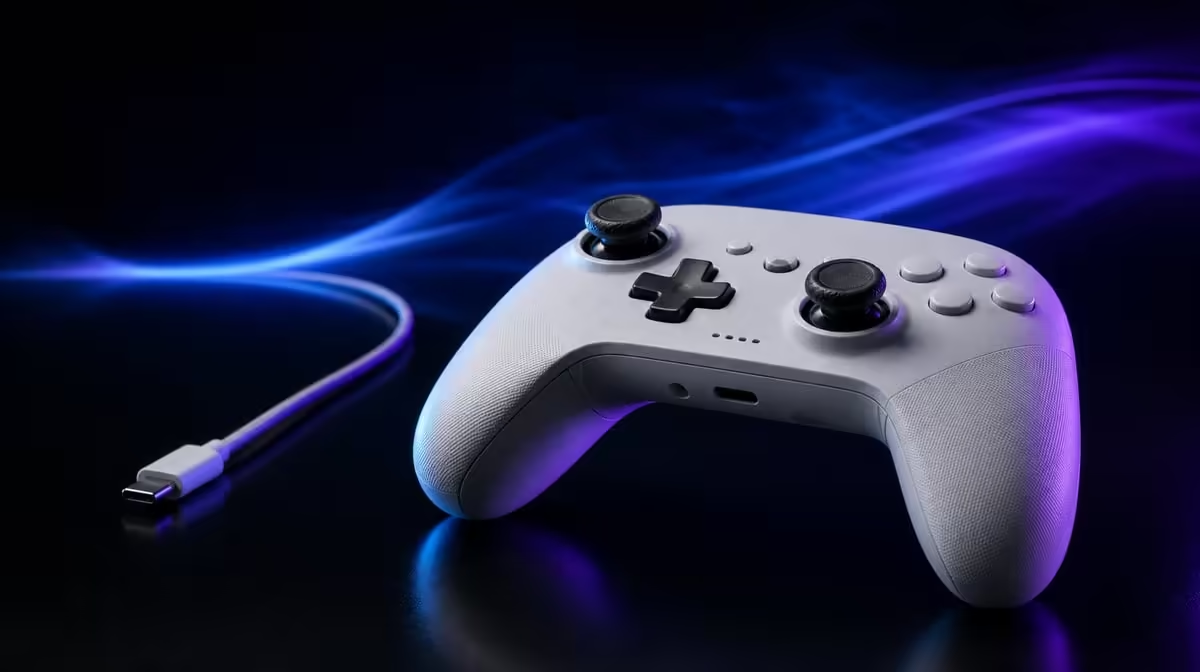
Wired, Bluetooth and dedicated wireless links differ in pairing, charging and exposure to room conditions, but implementation determines the actual play result. How controller connections affect gaming on the GameSir G7 Pro must remain tied to each supported platform.
Quick Answer
At R1,499, the G7 Pro assigns cables to Xbox and PC, dedicated wireless to PC, and Bluetooth to Android. A lead avoids battery dependence, while radio play adds freedom and charging habits; neither removes the rest of the latency chain.
🔌 Understand the wired paths
Xbox and PC can use a cable. This avoids a radio hop and battery dependence during the session.
Cable placement still matters. Route it away from feet, furniture and hand restriction.
Test from the normal seat through a full session. A cable that pulls during large stick movement or crosses a walkway can make an otherwise stable route impractical.
Keep the connector path free of sharp bends and store the cable where the next Xbox or PC start remains easy.
Wired does not mean zero latency. Sensing, reporting, game processing, rendering and display response remain.
Physical button or trigger movement happens before the report, and screen presentation happens after it. The cable removes a radio stage, not the rest of the journey.
Use an offline or controlled game scene when comparing local input so network conditions do not dominate the observation.
Compare controllers through Evetech's gaming controller category.
📡 Test 2.4GHz on PC
Set up the dedicated wireless link at the normal distance and room conditions. Confirm ordinary inputs first.
Check sticks, D-pad, triggers and the default button map before changing polling or macros. A control profile problem can look like a radio fault.
Record obstacles and nearby radio activity when an interruption occurs. Practical wireless behaviour belongs to the actual room.
Compare against a wired PC baseline with the same game, frame and display settings.
Run several short sets, reverse the order later and count consistency rather than one best attempt.
Keep sensitivity, trigger stops and macro layout unchanged. The connection should be the only meaningful variable.
PC is where the G7 Pro exposes its 1000Hz polling option. Confirm it in the actual route rather than assuming every mode behaves identically.
At 1000Hz, nominal report opportunities are one millisecond apart. Game processing and display response still remain.
Save the connection and polling mode together. If the route changes, label it as another comparison rather than assigning every result to rate.
📱 Keep Bluetooth in Android scope
Pair the controller with Android and open a title that supports controller input.
Device pairing is only the first layer. A game may ignore or map controller inputs differently, so test beyond the operating-system screen.
Close and reopen the title after the first successful run. Reconnection should reflect an ordinary later session.
Test sticks, D-pad and triggers beyond the menu. Save the sequence for returning to PC.
Include gradual stick movement, full trigger range and a normal in-game action. This reveals more than menu navigation.
Move back from Bluetooth Android to 2.4GHz PC on another day. Mode recovery should work in both directions.
Bluetooth convenience does not make Xbox wireless, and it does not receive the PC polling claim.
Do not rank Bluetooth and 2.4GHz universally from their names. The G7 Pro assigns them to different devices, with implementation and conditions shaping play.
Browse Evetech's gaming accessories category for the wider device setup.
🧪 Choose by recovery and consistency
Run several sessions on each intended route. Record reconnects, interruptions and successful starts.
Use a route card containing device, mode, connection item, profile and standard test action. Another player should be able to follow it without coaching.
Count start time separately from game response. Pairing convenience and input timing are different parts of the experience.
The dock supports charging and storage for wireless habits without changing link performance.
Place it near the wireless play area and return the controller after PC or Android use. Track whether the routine reduces missed charging.
The dock cannot add another radio, improve TMR precision or lower the 1000Hz interval.
At R1,499, tri-mode value comes from using the correct route reliably rather than expecting one connection everywhere.
Build a platform-weighted score. Give Xbox wired reliability, PC connection choice and Android Bluetooth their own rows.
Add TMR sticks, Hall Effect triggers, four macros and custom parts only after every required route passes.
For an Xbox-first buyer, the cable can determine the decision. For a PC-first player, 2.4GHz choice and polling can receive more weight. Android-first users should prove Bluetooth game support.
Keep a wired PC fallback when 2.4GHz is the preference. Practise the switch before a failed wireless start interrupts play.
End every session in a known state and save a default profile. Connection flexibility is more useful when the owner can recover it after several days away.
Review the map after a week and remove unused routes from the value claim. The strongest conclusion names the exact platforms, links and observed recovery result.
Add a connection-failure checklist. Identify the current platform mode, confirm the required cable or radio path, return to a known profile and test one control before changing another variable.
On wired Xbox, check the physical lead first. On PC 2.4GHz, note distance and radio environment. On Android, separate Bluetooth pairing from game-level controller support.
Keep a platform-specific reset. The pad should leave Android mode deliberately before a PC session, and PC customisations should not confuse the next wired Xbox start.
Test the same TMR stick-centre sequence on all intended routes. Keep dead zones and game differences documented so a connection change is not blamed for software interpretation.
Use both Hall Effect trigger positions only after ordinary input passes. A stop can change finger travel without changing radio performance.
Disable or ignore custom macros during the first link test. Once the route remains stable, load a named profile and check extra-button access separately.
If 3.5mm audio is part of the setup, test it on the intended platform after control input. A sound-path problem should not become a general connection verdict.
The four rumble motors add feedback across compatible play but do not prove lower latency. Keep feedback preference outside the route score.
Create a weekly connection table: successful starts, retry count, interruptions, recovery time and charging state. This provides evidence beyond one trouble-free demonstration.
At R1,499, the best route is not a universal protocol winner. It is the supported Xbox, PC or Android link that repeatedly fits the device, room and game.
Keep current availability as the last Evetech check after choosing the platform map. Avoid assigning value to a mode the household will never use.
Finish with three precise lines: wired for the console and PC fallback, 2.4GHz for planned PC freedom, Bluetooth for compatible Android play. That statement captures tri-mode without extending any connection beyond its platform.
Review Evetech's popular accessory page after the route tests are complete.
Frequently Asked Questions
What is the G7 Pro's wired platform support?
It supports wired play on Xbox and PC.
Where is 2.4GHz wireless available?
The dedicated wireless route serves PC.
What does Bluetooth handle on this controller?
Bluetooth provides the Android connection.
Does wired always mean zero latency?
No. Other controller, game, rendering and display stages remain.
Can radio congestion affect wireless controller play?
Wireless behaviour can be influenced by distance, obstacles and nearby radio activity.
Which route supports the G7 Pro's 1000Hz PC claim?
The rate is a PC feature; test it through the actual PC setup used.
How does the dock relate to these three links?
It supports charging habits without adding another connection mode.
Ready to test each link on the platform it actually serves?
Compare Evetech's gaming controllers with separate wired Xbox, PC 2.4GHz and Android Bluetooth recovery drills.