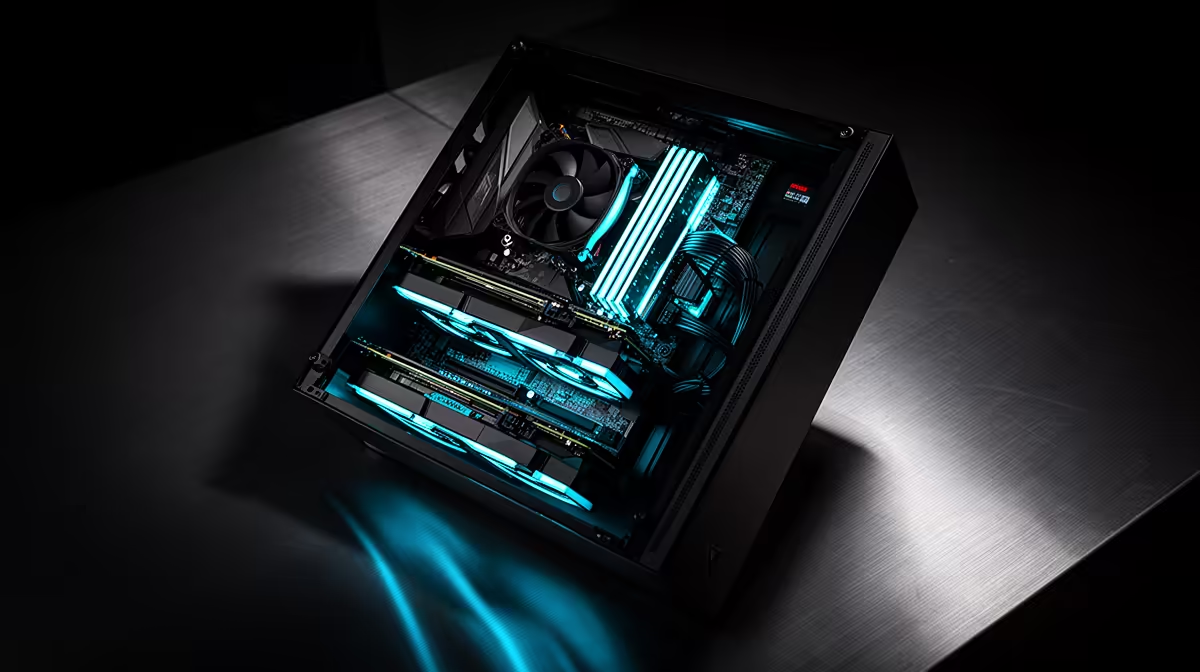
There is a clean line between a developer who sends prompts to a cloud model and one who runs the model on their own machine, and that line is drawn in gigabytes of VRAM. Building a local-capable pro workstation for AI coding starts from a single specification: enough video memory to hold a useful coding model plus its working cache, all at once, on the card. Get that number right and everything else follows. Get it wrong and the model either will not load or crawls.
Quick Answer
A local-capable AI coding workstation needs at minimum 20 to 24GB of VRAM to run a 32B parameter model at Q4 quantisation, which weighs in around 19 to 20GB. A single RTX 5090 with 32GB of VRAM clears that comfortably, leaving headroom for the model and its KV cache while delivering interactive speeds of roughly 40 to 55 tokens per second.
Why VRAM is the whole game
When you run a model locally, its weights must fit in the GPU's video memory, not your system RAM. If the model does not fit in VRAM, it either refuses to load or spills into far slower memory and grinds to a near-useless pace.
The maths is simple and unforgiving. A capable 32B coding model quantised to Q4 occupies roughly 19 to 20GB. On top of the weights you need room for the KV cache, the working memory that grows with your context length. That is why 24GB is the realistic floor and 32GB is the comfortable target for a serious local coding setup. Purpose-built machines that prioritise GPU memory for exactly this workload are what you will find in the AI PC range at Evetech.
Why the RTX 5090 is the natural pick
The RTX 5090's 32GB of VRAM is what makes a single-card local coding workstation practical. It holds a 32B Q4 model and its cache without forcing you into a slower quantisation or a smaller, weaker model.
Performance is genuinely interactive. On an RTX 5090, a 30B-class Q4 model runs in the region of 40 to 55 tokens per second in typical use, fast enough that the assistant feels responsive rather than laggy. Strong 32B options like Qwen 3 32B and DeepSeek-R1-Distill-Qwen-32B both land near 19 to 20GB at Q4 and fit comfortably, and they benchmark well on coding and reasoning despite their modest size. That combination, a model that fits and runs quickly, is what separates a workstation that can run local AI from one that merely claims to.
The rest of the build around the GPU
The GPU is the hero, but a lopsided build wastes it. The supporting components matter:
System RAM
You still want plenty of system memory, because while the model lives in VRAM, your IDE, browser, containers and the tooling around the model all live in system RAM. 32GB is a sensible minimum and 64GB is comfortable for a workstation that does real development alongside local inference.
Storage
Local models are substantial files, typically running to tens of gigabytes apiece, so collecting even a handful demands real storage. A 1TB or 2TB NVMe SSD keeps model loading fast and leaves room for projects, container images and a few model variants. NVMe matters here because loading a 20GB model off a slow drive is a noticeable wait every time.
CPU and power
A current high-core-count CPU keeps compilers, language servers and dev servers responsive. Just as important, a flagship GPU draws serious power, so a quality high-wattage power supply and good case airflow are not optional extras, they are what keep the card stable under sustained inference load. The best-selling PC builds at Evetech show which supporting parts other builders are pairing with a flagship GPU to complete a machine like this.
When local is worth the spend
A local-capable workstation costs real money, the GPU alone is a flagship purchase, so be honest about whether you need it. It earns its place when:
- Privacy or compliance rules forbid sending code to a cloud API.
- You want to work offline or in low-connectivity situations.
- You run inference heavily enough that you would rather own the hardware than pay per token over time.
- You want to experiment with and fine-tune models locally.
If none of those apply and you mainly use a cloud coding assistant, a much cheaper machine without a flagship GPU does the job, and the money is better spent on RAM and storage. The local build is for developers with a specific reason to keep the model on their own desk.
A balanced local-capable spec
For a workstation that runs a 32B Q4 model locally and handles full development:
- GPU: RTX 5090, 32GB VRAM. This is the component the whole build is justifying.
- System RAM: 64GB.
- Storage: 1TB to 2TB NVMe SSD for projects and multiple models.
- CPU: a current high-core-count Ryzen or Core Ultra chip.
- Power and cooling: a high-wattage quality PSU and strong airflow to keep the GPU stable.
That configuration runs a capable coding model locally at interactive speed while comfortably handling your editor, containers and everything around it.
Frequently Asked Questions
How much VRAM do I need to run a 32B coding model locally?
At least 20 to 24GB. A 32B model at Q4 quantisation weighs around 19 to 20GB, and you need additional room for the KV cache that grows with context length. That is why 24GB is the practical floor and 32GB gives comfortable headroom, which is what makes the RTX 5090 the standard recommendation for this workload.
Can I run a local coding model on a smaller GPU?
You can run smaller or more heavily quantised models on cards with less VRAM, but you trade away capability or speed. To fit a full 32B Q4 model with its cache and keep interactive performance, you really want around 32GB of VRAM, which is why the RTX 5090 is the standard recommendation.
Why not just use a cloud AI coding tool instead?
For many developers, cloud is the cheaper and simpler choice and needs no flagship GPU. A local workstation makes sense specifically when privacy rules, offline needs, heavy usage or model experimentation justify owning the hardware. If none of those apply, save the money and use a cloud assistant.
How fast does a 32B model run on an RTX 5090?
A 30B-class Q4 model typically delivers around 40 to 55 tokens per second in everyday use on an RTX 5090. That is fast enough to feel responsive and interactive rather than sluggish, which is the practical bar for using a local assistant comfortably day to day.
Do I still need lots of system RAM if the model lives in VRAM?
Yes. The model occupies VRAM, but your IDE, browser, containers and development tooling run in system RAM. Plan on 32GB as a minimum and 64GB for comfort, so the machine handles real development work alongside local inference without bottlenecking.
A local AI coding workstation is built around one decision, enough VRAM to hold the model you want to run. Explore the AI PC range at Evetech and configure a machine that runs a capable coding model on your own desk at full speed.