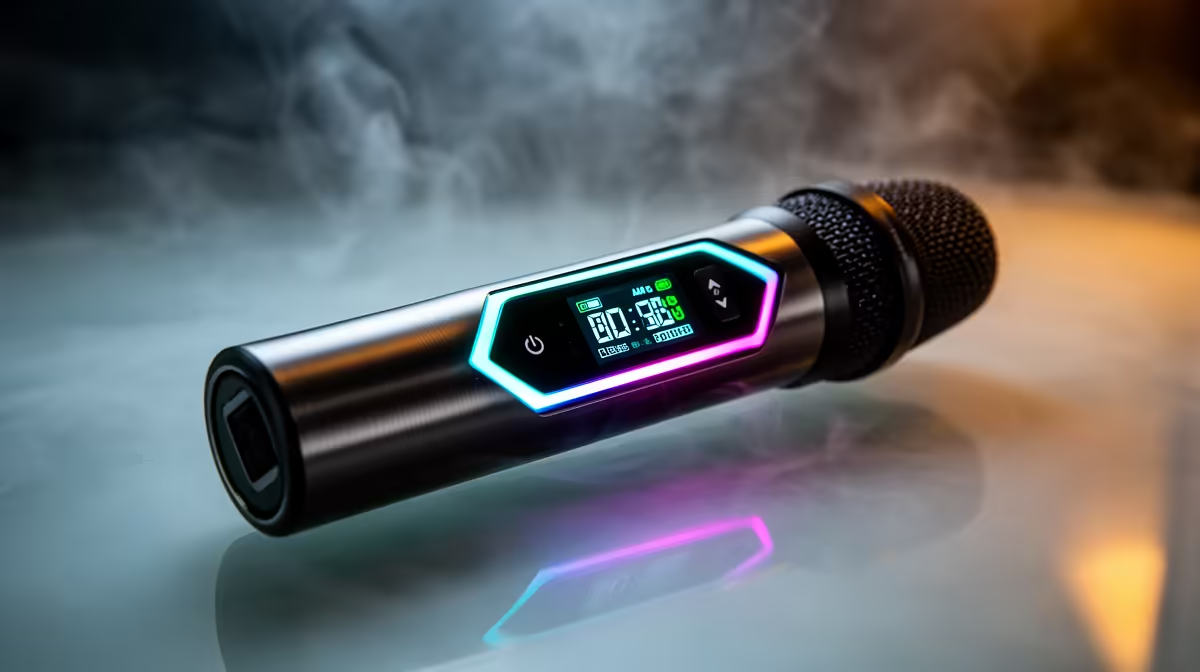
Most wireless microphone kits ship with a spec sheet and zero screen. The LCD live monitoring microphone flips that by putting a small display directly on the transmitter or receiver, giving you at-a-glance confirmation of the numbers that matter while a take is running. Choosing the right one means knowing which readouts actually help in the field, how big the panel needs to be to be useful, and where a display genuinely cannot replace your ears.
Quick Answer
Look for a panel that shows live level bars, gain in dB, battery percentage and wireless link strength simultaneously. A 0.9 to 1.2 inch display sits that sweet spot between readable at arm's length and small enough to keep the unit pocketable. Pair it with a headphone out to catch what the screen cannot show.
🔆 What the Display Should Actually Show You
A single-value screen that toggles between battery and signal is not worth calling an LCD monitor. The displays that earn their name show at least four live readouts at once: your audio level bars, the gain you have dialled in, the remaining battery life, and the radio link quality between transmitter and receiver.
The level bars are the centrepiece. They let you verify the subject's voice is landing between -20dBFS and -6dBFS on peaks before committing to a take. Without them you are guessing, and a poorly set gain means a whisper buried in noise or a shout that clips mid-sentence.
Gain displayed in dB alongside the bars speeds up soundchecks. You can recall a setting from a previous shoot and dial straight to it, rather than watching the bars shift while turning a knob blind.
Link strength readout belongs on that same screen. A bar showing the radio health between transmitter and receiver gives you early warning that range is becoming marginal, so you can reposition before the audio degrades rather than after.
Colour vs Monochrome Panels
Colour LCD panels make a clip warning unmissable. A red bar at 0dBFS catches your eye in peripheral vision, while a monochrome equivalent requires you to actively check. That advantage is real but does not justify a significantly higher price on its own. A high-contrast monochrome panel still delivers everything needed for level monitoring on a standard shoot. Colour becomes more compelling outdoors, where a colour-coded warning pops through glare more reliably.
🔧 Screen Size and Readability
Panel size is a practical constraint that affects how the unit sits in a pocket. A display under 0.7 inches forces you to squint or hold the unit close to read the level bars during a take, which defeats the purpose. A display over 1.3 inches adds bulk and weight that pushes against the compact-kit design goal.
The 0.9 to 1.2 inch range is where most well-designed units land, and the reasoning holds up: held at a normal arm's length, bar graphs and digit readouts on a screen in that range are legible without strain. The exact resolution matters less than contrast ratio and the size of the font used for the dB and battery figures.
Outdoor brightness is the variable most spec sheets skip. A panel below roughly 300 nits washes out in Cape Town overcast light, let alone Joburg midday sun. If you shoot outdoors, check whether the manufacturer publishes a brightness figure before committing.
Backlight Behaviour
An always-on backlight is straightforward, but it carries a runtime cost. A screen that never sleeps can trim 30 to 45 minutes from a transmitter's battery life over a long day. A sleep-after-30-seconds mode recovers most of that, at the cost of a brief wake delay when you tap to check levels. For studio work, always-on is fine. For documentary shooting where the unit sits on talent for six hours, an auto-sleep setting is worth having.
🎙️ The Headphone Out Question
The screen shows levels but not tone. A visual readout confirms that your signal is sitting at a sensible volume and that the link is healthy, but it tells you nothing about whether there is handling rumble under the voice, whether a fabric rub is bleeding through, or whether the subject is producing a slight room ring. Those qualities only reveal themselves when you listen.
A transmitter or receiver with a dedicated headphone output lets you put ears on the signal mid-take. You hear both the metered level and the texture of what is being captured. That combination, a readable display paired with a monitoring output, is why the best kits in this category include both. If you are choosing between two otherwise similar units and only one has a headphone out, the one with monitoring wins.
Pro Tip ⚡
Before a shoot in an unfamiliar venue, run a brief soundcheck phrase at the loudest volume the subject is likely to reach, not their conversational tone. A shout, a laugh, or a sudden exclamation can spike 8 to 10dB above baseline speech. Set gain so that peak lands at around -6dBFS and you have real headroom for the unexpected.
💰 Matching the Display to the Budget
Entry kits with small LCD panels that show only a battery icon and a single signal bar are not genuinely competing in this category. They are labelled as LCD monitoring for marketing reasons, but a monochrome bar with two states is not a monitoring display.
Mid-tier units in the R2,500 to R5,000 range typically deliver the four-readout panel described above, along with a brightness level that is usable indoors and in mild outdoor light. That is where the value concentration sits for most South African creators shooting YouTube content, event coverage, or interview series.
Higher-end kits above R6,000 offer colour panels, brighter backlights, and sometimes a touchscreen for gain adjustments. The colour warning is a genuine benefit. The touchscreen is a preference, most useful for operators who switch gain levels rapidly across multiple subjects during a single shoot.
Frequently Asked Questions
What is the first thing to check on an LCD wireless mic?
Start by reading the screen brightness in the actual light conditions of your shoot. A panel that looked fine in a demo video may wash out on a bright day outdoors. Confirm it is genuinely readable before you rely on its level bars to set gain.
How many readouts should a monitoring display cover simultaneously?
Four is the minimum that justifies the label: live audio level bars, gain in dB, battery remaining, and wireless link strength. With all four visible at once, you can manage a take without lifting the unit to your face or interrupting the subject for a level check.
Does having a display mean I no longer need headphones?
Not completely. The screen confirms that your signal is at the right volume and that the link is stable. Only a headphone out lets you hear whether there is noise, handling artefacts, or room tone colouring the recording. The best kits provide both so you can check with your eyes and verify with your ears.
Is a colour LCD worth the extra cost for most shoots?
For outdoor work or event shooting in variable light, yes. A colour screen makes a clip warning stand out immediately without any conscious checking. For indoor studio shooting or controlled interview setups, a sharp monochrome panel does the job without the added price.
What screen size is most practical on a wireless transmitter?
A panel between 0.9 and 1.2 inches reads clearly at normal working distance without making the transmitter too large to clip comfortably or fit in a jacket pocket. Smaller panels require you to hold the unit close to read numbers; larger ones start to compromise the compact design that makes wireless kits portable.
How much battery life does the LCD actually consume?
An always-on screen typically reduces runtime by 30 to 45 minutes compared to the same unit with the display turned off. A configurable auto-sleep mode, which turns the backlight off after a short idle period, recovers most of that without meaningfully slowing your checks during a long shoot.
Ready to monitor your wireless levels without guessing?
Browse the wireless microphone range with built-in LCD monitoring, and find the kit that keeps your gain, battery and link health visible at a glance throughout every shoot.