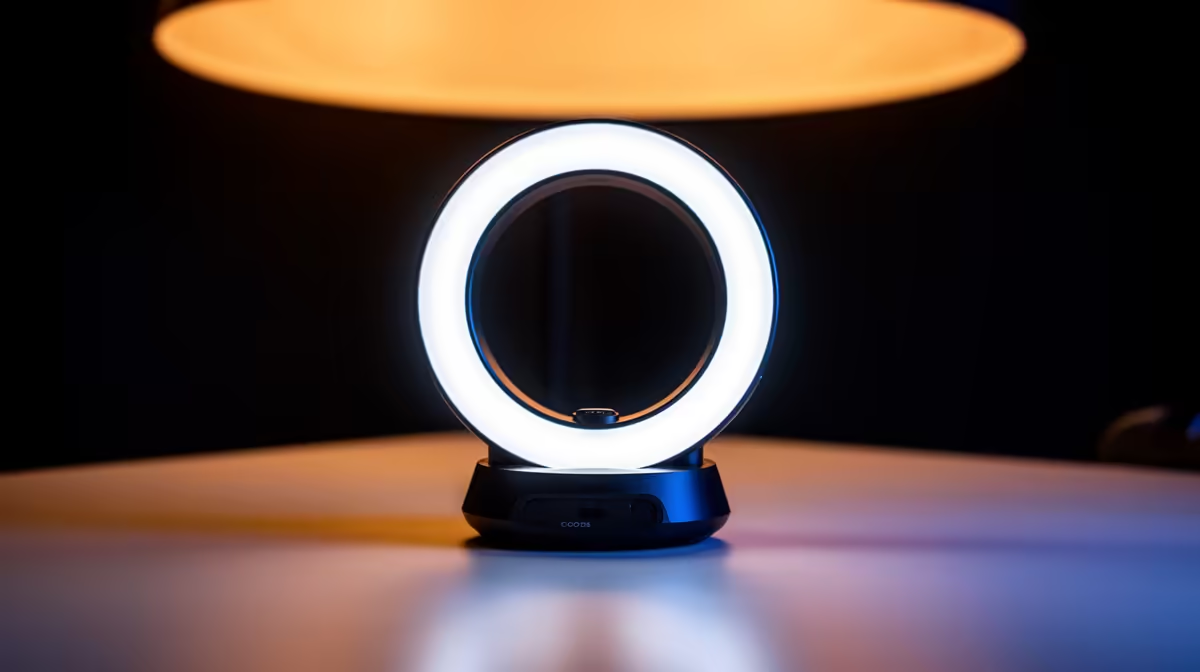
Studio-quality skin tones on video are not the product of expensive hardware. They are the product of three controllable variables: the quality of the light source, how that light is diffused before it reaches the subject, and whether the camera's white balance is locked to a consistent reference. Understanding those three levers means that camera-ready consistent skin tones are achievable from a modest setup that fits in a backpack.
Quick Answer
Consistent skin tones come from a diffused bi-colour key light with CRI above 95, a camera set to locked manual white balance, and a white reflector or wall to balance the shadow side. High CRI is the most important specification because it accurately renders the warm red and orange tones that make skin look healthy rather than grey or washed out.
🔆 Why CRI Is the First Number to Check
Colour Rendering Index scores how accurately a light source reproduces colours compared to a natural reference. On a scale where 100 represents perfect, a panel scoring 85 misses certain wavelengths. The wavelengths it misses are typically in the red and orange range, which are precisely the tones that make skin look natural and warm across different SA complexions.
A face lit by a CRI 85 panel looks slightly flat or desaturated around the cheeks and lips compared to the same face under a CRI 96 source at the same Kelvin setting. The difference is subtle in a still image but cumulative in moving footage where the viewer has time to perceive an unnatural quality without being able to identify it precisely.
For skin specifically, a CRI reading above 95 is the practical threshold where the rendering becomes reliably accurate. Most quality video panels marketed as professional grade will state their CRI in the specifications. If it is omitted or listed as approximate, that is usually a signal the number is below this threshold.
Diffusion Softens the Light and Evens the Tones
A bare panel produces hard light with sharp shadow edges. Hard light is not intrinsically bad, but it accentuates texture and uneven surface detail, which shows up differently depending on the subject's complexion and the camera's focal length.
A diffusion layer, whether a built-in softbox panel or a frosted screen placed over the light, spreads the output into a broader, softer source. Shadows become gradual rather than sharp, and the transition zone from lit to unlit areas is wide enough to feel natural. For talking-head video, this quality of light is forgiving across a range of complexions and skin types, which is particularly relevant for content that features multiple people with different skin tones across separate recording sessions.
🎯 Locking White Balance for Repeatability
Auto white balance is the enemy of consistency across sessions. The camera algorithm samples the scene each time and adjusts its reference based on whatever dominates the frame, so a slightly different background, a changed object on the desk, or a shift in ambient light produces a different rendering of skin even with identical hardware and placement.
Manual white balance eliminates this variable. Set it once against a white card or grey card under your actual key light, note the Kelvin value the camera reports, and save it. Every subsequent session that uses the same light at the same Kelvin setting starts from the same colour reference, and skin tones from one recording match the next without any correction needed.
This is the step most creators skip because it takes three minutes and feels unnecessary until they try to edit across multiple sessions and notice the inconsistency.
Pro Tip ⚡
Keep a small notebook or phone note with your manual white balance setting, panel Kelvin value, and panel distance for each room you shoot in regularly. Three numbers takes ten seconds to write down, and it means you can replicate an exact look months later without any guesswork.
💰 Replacing a Fill Light With a Reflector
A two-panel setup produces cleaner results than one light, but the second panel does not need to be another powered unit. A white foam board, a folded reflector, or even a plain white wall on the shadow side of the subject bounces the key light's output back as fill.
The quality of this bounced fill is genuinely good when positioned correctly. A white card about 70 to 90cm from the subject on the opposite side from the key reflects a diffuse, low-intensity light that opens up shadow areas without creating a competing white point or colour temperature. Because it draws from the same key source, the colour temperature of the fill automatically matches the key, which is a problem that two powered panels of different brands often fail to solve cleanly.
A reflector costs a fraction of a second light and takes up negligible space in a kit bag, which matters for South African creators who shoot in multiple locations across Cape Town, Joburg, or Durban without carrying a full lighting rig.
✨ Checking Skin Tones Before You Record
A test clip before the real take is not optional when consistency is the goal. Frame the subject under the full lighting setup, record ten seconds, and review it on a second screen or calibrated monitor rather than the camera's own display, which is often too warm or too contrasty to give an accurate reading.
Look specifically at neutral areas near the edge of the frame alongside the skin. If the background reads as a neutral white or grey and the skin looks warm and natural, the setup is working. If skin looks orange, the panel or room light is running too warm. If skin looks grey or slightly green, the CRI is insufficient or the Kelvin is mismatched. Adjust the smallest variable first and test again.
Frequently Asked Questions
What single specification most determines skin tone accuracy?
CRI. A panel with CRI above 95 renders the red and orange wavelengths that give skin its natural warmth accurately. Below that threshold, those tones are underrepresented, and skin reads as slightly flat or cool regardless of the Kelvin setting. CRI is the specification to prioritise before lux, beam angle, or size.
How do I keep skin tones looking the same across multiple recording sessions?
Lock manual white balance on the camera, record the Kelvin value and the panel's brightness setting, and replicate them each session. Consistent settings produce a consistent result. Auto white balance shifts slightly between sessions, which creates a mismatch that is visible when cutting footage from two different days.
Can a white card genuinely replace a second light for fill?
Yes, for solo talking-head content. A white card positioned 70 to 90cm from the subject on the shadow side returns enough fill from the key to open up facial shadows naturally. It matches the key's colour temperature automatically and costs almost nothing. For two-person setups or wider shots, a powered fill becomes more practical, but for standard close-up content the card works.
Why do low-CRI lights make skin tones look wrong?
They do not reproduce the full visible spectrum evenly. The wavelengths they under-represent include reds and warm oranges, which are the tones responsible for natural skin warmth across all complexions. The result is footage where skin looks greyish, slightly green, or washed out compared to how it appears in person, regardless of the camera's white balance setting.
Does expensive gear guarantee better skin results than budget equipment?
Not automatically. A high-CRI budget panel used with locked manual white balance produces more consistent skin tones than a costly light used carelessly on auto white balance. The variables that determine skin rendering, CRI, locked colour reference, and consistent placement, are all available at low cost. Expensive gear adds convenience and output power, not accuracy.
Ready to nail consistent skin tones without a studio budget?
Browse the professional LED video light range at Evetech and find a high-CRI panel that delivers accurate, repeatable results from your current shooting setup.