Charge laptop during loadshedding: quick guide for gamers and buyers ⚡
If you’re mid-match or finishing a deadline when loadshedding hits, knowing how to charge laptop during loadshedding safely matters. This guide gives simple, tested options — from budget USB-C chargers to UPS setups — so you can keep playing, working, or streaming without frying your kit. Read the quick tips, price ranges in ZAR, and find links to the exact charger ranges we stock in South Africa. 🔧
Best charger types to charge laptop during loadshedding
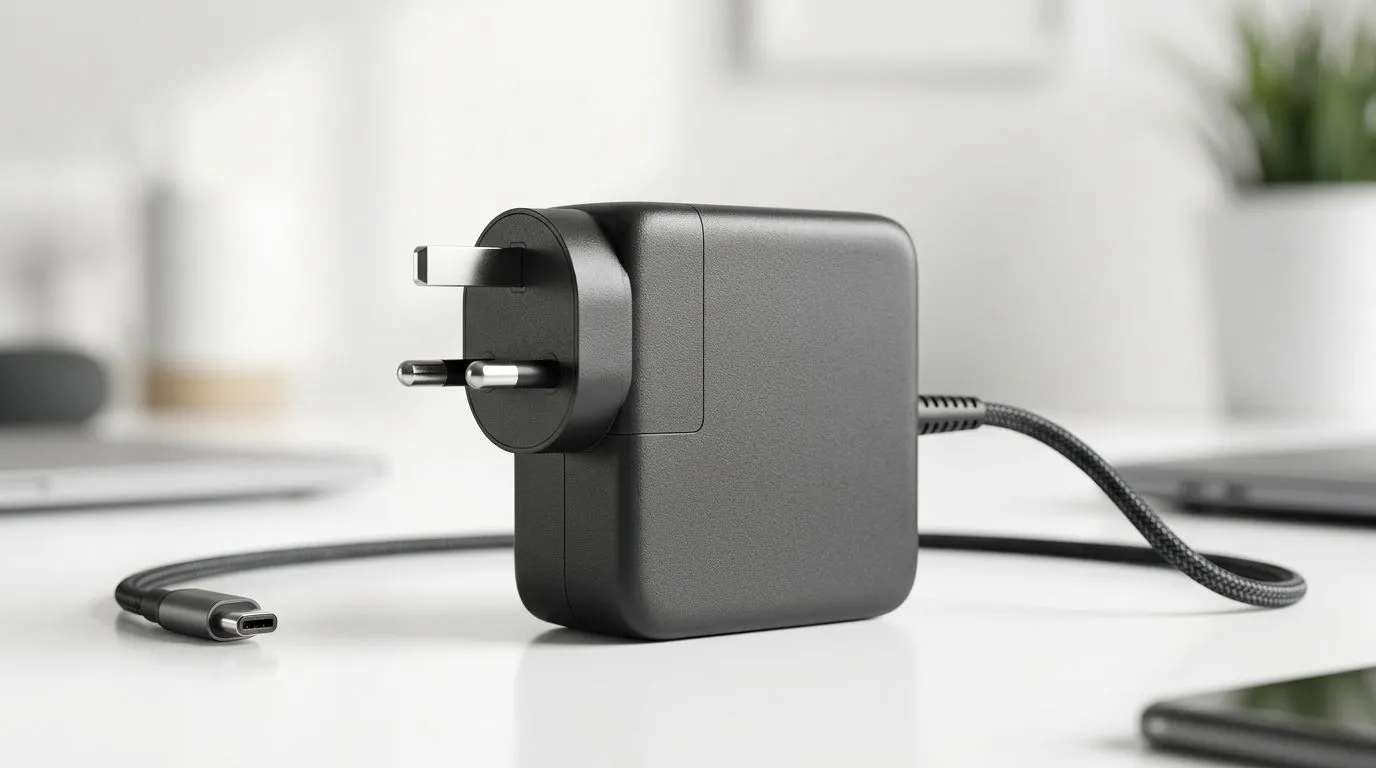
Pick a charger that matches your laptop’s power delivery (PD) needs. Most modern laptops accept USB-C PD at 45W, 65W or 100W. For the widest selection, browse our full charger range to compare connectors and PD ratings directly at Evetech. (Source: Evetech product listings.)
For tight budgets, consider reliable entries under R500 — compact USB-C PD power bricks and powered banks can keep lightweight laptops and Chromebooks running for hours. See budget options and filters here: budget chargers under R500. https://www.evetech.co.za/PC-Components/charger-397.aspx?max-price=500
If you want more headroom, chargers under R1000 often include GaN tech for faster charging in smaller packages. They’re a sweet spot for gamers who travel and need power for both laptop and phone. Explore mid-range picks here: best chargers under R1000. https://www.evetech.co.za/PC-Components/charger-397.aspx?max-price=1000
For full compatibility across brands and higher-wattage options, browse our complete charger catalogue to match wattage and connector type with your laptop model. https://www.evetech.co.za/PC-Components/charger-397.aspx
If you favour one trusted brand, Promate offers solid USB-C PD chargers and power banks that balance price and build quality. Check the Promate selection here: Promate USB-C chargers. https://www.evetech.co.za/PC-Components/charger-397.aspx?brands=Promate
How to charge laptop during loadshedding safely: practical tips ✨
- Always check the laptop’s required input (look on the original adapter or manufacturer spec). Using a higher-voltage adapter without PD negotiation risks damage.
- Use a quality USB-C PD cable rated for the charger’s wattage. Cheap cables can bottleneck power or overheat.
- Prefer GaN chargers for efficiency and smaller size when you travel between power points.
- For prolonged outages, a small UPS or dedicated laptop power bank with high-capacity PD output is safer than daisy-chaining cheap adapters.
Loadshedding Survival Tip ⚡
Keep one labelled USB-C PD charger and a short, high-quality cable in your laptop bag. If loadshedding hits, you’ll swap to a portable power bank or a UPS without hunting through drawers.
Quick setup suggestions and a micro-story
Last month a Cape Town streamer lost power mid-tournament. He switched from his studio PSU to a 65W PD GaN charger and a 20 000mAh power bank. Game saved, laptop unharmed. The moral: plan for the outage in advance and test your setup. For surge protection and longer runtimes consider a small UPS with pure sine-wave output if you’re running an external GPU or desktop components.
Find the right charger fast
Want to compare specs and prices in ZAR? Start at our main charger page and filter by wattage, brand, and price to match your laptop’s needs. https://www.evetech.co.za/PC-Components/charger-397.aspx
Ready to Find Your Perfect Match?
The Mac vs Windows debate is complex, but for maximum power, choice, and value in South Africa, Windows is hard to beat. Explore our massive range of laptop specials and find the perfect machine to conquer your world.