A processor reading hotter than it used to is one of the more anxiety-inducing moments in PC ownership, and the instinctive reaction is often to start pricing a new CPU cooler. That instinct skips a much cheaper diagnostic step. Before any money changes hands, lifting the existing cooler and looking at the paste pattern underneath tells you more about the real problem than a temperature app ever will.
Quick Answer
Checking cooler contact costs only fresh thermal paste and some time, while a new cooler is a far bigger outlay that may not even address the actual cause. Removing the current cooler and reading the paste spread on the CPU's integrated heat spreader shows directly whether the mounting was even or lopsided, which a temperature reading alone cannot tell you.
🔍 Reading the paste pattern like a diagnostic report
Thermal paste behaves predictably under pressure. When a cooler seats evenly across the whole surface of the chip, the compound spreads into a roughly uniform layer, thinning out toward the edges but present across the entire contact area. That pattern is the visual signature of a clean, even mount, and it is genuinely reassuring to see.
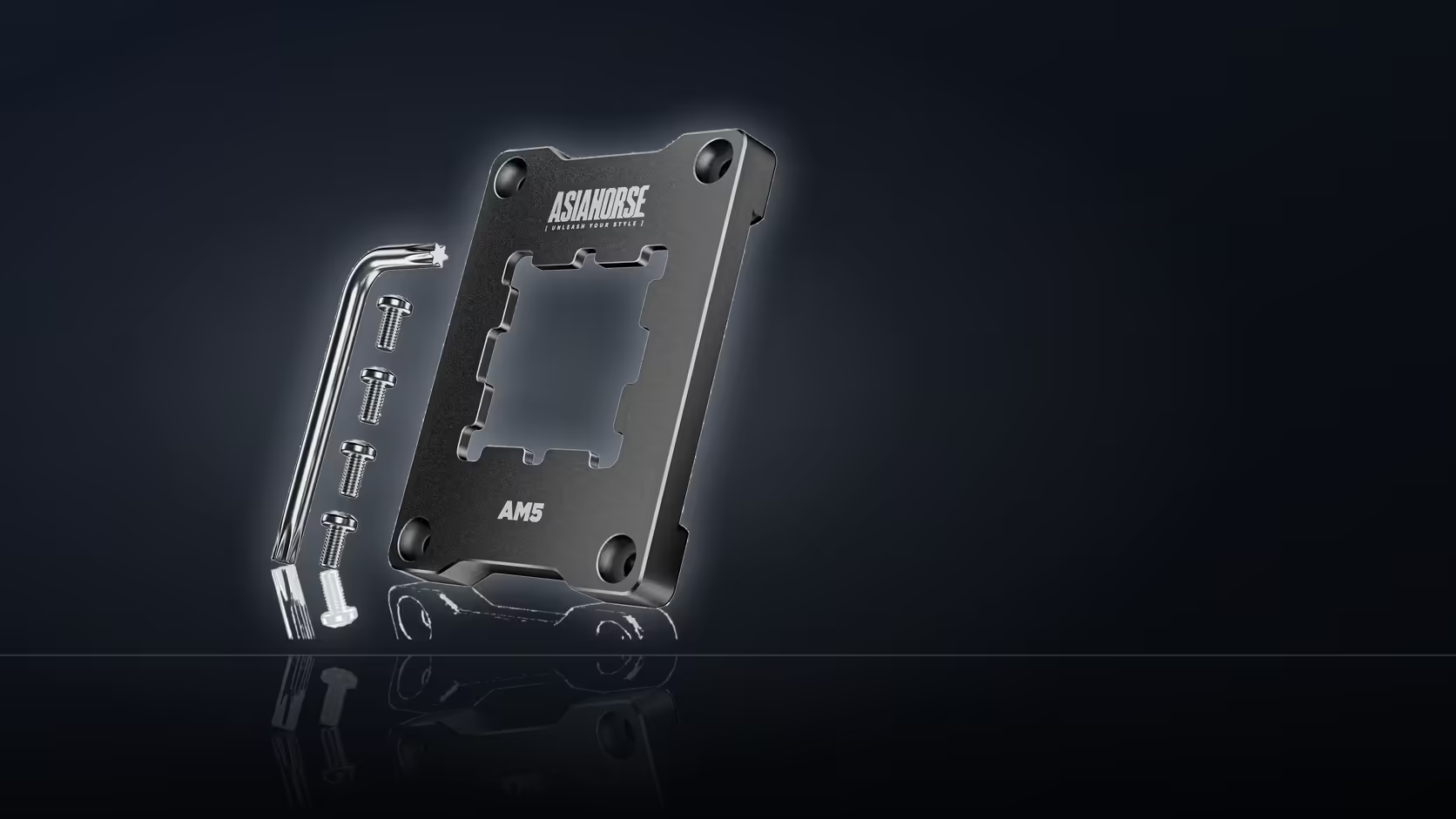
Uneven contact leaves a different signature entirely. You might find the compound pushed heavily to one side, with a dry or barely-touched patch on the opposite corner. Sometimes it shows as a ring with a gap in the middle, or a diagonal smear suggesting the cooler was tightened unevenly, with one screw taking more load than the others. Any of these patterns points at a mounting problem rather than a cooler capacity problem, and they are exactly the kind of unevenness that a design built around spreading clamping pressure evenly, like the AsiaHorse Pulsar frame, is aimed at correcting.
What good contact looks like versus what it does not
It helps to know both ends of the spectrum before you judge your own result. Good contact: a full, even coating across most of the heat spreader, with paste visible right up to near the edges and no dry islands anywhere in the middle. Poor contact: large uncovered patches, paste concentrated in a crescent or corner, or visible imprint lines suggesting the cooler was never sitting flat against the surface. A build with genuinely poor contact is the strongest candidate for benefiting from a frame designed around even clamping - the paste pattern is telling you, in plain terms, exactly what the marketing copy describes as its target problem.
💰 Weighing the two paths
A tube of paste and twenty minutes of careful work is a negligible cost next to a full cooler replacement, which can run into thousands of Rand depending on the unit. That gap alone is reason enough to check contact first. There is also a logical reason beyond cost: if the actual issue is an uneven mount, a brand new cooler fitted with the same flawed mounting hardware will very likely reproduce the same uneven contact, and the same disappointing temperatures, all over again. You would have spent significantly more money to arrive back at the identical problem.
This is where a frame purpose-built for even AM5 mounting earns its place in the conversation. At R299 it sits well below the cost of almost any cooler upgrade, and it directly targets the mechanical cause that a paste-pattern check can reveal. It fits X670, B650 and A620 boards, and ships with the four screws and hex wrench needed for fitting, though not with paste itself - since the job means pulling the cooler off anyway, picking up fresh compound from Evetech's range of thermal solutions at the same time is the sensible move rather than reusing whatever is left on the old application.
🛠️ What to do with each result
If the paste pattern comes back patchy or lopsided, that is a genuine finding, not a false alarm. It means the mounting hardware was not doing its job evenly, and a correction there is likely to help more than a cooler swap would. This is the scenario the frame is designed for, and it is worth fitting before spending on anything larger from Evetech's cpu cooler range.
If instead the spread looks even and full across the surface, contact was probably never your limiting factor. In that case the next places to look are the cooler's own cooling capacity relative to the chip generating the heat, and the airflow inside the case itself - fan placement, intake versus exhaust balance, and whether cables or drive cages are blocking a clear path for air. Both are cheaper to investigate than they are to guess at.
How many attempts is reasonable
One careful refit, done with a clean surface and a fresh, even application of paste, is usually enough to settle the question either way. Repeated removals and reseatings without changing anything else tend to introduce more variables than they resolve - each removal risks a slightly different paste spread purely from technique, which muddies any comparison you are trying to make. Do it once, carefully, record the result, and let that single clean data point guide the next decision rather than repeating the process on a hunch.
The broader lesson holds regardless of which result you get: a temperature reading on its own is an outcome, not a diagnosis. The paste pattern underneath the cooler is the closest thing to a direct look at what is actually happening at the point of contact, and it costs nothing but the willingness to open the case up.
📸 Making the check repeatable
If you're not confident reading a paste pattern on sight, photograph it before wiping the surface clean. A photo taken straight-on, in good light, gives you something to compare against if you ever repeat the check after a future upgrade or a case move that involved reseating the cooler. It also removes the guesswork of memory - a pattern that looked "probably fine" from memory a month later is far less useful than a photo you can actually study side by side with a later result.
This matters more than it sounds, because cooler mounting is not a one-time event in most builds. Cases get moved, coolers get swapped, motherboards get upgraded, and each of those events is a fresh opportunity for uneven contact to creep back in even after a frame has corrected it once. Keeping a simple record means the next time temperatures start climbing, you are not starting the diagnostic process from zero.
Frequently Asked Questions
What does the paste spread show?
How evenly the cooler was pressing down. Full, even coverage suggests good contact, while patchy areas point at uneven mounting.
Does lifting the cooler cost anything?
Only fresh paste and some time, which is far less than the cost of a cooler replacement that may not even be the problem.
What would poor contact look like?
Compound concentrated on one side, or missing entirely from an area, pointing at uneven pressure rather than insufficient cooling capacity.
Is that what the frame addresses?
Yes - the listing links the Pulsar to even clamping pressure across the chip, exactly what patchy paste coverage tends to indicate is missing.
What if the spread looks fine?
Then contact was probably not your limiting factor, and cooler capacity or case airflow become the next places worth checking.
Should the cooler be reseated anyway?
Refitting with fresh paste is worthwhile once it is off, since that step alone sometimes resolves a gradual rise in temperature on its own.
How many attempts is reasonable?
One careful refit with a clean surface and even application usually settles the question, rather than repeated removals chasing a slightly different result each time.
Found an uneven mount and want to fix it properly?
Shop Evetech's cooling and thermal range to get your AM5 build seated correctly.