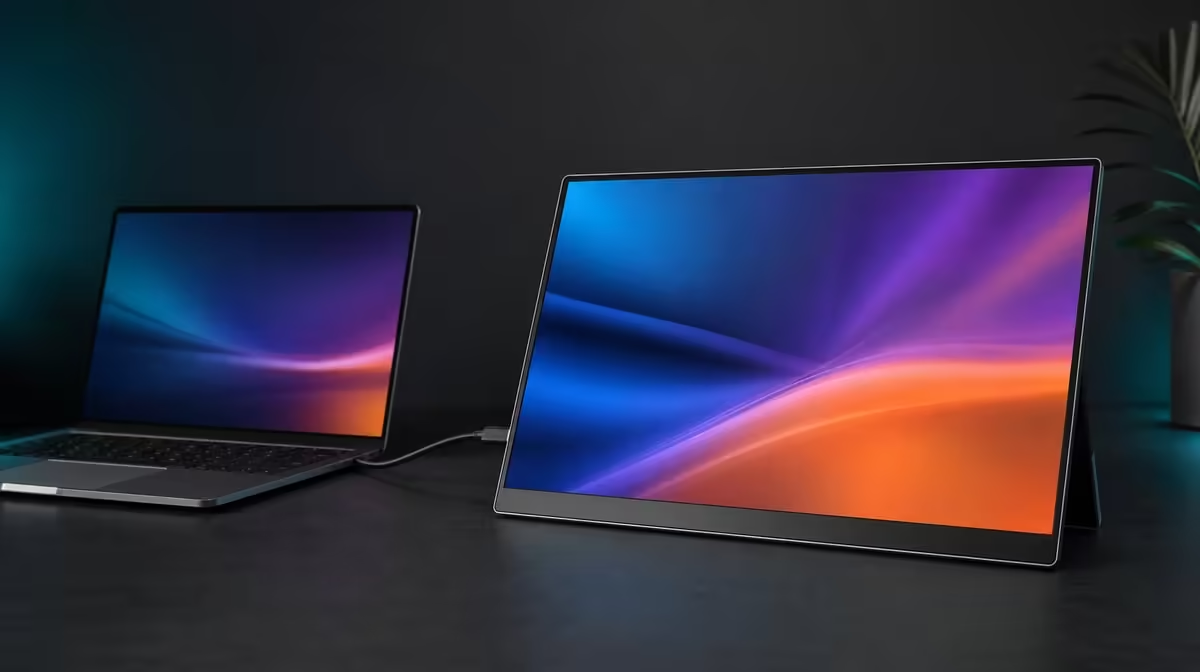
South African monitor shopping should begin with the devices already on the desk and the light already in the room. Choosing a 4K portable monitor in South Africa then becomes a balance between source output, fine detail, readable scaling, brightness, physical size, and whether the panel travels or settles onto an arm.
Quick Answer
Confirm that the source can output suitable video through HDMI or video-capable USB-C, then weigh native 4K detail, 400cd/m2 indoor brightness, and the 17.3-inch footprint. At R5,999, the UPERFECT UColor J5 adds IPS, 1000:1 contrast, VESA, FreeSync, Low Blue Light, and a 10ms response figure to that core package.
🔌 Begin with the source map
List every laptop, desktop, console, or mobile source and its proven output. USB-C connector shape does not confirm display video, and the cable must support the route. HDMI offers a dedicated alternative for compatible devices.
Plan power before relying on one lead. Test each source through a fixed sequence: monitor power, input, output support, cable, host detection, native resolution, and scaling.
Evetech's portable monitor range provides current options for matching input combinations to South African setups.
🖥️ Decide whether 17.3-inch 4K fits
The J5's 3840 x 2160 panel can render fine text and detailed images. Use operating-system scale and application zoom to keep the workspace readable.
Its 17.3-inch diagonal provides more viewing area while taking more bag and desk room than smaller portable formats. Mark the footprint on the intended surface and pack the complete protected setup.
If the display mostly remains at home, compare Evetech's PC monitor selection. A fixed screen may suit a permanent desk better.
☀️ Judge brightness in local rooms
The 400cd/m2 rating gives the IPS panel useful headroom in bright indoor conditions. It is not a direct-sun guarantee. Control reflections, angle, and shade before raising output.
Lower brightness as the room becomes dimmer. The 1000:1 contrast figure supplies a measured reference, while room light and settings affect perceived depth. Neither number proves colour accuracy.
Low Blue Light can suit extended reading, but scaling, distance, posture, glare, and breaks remain part of comfort.
📐 Give the screen a travel and desk plan
VESA support lets the J5 serve a fixed arm arrangement after pattern, load, fasteners, and cable slack are confirmed. Keep a separate travel support and cable routine if the panel moves.
FreeSync can reduce tearing on a compatible gaming path, while the 10ms response figure describes another motion characteristic. Native 4K game output may increase source workload.
Review Evetech's best-selling monitors for another current comparison. Check the R5,999 figure and availability at purchase time.
The right SA choice should reconnect cleanly, remain readable, handle the actual room light, and fit the intended travel or mount. Those results carry more weight than a feature unused outside the first setup.
Build a South African use map with home, office, study, client, or travel locations that actually apply. Add ambient light, desk space, source device, and connection to each row. This reveals which J5 features solve local practical differences.
Test the brightest indoor row with reflections controlled. The 400cd/m2 headroom should receive value only if it preserves readability there. For a dim evening row, note the lower comfortable setting and whether Low Blue Light suits the work.
Use a packing test for every mobile row. Include protection, laptop, power, and video leads. A 17.3-inch screen can be portable for planned movement without being the smallest daily-carry choice.
For the fixed row, test VESA as a separate mechanical project. Pattern, load, fasteners, and cable slack must all match. A stable mounted arrangement can give the portable panel a useful second role.
Keep native 4K and scaling notes per source. HDMI and USB-C hosts may apply different settings, so a proven route should not be overwritten by another device's experiment.
Finish with a Rand-weighted score after the use map passes. The R5,999 figure is justified when the screen solves enough repeated rows. If one location dominates, compare a display focused on that environment as well.
South African buyers can begin with a local device map. List the exact laptop or desktop used at home, the machine carried between locations, and any console or compatible mobile device expected to connect. Confirm video output at each port rather than relying on its shape. HDMI and USB-C on the J5 provide two routes, but every source, cable, and power arrangement still needs its own known-good combination.
Then test the 4K proposition against the work. At 17.3 inches, 3840 x 2160 can present fine detail, though system scaling may need to increase for comfortable text. Dense documents, editing interfaces, and multi-window layouts may benefit. A screen used only for chat, music controls, or one reference page may not turn the additional pixels into equivalent productivity.
Room conditions are another local variable. Use the 400cd/m2 headroom to cope with changing indoor light, but move the display away from strong reflections and choose a comfortable output instead of leaving it at maximum. The 1000:1 contrast figure should be judged with familiar content in the intended workspace. Direct sun can still overwhelm a screen, so shade and placement remain part of the solution.
Complete the comparison with physical ownership. Measure the bag, desk, and viewing distance; decide whether the panel travels daily or mainly moves between known locations. For a fixed role, verify every VESA mounting detail and cable path. At R5,999, the UColor J5 makes sense when this complete arrangement solves a recurring South African work or entertainment need, not simply because "4K" leads the title.
Local purchasing also benefits from a timing rule: compare the category when ready to buy and check current availability then, rather than treating an older shortlist as permanent. Keep the technical brief unchanged while prices and options are refreshed. This prevents a changing catalogue from changing the actual need.
Before payment, repeat the intended setup aloud in one sentence: the source, connection, main task, room, and travel or mounting plan. Each chosen feature should attach naturally to that sentence. If 400cd/m2, FreeSync, or VESA cannot be connected to a real part of the setup, it should not be allowed to justify extra spend merely because it is present.
Finally, decide who will carry and rebuild the system. A 17.3-inch portable monitor may move easily between planned workspaces for one buyer and feel excessive beside an already heavy laptop for another. The complete kit, not the panel alone, determines the answer.
Frequently Asked Questions
Why begin with the source?
The monitor's picture features offer no value if the intended device cannot provide a compatible signal.
Is 17.3 inches too large for portable use?
It depends on the bag, desk, protection, cables, power, and how often the larger viewing area is needed.
What does native 4K add?
It adds fine pixel detail, subject to source capability and suitable scaling for readability.
Why are HDMI and USB-C complementary?
They provide two possible source routes, each with its own capability and power checks.
When is VESA useful?
It matters when a compatible arm can improve height or free desk space in a regular fixed setup.
Ready to match a 4K portable screen to an SA setup rather than an abstract spec list?
Compare Evetech's current monitors by your sources, rooms, desk, bag, and repeated viewing tasks.