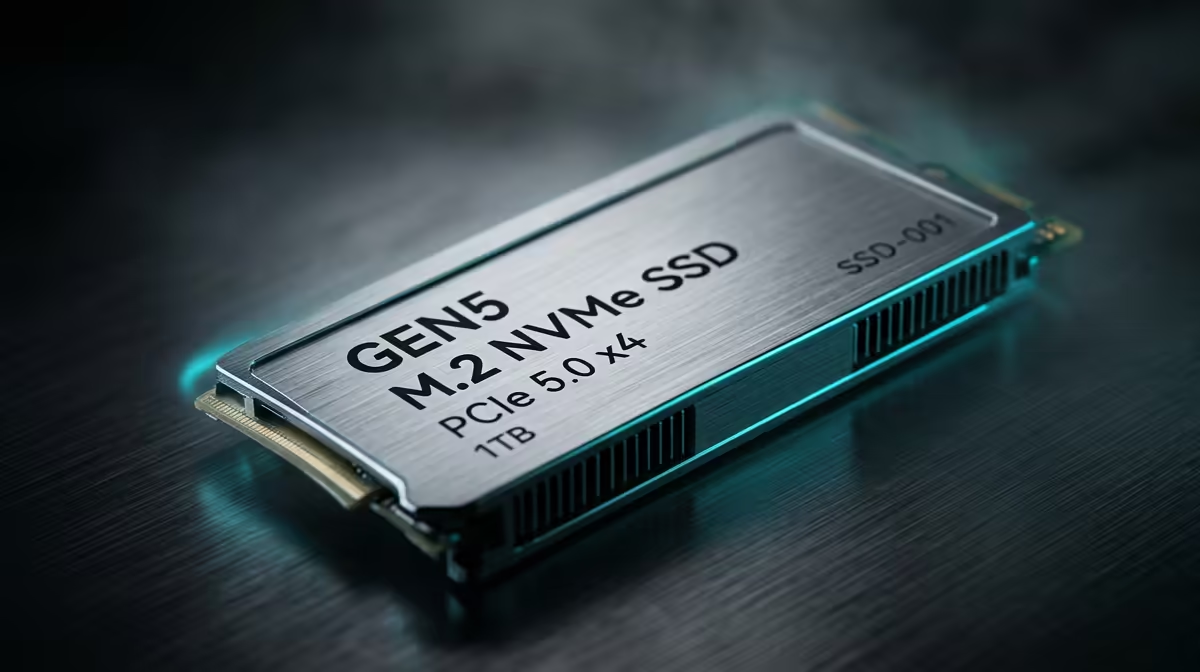
A Gen5 NVMe scratch drive is the difference between a 4K multicam timeline that scrubs smoothly and one that stutters every time you drag the playhead. These drives sustain sequential reads beyond 14,000 MB/s, roughly double a Gen4 drive's 7,000 MB/s, and that extra bandwidth is exactly what keeps Premiere Pro and DaVinci Resolve fed when you are working with high-bitrate or RAW footage.
Quick Answer
For 4K and 8K RAW editing, a Gen5 NVMe scratch drive delivering 14,000 MB/s or more gives you the sustained bandwidth multi-stream timelines need, where a 7,000 MB/s Gen4 drive saturates and drops frames. Use it as a dedicated cache and media drive, separate from your boot drive.
Why a scratch drive matters in the first place
In Premiere Pro and DaVinci Resolve, the scratch or cache drive is where the application stores render files, optimised media, gallery stills and temporary working data. During playback the software reads source media and cache simultaneously, and on a busy timeline that means several streams of data being pulled at once. If the drive cannot keep up, the editor cannot decode frames fast enough to show them, and you get dropped frames and laggy scrubbing.
Separating this work onto a dedicated fast drive, rather than running it off the same disk as your operating system, stops the OS and the editor fighting over the same bandwidth. That separation alone helps even before you reach Gen5 speeds.
Where Gen4 hits its ceiling
A good Gen4 NVMe drive reads at around 7,000 MB/s, which is plenty for a single stream of compressed 4K. The problem appears when you stack streams: multicam edits, layered 8K RAW, or several high-bitrate clips composited together. Each stream demands its own slice of bandwidth, and once the combined demand pushes past what Gen4 can deliver, the drive saturates and the timeline starts dropping frames.
Gen5's 14,000-plus MB/s ceiling gives you the headroom those workloads need. It is not that every project requires it, but the moment you move into multi-stream 4K or any 8K RAW work, the bandwidth stops being a luxury.
Sustained speed matters more than peak
Marketing focuses on peak sequential numbers, but for editing the figure that counts is sustained write and read performance over a long transfer. Cheaper drives post a high peak, then throttle hard once their cache fills, which is precisely the moment a long export or a big cache rebuild needs them most. Look for a Gen5 drive with strong sustained figures and decent thermals, because these drives run hot.
The drives worth knowing in 2026
A few Gen5 options have distinguished themselves for sustained workloads. The Samsung 9100 Pro posts up to 14,800 MB/s sequential read, placing it at the top of raw speed charts, though peak figures favour larger capacities. The WD Black SN8100 has earned attention for holding its speeds through long transfers, maintaining performance during extended 30-minute write tests where competitors begin to throttle. The SK Hynix Platinum P51 stands out on thermals, with its controller drawing around 10W versus 14 to 16W for some rivals, which matters in a workstation running sustained exports daily. All three require a heatsink; a Gen5 drive without adequate cooling will throttle within minutes of a heavy write.
Building the drive into a real workstation
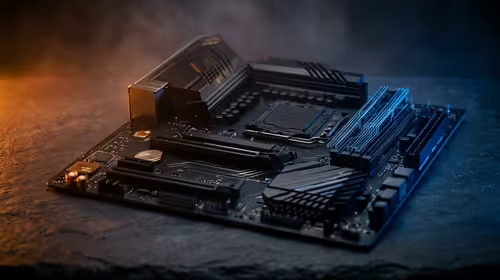
A scratch drive is one piece of an editing rig, and its benefit is capped by the rest of the system. Your CPU has to provide enough PCIe Gen5 lanes for the drive to run at full speed, and your GPU does the heavy lifting on effects, colour grading and export in Resolve. A fast scratch drive paired with an underpowered GPU just shifts the bottleneck. If you are specifying a machine for serious colour and effects work, the workstation graphics cards at Evetech cover the GPU side that pairs with this kind of storage.
How much capacity, and how many drives
Cache files grow fast, so size the scratch drive for the largest project you realistically run, then add margin. Many editors run a three-drive layout: a boot drive, a fast scratch and cache drive, and a larger media drive. If your motherboard has the Gen5 slots, dedicating one purely to scratch keeps cache writes off your media reads. For complete editing-capable machines rather than parts, the PC best sellers show what well-balanced builds currently look like.
Who actually needs Gen5 here
Be honest about your footage. If you edit compressed 4K from a mirrorless camera in single streams, a quality Gen4 drive already handles it and the Gen5 upgrade is optional. If you work with multicam, 8K, or RAW codecs from cinema cameras, Gen5 stops being optional and becomes the thing standing between a responsive edit and a frustrating one.
Frequently Asked Questions
Do I really need Gen5 for 4K editing?
For single-stream compressed 4K, a Gen4 drive at 7,000 MB/s is enough. Gen5 earns its place once you move to multicam 4K, 8K, or RAW codecs where several streams demand bandwidth at the same time.
Should the scratch drive be separate from my boot drive?
Yes. Keeping cache and media on a dedicated drive stops the operating system and the editor competing for the same bandwidth, which reduces dropped frames and keeps scrubbing smooth on busy timelines.
Why does sustained speed matter more than peak speed?
Long exports and big cache rebuilds run for minutes, not seconds. A drive with a high peak but weak sustained performance throttles partway through, exactly when editing workloads need consistent throughput the most.
Do Gen5 drives need a heatsink?
Yes. These controllers draw significant power and generate real heat. Without a heatsink, most Gen5 drives will throttle quickly under sustained load, which undermines the whole reason for choosing Gen5 over Gen4.
Will a fast scratch drive fix all my playback stutter?
Not on its own. Storage is one bottleneck. The GPU handles effects and grading while the CPU supplies PCIe lanes, so a fast drive paired with weak components just moves the bottleneck elsewhere.
How much capacity should a scratch drive have?
Size it for your largest realistic project plus margin, since cache files grow quickly. Many editors run a separate larger media drive alongside the scratch drive so cache writes do not crowd out media reads.
Building an edit rig that keeps up with RAW timelines? Match your Gen5 NVMe scratch drive to a capable GPU by checking the workstation graphics cards at Evetech, so storage and compute pull their weight together.