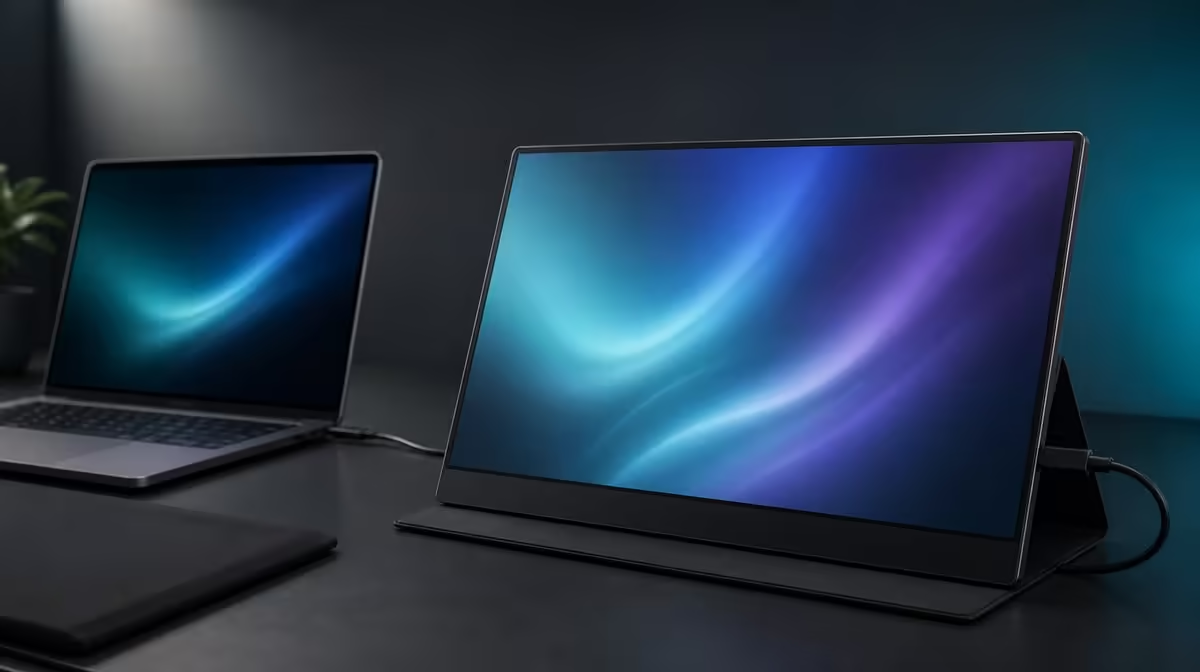
Students and creators often need more visual space without turning every move between home, campus and a client desk into a large equipment project. Choosing a lightweight portable monitor in South Africa therefore requires a verified carrying plan as well as a panel and connection check.
Quick Answer
The R2,399 UPERFECT UFree V offers a 15.6-inch Full HD IPS panel, 125% sRGB, 350cd/m2, USB-C, Mini HDMI and a folding stand for flexible study or creative setups. Verify its current weight and include cables plus protection before calling the complete kit lightweight.
🎒 Measure the real carrying burden
Screen size does not establish weight. A 15.6-inch panel may fit beside a laptop in a suitable bag, but the monitor, stand arrangement, video cable, power equipment and protective layer all contribute to the load.
Find the current product weight from a direct model-specific source before comparing. Then weigh or list the complete kit. Do not subtract the cables because they feel small; an item carried every day belongs in the decision.
Test the bag layout. The display should have protection from pressure and sharp objects, while connectors should not bear the weight of books or a laptop charger. Keep liquids in another section.
Walk the normal route with an equivalent load. Include stairs, public transport, parking distance or movement between classrooms. Comfort after a realistic trip matters more than lifting the monitor once at a desk.
Verify the UFree V's dimensions against any protective case rather than assuming a generic 15.6-inch sleeve provides the right fit.
Browse Evetech's portable monitor category with the full carrying checklist instead of ranking models by diagonal alone.
🎓 Give students a repeatable desk
Use the second screen for lecture notes, research, source material or a live preview while the laptop holds the main document. One consistent role prevents the extra panel from becoming unused bag weight.
At each location, clear a firm area and open the foldable stand securely. Place the UFree V beside the laptop, route cables away from notebooks and choose native 1920 x 1080 with readable scaling.
Verify USB-C video on the exact student laptop. A USB-C charging port may not send a display signal, and the cable must support the required route. Mini HDMI provides an alternative input for compatible equipment, with power arranged appropriately.
Save a known-good setup note containing the port, cable, input, resolution, scaling and stand position. The process should rebuild quickly enough to justify using the monitor during a limited study period.
The 350cd/m2 output can help across changing indoor rooms. Move window glare before increasing brightness and save separate day and evening levels.
🎨 Test the creator workflow
The UFree V advertises 125% sRGB gamut coverage. That broad range can support vivid media and colour-aware creative tools, but it does not establish accuracy. Calibration, colour management and measured error remain separate requirements for critical delivery.
Start with a neutral mode and view familiar material. Check skin tones, greys, gradients and saturated colours. Avoid choosing a vivid preset simply because it looks more dramatic beside the laptop.
The 1500:1 contrast ratio can support image depth and readable interfaces. Test near-black detail in the real room; reflections can reduce visible contrast even when the panel specification is strong.
Its 178-degree viewing specification can help when a tutor, collaborator or client needs to see the panel from the side. Return to centred viewing for fine colour judgement.
Plan sound through the laptop or compatible external audio, and confirm meeting or editing playback before leaving for the session.
The wider Evetech PC display department can frame whether a fixed calibrated screen remains necessary for final colour work while the portable panel handles location tasks.
📊 Decide whether mobility earns R2,399
Keep a two-week record with locations visited, setup time, tasks completed and times the second screen stayed in the bag. A portable display has value when it is actually deployed.
Students can count research comparisons, referencing and presentation rehearsal. Creators can note timeline space, tool panels, client previews and managed colour checks. Do not combine all possibilities into one inflated benefit score.
Review cable reliability and stand stability after travel. Inspect the screen externally, store leads in relaxed loops and avoid placing pressure on the panel.
If the monitor becomes a permanent home screen, assess VESA support. Exact pattern, screw details and compatible mount load still need verification before installation.
At R2,399, the UFree V offers confirmed screen and setup features, not a confirmed lightweight number. It earns a recommendation when the verified complete kit remains comfortable and the 15.6-inch workspace contributes often enough.
Check Evetech's current monitor favourites at buying time while keeping changing availability separate from the carrying evidence.
Build a campus-or-client rehearsal before the first important trip. Pack the exact kit, travel to another room, find a modest desk and start a timed study or editing task. Record every missing cable and placement problem.
For students, test whether the extra screen can be deployed within the break between sessions. A long setup may erase the benefit during short classes even when it works well for an evening assignment.
For creators, identify which stage travels. Selection, rough editing and client review may fit a portable broad-gamut screen, while final colour approval may remain on a measured fixed display.
Use a shared-view test with a tutor or client. Enlarge key labels, rotate the folding stand and keep the decision maker closer to the centre for colour-sensitive comments.
Add an audio rehearsal for video work. Select the laptop or external device before playback begins and confirm it remains active after the monitor reconnects.
Review cable wear and the protection arrangement monthly. The connector ends should not share a pocket with objects that can press against them, and the panel should not carry the load of books.
Calculate value from deployments, not ownership days. A screen used in ten productive sessions can justify the bag space more clearly than one merely carried on every commute.
The final lightweight verdict must wait for the verified product figure and full kit total. Until then, the honest recommendation rests on screen usefulness and a carrying test whose missing measurement remains visible.
Ask whether the second display could remain at the destination instead of travelling. A portable model can still serve a fixed study or client desk, which changes how much the unconfirmed weight matters.
Keep one recovery cable at home only if it is proven compatible. Spare equipment should reduce risk without inflating the everyday bag.
Review the R2,399 decision after a term or project, measuring completed deployments and creative tasks rather than the number of days the screen was owned.
Frequently Asked Questions
How can a student use the extra screen?
Keep notes, research or communication visible while the laptop holds the main assignment.
Why does 125% sRGB interest creators?
It describes broad colour-gamut coverage that colour-aware media and creative tools may use.
Is a lightweight figure confirmed?
No. Verify the monitor's current weight and include cables plus protection in the travel total.
How does the foldable stand help travel?
It gives the screen a desktop support that can be rebuilt on a stable surface.
Can every student laptop send USB-C video?
No. The host port and cable must support display output.
What should creators plan for audio?
Use the laptop or another compatible external route for sound.
What local amount should students budget?
The UPERFECT UFree V costs R2,399.
Ready to test mobility with the whole kit in the bag?
Compare Evetech's portable monitors, verify the UFree V carrying weight and make its second screen earn space through real study or creative sessions.