If your keyboard still looks clean from afar but feels grimy up close, you already know the problem. Double-injection keycaps are built to last, yet they still collect dust, oils, and the occasional braai-night crumb. The good news? With the right routine, you can keep them crisp, readable, and ready for long gaming sessions… without damaging the legends 🔧
How to Clean and Maintain Double-Injection Keycaps Safely
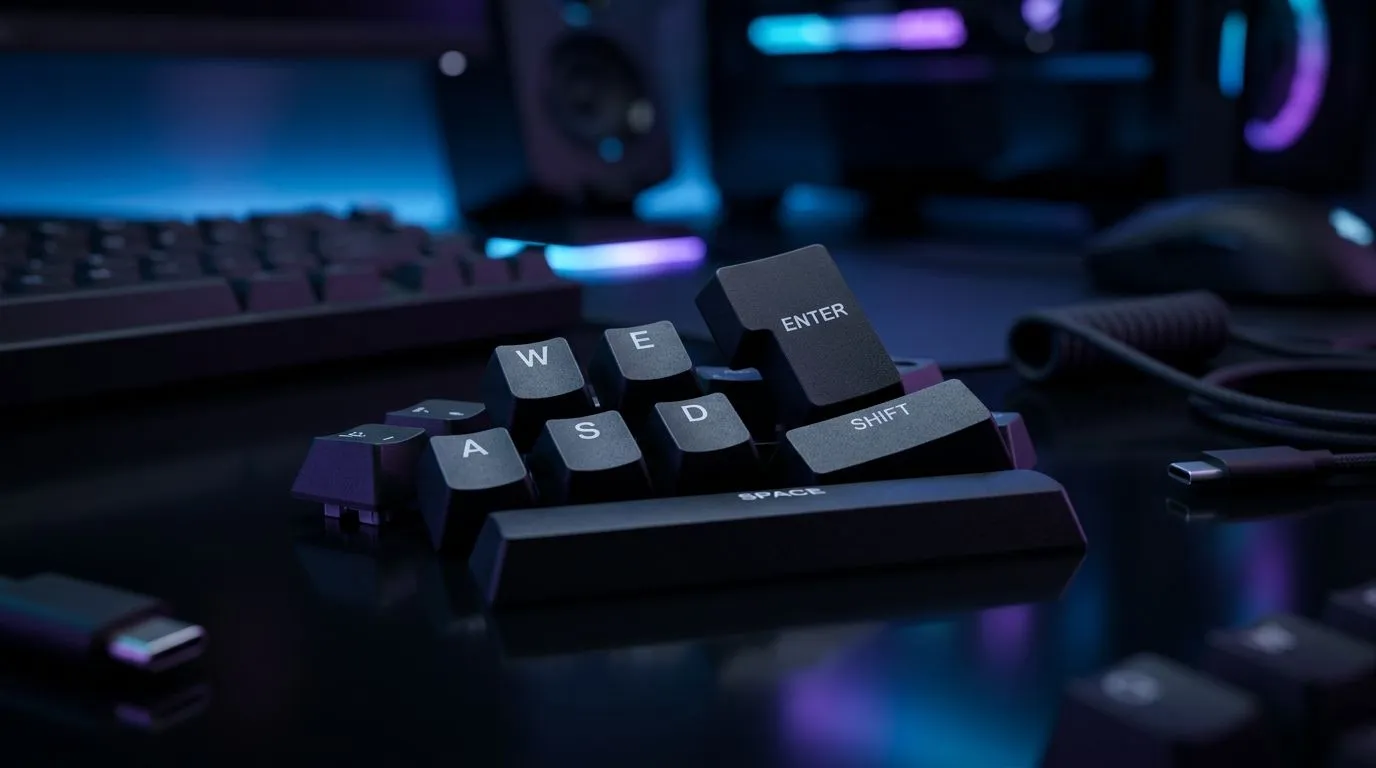
Double-injection keycaps are popular because the legends are moulded into the plastic, not printed on top. That means they usually resist fading much better than budget caps. Even so, dirt builds up between the keys, and oils from your fingers can leave the surface looking dull over time.
For gamers in South Africa, that matters. Hot evenings, long sessions, and everyday desk use all add up.
Start with a gentle routine
Before you do anything, unplug the keyboard or switch it off completely. If it’s wireless, remove the battery if possible. Turn the board upside down and give it a few light taps to dislodge loose debris. Then use a soft brush or compressed air to clear the gaps between keys.
If the caps are removable, pull them off carefully with a keycap puller. Avoid twisting them hard. That can stress the switch stem.
Clean the keycaps the right way
A bowl of lukewarm water and a drop of mild dish soap is usually enough. Let the keycaps soak briefly, then wipe them with a soft cloth or clean them lightly with a toothbrush. Rinse them well and let them dry fully before putting them back.
Do not use harsh chemicals or abrasive pads. They can dull the surface finish, even on durable double-shot plastic.
Protect the legends and the feel
The legends on double-injection keycaps are inside the plastic, so normal cleaning won’t rub them off. Still, long-term care matters. Keep drinks away from the desk, wash your hands before long sessions, and dust the keyboard weekly. Small habits help the keyboard stay nicer for longer 🚀
Quick Care Tip ⚡
Dust your keyboard weekly with compressed air, then do a deeper clean monthly. If you game daily, this keeps key travel smoother and reduces grime around the edges of the caps.
How to Clean and Maintain Double-Injection Keycaps on Gaming Boards
If you’re shopping for a board with easy maintenance in mind, it helps to look at the whole keyboard, not just the caps. A solid base and reliable switches make cleaning easier, and a good layout can also reduce wear over time. You can browse some of the best gaming keyboard deals if you want to compare current options.
For budget-conscious buyers, it may also be worth checking cheap gaming keyboard options in South Africa. Sometimes a well-priced board with good build quality is the smarter buy than replacing a worn-out one too soon.
If you prefer a simple desk setup, a keyboard and mouse combo can keep your space tidy. Less clutter usually means less dust trapped around the keyboard area.
Wired or wireless?
A wired keyboard is often the easier choice for desk cleanliness because you never have to think about charging. If that suits your setup, have a look at wired gaming keyboards.
If you want a cleaner desk with fewer cables, wireless gaming keyboards can be worth it too. Just remember to keep the charging port and switches dust-free.
How to Clean and Maintain Double-Injection Keycaps for Long-Term Use
A little maintenance goes a long way. Once every few months, check for key wobble, sticky switches, or residue around heavily used keys like WASD, Space, and Enter. Those keys take the most punishment during gaming and daily typing.
If your keycaps ever start feeling rough, do not panic. In most cases, they just need a proper clean, not a replacement. That’s one reason many South African gamers like double-injection keycaps… they hold up well when cared for properly.
Keep your setup sharp
A clean keyboard looks better, feels better, and lasts longer. That’s especially useful if your setup doubles as a work station during the day and a gaming rig at night. Keep the caps clean, avoid harsh cleaners, and give the board a quick dusting every week. Your hands will notice the difference.
Ready to Find Your Perfect Match?
The Mac vs Windows debate is complex, but for maximum power, choice, and value in South Africa, Windows is hard to beat. Explore our massive range of laptop specials and find the perfect machine to conquer your world.