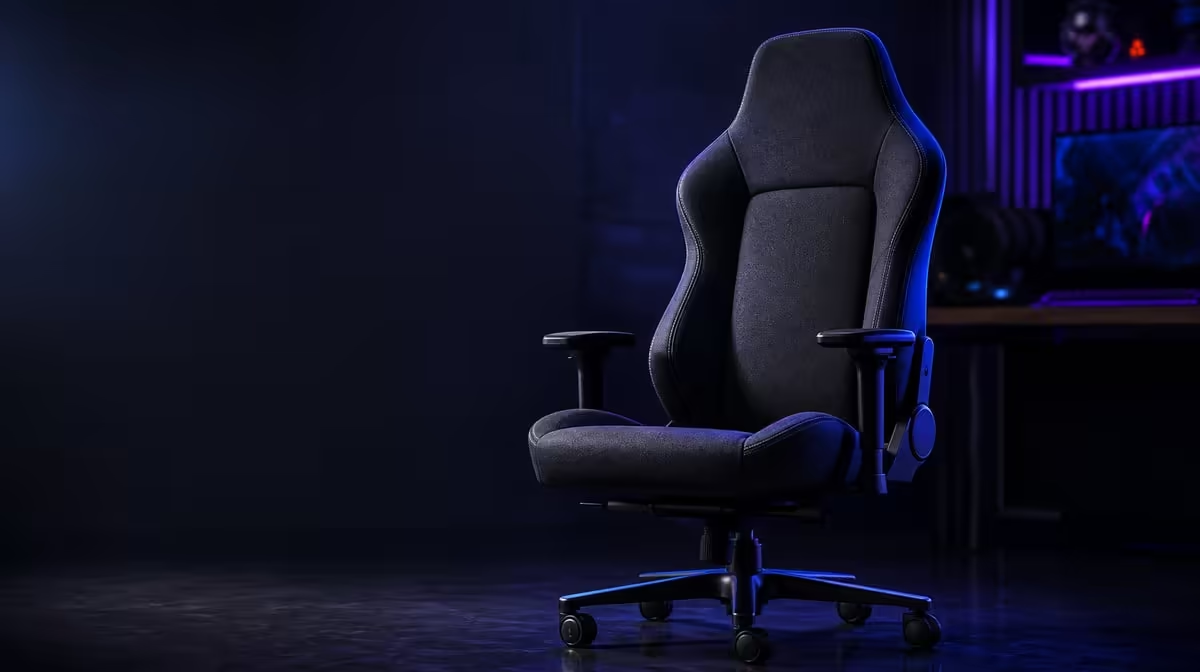
Build quality is encountered through the controls a user touches, the limit the chair states and the way every contact area behaves under normal use. Gaming chair build quality from levers to load limit needs several checkpoints rather than one premium material claim.
Quick Answer
The HERO TX specifies premium stainless-steel levers and a 150kg maximum load. At R7,899, those facts provide useful control and capacity checkpoints, while cold-foam support, TX fabric, 4D armrest operation and personal fit still need their own inspection.
🎛️ Inspect daily controls
Identify each adjustment before operating it. Reach from the seated position, use the intended action and notice whether the response is clear.
Do not force a stiff or misunderstood lever. Material alone does not explain the mechanism behind it.
Evetech's noblechairs gaming-chair selection offers relevant build comparisons.
Test repeated profile changes
Move from an upright work position to a relaxed gaming setup and back. Operate the controls calmly and record any confusion.
Shared chairs give lever access more importance because adjustments happen more often.
Keep component claims narrow
Stainless steel describes the levers, not every internal part. It cannot prove a service life for the entire chair.
Record current operation and any separate warranty evidence without combining them.
⚖️ Read the 150kg maximum
Confirm the intended user remains within the stated maximum. The number frames load, not personal proportions or comfort.
Sit, approach the desk and check thigh, back, shoulder and head contact separately.
Avoid turning load into lifespan
A maximum does not tell buyers how long the chair will last at a lower weight. Frequency, use, care and construction still matter.
Respect the limit while keeping future-wear claims out.
Check desk clearance
The chair must approach controls without armrest collision or forward leaning. Body size and desk geometry can matter even when the load requirement passes.
Use the enlarged 4D pads to refine forearm support, not to compensate for an unreachable workstation.
🧵 Review soft and moving parts
Inspect TX fabric contact areas under normal light and use suitable textile care. Sit through a representative block to judge cold-foam support.
Move each 4D armrest direction and save a useful profile. Use the memory headrest only where it meets the reclined head naturally.
Compare other designs through Evetech's wider gaming-chair category.
Look for coherent operation
The chair should let the user settle, reach controls and change modes without one part undermining another. A premium lever cannot rescue poor body fit.
Run the complete sequence twice rather than treating every feature as a separate demo.
Add a visual inspection
Review fabric, seams, visible hardware and high-contact areas before and after the trial. Describe current condition without guessing internal construction.
Appearance supports a careful comparison but does not reveal a future lifespan.
💰 Decide what R7,899 buys
Score control interaction, load requirement, seated support, upholstery preference and adjustment fit. Remove unused features from the price case.
Evetech's leading-chair list supplies a useful market cross-check after the controls are inspected. Reconfirm the selected model when it is time to buy.
Compare a real alternative
Operate another chair through the same work-to-gaming sequence. Keep desk and task consistent.
The stronger build choice should work as a complete system for the user, not simply contain a favoured lever material.
Preserve a maintenance note
Record appropriate fabric care and the intended operation of each control. Shared users should know both.
Good ownership avoids misuse without promising indestructibility.
Recheck after several sessions
Repeat the control and support trial after the first-day novelty passes. Note consistency.
Current repeated operation is useful evidence even though it cannot predict exact service years.
Inspect the chair before assembly assumptions
Look at every visible contact and control area without claiming what cannot be seen. Note fabric condition, pad alignment, lever access and whether the chair sits stably on the floor.
A careful visual check can identify present concerns. It cannot reveal hidden material specifications or guarantee future performance.
Use the controls under normal load
Sit in the chair before operating adjustments that are intended for seated use and follow the correct sequence. Notice reach and whether the body must twist.
Repeat after the user has worked for thirty minutes. A control that is easy during setup may be less convenient once the chair is close to the desk.
Compare shared-user wear points
Ask each user which lever, pad and fabric area they touch most often. High-contact locations deserve regular inspection and appropriate care.
This creates an ownership plan without turning frequency into a failure prediction. The build should be maintained according to actual use.
Check profile repeatability
Record an upright work setup and a relaxed gaming setup. Move between them several times using only the intended controls.
The premium levers have practical value when they help those changes remain understandable. Their metal does not compensate for a profile nobody can restore.
Separate feel from proof
A solid-feeling control, supportive cushion and neat textile can improve confidence, but subjective feel is not a measured durability result. Describe the observation and duration clearly.
Keep product facts such as stainless-steel levers and the 150kg maximum separate from the user's impressions.
Review after relocation
Move the chair to the desk or room where it will live and repeat access, clearance and seated-support checks. Floor surface and desk shape can change daily operation.
The stronger choice is the one whose build details work in the actual environment, not only in an open comparison space.
Check entry and exit
Roll away from the desk, stand, sit and return. Watch for armrest or desk collision and confirm controls remain reachable.
Daily build quality includes ordinary movement around the workstation, not just seated adjustment.
Add a cleaning interaction check
Use suitable textile care around high-contact areas without allowing moisture into control openings. Let the chair dry before operating it.
The design should be maintained through the method appropriate to each material.
Compare the first and fifth session
Repeat the control sequence and support check after several days. Note whether operation remains clear and profiles remain easy to restore.
This produces repeated present evidence while keeping future durability unknown.
Add a floor and movement check
Use the chair on the surface where it will remain and move through ordinary desk entry and exit. Observe stability without inventing caster or base specifications.
Environment belongs in the build result because daily operation happens there.
Keep a defect-escalation boundary
Stop using or forcing a control that behaves unexpectedly and follow appropriate support guidance. Do not diagnose an internal part from the visible lever.
A careful response protects the chair and keeps the article within observed evidence.
Frequently Asked Questions
Why do adjustment levers matter to build quality?
They are frequently operated interfaces between the user and chair mechanisms.
Which lever material is used on the HERO TX?
It uses premium stainless-steel levers.
What does the 150kg maximum tell buyers?
It states the chair's maximum supported load.
Can stainless-steel levers prove overall durability?
No. One component cannot establish the entire chair's construction or lifespan.
Does the load limit guarantee comfort below 150kg?
No. Personal proportions and desk fit still need testing.
Ready to inspect build quality through controls, capacity and complete fit?
Compare Evetech's gaming chairs using the same adjustment sequence and desk trial.