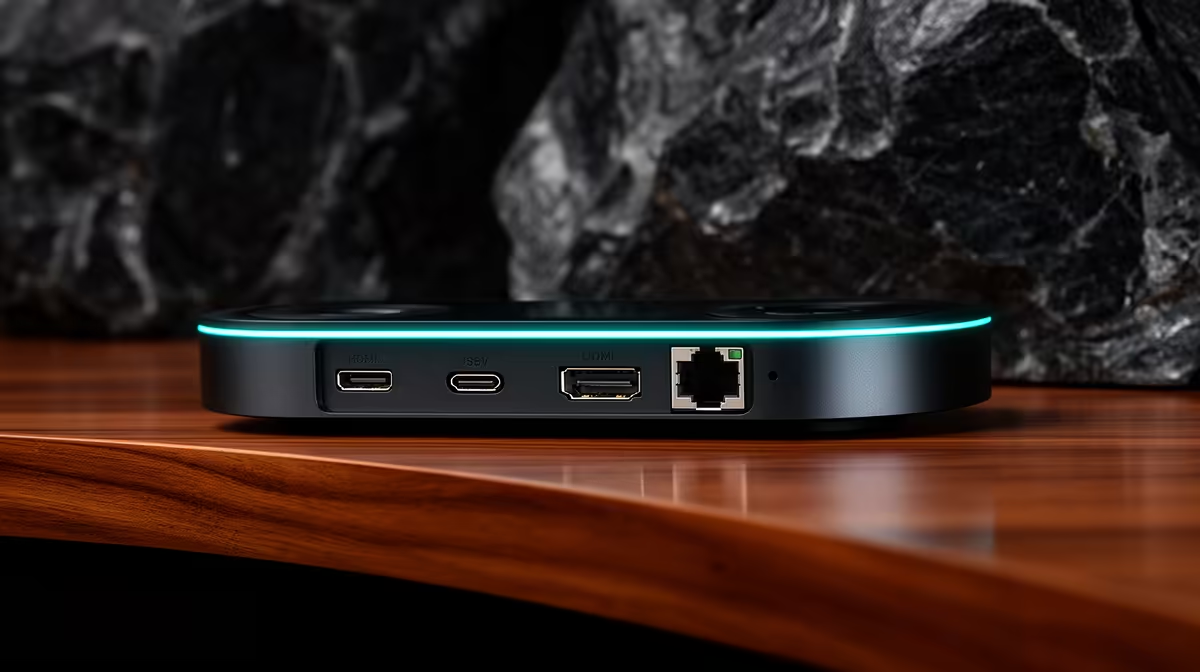
The cable running out the back of your streaming camera makes a bigger difference than most creators realise. Pick the wrong connector for the job and you are either capping your quality, fighting interference, or discovering that the cable is simply too short when the camera needs to go somewhere inconvenient. Streaming camera connections split into three distinct types, each carrying your video with different trade-offs in simplicity, signal quality, and practical reach.
Quick Answer
USB connects a webcam directly to a PC with no extra hardware. HDMI carries an uncompressed feed into a capture card, bringing camera-grade image quality. RJ45 sends video across a network cable, allowing runs far beyond what either of the other two can manage. Which one is right depends on distance, quality requirements, and how many devices are in the chain.
🔌 USB: One Cable, Zero Fuss
USB is how the overwhelming majority of streaming cameras talk to a computer, and the reason is straightforward: a single cable carries both the video signal and the power, plugs straight into any PC or laptop, and the operating system recognises the device without any driver installation for standard UVC-class cameras. Open OBS or any conferencing app and the camera is already listed.
The signal that travels over USB is compressed. The camera encodes the video before transmission to fit within the bandwidth available on the cable, which means a small amount of detail is reduced in the process. For everyday streaming, conferencing, and content recording, that compressed signal is excellent. At normal viewing resolutions and bitrates, it is indistinguishable from a raw source to any ordinary viewer.
The practical constraint with USB is cable length. Standard USB 3.0 runs work reliably to around five metres. Beyond that you need active extension cables, and even with those the camera should stay within a reasonable distance of the host machine. For a fixed desk setup that is never a problem, but for positioning a camera across a large room USB starts to fall short.
📺 HDMI: Maximum Quality Into a Capture Device
When a creator moves up from a webcam to a dedicated camera, such as a mirrorless, a broadcast camera, or a higher-end streaming camera, the output changes from USB to HDMI. HDMI carries the full, unprocessed signal out of the sensor without compressing it for the cable journey. What comes out is the cleanest possible image the camera can produce.
The trade-off is that HDMI does not connect directly to streaming software. The signal needs a capture device, which translates the HDMI input into a format the PC can read and pass to OBS or similar software. That is an extra purchase and an extra link in the chain, but the capture device also adds capabilities like monitoring, audio mixing, and near-zero latency passthrough.
Cable reach with HDMI is limited to roughly ten metres with a passive cable before the signal begins to degrade. Active HDMI cables extend that somewhat, but HDMI is fundamentally a short-to-medium-run connection. For a studio desk or a small dedicated stream room, that is more than enough, and the quality payoff is the largest of the three options.
Pro Tip ⚡
If you already own a mirrorless camera with a clean HDMI out, check whether it can be configured to disable the onscreen overlay before buying a capture card. Many cameras output their status displays over HDMI by default, which lands on your stream. A clean HDMI output setting is usually buried in the display menu.
🌐 RJ45: Network Video for Long Runs and Fixed Installs
An RJ45 port on a streaming camera signals a different class of use case entirely. Rather than running a dedicated video cable, the camera sends its feed over a standard network cable, joining the same infrastructure that carries data traffic around a building or home. The video is encoded as a network stream, typically using a protocol designed for low-latency video transmission over IP.
The distance advantage is substantial. Network cabling carries a reliable signal for up to a hundred metres over standard Ethernet without any signal degradation, and structured cabling in a building can extend far beyond that with switches. A camera mounted at the far end of an event space, in a boardroom down the hall, or high up covering a venue floor can all feed back to a central encoder over existing network infrastructure.
For South African setups running a wired fibre connection with proper structured cabling, a network camera feed is exceptionally stable. It does not share a physical cable with any other device and is not subject to the interference that wireless signals encounter, particularly in dense apartment blocks in Cape Town or Joburg where the 2.4GHz band can become congested.
Many cameras with RJ45 also draw their operating power through the same cable, which means a single network run replaces both the video cable and the power adapter. That is a clean, permanent installation with nothing to trip over, ideal for cameras in fixed positions that rarely need to be moved.
The setup overhead is higher than USB. A network camera needs an IP address, routing configuration, and compatible software that can receive an IP video stream. For a solo creator on a desk, that overhead is unnecessary. For a production team managing four cameras across a venue, the infrastructure investment is worthwhile.
🎯 Choosing for Your Setup
For a single-camera desk setup where the camera sits within arm's reach of the PC, USB is the answer. It is simple, reliable, and entirely adequate for standard streaming resolutions. For a creator who has invested in a dedicated camera with better optics and wants to extract the full quality from that investment, HDMI into a capture device is the logical step. For cameras in fixed positions across a large space, or for a permanent install that combines video and power in one cable run, RJ45 is where the complexity overhead pays back in reliability and long-run flexibility.
Frequently Asked Questions
Does USB video quality hold up at 1080p and 1440p streaming resolutions?
Yes. USB compression is not lossless, but at 1080p and 1440p the visual difference between a compressed USB feed and an uncompressed HDMI feed is negligible in most streaming contexts. The gap is more noticeable on very large screens or when recording for post-production editing where fine texture matters, but for live streaming to typical viewer screens USB is entirely sufficient.
What capture device do I need for an HDMI camera connection?
Any UVC-class capture card that matches the resolution and frame rate your camera outputs. Entry models that handle 1080p60 start around R800 to R1,500 in SA. For 4K capture you need a more capable card in the R2,000 to R4,000 range. The capture device appears in OBS and other software as a standard camera source once connected.
Can a network camera stream to multiple computers at once?
Yes, and it is one of the advantages of IP-based video. A network camera can send its stream to more than one destination simultaneously, which is useful for event coverage where the same feed needs to go to a main encoder, a backup recorder, and a monitoring display at the same time. USB and HDMI are point-to-point connections that go to one device only.
What happens to HDMI signal quality beyond ten metres?
Passive HDMI cables start to degrade above about ten metres, showing as signal drop-outs, flickering, or complete loss. Active HDMI cables with built-in signal boosters extend the reliable range to around fifteen to twenty metres. Beyond that, a different solution such as an HDMI-over-fibre extender or switching to RJ45 is the more dependable approach.
Is RJ45 worth learning for a single camera at a home desk?
Generally not. The configuration overhead of IP video, including assigning addresses and installing compatible software, is hard to justify when USB achieves the same result with zero setup. RJ45 earns its complexity for multi-camera setups, permanent installations, or situations where the camera genuinely needs to be far from the host machine.
Ready to connect your camera the right way for your setup?
Browse streaming cameras and capture devices at Evetech to find the combination that matches your space, resolution target, and budget.