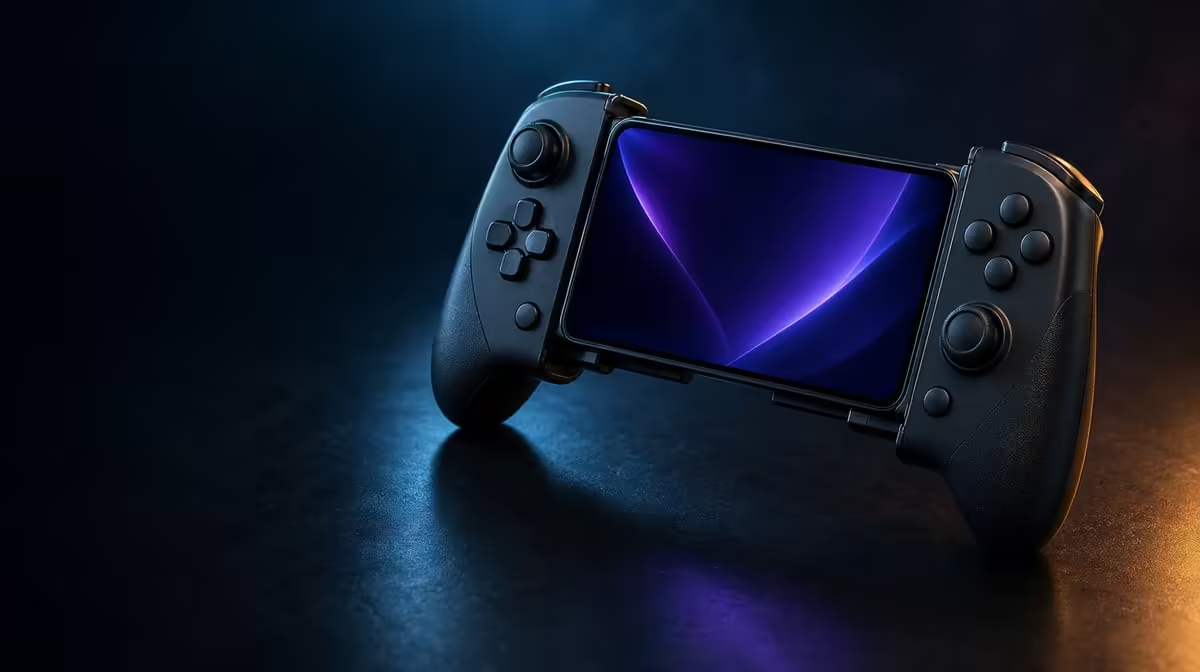
The GameSir X5s makes more sense as a connected control system than as a row of isolated features. This complete GameSir X5s guide follows the path from Bluetooth, USB-C and 2.4GHz through Hall inputs, gyro, feedback and button customisation. The controller costs R699 at Evetech, while the dongle needed for its 2.4GHz route is not included.
Quick Answer
The R699 GameSir X5s is an Android-compatible tri-mode controller. Hall sticks and analog triggers handle conventional input; gyro and HD Vibration add motion and feedback; swappable ABXY caps, Turbo and software provide custom control. Bluetooth and USB-C can be tested directly, while 2.4GHz needs a compatible dongle planned separately.
🔌 Understand the three connection paths
Bluetooth is the natural mobile route because it does not require a receiver. Pair the X5s with the Android device, confirm that the game supports external controller input and test default commands. A successful wireless pairing only proves communication; it does not guarantee that a title recognises every feature.
USB-C supplies a direct path. It can suit a wired playing position and act as a diagnostic reference when Bluetooth input feels inconsistent. Repeat the same menu movement or camera turn without changing the game, display or performance settings.
The third route uses 2.4GHz and a compatible dongle. That receiver is not in the X5s package, so R699 is the controller price rather than the full cost of receiver-based play. Confirm compatibility before making the mode central to a PC setup.
Connection response and internet response are separate. A local press travels from controller to device, game and display. Online data continues to a server and back. Use a local menu to isolate the controller before blaming Bluetooth for an internet delay.
Create a connection card for each device. Record the mode, game, default-input result and any extra hardware. This makes the X5s easier to move between Android and PC without repeating the entire setup or confusing a receiver requirement with game support.
When comparing modes, repeat several deliberate actions rather than relying on one press. Human timing varies, and a single busy game scene can make any path feel worse. A calm, repeatable sequence gives the tri-mode feature a fair test.
The Evetech gaming controller category provides context for comparing other connection arrangements.
🧲 Set up the Hall controls first
The X5s uses Hall Effect anti-drift sticks. Magnetic sensing removes the rubbing potentiometer tracks associated with one source of drift, giving the controller a strong neutral-input foundation.
Place the X5s on a steady surface, release the sticks and observe their centre in a supported input view. Move each control around its range and let it return naturally. Preserve a stable result before reducing deadzone or increasing sensitivity.
Hall technology reduces contact-wear drift; it does not make calibration, care or software irrelevant. Pressure during storage, physical obstruction and a poor profile can still affect behaviour. Keep the controller packed so the sticks remain free.
The analog triggers should be tested separately. Press each one gradually in a game that supports partial input. A stick reports two-axis movement around a centre, while a trigger follows one-direction travel, so copying settings between them is not a meaningful shortcut.
After separate checks, combine the controls in a realistic sequence. Move or aim with the Hall stick, press a trigger and return to neutral. The grip change can reveal comfort or response issues that an isolated input display misses.
Save the result by game. One title may use analog travel, while another may treat the trigger as a simple command. That difference belongs in the software support record rather than being mistaken for changing hardware.
🧭 Add motion and feedback carefully
Six-axis gyro turns physical controller movement into input in supported games. Calibrate while the X5s is still, begin with moderate sensitivity and pair motion with the Hall sticks. Broad turns suit the thumbstick; small corrections suit a compact tilt.
Game support matters. Android compatibility and Bluetooth pairing do not guarantee external gyro control in every title. Confirm the option before pushing sensitivity to an extreme.
Build motion skill in stages: stationary point, predictable movement and ordinary play. Keep the stick profile fixed while tuning gyro so overshoot has one likely source. If one direction feels uneven, recalibrate from still before inventing a directional workaround.
HD Vibration can produce more varied physical feedback when a game supplies detailed effects. Choose intensity for information and comfort rather than raw strength. Strong feedback can disturb a fine gyro correction, so test both features during realistic trigger and button use.
For the wider phone or PC setup, browse gaming accessories through Evetech after the core input profile is stable.
🧩 Keep customisation in separate layers
Swappable ABXY caps alter the letters under the thumb. Software mapping alters the action sent to a game. Photograph the original cap order, choose the desired convention and move the physical pieces first. Then test each position and remap only the commands that need correction.
Turbo repeats a suitable action. It is neither a cap layout nor a normal remap. Apply it to one input, test the repetition in a controlled scene, then confirm that ordinary single presses return when it is disabled.
Save an untouched default profile. Create separate profiles for Android and PC games when their prompts or mappings differ, and name each one clearly. A mapping that disappears after a connection change should be diagnosed only after the device and game recognise default input.
Run a complete profile audit after customising. Navigate a menu, test ABXY, move both sticks, press the triggers, try gyro and check the one Turbo assignment if used. This sequence proves that several individually correct changes still work together.
The lightweight X5s brings these controls together in a portable package. Its value at R699 comes from solving several real tasks: reliable stick sensing, flexible connection, optional motion input and layouts that can follow different games. It does not require every feature to be enabled at once.
Portability benefits from disciplined storage. Keep pressure off the sticks, carry only the connection items required for that session and load the intended profile after the device recognises default input. A repeatable routine is part of making a feature-rich controller feel simple.
Use the Evetech accessory best-seller page to consider surrounding gear after the controller roles have been assigned.
Frequently Asked Questions
Which modes make the X5s tri-mode?
Bluetooth, USB-C and 2.4GHz. The third route needs a compatible dongle that is not included with the controller.
Which controls address contact-related stick drift?
The X5s uses Hall Effect anti-drift sticks that sense position magnetically rather than through rubbing potentiometer tracks.
How should gyro and HD Vibration be tested together?
Calibrate gyro first, choose moderate motion response and then add vibration. Check whether feedback disturbs small physical corrections during realistic actions.
What can be changed about the ABXY controls?
The physical button caps can be rearranged, while supported software can change digital mappings. Treat those as separate adjustments.
What does the complete controller cost?
The GameSir X5s is R699. That figure excludes the 2.4GHz dongle required for the receiver-based connection.
Ready to set up the X5s as one coherent control system?
Browse Evetech gaming controllers and plan connections, Hall inputs, motion and custom profiles in the order you will use them.