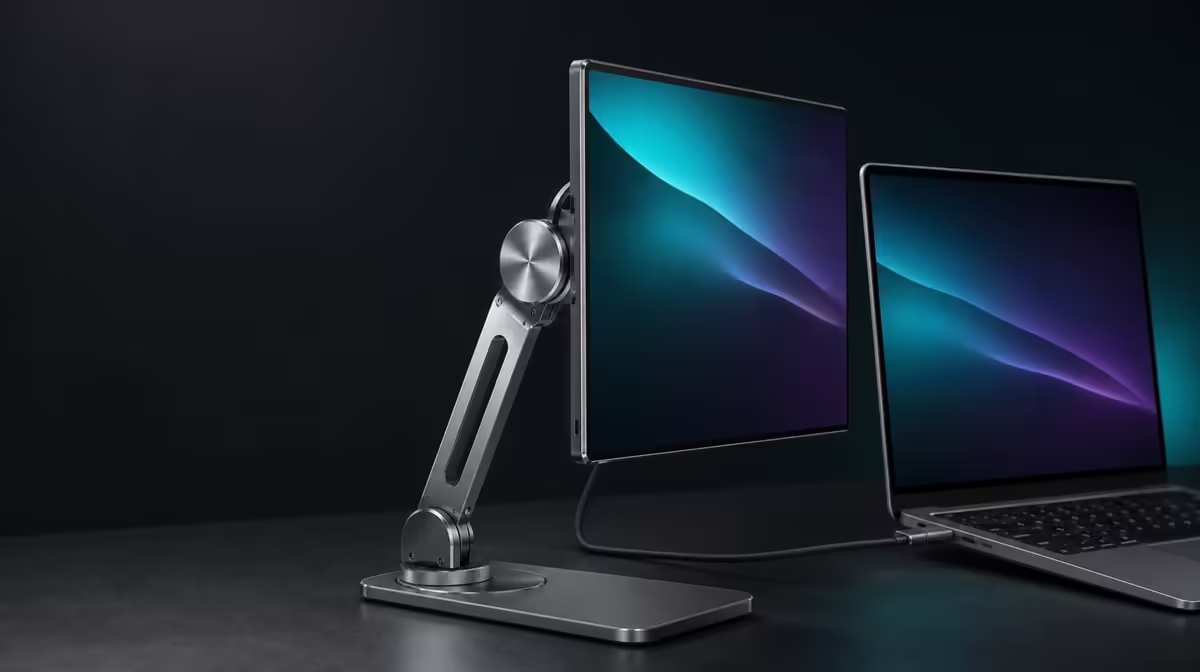
Compatibility is a stack of physical facts, not one diagonal number. This portable stand compatibility and weight guide separates size, device mass, thickness, contact shape, leverage, surface and cables so each can be checked honestly. The R599 UPERFECT UStand confirms 7-15.6-inch support but no load capacity here.
Quick Answer
Use 7-15.6 inches as the UStand's confirmed size boundary, then obtain the device's weight from its own documentation and test the exact shape conservatively. The stand costs R599. Do not invent a kilogram limit; mount close to the base, verify rubber contact and reject any setup that lifts, settles, rocks or changes when cables are added.
📋 Build a compatibility record
Start the record with device name and stated diagonal. Anything smaller than 7 inches or larger than 15.6 inches sits outside the confirmed size range.
Add the manufacturer's device weight. Keep the UStand capacity field blank because no figure is available in this brief. A missing number should remain visible rather than being filled by guesswork.
Record thickness with the case attached. Note raised corners, folding covers, built-in kickstands and buttons that might meet the support.
Map every port used in the planned setup. Include connector-body space and cable-bend direction, not only the exposed socket.
Describe the intended mode: desktop, tripod or handheld. A device needs another approval when the footprint or grip changes.
Once this record is complete, compare stand formats in Evetech's monitor accessory category.
⚖️ Test weight through behaviour, not invention
Open the aluminium stand on a firm, level surface and begin with its folding arm near the base. Inspect clean anti-slip contact before mounting.
Lower the device centrally with two hands. Release pressure in stages while watching every base edge and the arm joint.
Stop if the angle changes, the screen rocks or contact narrows. Do not use a cable, notebook or adapter as a brace.
Move the device only after the closest position passes. Each increase in reach changes leverage and needs a new hold-and-release test.
For a 15.6-inch screen, apply the same process with particular caution because it reaches the top of the stated diagonal range. Size eligibility still does not establish weight suitability.
Normal work belongs in the assessment. Type, move the mouse and interact with the screen only as intended. Continuing movement or creep fails the configuration.
🔍 Include geometry and surface
A deep desk may let the whole stand move closer, reducing the need for arm extension. A shallow desk can tempt the screen beyond a balanced footprint.
Flexible tables transmit motion. Observe the base as well as the screen to distinguish furniture vibration from a shifting joint.
Cases can move the centre or create narrow contact. Repeat the test when a case changes, even though diagonal and device weight stay constant.
Portrait rotation alters how device shape sits around the support. Hold it during the turn and confirm the new centre before letting go.
Tripod mode uses different support points and surrounding traffic. Configure it unloaded, verify the footprint and assess cable routes that may run downwards.
People choosing a portable screen can browse Evetech portable monitors, then enter the exact model's weight and physical details in the record.
🔌 Add cables as separate forces
Establish mechanical stability without any lead attached. Then connect the correct power cable, support its weight near the port and create a relaxed service loop.
Observe whether the stand creeps over several minutes. A cable caught behind the desk can apply a slow force that is missed during initial placement.
Add the video lead separately. If ports sit on opposite sides, make sure the screen is not being held between two taut cables.
Mounted charging access means the connector can remain reachable. The UStand does not provide power or define the charger's requirements.
Save the successful device, mode, arm reach and cable direction in a side photograph. After folding the stand for travel, rebuild and approve the destination surface again.
Check current Evetech availability only after the record passes. Evetech's accessory favourites can provide surrounding desk context without changing the compatibility result.
Turn the record into a matrix when more than one device is involved. Each row should carry its own documented weight, case state, approved orientation and cable route.
Do not copy a passing result from a smaller tablet to a larger portable display. Their centres, contact edges and connector locations differ even when both fall inside the diagonal range.
Add a surface column for home desk, shared table and tripod location. Grip and vibration can change across those foundations, so a device-and-stand pairing may pass one and fail another.
Include a reach description rather than an angle guess. Phrases such as close to base, moderate desk reach or tripod at minimum height are easier to reproduce safely and consistently.
For touch-enabled devices, record whether direct interaction was tested. A passive display can remain stable while taps introduce movement that the user will experience daily.
Create a rejection code for each failure: base lift, joint settlement, narrow contact, blocked port, cable creep or uncertain handheld grip. This makes the reason clear without turning all failures into a vague weight concern.
When a new case arrives, duplicate the row and reassess it. The screen's documented mass and diagonal may be unchanged while thickness and rubber contact differ.
For travel, add bag separation and destination setup. A physically compatible device still forms a poor travel pair if the folded stand presses against it or the support cannot be rebuilt safely.
Another user should be able to follow the matrix. Ask that person to establish the approved desktop position without using the screen as a lever, then compare the result with the reference photo.
Keep current price and availability outside the physical fields. R599 anchors the buying decision, but it cannot alter a failed contact or substitute for an absent capacity figure.
Review the matrix after several sessions. Remove arrangements that were never used, preserve the dependable ones and start a new test whenever the main device or environment changes.
The guide is complete when every approved row names the exact hardware and limits. "Works for this screen in this position" is stronger than an unqualified statement about universal support.
Frequently Asked Questions
What compatibility fact is confirmed?
The UStand supports devices from 7 to 15.6 inches.
What weight capacity can be quoted?
Use the display's documented mass and the latest UStand compatibility guidance, then perform a conservative physical test.
Why is diagonal size insufficient?
It does not describe weight, thickness, case, contact, port position or leverage.
How does arm extension affect support?
Greater reach moves the device farther from the base and increases leverage.
What fit test should happen first?
Mount the exact device centrally with the arm close, then release hand pressure gradually on the intended surface.
Can anti-slip rubber increase capacity?
It assists grip and cushioning; it does not create or confirm a weight rating.
When should the stand not be used?
Do not use a configuration that lifts, settles, creeps, blocks a connector or cannot remain secure during normal work.
What is the guide's price example?
The UPERFECT UStand is R599.
Ready to replace a universal label with a complete compatibility record?
Explore Evetech monitor stands and test the R599 UStand through size, device weight, contact, leverage, surface and cables.