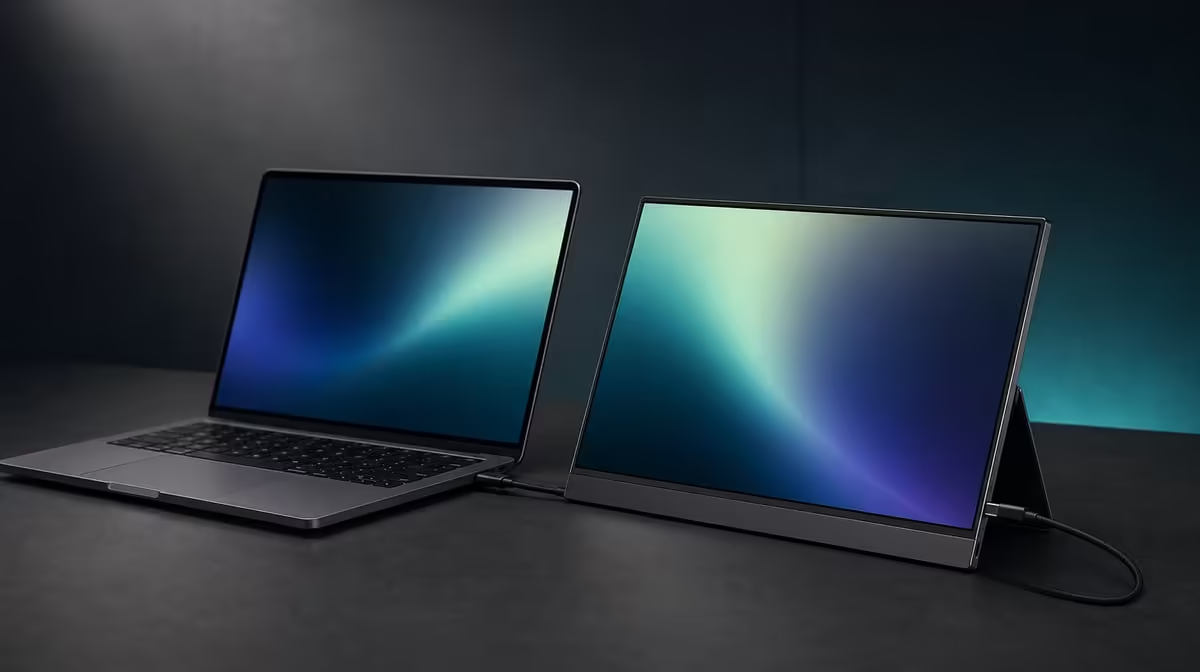
The UPERFECT UFree V is best understood as a complete path from source to panel to support. The complete guide to UPERFECT UFree V features explains what each confirmed specification contributes, where compatibility matters and which attractive claims should remain outside the product description.
Quick Answer
For R2,399, the UFree V provides a 15.6-inch IPS canvas at 1920 x 1080. Its picture specifications include 125% sRGB, 350cd/m2, a 1500:1 ratio and 178-degree viewing. USB-C and Mini HDMI serve as inputs, while folding and VESA options support the panel. Plan external audio and verify the complete carried weight for mobile use.
🖥️ The panel sets the working canvas
The 15.6-inch diagonal creates a laptop-sized second display. At native 1920 x 1080, it can hold documents, communication, creative tools or media without the scaling complexity of a 4K grid at the same size.
Select native resolution first and use operating-system scaling for comfortable text. A lower non-native resolution can soften the image through interpolation.
IPS supports the stated 178-degree viewing specification. This broad angle can help side placement and sharing, although centred viewing remains better for fine text, consistent colour and contrast assessment.
The screen size does not establish the product's weight. A commuter should verify the current model-specific figure and include cables plus protection rather than describing the monitor as lightweight from its diagonal.
Browse Evetech's portable monitor category when comparing this panel foundation with other travel screens.
🎨 Colour and visibility answer different questions
The 125% sRGB claim describes gamut coverage beyond the standard sRGB reference area. It can support vivid media and colour-aware applications, but it does not guarantee accuracy, calibration or low measured error.
The 350cd/m2 brightness figure provides indoor headroom. Use it to meet stronger ambient light, not as a permanent maximum. Direct sunlight can still overwhelm the image.
The 1500:1 contrast ratio states a measured bright-to-dark relationship. It can contribute to text separation and image depth, while glare, picture mode and source output influence what is visible.
Use a neutral baseline with a familiar photograph, black-level steps, white-detail patches and a document. Move reflections through stand placement before changing controls.
For colour-critical work, use proper measurement and managed software. Gamut, luminance, contrast and accuracy should remain separate rows in the evaluation.
🔌 Two inputs broaden the source plan
USB-C can carry video only after the source connector and the selected cable are confirmed for display signalling. Shape does not prove compatibility, and the required power arrangement must also be understood.
Mini HDMI offers a dedicated display input. It can connect another compatible source or isolate a USB-C no-signal problem, while power remains separate from that video lead.
Neither port changes the physical panel resolution. Configure the UFree V at 1920 x 1080 after detection and save the display arrangement.
Create one known-good record per source: device, port, cable, input, power, resolution and scaling. Restart to confirm the setup returns cleanly.
No speaker feature is advertised. HDMI and USB-C may transport audio in compatible systems without proving the monitor can reproduce it. Use the laptop or a confirmed external route.
Use Evetech's full monitor selection when the source list includes equipment better suited to a fixed display.
📐 Desktop stand and VESA cover two roles
The included foldable stand supports quick placement on a firm desk. Centre the panel, use its intended positions and leave cable slack.
VESA support can clear desk space or create a repeatable raised position. Verify the precise pattern, screw thread and length, mount load range and plate clearance. The word VESA does not supply those installation details.
Test stand stability during a normal session. For a mounted setup, move the compatible arm through its full intended travel before connecting cables, then inspect for tension or pinch points.
The two support options make the R2,399 monitor adaptable between mobile and fixed use. Their value depends on the buyer actually needing both, not merely seeing two entries on a specification list.
Save a complete ownership card with source route, picture baseline, stand or mount position and audio device. Store the screen without pressure and keep the cables in relaxed loops.
At purchase time, compare Evetech's current monitor best sellers using this complete map and check live availability separately.
Create a commissioning sequence that touches every feature once without blending the results. Start with USB-C detection, repeat through Mini HDMI, set 1080p, then record the neutral picture baseline.
Open a broad-gamut reference image and keep any accuracy conclusion separate. Follow it with a black-and-white tonal sample to examine 1500:1 contrast, then a white document for brightness comfort.
Move the stand into the normal side-screen position and ask another person to view the same material. This gives the 178-degree figure a practical sharing test.
Next, fold and rebuild the desktop setup from the note. If the panel, input or screen order cannot be restored, improve the ownership instructions before evaluating portability.
For VESA, create a verification page without installing anything: pattern source, screw requirement, candidate mount load, plate clearance and supporting surface. Leave every unsupported dimension blank.
Add a sound row that names the source playback device. A successful video connection plus silence should not send the user searching for an unadvertised speaker control.
Create a travel row only after checking model weight and protection. The confirmed specification guide should show where further evidence is required rather than making the product sound complete through guesswork.
Ask a second household user to run the input, resolution and audio recovery steps. Any instruction understood only by the original owner needs to be rewritten.
At thirty days, rank each feature by frequency and consequence. A rarely used Mini HDMI backup can still matter greatly, while a frequently admired gamut may add little if every task remains standard office work.
The complete guide should end as a short, personal operating record tied to R2,399. Specifications begin the evaluation; repeated use decides which ones remain valuable.
Build an update rule for that record. Change the source card after a new laptop, the room card after a move, and the colour card after measurement, while leaving the physical specification section untouched.
Keep failures as dated entries instead of deleting them. A no-signal route or unstable desk can prevent the same mistake when the screen returns to that environment.
Review the summary with another user at month end. If they can choose an input, restore 1080p, place the stand and find the audio device, the guide has become operational.
Any missing measurement should still be visible. Complete guidance means complete honesty about unknowns, not a filled box for every possible feature.
Frequently Asked Questions
What is the panel's core specification?
It is a 15.6-inch 1920 x 1080 IPS display.
What colour range does the UFree V cover?
The UFree V advertises 125% sRGB gamut coverage.
Which figures shape visibility?
It states 350cd/m2 brightness, 1500:1 contrast and 178-degree viewing.
How can source devices connect?
Compatible devices can use video-capable USB-C or Mini HDMI with the appropriate power path.
What physical support is available?
The monitor includes a foldable desktop stand and supports verified VESA mounting.
How does the viewing angle help?
It supports off-centre visibility for side placement and screen sharing.
Is a speaker feature part of this guide?
No. Use laptop playback or a separate audio device that suits the setup.
What is the current feature-package price?
The UPERFECT UFree V costs R2,399.
Ready to test every confirmed feature as one source-to-desk system?
Compare Evetech's portable displays and make the UFree V pass panel, connection, support and audio planning before purchase.