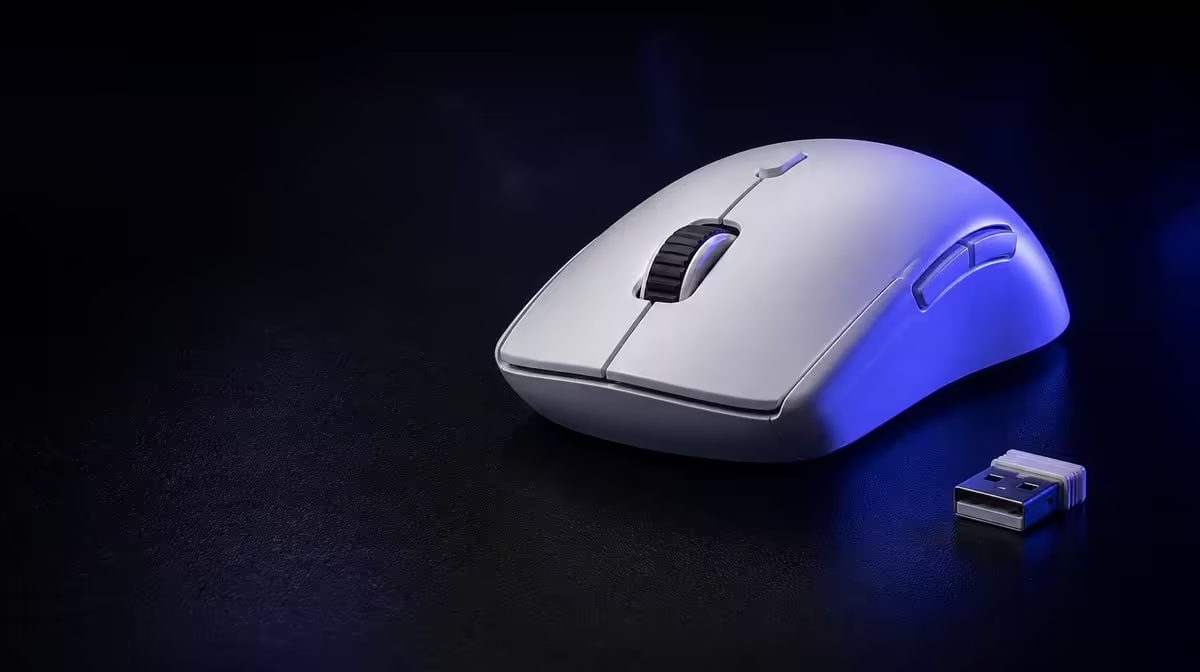
The best connection mode depends on whether the desk needs performance-focused wireless, convenient pairing or a physical cable. Choosing a G305 X SUPERLIGHT connection mode should assign Lightspeed, Bluetooth and wired use distinct jobs, then test each in its real environment.
Quick Answer
Use Lightspeed as the first competitive wireless baseline, Bluetooth for convenient compatible-device pairing and wired operation where a cable suits the task. At R1,499, the tri-mode G305 X SUPERLIGHT provides flexibility, while report support, battery behaviour and stability should be checked separately for every active route.
🔹 Assign devices
List the gaming PC, second device and wired use case. Do not switch modes without a clear task.
Evetech's Logitech gaming mouse family offers related connection packages.
🔹 Test Lightspeed
Place the receiver clearly, fix the USB route and run a competitive aim plus frame test.
Keep DPI and report rate stable before trying up to 8kHz.
Record the receiver
Save its position and retest after moving the desk.
🔹 Test Bluetooth and wired use
Bluetooth can suit general paired-device work. Wired operation provides another physical route whose cable should be arranged without drag.
Evetech's broad gaming mouse range helps compare connection choices.
🔹 Plan endurance and switching
The more-than-130-hour rating provides context, while each mode and report profile affects the routine.
Use Evetech's accessory best-seller list for R1,499 market context and verify availability when ordering.
Name profiles clearly
Use device and task names. Confirm the active mode after charging or restart.
Keep a fallback
Test another route before an important session or travel.
Build a device map
Write the gaming PC, secondary device and wired desk beside the mode assigned to each. Include how the active route is identified.
This prevents Bluetooth convenience from being confused with the performance profile and makes switching teachable to another user.
Test reconnect behaviour
Allow the mouse to idle, wake it and move between intended devices. Record how quickly control becomes predictable.
Repeat after a restart and charging session. A useful tri-mode routine should survive normal ownership events.
Keep sensitivity consistent
Use the same DPI while comparing connections. If a mode activates another profile, restore the baseline before judging delay or tracking.
Save separate mode notes only where settings genuinely need to differ.
Compare report support
Start from a stable rate on the performance route and test up to 8kHz. Evaluate other modes independently rather than assuming the same ceiling.
Keep frame behaviour and USB path with every result.
Plan receiver storage
Keep the small receiver and cable in a known place during travel or device switching. Losing an accessory can force the setup onto another mode unexpectedly.
Test the packed kit before leaving.
Measure endurance by task
Record gaming sessions on Lightspeed and ordinary paired-device work on Bluetooth. Compare charge use within each task, not as one blended total.
Use the more-than-130-hour rating as the starting context for the schedule.
Test cable movement
Arrange wired operation so the cable does not catch or pull during swipes. Compare fine and fast movement with the wireless baseline.
A poor cable route should not be treated as proof that wired input itself is unsuitable.
Simplify if switching fails
If the user repeatedly starts on the wrong device or loses profiles, reduce the number of active routes. Choice has value only when it lowers friction.
Keep the unused mode available for diagnosis without making it part of every day.
Build a competitive session
Use Lightspeed, the chosen DPI and stable report rate through a full match. Record receiver location and charge.
This becomes the performance reference before another mode is tested.
Build a paired-work session
Use Bluetooth for a realistic desktop task on the second device. Test pointer control, wake and switching back to the gaming PC.
Convenience should be measured through the actual transition, not pairing once.
Build a wired session
Arrange the cable without drag and repeat fine plus rapid movement. Note whether wired use serves play, charging or diagnosis in this desk.
Do not force it to copy the wireless role if the cable changes movement.
Compare profile persistence
Restart devices, charge the mouse and switch modes. Confirm that DPI, buttons and reports remain understandable.
Record any route that activates an unexpected profile.
Audit battery by connection
Log session time separately for each wireless mode. The more-than-130-hour rating supplies overall context, while the task log predicts charging.
Set a threshold with margin before competitive play.
Plan failure recovery
If the preferred route stops working, define which mode takes over and which settings it uses. Test this fallback before an important session.
Tri-mode resilience becomes valuable only when the alternate route is ready.
Compare switching time with saved effort
Count how often the user moves devices in a week and how much setup time tri-mode avoids. Occasional switching may need only a simple fallback; daily transitions can justify more careful profiles.
Value the feature by repeated convenience rather than the existence of three modes.
Inspect mode-specific buttons
Confirm whether all six programmable inputs retain suitable assignments across devices. A desktop shortcut should not appear unexpectedly during competitive play.
Use a simpler common map where profile switching causes errors.
Test receiver placement after travel
Recreate the wireless route on the second desk, run the baseline drill and photograph the successful position. Another room can produce different conditions.
Portable connection choice still requires local testing.
Keep the wired cable ready
Store and route it so wired operation can become the fallback without pulling against the mouse. Test the physical movement before relying on it.
An untested emergency cable is not yet a working third mode.
Review the mode plan monthly
Remove devices no longer used, clean old pairings and update profile names. The connection map should stay small enough to explain.
This maintenance keeps tri-mode flexibility from turning into connection clutter.
Build a shared-user handover
Ask another user to follow the connection map and open the correct profile without verbal help. Any confusing step should be rewritten or simplified.
Connection flexibility becomes robust when the desk can be understood after the original setup session is forgotten.
Frequently Asked Questions
Which mode suits competitive gaming?
Begin with the dedicated performance-focused route and test it on the actual PC.
When is Bluetooth useful?
It suits convenient pairing where its measured behaviour fits the task.
Why test wired operation?
It provides another physical route and diagnostic baseline.
Are report rates identical across modes?
Do not assume so. Test every active connection separately.
Can mode affect battery life?
Yes. Measure real use under the selected connection and report settings.
Ready to give every connection a clear role?
Compare tri-mode gaming mice at Evetech and save separate profiles for competitive, paired-device and wired use.