Quick Answer
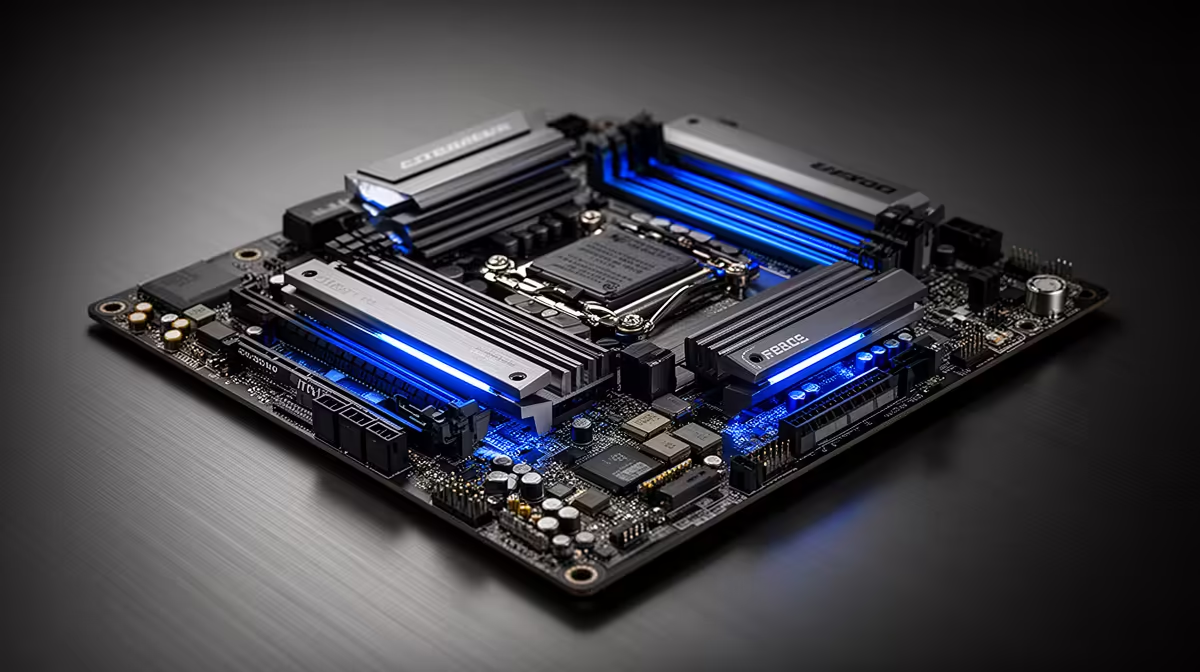
For stock operation, the best motherboard for the Core Ultra 5 245 is the MSI MAG Z890M MORTAR WIFI (R4,500 at Evetech) for mATX, or the MSI MAG Z890 TOMAHAWK WIFI (R5,000) for ATX. Both use the Z890 chipset (LGA 1851), include Wi-Fi 7 and 2.5GbE, and have 14-phase VRMs well-suited to the Core Ultra 5 245's 125 W power draw. A budget-focused alternative is the Gigabyte B860M AORUS ELITE WIFI (~R2,800) — B860 runs the locked 245 at full stock capability for less money.
Chipset Choice: Z890 vs. B860 for Stock Core Ultra 5 245
Since the Core Ultra 5 245 has a locked CPU multiplier:
Z890 advantages at stock:
- Higher DDR5 XMP frequency support (up to DDR5-9600+ vs. B860's ~DDR5-6800 max)
- More M.2 slots (3–5 on Z890 vs. 2–3 on B860)
- Better memory training quality for tight primary timings
- Platform upgrade path to 245K or 265K without changing boards
B860 advantages:
- R1,500–R2,500 cheaper than equivalent Z890 boards
- Adequate for DDR5-6400 XMP — covers 90% of the gaming performance benefit vs. Z890
- Simpler BIOS with fewer OC-related options that aren't applicable to the locked CPU
Recommendation: B860 if the CPU will remain a 245 permanently; Z890 if a future K-SKU upgrade is planned.
Stock Build Performance: Core Ultra 5 245 with RTX 4070
On DDR5-6400 XMP at stock:
- CS2 at 1440p: 150–190 fps
- Valorant at 1440p: 200–260 fps
- Cyberpunk 2077 at 1440p Ultra: 80–95 fps (GPU-limited)
- FIFA at 1080p: 120+ fps
The Core Ultra 5 245 at stock doesn't bottleneck an RTX 4070 at 1440p in any mainstream title.
FAQ
Is Z890 or B860 better for the Core Ultra 5 245 as a stock gaming board?
For pure stock gaming, B860 is the more economical choice — it supports DDR5 XMP (key for Arrow Lake gaming performance), PCIe 5.0 x16 for the GPU, and PCIe 4.0 M.2 storage. The R1,500–R2,500 saved vs. Z890 buys a meaningfully better GPU that directly improves FPS. Only choose Z890 for the Core Ultra 5 245 if three or more M.2 slots, DDR5-8000+ speeds, or future CPU upgrade capability are priorities.
What should I set in BIOS on day one for the Core Ultra 5 245 stock build?
Three things: enable XMP DDR5 profile (critical — default JEDEC DDR5-4800 underperforms the platform), update BIOS to the latest version from the manufacturer's website (Arrow Lake platform receives regular BIOS updates for stability and memory compatibility), and verify the CPU's power limits are at Intel spec (PL1 = 125 W) rather than any MCE-equivalent unlimited profile that some boards enable by default.
What is the LGA 1851 socket compatibility with older CPU coolers?
LGA 1851 (Arrow Lake) is physically different from LGA 1700 (Raptor Lake) — older LGA 1700 mounting hardware does not fit LGA 1851. Most cooler manufacturers offer free LGA 1851 upgrade kits for coolers purchased in 2023–2024, downloadable from their support pages. New coolers purchased now include LGA 1851 brackets in the box. Confirm compatibility before ordering a cooler separately from the CPU and board.
Core Ultra 5 245 at stock, run CPU-Z after first boot and verify the multiplier column shows consistent values between 8× (low-frequency efficiency states) and the rated boost — Arrow Lake's Thread Director assigns tasks dynamically to P and E cores, and seeing the multiplier vary widely is normal, not a sign of misconfiguration or instability.