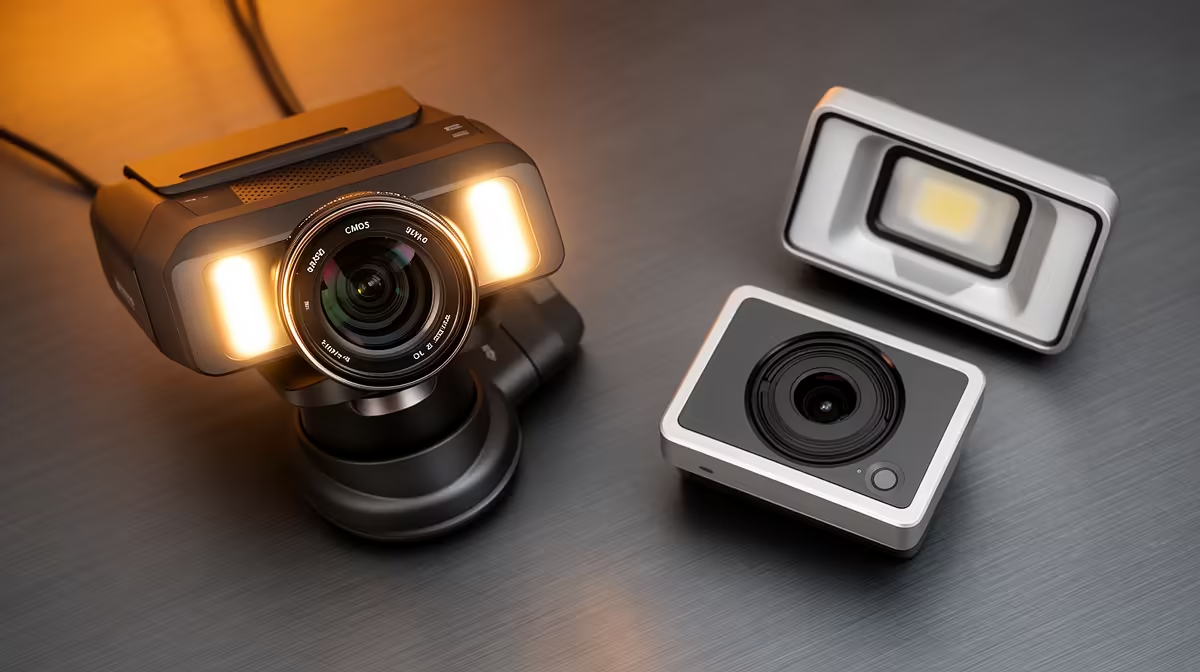
The CMOS sensor in a modern streaming webcam is far more capable than most people realise, and the thing holding back most South African creators is not the camera hardware. It is the light reaching that sensor. A CMOS sensor paired with good studio lighting costs less to fix properly than a camera upgrade, and the improvement is visible in the first test clip.
Quick Answer
Better light lets your webcam sensor drop its ISO setting, which cuts digital grain and preserves colour accuracy. A single LED key light at 45 degrees costs around R400 to R800, adds genuine studio shaping to your image, and does more for perceived video quality than spending the same money on a new camera.
🔆 Why Light Quality Determines What the Sensor Sees
A CMOS sensor converts photons into electrical charge. When light is plentiful, the conversion is straightforward and the output is clean. When light is scarce, the camera amplifies a weak signal to reach usable brightness. That amplification introduces noise, the speckled grain visible in dark areas of a poorly lit frame.
Grain is the most common complaint about webcam image quality, and in most cases it is entirely fixable without touching the camera settings. Adding light to the scene reduces the amplification the sensor needs. The result is a cleaner signal, truer colours, and a face that looks defined rather than muddy.
Colour temperature matters alongside quantity. Most CMOS webcams auto-balance around daylight, somewhere between 5500K and 6000K. A light source in that range keeps skin tones accurate. Warmer bulbs around 3000K push skin orange, and cooler blue-tinted sources push it ashen. Both can be corrected in software but the correction costs quality. Starting with the right colour temperature avoids the problem entirely.
How Much Light Is Actually Enough
A rough target is 1000 lumens of forward-facing illumination for a seated presenter at 50 to 70cm from the light source. That is a moderate LED panel, not a large studio fixture. At 1000 lumens with a 5600K colour temperature, most mid-range webcam sensors can hold ISO at a comfortable level without grain. Below 500 lumens the sensor starts compromising, especially in cameras with smaller physical sensor sizes.
🔧 Building a Cost-Effective Key and Fill Setup
For a webcam setup, the most cost-efficient starting point is a single key light placed at eye level or slightly above, angled diagonally across the face from one side. That oblique placement shapes the face with natural shadow depth, avoiding the flat look of front-on illumination and the harshness of overhead light.
A key light alone can leave the opposite side of the face in shadow heavy enough to distract viewers. A fill light at lower intensity on the other side balances this. The fill does not need to match the key in power. Something at one-third to half the key brightness is enough to open up the shadow without removing the depth the key provides.
For a budget South African setup, a single adjustable LED panel in the R400 to R800 range handles the key position. A second smaller panel or even a bright ambient lamp fills from the other side. This two-light arrangement at a combined cost under R1,500 typically produces results that clearly exceed what a more expensive camera would achieve with the original poor lighting.
Pro Tip ⚡
your LED panel with a sheet of white fabric or tracing paper stretched over a frame in front of it. Hard LED sources create harsh catchlights and accentuate texture. A softened source wraps light around the face and produces the flattering, smooth look associated with professional talking-head video. Cost: under R50 of materials.
✨ Background Lighting for Depth and Context
A well-lit face against a flat, featureless background still reads as amateur. Adding a small light source behind the subject, aimed at the wall or backdrop, separates the presenter from the background and creates depth in what would otherwise be a two-dimensional image.
This does not need to be a dedicated backdrop light. A small desk lamp placed behind and below the frame line, pointed at the wall, costs under R200 and adds visible separation. Coloured bulbs in the R100 range can add personality to a gaming or streaming background without looking arbitrary if the colour is kept subtle. One stop of brightness difference between face and background is usually enough for the separation to register on camera.
Coastal setups in Cape Town and Durban face an additional variable: high ambient humidity during summer months affects how well compact LED panels stay colour-accurate over time. Keeping lights in a dry space when not in use extends both colour consistency and bulb life significantly.
🎯 Avoiding the Most Expensive Lighting Mistakes
Placing a bright window directly behind the subject is the single most common setup error. The camera's auto-exposure reads the bright background and underexposes the face to compensate. The person becomes a silhouette. Moving the window to the side or blocking it with a curtain and using artificial lighting removes that exposure conflict entirely.
Ring lights are popular because they are compact and easy to position. They provide good frontal illumination, but the perfectly circular catchlight they produce in the eyes is distinctive and associated with social video rather than professional production. For a creator aiming at a polished result, a softbox or diffused panel at 45 degrees produces a more natural, irregular catchlight that reads as professional. The price difference between a ring light and a basic LED panel with a diffuser is negligible at the South African market level.
Frequently Asked Questions
How does adding more light improve a CMOS webcam image?
More illumination lets the sensor collect strong signal without amplifying a weak one. Amplification is what produces digital grain. At higher light levels the sensor records colour and detail directly from the source without enhancement, which is why a well-lit image looks cleaner even on a budget camera.
Does a CMOS webcam need expensive lighting to look professional?
No. A single LED panel at the R400 to R800 price point with a 5600K colour temperature positioned at 45 degrees to the face delivers studio-quality shaping. The cost of improving lighting to a professional standard is significantly lower than the cost of upgrading to a higher-tier camera, and the visual improvement is comparable or larger.
What colour temperature should a webcam key light use?
Around 5600K, which sits in the daylight range most webcam sensors are calibrated to balance against. This temperature renders skin tones accurately without the orange warmth of a tungsten bulb or the cool blue cast of a raw LED. Some adjustable panels cover 3000K to 6000K, which lets you match different room conditions.
Can a ring light replace a key and fill arrangement?
Partly. A ring light provides even frontal illumination and reduces unflattering shadows, making it useful for simple setups. The trade-off is the round catchlight it creates in the eyes, which many viewers associate with a less professional look, and the flat, shadow-free rendering that removes depth from the face. A key and fill arrangement at similar cost produces a more dimensional image.
Why does poor lighting make a webcam look noisy even at maximum resolution?
Low illumination forces the sensor's gain circuitry to amplify the available signal. That amplification raises the signal floor alongside the wanted image information, which shows up as grain across the frame. Increasing light reduces the amplification needed, and the grain falls away. It is a sensor physics issue, not a resolution one, which is why better lighting fixes it where a resolution upgrade cannot.
Should I spend more on background lighting or face lighting?
Always face lighting first. Clean, well-shaped illumination on the presenter is the primary quality signal viewers register. A small investment in background light, around R200 for a simple backdrop lamp, adds depth once the face is properly lit. Reversing the priority and lighting the background without addressing the face still leaves the image looking flat and unpolished.
Ready to get professional-looking video from the camera you already own?
Browse the streaming lighting range and find the LED panel setup that matches your space and budget for a cleaner, sharper webcam image.