


RTX 4060 Ti Throttling Under Load: SA Temperature Guide
RTX 4060 Ti Throttling Under Load: Temperature. Everything you need to know with SA pricing, step-by-step instructions & expert recommendations.
Read moreCPU bottleneck explained? Uncover causes, fixes, and performance tips for gamers and builders in South Africa! 💻🔥
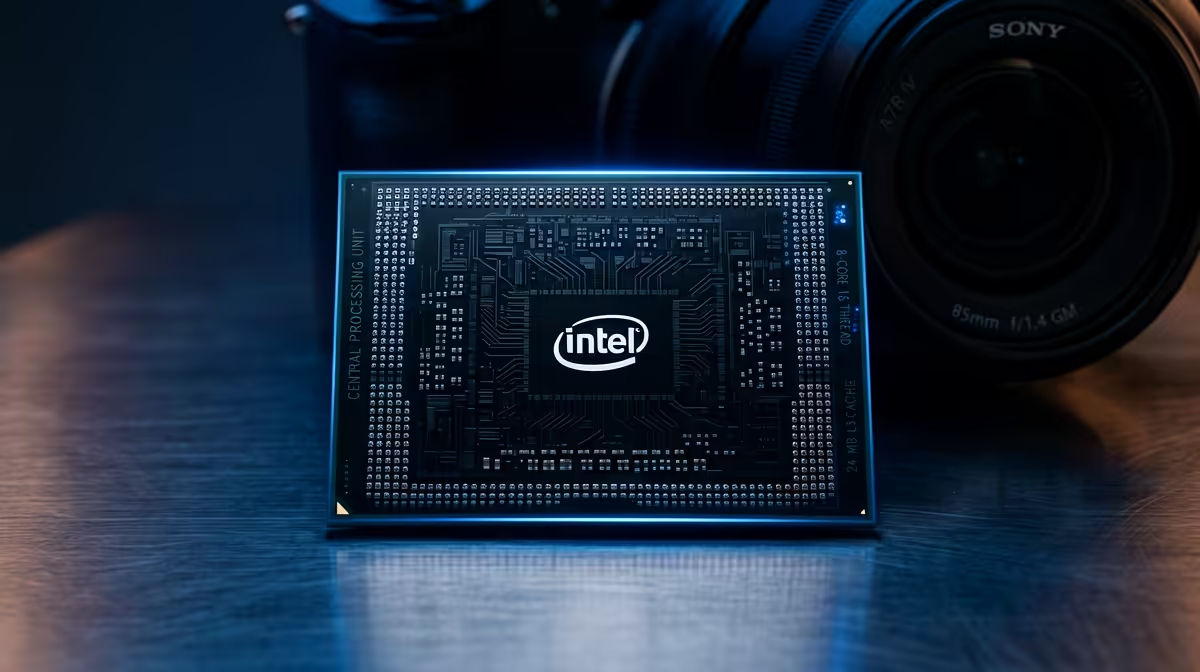
Ever wondered why your brand-new, powerful graphics card isn't delivering the smooth, high-FPS gaming experience you expected? Many South African gamers face this exact puzzle. You've invested in top-tier components, but your frame rates still stutter like a load-shedding power surge. The silent culprit often isn't your GPU, but a CPU bottleneck, holding back your entire system. Let’s dive deep into this common issue and ensure your rig performs at its peak here in Mzansi. 🚀
At its core, a CPU bottleneck occurs when your Central Processing Unit (CPU) can't process data fast enough to keep up with your Graphics Processing Unit (GPU). Think of your gaming PC as a high-performance sports car. The GPU is the engine, churning out incredible graphical power. But if the CPU is the gearbox, struggling to shift gears quickly enough, that powerful engine can't truly hit its stride. Your GPU ends up waiting for instructions, leading to lower frame rates, stuttering, and an overall less fluid gaming experience. It’s like having a super-fast fibre line but a router that’s stuck in the dial-up era.
Your CPU isn't just for spreadsheets and browsing; it's the brain behind every game. It handles game logic, physics, AI, audio, and prepares the frames for your GPU to render. In modern, open-world, or highly complex multiplayer games, this workload is immense. If your CPU is older, has fewer cores, or lower clock speeds compared to your cutting-edge GPU, it can quickly become the limiting factor. This is why understanding a processor bottleneck is crucial for any serious gamer or tech enthusiast.
Spotting a CPU bottleneck isn't always obvious, but there are clear signs and tools to help.
Investigate free tools like HWMonitor or NZXT CAM. They provide real-time data on CPU and GPU usage, temperatures, and clock speeds, making it easier to diagnose performance issues.
In South Africa, where every rand counts and component prices can feel a bit steep, making the right hardware choices is paramount. An unbalanced system with a significant CPU bottleneck means you're literally wasting money on a GPU that can't be fully utilised. Imagine spending R15,000 on a new graphics card, only to have a R3,000 CPU limit its potential by 30%. That’s R4,500 of performance you’re not getting! Optimising your build for balanced performance helps you get the most out of your investment, ensuring your gaming budget stretches further.
Evetech offers a wide range of CPUs to suit every budget and performance need. Whether you're looking for a powerful upgrade or building a new rig, you can find the perfect processor to avoid a bottleneck. Explore our extensive collection of CPUs and processors online to ensure your system is perfectly balanced.
Once you’ve identified a CPU bottleneck, what can you do about it?
This is often the most effective solution. Matching your CPU's power to your GPU's demands will unlock your system's full potential. Consider the latest generations from both Intel and AMD.
Remember to also consider your motherboard compatibility and RAM speed when upgrading your processor.
If a CPU upgrade isn't immediately feasible, tweaking game settings can help.
If your CPU and motherboard support it, a stable overclock can provide a modest performance boost. However, this requires adequate cooling and careful monitoring, and it's not without risk.
Understanding and addressing a CPU bottleneck is vital for any South African gamer or tech enthusiast aiming for optimal performance. It's not just about having the best components, but ensuring they work together harmoniously. By diagnosing and resolving these bottlenecks, you'll unlock smoother gameplay, higher frame rates, and a truly immersive experience that makes every cent of your investment count. Don't let a hidden bottleneck hold you back from dominating the digital battlegrounds.
Upgrade Your Performance Today! Ready to eliminate those frustrating stutters and unleash your PC's true power? Find the perfect processor upgrade to complement your GPU and experience gaming as it was meant to be. Shop now at Evetech for performance that leaves lag in the dust.
Use Task Manager or software like HWMonitor to identify CPU usage spikes. South African gamers should prioritize local ISP speeds too.
Yes! Local server latency in South Africa amplifies CPU bottlenecks. Optimize hardware for smoother gameplay.
Upgrade to Ryzen 7000/Intel 13th Gen processors and ensure proper cooling. South African builders must avoid component mismatches.
Use PCPartPicker compatibility checker to optimize builds. South Africans should verify power supply wattage too.
Match CPU with GPU power. South African builders check local component availability before purchasing.
Yes! Use liquid cooling for better thermal management in South Africa's warmer regions.
Visit Evetech's blog and local forums like MyBroadband for region-specific performance tips.
RTX 4060 Ti Throttling Under Load: Temperature. Everything you need to know with SA pricing, step-by-step instructions & expert recommendations.
Read more
Apex Legends Max Settings on RTX 4080. Tested & verified settings for best FPS and visual quality on SA hardware budgets.
Read more
GPU Buying Guide. Everything you need to know with SA pricing, step-by-step instructions & expert recommendations.
Read more
GPU Terms Guide. Everything you need to know with SA pricing, step-by-step instructions & expert recommendations.
Read more
AMD Adrenalin Download & Setup Guide: GPU. Clear setup instructions with SA-specific considerations, troubleshooting tips & recommended components.
Read more
Back-to-School GPU Buying Guide. Everything you need to know with SA pricing, step-by-step instructions & expert recommendations.
Read more
Snapdragon X2 NPU Explained: How 80 TOPS Changes. Plain-English explanation of what it means, why it matters & how it affects your buying decisions in SA.

HBM? High Bandwidth Memory Used in GPUs and AI. Plain-English explanation of what it means, why it matters & how it affects your buying decisions in SA.

How much should you spend on sim racing accessories in South Africa for a realistic setup? We break down budgets by quality tiers, so you buy smart gear and avoid overspending 🎮💸

G-Sync and FreeSync? Variable Refresh Rate. Plain-English explanation of what it means, why it matters & how it affects your buying decisions in SA.

AMD Laptop: Value. SA-focused analysis with local pricing data, real-world insights & actionable buying advice.

How MacBook Neo Handles 30+ Chrome Tabs with Only. SA-focused analysis with local pricing data, real-world insights & actionable buying advice.

Why Apple Put 8GB RAM in MacBook Neo: The A18 Pro. SA-focused analysis with local pricing data, real-world insights & actionable buying advice.

Upgrade your work laptop with a New Motherboard. Step-by-step instructions with SA-specific tips, common pitfalls to avoid & expert recommendations.

Maintain wired headset — Checklist: • inspect cables • clean earpads • store properly 🔧🎧 Practical steps to preserve sound quality and avoid premature replacements.

Fix crackling headset fast: step-by-step checks for cables, connectors, drivers, and settings to remove static or distorted audio on wired headsets 🎧⚙️

Stereo vs mono headsets: learn which delivers clearer calls, better spatial music, or simpler mono voice performance — pick the right headset for meetings, music, or gaming 🎧💬

- Compare gaming headset vs studio headphones; - Assess comfort, mic and sound; - Recommend best daily picks. Gaming headset vs studio headphones: learn which suits work, music and casual gaming. 🎧⚖️