


Maintain Wired Headset: Tips to Extend Lifespan
Maintain wired headset — Checklist: • inspect cables • clean earpads • store properly 🔧🎧 Practical steps to preserve sound quality and avoid premature replacements.
Read moredesktop hard drives vs NAS: Learn why standard desktop drives aren't built for 24/7 NAS workloads, how error recovery, vibration tolerance, and RAID behavior differ, and which drives to choose 🧩💾
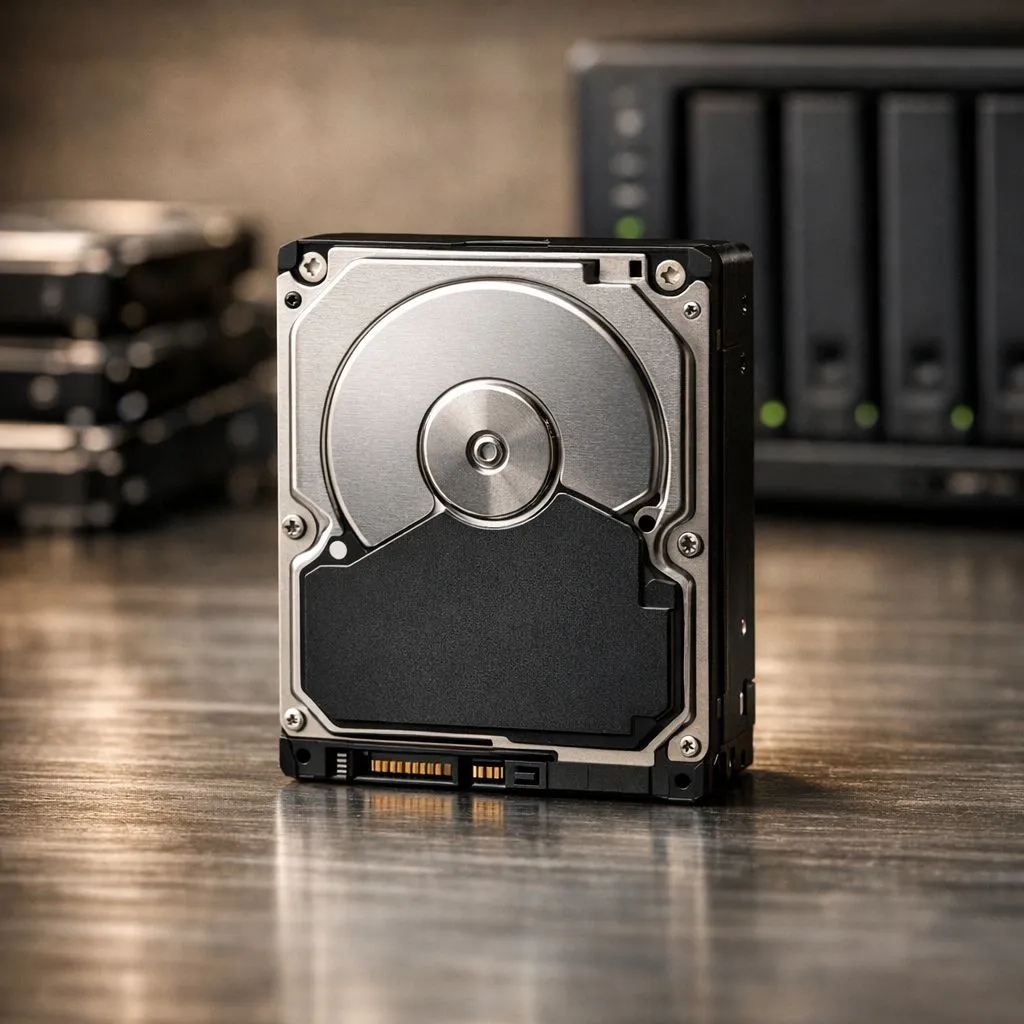
Thinking of repurposing an old PC into a media server? Or maybe you just bought a dedicated Synology or QNAP box. It is tempting to grab the cheapest 4TB drive you can find... but using desktop hard drives vs NAS specific drives is a gamble that rarely pays off in South Africa’s heat. You need reliability when your data is on the line.
Standard desktop drives are built for light work. They expect to be turned off at night. Most are rated for an 8-hour workday, five days a week. In contrast, a Network Attached Storage (NAS) environment requires 24/7 uptime. If you need portable speed for quick backups instead of permanent server storage, you might buy external SSD options to keep your files moving safely.
Desktop drives often lack sophisticated vibration sensors. In a multi-bay enclosure, the vibrations from four or eight spinning platters add up. This creates "rotational vibration" that can cause the read/write heads to skip. Over time, this leads to mechanical failure or corrupted data. NAS-rated drives are specifically balanced to handle these constant micro-shakes.
Always follow the 3-2-1 backup rule. Keep three copies of your data, on two different media types, with one copy offsite. A NAS is a great local hub, but backing up your most critical documents to a separate drive ensures you are protected even if a power surge hits your main server.
Firmware is the secret sauce that separates these drives. When a standard drive hits a bad sector, it might spend minutes trying to recover the data. This is fine for a desktop PC... but it is fatal for a RAID array. If a drive takes too long to respond, the NAS controller assumes it has failed and kicks it out of the array.
This results in a "degraded" state. To avoid this, you should buy solid state drives for your primary operating system to ensure the snappiest response times. NAS drives use a feature called Error Recovery Control. This tells the drive to stop trying to fix the error after a few seconds and let the NAS controller handle it via parity.
Our local climate can be brutal on hardware. Inside a cramped NAS chassis, temperatures rise quickly. Desktop drives are not designed to operate in high-heat, high-density environments. Using an external SSD for temporary file transfers is a great way to keep your main server cool by reducing unnecessary disk activity.
When selecting internal components, brand reputation matters. We often suggest looking at ADATA for high-speed secondary storage. However, for the heavy lifting of a 24/7 server, Western Digital Red or Gold series remain the gold standard for South African enthusiasts who value their peace of mind.
Modern NAS units often include M.2 slots for caching. If your workload involves editing video directly off the server, investing in Gen 5 (NVME) speeds can drastically reduce latency. While mechanical drives offer the best "price per gigabyte" in ZAR, SSDs provide the silent, cool operation that small home offices crave. 🔧 ⚡ 🚀 ✨
Ready to Find Your Perfect Match? The desktop hard drives vs NAS debate is simple: don't risk your data on hardware not built for the job. For maximum reliability and the best storage value in South Africa, we have you covered. Explore our massive range of storage specials and find the perfect drive to protect your digital life.
Desktop drives lack NAS-grade firmware and vibration tolerance; desktop drive reliability NAS is lower under constant multi-bay workloads.
NAS firmware manages error recovery and RAID behavior; desktop firmware prioritizes single-drive performance, risking rebuild issues.
SMR drives hurt random writes and can stall RAID rebuilds; choose CMR or NAS-rated drives instead to avoid array failures.
Multi-bay NAS creates more vibration; desktop drives lack the vibration tolerance NAS drives need, increasing read/write errors.
Enterprise drives deliver higher endurance and firmware tuned for 24/7 NAS use, meeting tougher 24/7 NAS drive requirements for heavy use.
Pick NAS-rated or enterprise drives with CMR, TLER support, and high MTBF for the best drives for NAS vs desktop situations.
Desktop drives can trigger long rebuilds and unrecoverable errors due to aggressive error correction and missing TLER, harming RAID resiliency.
Maintain wired headset — Checklist: • inspect cables • clean earpads • store properly 🔧🎧 Practical steps to preserve sound quality and avoid premature replacements.
Read more
Fix crackling headset fast: step-by-step checks for cables, connectors, drivers, and settings to remove static or distorted audio on wired headsets 🎧⚙️
Read more
Stereo vs mono headsets: learn which delivers clearer calls, better spatial music, or simpler mono voice performance — pick the right headset for meetings, music, or gaming 🎧💬
Read more
- Compare gaming headset vs studio headphones; - Assess comfort, mic and sound; - Recommend best daily picks. Gaming headset vs studio headphones: learn which suits work, music and casual gaming. 🎧⚖️
Read more
- Check pressure points - Compare earcup materials - Adjust clamp and fit Best gaming headsets for glasses: quick guide to reduce temple pressure, pick breathable memory foam earcups, and optimize fit for long sessions 🕹️👓
Read more
Gaming microphone noise reduction: Use beamforming mics, AI noise suppression, and hardware filters to cut background noise and boost in-game voice clarity. 🎧⚙️ Learn setups, settings, and top mic features.
Read more
Snapdragon X2 NPU Explained: How 80 TOPS Changes. Plain-English explanation of what it means, why it matters & how it affects your buying decisions in SA.

HBM? High Bandwidth Memory Used in GPUs and AI. Plain-English explanation of what it means, why it matters & how it affects your buying decisions in SA.

How much should you spend on sim racing accessories in South Africa for a realistic setup? We break down budgets by quality tiers, so you buy smart gear and avoid overspending 🎮💸

G-Sync and FreeSync? Variable Refresh Rate. Plain-English explanation of what it means, why it matters & how it affects your buying decisions in SA.

AMD Laptop: Value. SA-focused analysis with local pricing data, real-world insights & actionable buying advice.

How MacBook Neo Handles 30+ Chrome Tabs with Only. SA-focused analysis with local pricing data, real-world insights & actionable buying advice.

Why Apple Put 8GB RAM in MacBook Neo: The A18 Pro. SA-focused analysis with local pricing data, real-world insights & actionable buying advice.

Upgrade your work laptop with a New Motherboard. Step-by-step instructions with SA-specific tips, common pitfalls to avoid & expert recommendations.
Maintain wired headset — Checklist: • inspect cables • clean earpads • store properly 🔧🎧 Practical steps to preserve sound quality and avoid premature replacements.
Fix crackling headset fast: step-by-step checks for cables, connectors, drivers, and settings to remove static or distorted audio on wired headsets 🎧⚙️
Stereo vs mono headsets: learn which delivers clearer calls, better spatial music, or simpler mono voice performance — pick the right headset for meetings, music, or gaming 🎧💬
- Compare gaming headset vs studio headphones; - Assess comfort, mic and sound; - Recommend best daily picks. Gaming headset vs studio headphones: learn which suits work, music and casual gaming. 🎧⚖️